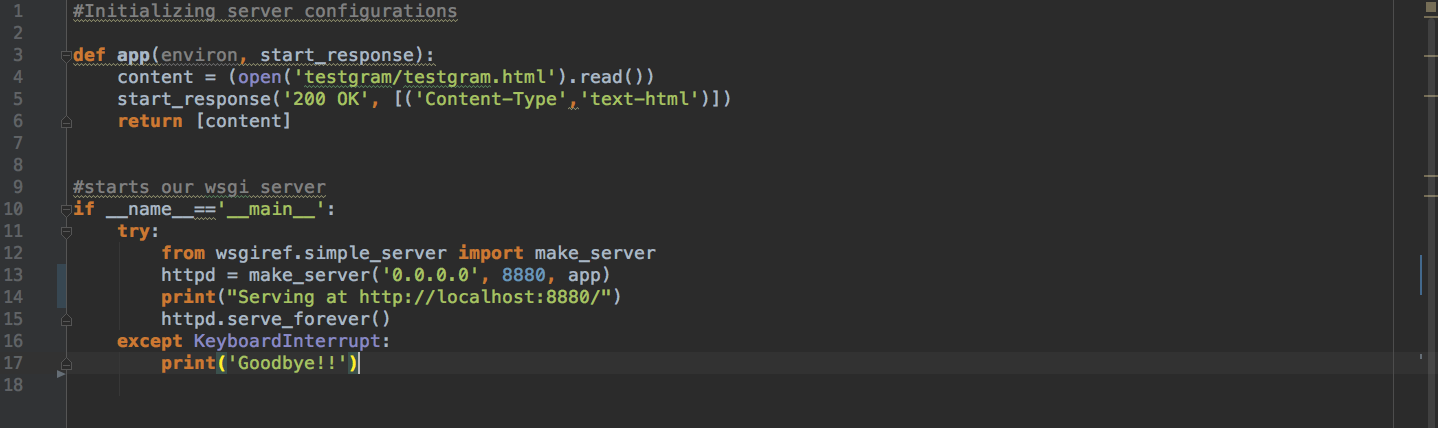
I am trying to load this web page containing vega view using this server script:
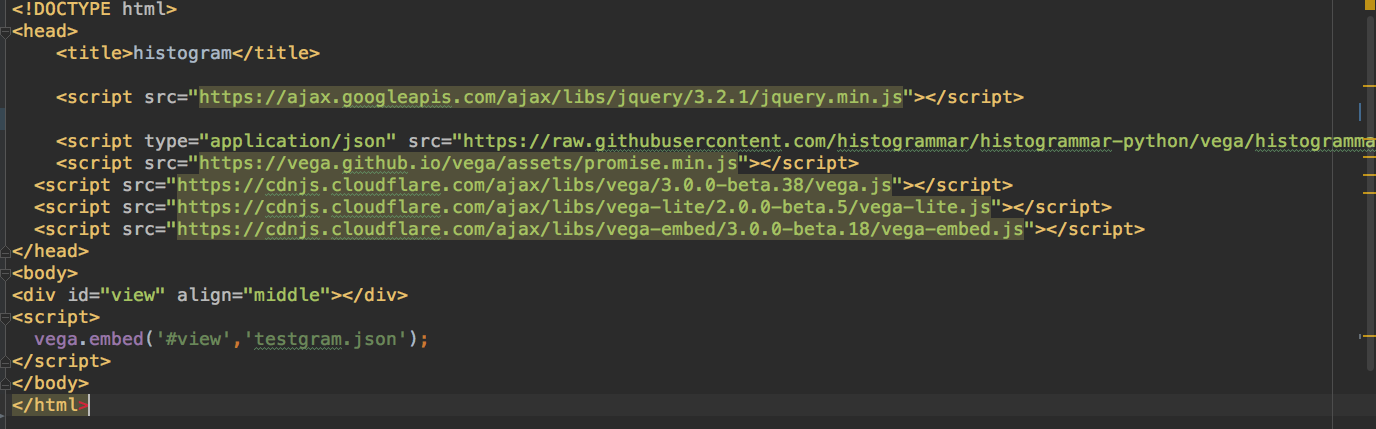
The testgram.html goes like:
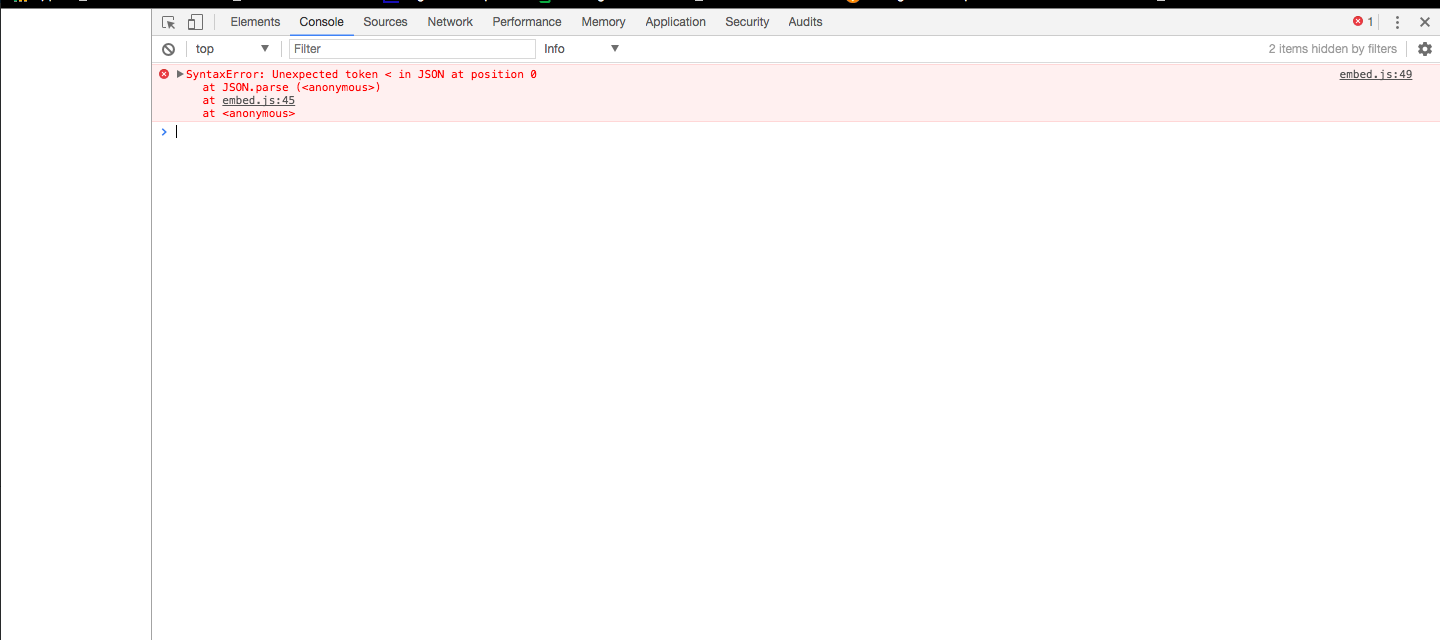
But the chrome console throws an exception:
What could be the problem? is there a problem with my code or with vega-embed.js?
 malhotrachetan
All 5 comments
It looks like non-JSON data is being passed into JSON.parse. I would check the content of testgram.json and then check if it is being loaded correctly. By passing in a string name only (no URL protocol or directory) it should be looking for that file at the same directory location as testgram.html.
 jheer
on 26 Jul 2017
jheer
on 26 Jul 2017
Hey! Thanks for the reply. So, vega.embed() works now when passed url: https://raw.githubusercontent.com/histogrammar/histogrammar-python/vega/histogrammar/plot/vega/testgram/testgram.json
Thanks for the help.
malhotrachetan
on 26 Jul 2017
So vega.embed() will load a vega specification from remote server only? I can't load local vega specifications?
malhotrachetan
on 26 Jul 2017
@debuggermalhotra, no, you can load a local spec (either via URL or as object). Detailed docs are at https://github.com/vega/vega-embed.
 domoritz
on 26 Jul 2017
domoritz
on 26 Jul 2017
A single file (such as blah.vg.json) should be treated as a URL without a specified protocol (default is http://) or directory (default is the same directory as the calling web page). In your case I suspect the error arose due to trying to access a file that does not exist at the default location, followed by a failure to parse the returned 404 page (hence the failure of JSON parsing on the initial < character). But that is just a guess.
In any case, vega-embed should provide better error handling for load failures, and I've opened a new issue for that.
jheer
on 26 Jul 2017
Related issues
 divico
·
4Comments
divico
·
4Comments
 david-littlefield
·
4Comments
david-littlefield
·
4Comments
 kanitw
·
3Comments
kanitw
·
3Comments
 nyurik
·
5Comments
nyurik
·
5Comments
 sonlichao
·
4Comments
sonlichao
·
4Comments