Vedo: Match the object in the background image and obJ model
I have an OBj model and an image, and there are objects corresponding to the OBj model in the image, how can I match them?
`from vedo import *
import cv2
settings.showRendererFrame = False
height, width, _ = cv2.imread("../images/2.png").shape
vp = Plotter(N=4, sharecam=True,
bg="../images/2.png",
# bg2='light blue',
size=(width,height),
# interactive=0,
axes=0,
shape=(0,0))#.flyTo([500,100,0])
a1 = load('../obj/'+'model_normalized.obj').scale(60000).c('violet').alpha(0.5)#.rotateX(-90)
cam1 = dict(pos=(2.71e+3, 1.06e+4, 4.96e+4),
focalPoint=(2.71e+3, 1.06e+4, -149),
viewup=(0, 1.00, 0),
distance=4.98e+4,
clippingRange=(3.71e+4, 6.58e+4))
vp.show(at=0)#, size=(width, height))
vp.backgroundRenderer.GetActiveCamera().Zoom(2)
vp.show(a1,at=0,rate=3, interactive=1,camera=cam1)
vp.close()
vp.closeWindow()`
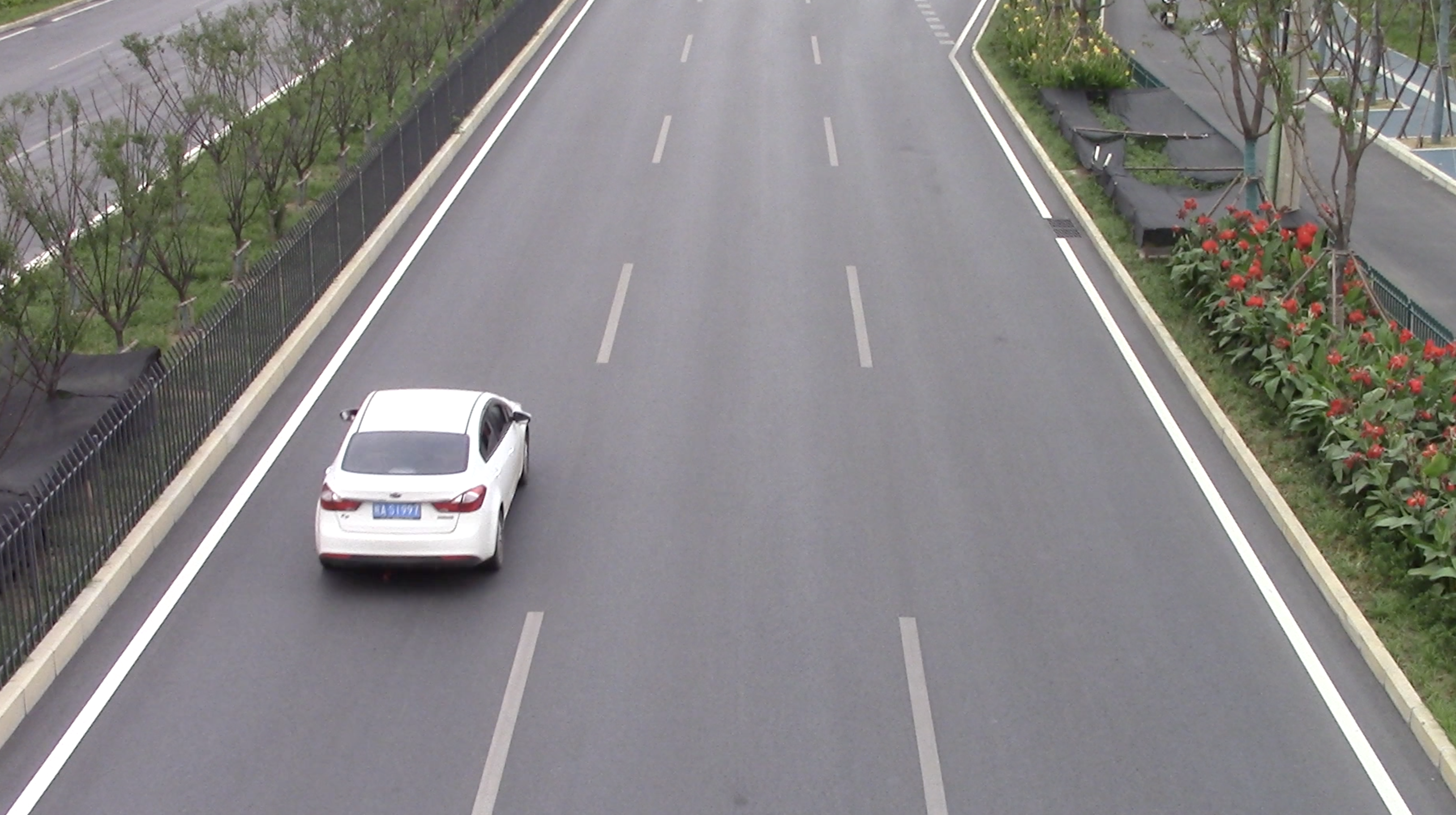
this is the result, I don't know how to match them.
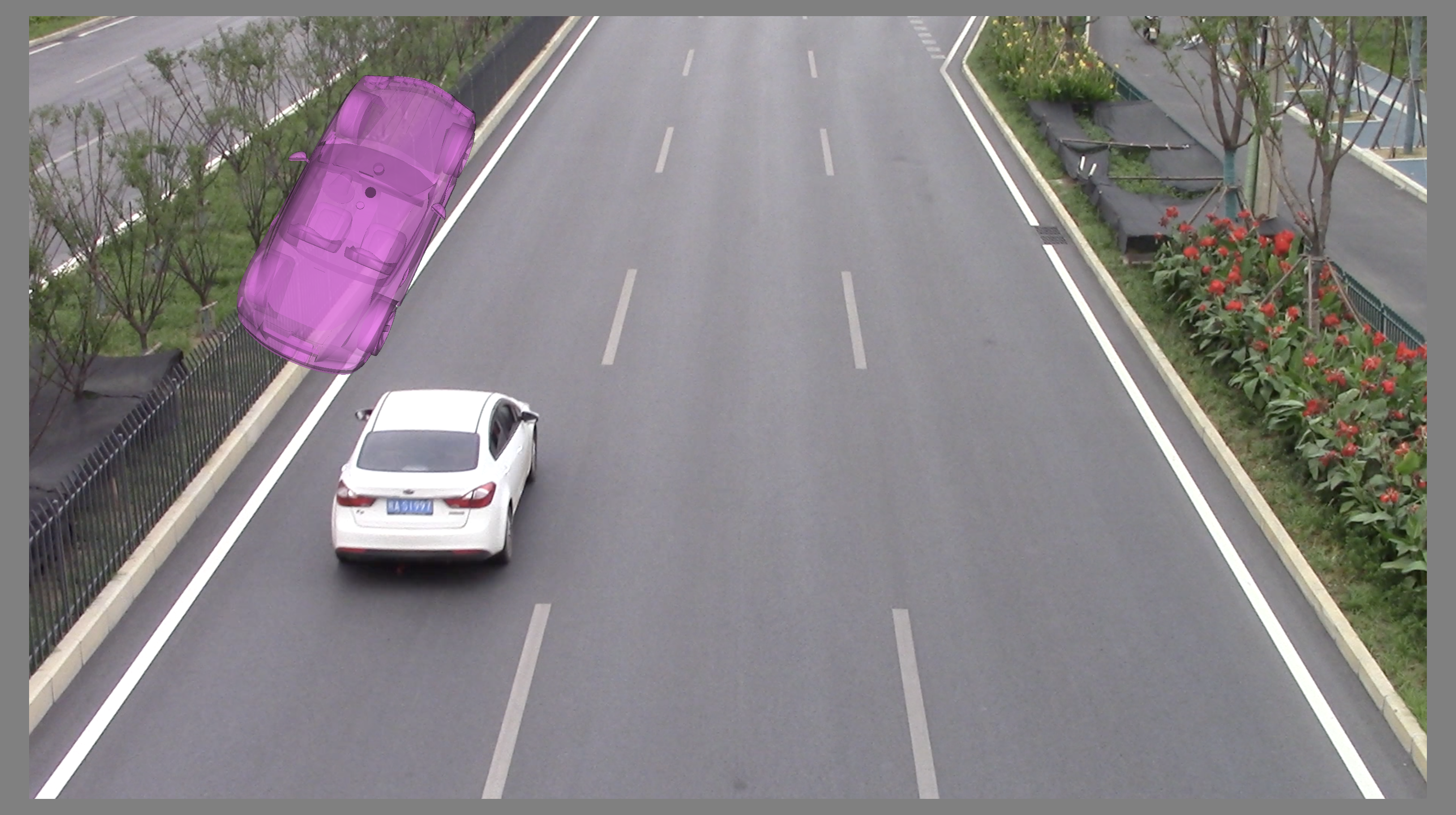
thanks!
 Jesse0818
All 4 comments
Hi @Jesse0818
you are trying to match a 3D object to a 2D projection of another 3D object...
Are you trying to find the transformation based on some landmark point?
In any case I would not go with using a background image, but keep the coordinate system to be the world one. E.g.:
from vedo import *

pic = Picture("https://user-images.githubusercontent.com/28706160/103116210-91d06f00-46a0-11eb-84df-e9ce06d4fba0.png")
car = Mesh('https://vedo.embl.es/examples/data/porsche.ply').scale(60)
car.c('violet').alpha(0.5)
car.pos(1500,500,200)

show(pic, car, size=(1000,700), axes=1)
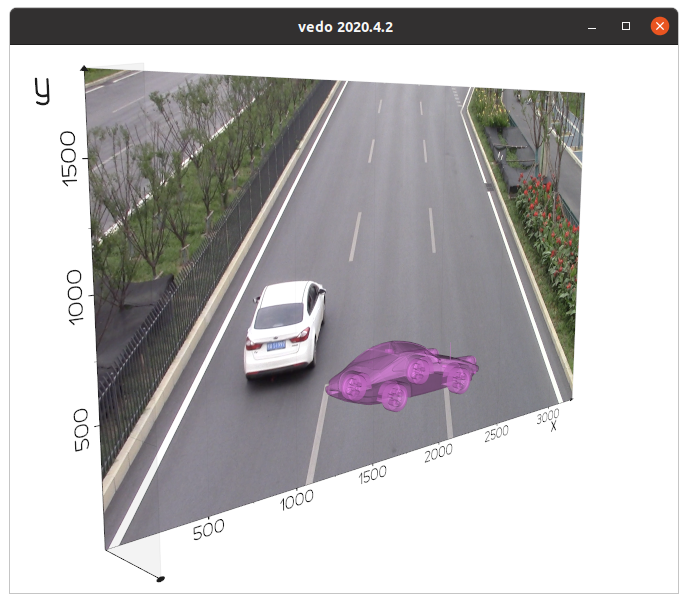
then use landmarks to work out the (nonlinear?) transformation.
Relevant examples are:
vedo -ir silhouette2
vedo -ir align5
vedo -ir spline_draw # to find point coords on a plane by clicking
 marcomusy
on 25 Dec 2020
marcomusy
on 25 Dec 2020
Hi,sir
You solved my problem.
The idea above is that I copy your bgimage.py method.
In a word, you have been very helpful to me.
Thank you so much!
Jesse0818
on 25 Dec 2020
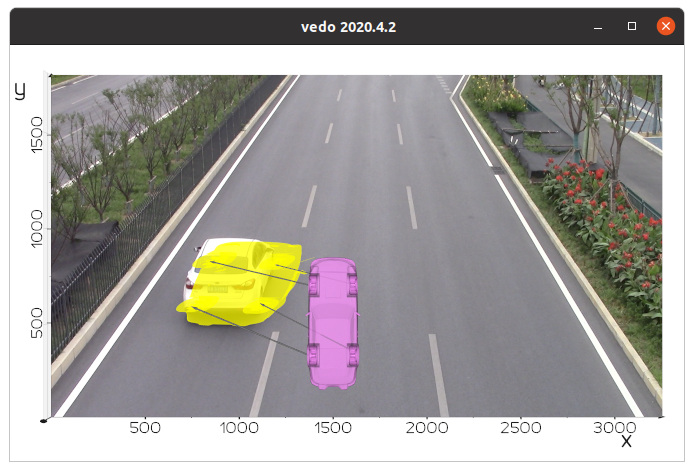
..playing a bit with it... i thought of using thin plane splines, but it doesn't really work .. if you want to use landmarks, you need to find the inverse of perspective transformation (the inverse of example silhouette2).
from vedo import *

pic = Picture("https://user-images.githubusercontent.com/28706160/103116210-91d06f00-46a0-11eb-84df-e9ce06d4fba0.png")
car = Mesh('https://vedo.embl.es/examples/data/porsche.ply')
car.scale(50).rotateZ(90).rotateY(90).pos(1500,500,100)
car.c('violet').alpha(0.5)

src = [
    (1594.3810904605534, 358.84058979807367, 44.748220104081774),
    (1614.5983424614, 703.3347682366391, 17.520508295951206),
    (1385.9611486057267, 698.8461724588813, 45.713822664658274),
    (1386.7222892995126, 324.2342030028466, 34.61353150864406)

]

trg = [
    (1102.7976687732526, 607.6551062434795, 9.777940218299675e-06),
    (1182.347094666995, 811.8283272490703, 0.5488741595926694),
    (835.5363168579084, 829.3459029885684, -0.7243591222195543),
    (736.6609324444353, 590.3779725717237, -1.1876424416731963)
]

arrs = Arrows(src, trg, s=0.3).c('grey')

car_def = car.clone().thinPlateSpline(src, trg).z(2).c('y')

shape = vector(pic.inputdata().GetDimensions())[:2]
show(pic, car, car_def, arrs, size=shape/3, axes=1, zoom=2)
marcomusy
on 25 Dec 2020
@marcomusy
I used the first method you gave me to successfully achieve the effect I wanted.
I still need to look into this method.
Thank you for giving me the idea.
Jesse0818
on 25 Dec 2020
Related issues
 CMengich
·
5Comments
CMengich
·
5Comments
 DeepaMahm
·
7Comments
DeepaMahm
·
7Comments
 Yoorthiziri
·
5Comments
Yoorthiziri
·
5Comments
 MarkusRosen
·
3Comments
MarkusRosen
·
3Comments
 jrdkr
·
7Comments
jrdkr
·
7Comments