I think Ive got a simple question but i wasn't able to find anythink about my question in the documentation or examples. I would therefore be very grateful for any advice on how to solve the problem.
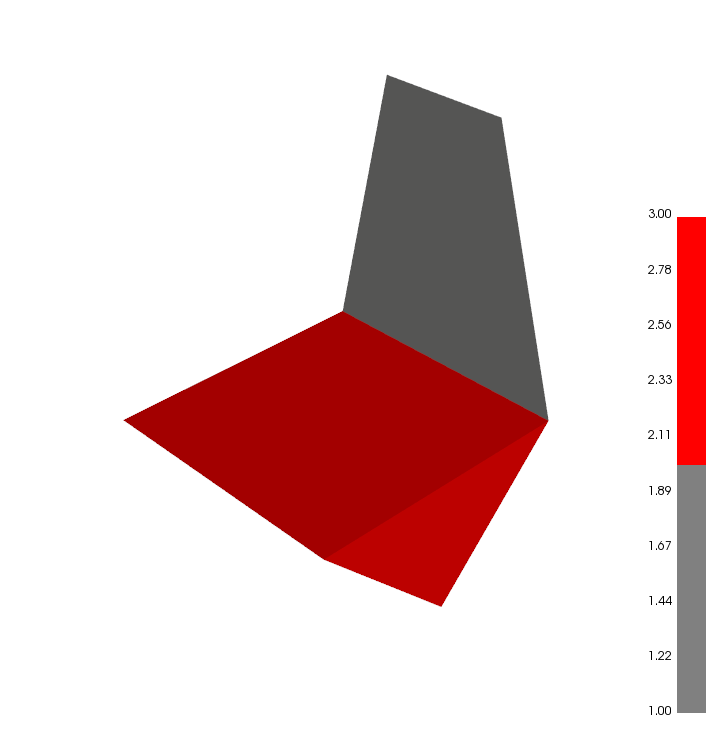
Iam trying to visualize a segmented mesh. So I wanted to create a custom colormap with a unique color for each segment/cluster. So my problem is, that Iam not able to create a discrete colorbar (pyplot: spacing='proportional'). I added an image with my current state. Ive got 3 cluster and want to have each in a unique color and a matching colorbar.
Thanks for your support!
scals = labels+1
meshVTK = trimesh2vtk(mesh)
cols = makePalette("grey", "red", np.max(np.unique(labels))+1, hsv=True)
meshVTK.cellColors(scals, cmap = cols)
meshVTK.legend('Found Clusters')
meshVTK.addScalarBar(c='k', vmin=min(scals), vmax=max(scals))
meshVTK.show(bg='white', axes=0)
 jrdkr
jrdkr
All 7 comments
@jrdkr consider this possible solution:
import trimesh
from vtkplotter import trimesh2vtk

mesh = trimesh.creation.icosphere()

meshVTK = trimesh2vtk(mesh)

cols = []
for i in range(meshVTK.NCells()):
    if i<200:
        cols.append([1,0,0])
    elif i<300:
        cols.append([1,1,0])
    else:
        cols.append([0.5,0.5,0.5])

meshVTK.cellColors(cols, mode='colors')
meshVTK.addScalarBar(c='k').legend('Found Clusters')
#meshVTK.alpha(0.5) # set transparency

# this line activates and retrieves the array of color numbers:
# (necessary because addScalarBar resets to pointdata)
meshVTK.scalars('CellColors')

meshVTK.show(bg='white', axes=0)
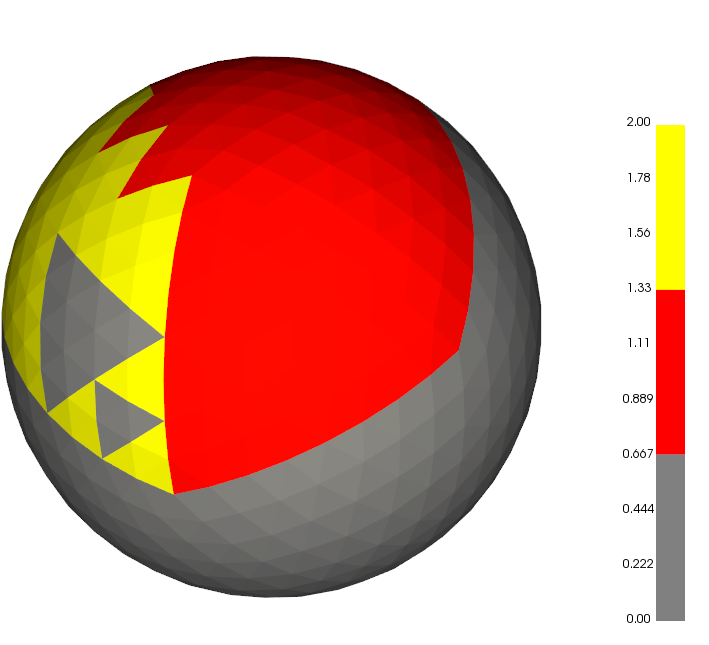
Hope that fits your needs. Remember that:
you can set colors directly in trimesh and vtkplotter would respect those: see this example.
you can plot directly any trimesh object by just using
vtkplotter.show(mytrimeshobj)without the need of explicitly converting it.
 marcomusy
on 28 Oct 2019
marcomusy
on 28 Oct 2019
Thank you!
I have tried to reproduce your example but always get the following error in actors.py:
meshVTK.cellColors(cols, mode='colors')
File "\vtkplotter\actors.py", line 2315, in cellColors
return self._cellColors1By1(scalars_or_colors, alpha, alphaPerCell)
File "\vtkplotter\actors.py", line 2423, in _cellColors1By1
cellData.InsertNextValue(inds[i])
TypeError: InsertNextValue argument 1: an integer is required
jrdkr
on 29 Oct 2019
thanks @jrdkr I will commit my local version which includes a few fixes asap.
marcomusy
on 29 Oct 2019
@jrdkr you may try to run it again:
git clone https://github.com/marcomusy/vtkplotter.git
cd vtkplotter
pip install .
let me know if it works..
marcomusy
on 29 Oct 2019
@marcomusy
Thanks for uploading your current build. Unfortunately I still get the same error in actors.py line 2421
jrdkr
on 30 Oct 2019
@marcomusy
Thanks for uploading your current build. Unfortunately I still get the same error in actors.py line 2421:
Now its working for me. Thank you.
cellData.InsertNextValue(int(inds[i]))
jrdkr
on 30 Oct 2019
sounds great :)
it's strange that the same error doesn't show up on my system..
i'll add your fix in the next release!
Thanks
marcomusy
on 30 Oct 2019
Related issues
 FedeClaudi
·
7Comments
FedeClaudi
·
7Comments
 mahendra-ramajayam
·
3Comments
mahendra-ramajayam
·
3Comments
 vianamp
·
3Comments
vianamp
·
3Comments
 kemo993
·
6Comments
kemo993
·
6Comments
 hmralavi
·
7Comments
hmralavi
·
7Comments