Hi Marco
The followcam parameter in Text makes the text disappear when True in k3d, vtk or qt. Is there a workaround to make the text always face the camera when rotating.
from vtkplotter import Sphere, Point, show, Text

# Tried in all three renderes
# embedWindow('k3d')
# embedWindow('itk')
# embedWindow(False)

sp = Sphere().wireframe(True)
pcoords = sp.getPoint(144)
pt = Point(pcoords, r=12, c="white")

tx = Text("my fave\npoint", pcoords, s=0.1, c="lightblue", bc="green", followcam=True)
# tx.followcam = True
show(sp, pt, tx, Text(__doc__), axes=1)
Thank you.
 mahendra-ramajayam
All 3 comments
Hi @mahendra-ramajayam
try the following example:
https://github.com/marcomusy/vtkplotter/blob/master/examples/plotting2d/markpoint.py
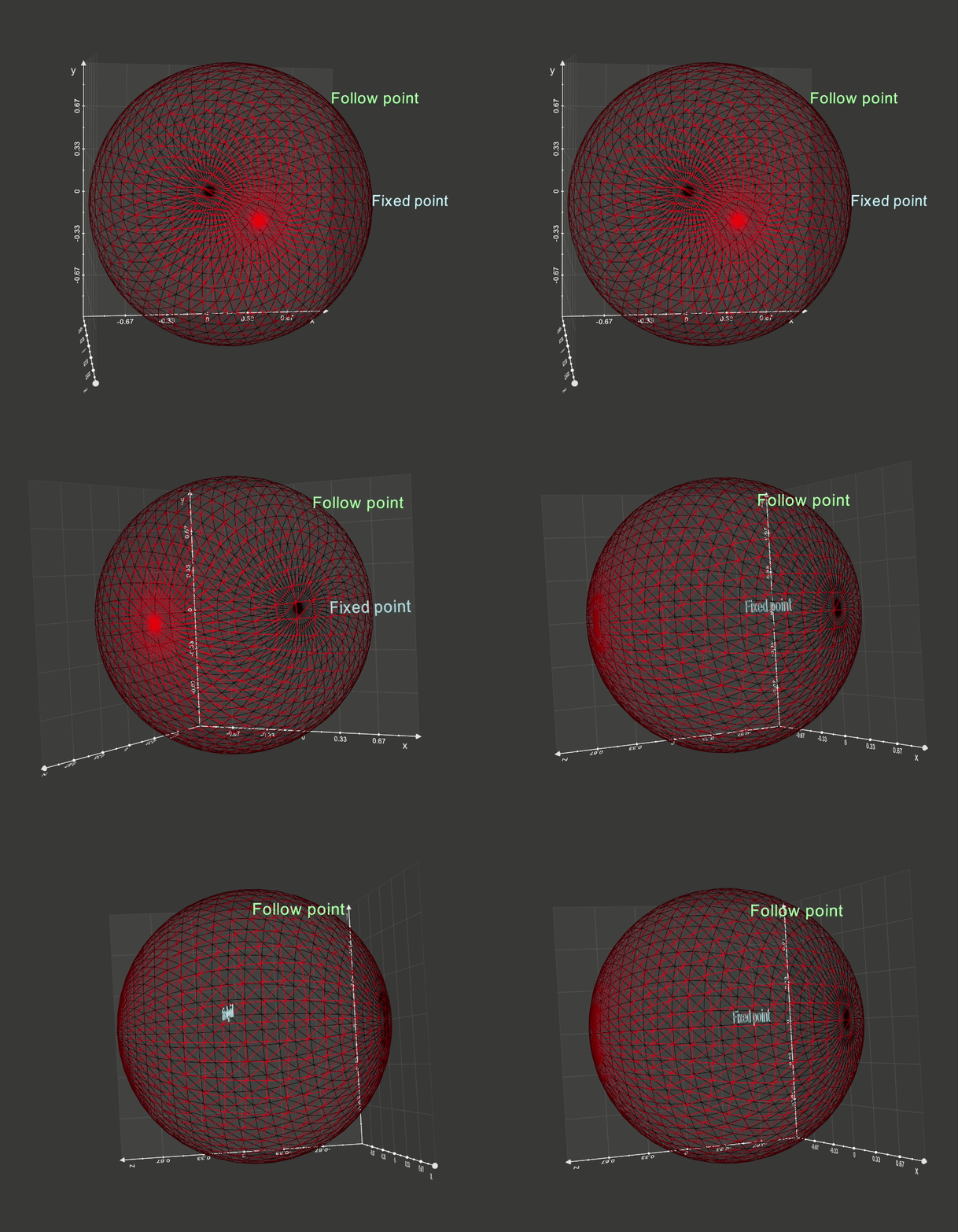
Note that this can only work in the standard vtk rendering window, neither k3d nor itkwidgets support this feature.
PS: you need to pull the latest commit to make it run
 marcomusy
on 4 Nov 2019
marcomusy
on 4 Nov 2019
Works great in the vtk renderer, Thanks Marco.
However, I'm trying to create a custom tetrahedron axis. I would like the axis labels to face the camera.
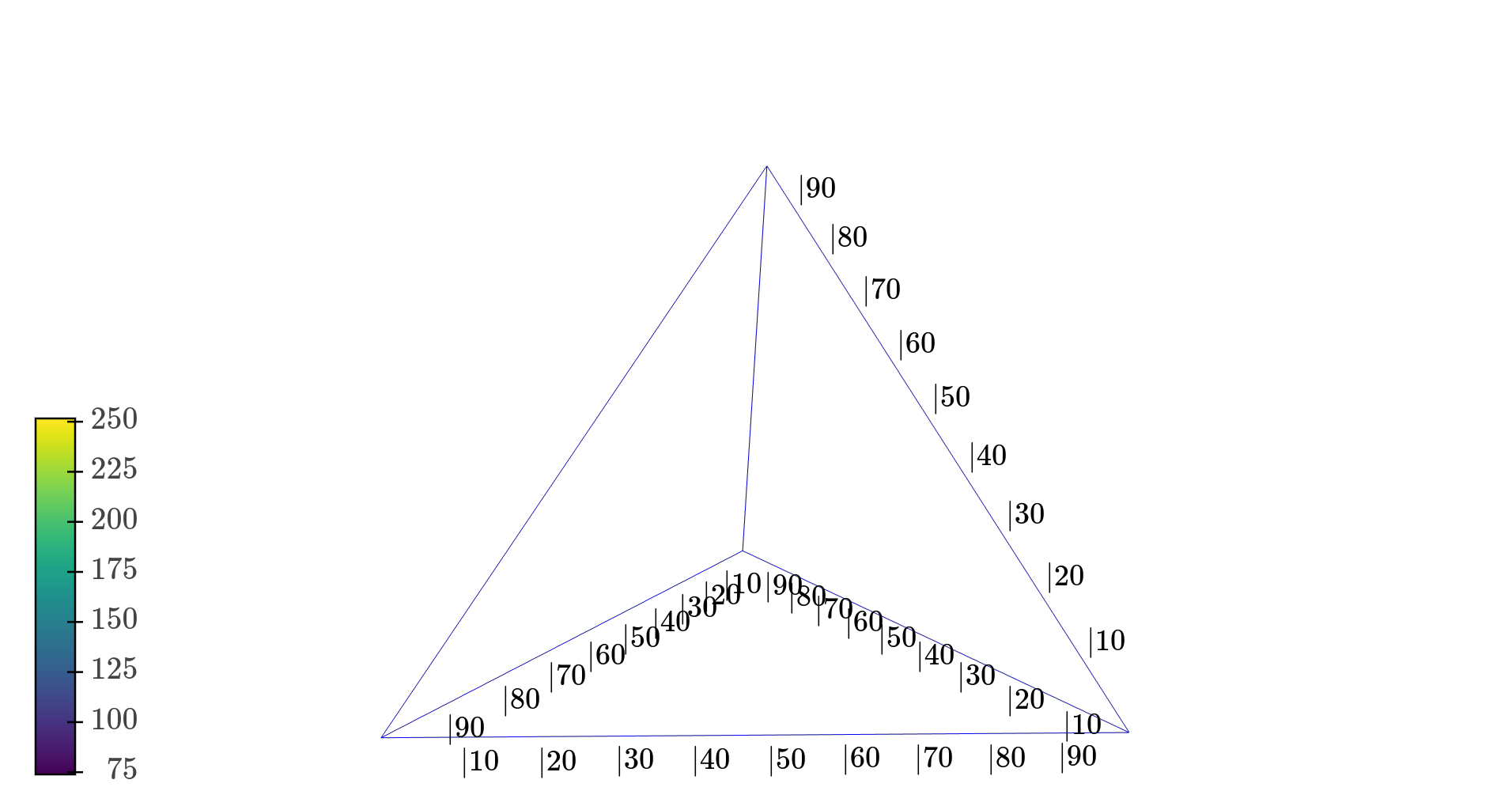
I'm also trying to use ipywidgets to filter data for plotting within the tetrahedron. followCamera() in jupyter notebook rendering would be a great addition.
Thank you
mahendra-ramajayam
on 5 Nov 2019
Hi Mahi, you may only achieve it by creating text in the correct positions along the tet edge manually.
the followCamera() thing does not depend on vtkplotter but on itkwidgets or k3d backends.. i'm not sure if there is any plans for them to implement it..
marcomusy
on 6 Nov 2019
Related issues
 kemo993
·
6Comments
kemo993
·
6Comments
 FedeClaudi
·
7Comments
FedeClaudi
·
7Comments
 vigji
·
3Comments
vigji
·
3Comments
 Jesse0818
·
4Comments
FedeClaudi
·
6Comments
Jesse0818
·
4Comments
FedeClaudi
·
6Comments
Most helpful comment
Hi @mahendra-ramajayam
try the following example:
https://github.com/marcomusy/vtkplotter/blob/master/examples/plotting2d/markpoint.py
Note that this can only work in the standard vtk rendering window, neither k3d nor itkwidgets support this feature.
PS: you need to pull the latest commit to make it run