I've started to create new tests with the latest version of cputester.
Here is a one that fails: SWAP.W.adf.zip
UAE: 👍
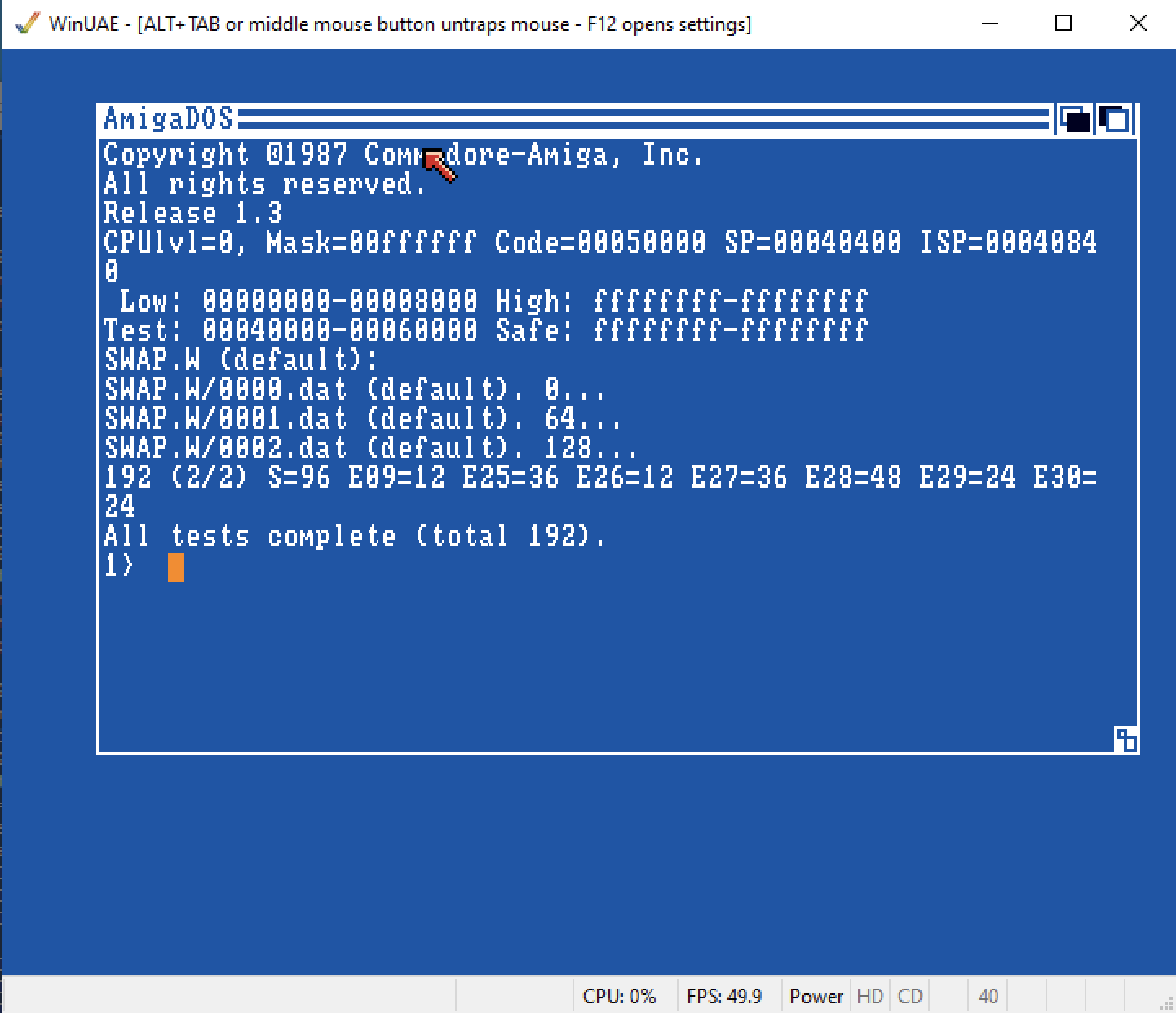
vAmiga: 😬
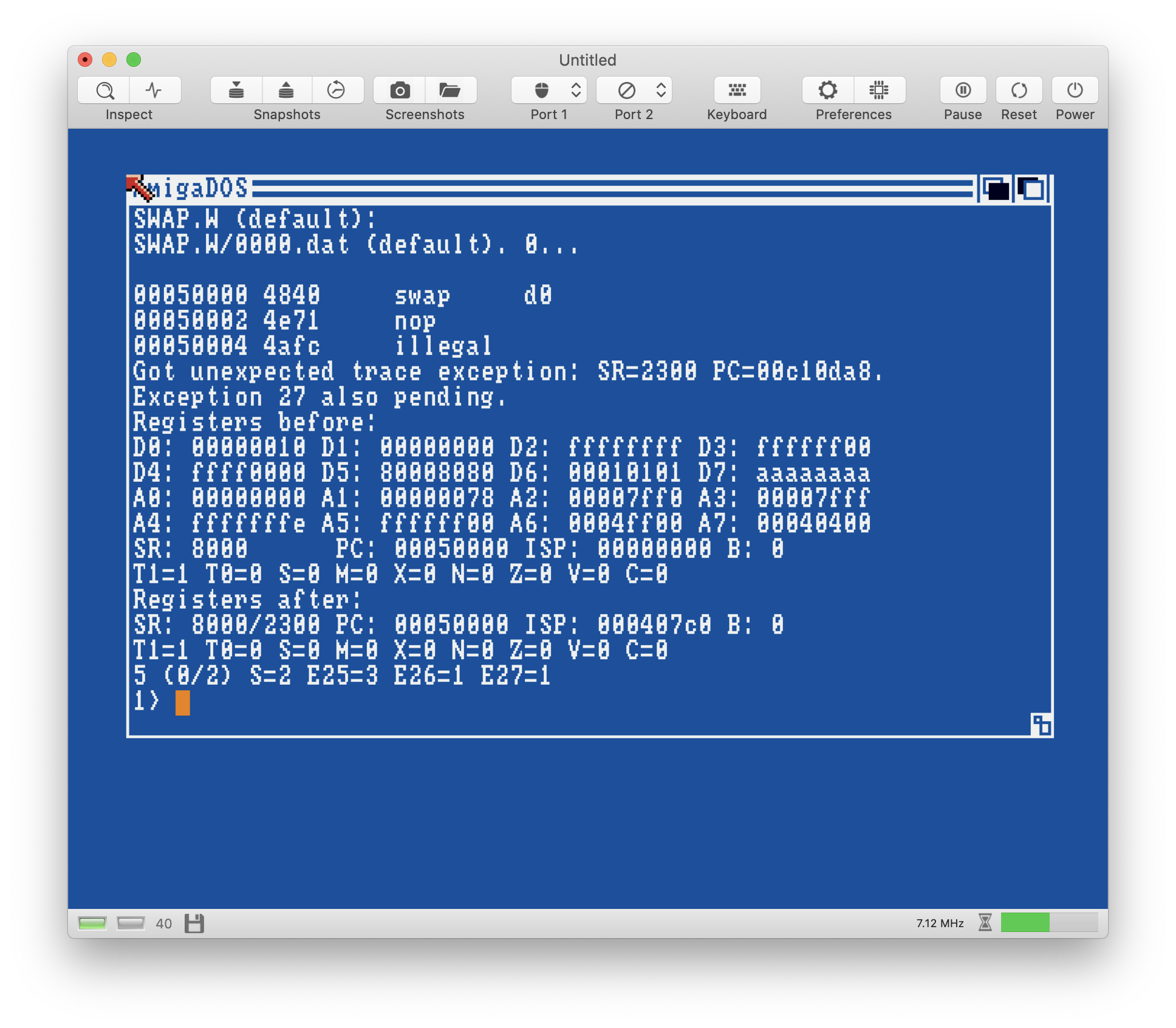
Settings for this test:
cpu=68000-68010
mode=nop,ext,swap
feature_interrupts=1
feature_sr_mask=0xA000
Update: The simpler NOP test also fails:
NOP.adf.zip
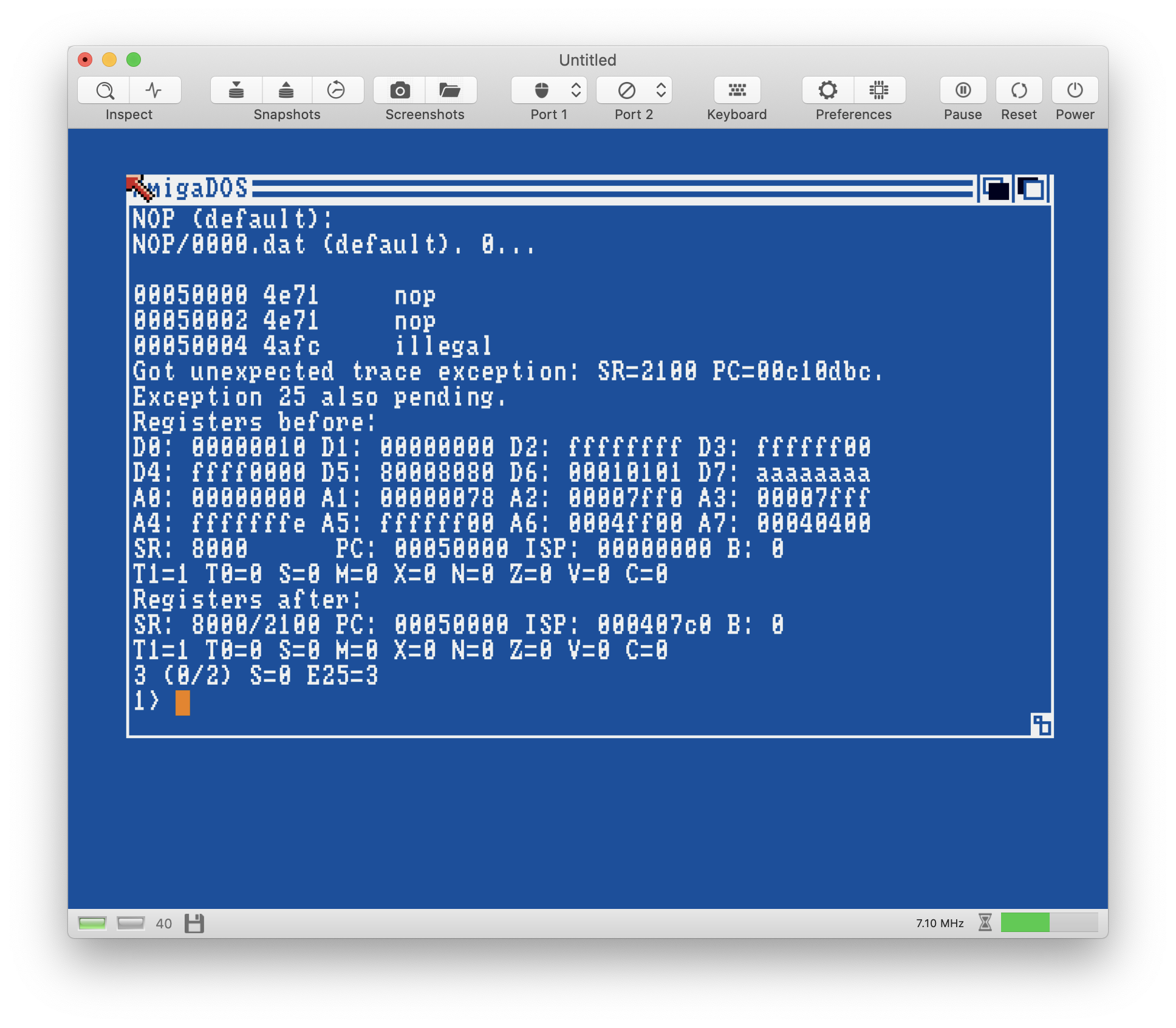
Conclusion: There is an issue if an IRQ hits when trace mode is on.
 dirkwhoffmann
All 26 comments
It looks like unexpected trace exception started after interrupt exception was going to execute its first instruction.
 tonioni
on 29 May 2020
tonioni
on 29 May 2020
It looks like unexpected trace exception started after interrupt exception was going to execute its first instruction.
You are right, this is exactly what happened.
What a difference a single code line can make: 😎
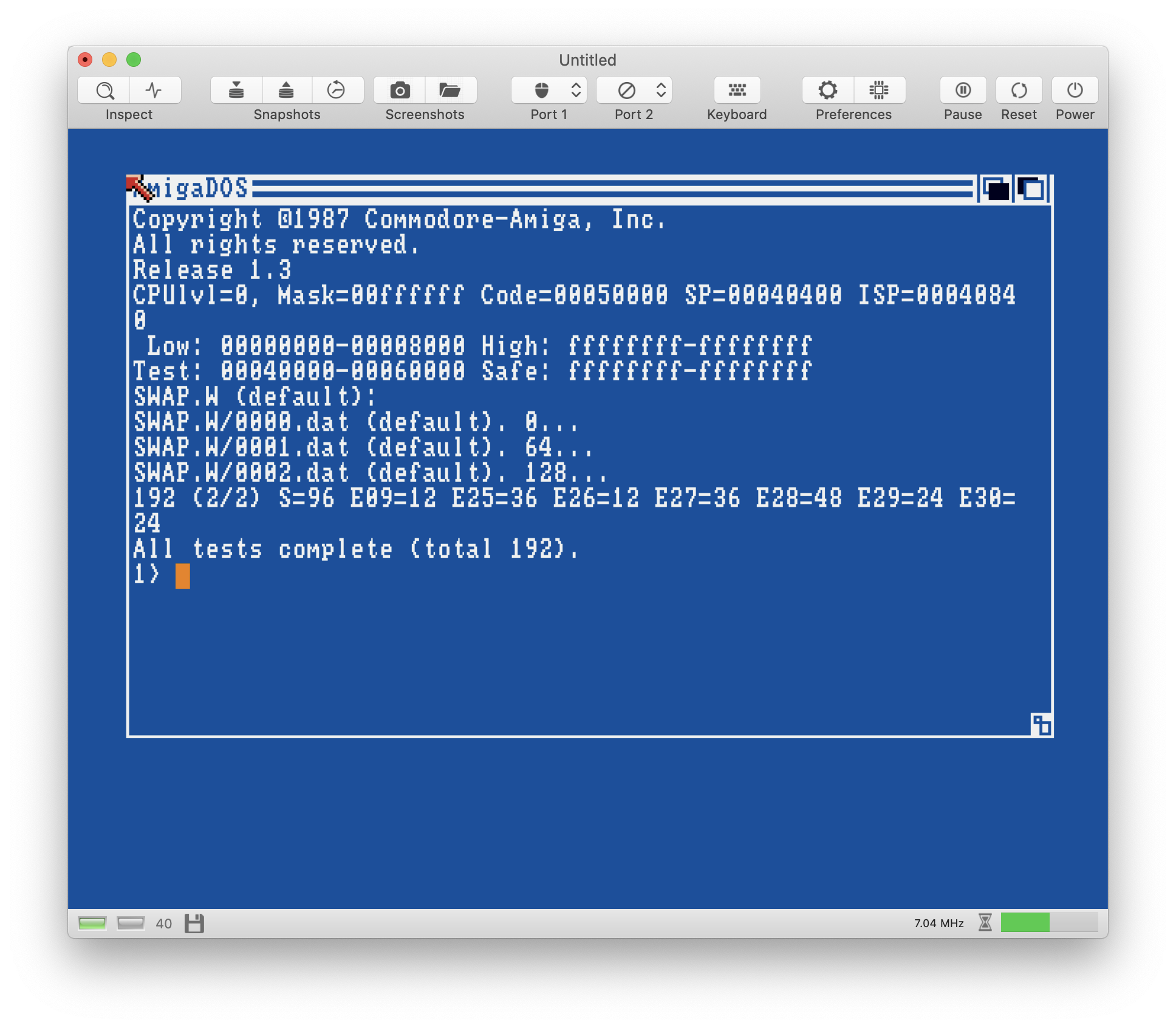
Now, I need to check the other exception types as well. Maybe this bug wasn't alone... 🤔
dirkwhoffmann
on 30 May 2020
This time, I have a test that fails on the real machine (A500 8A) 😬:
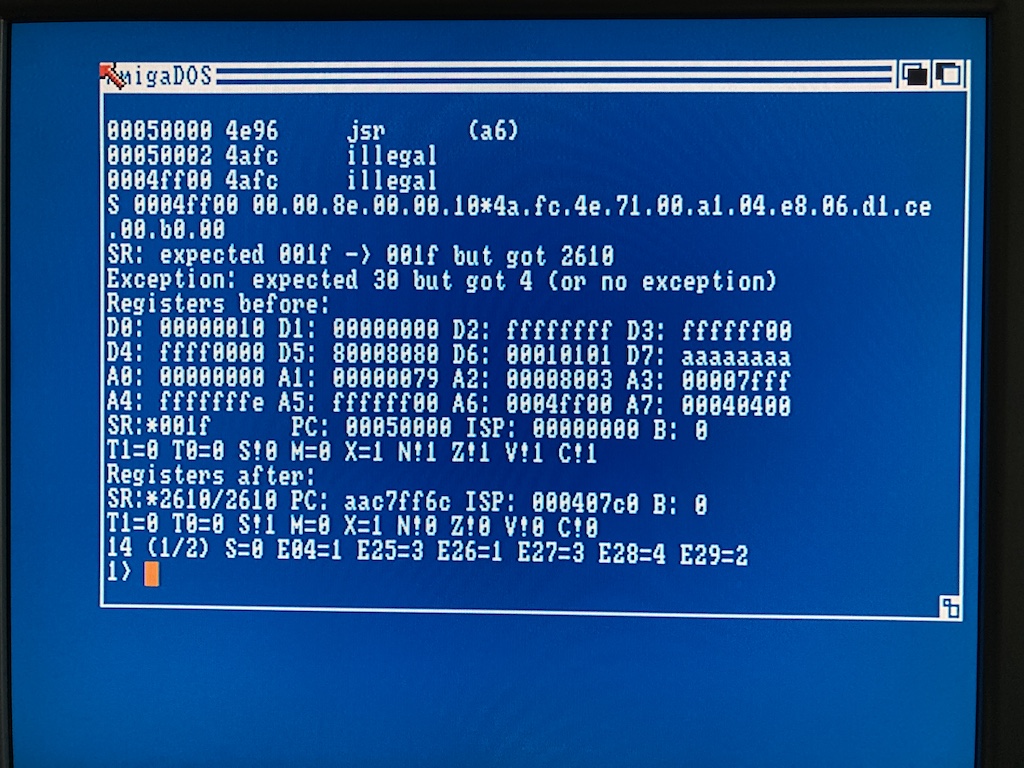
cpu=68000-68010
mode=jsr
feature_interrupts=1
feature_sr_mask=0x8000
The test runs in Chip Ram, but this shouldn't matter, right? (no cycle counting)
dirkwhoffmann
on 30 May 2020
I bet this time the testprogram has a bug or maybe new cpu tester has a different configuration ? Or maybe commodore bought a batch of broken MC68000 CPUs ?
 mithrendal
on 30 May 2020
mithrendal
on 30 May 2020
Interrupt processing sequence with instructions that branch are not necessarily correct yet and/or tester does not handle them correctly yet. I'll probably take a closer look when current "tester interation" (some edge cases fixed and all CPU models have been retested) is done.
tonioni
on 30 May 2020
@tonioni Thanks for the info, so my A500 is fine (🥰). BTW, it's really cool that cpustester allows to freely customize the address error type (odd stack, odd source address etc.). I am currently testing all my branching commands (without IRQs) and already found a couple of bugs.
dirkwhoffmann
on 30 May 2020
Interrupt test fixed and better test preset added (and some more).
btw, if you need test that checks if instruction's memory access order is correct, bus error test that only checks cycle time and memory address that was accessed would most likely work very nicely because bus error tests will test instruction's every memory access (which includes cycle time from start of instruction to tested bus error access). It does not exist yet but should be relatively easy to add.
tonioni
on 31 May 2020
Interrupt test fixed and better test preset added (and some more).
I've just recreated the JSR test mentioned above and it works like a charm now: 😎
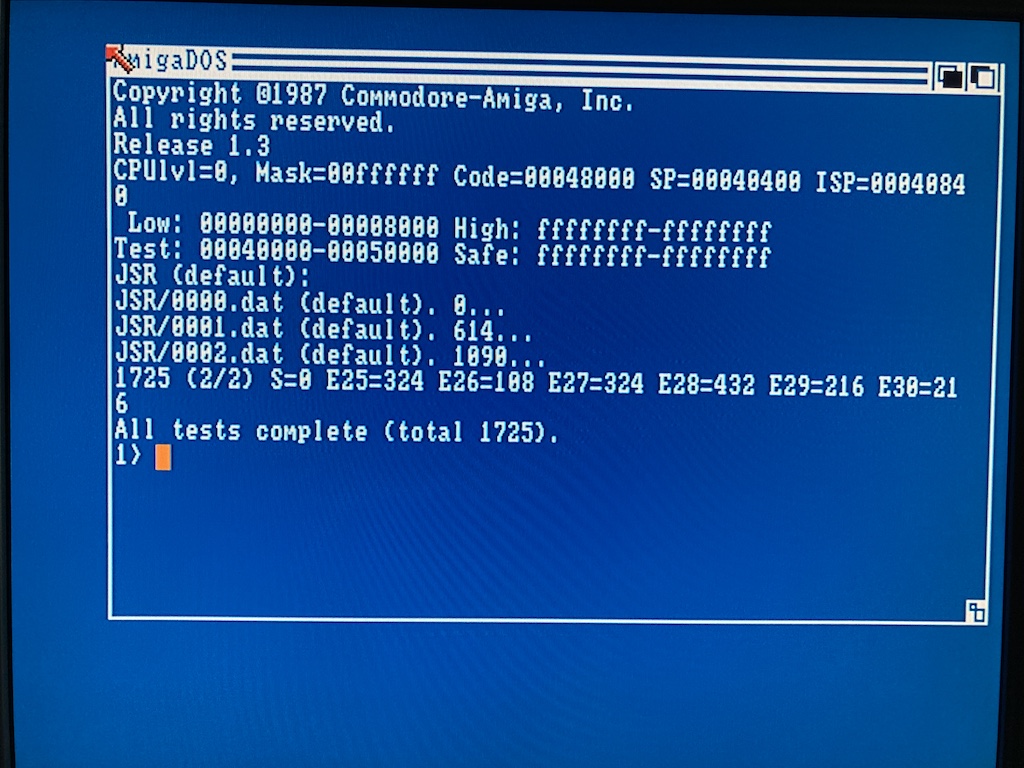
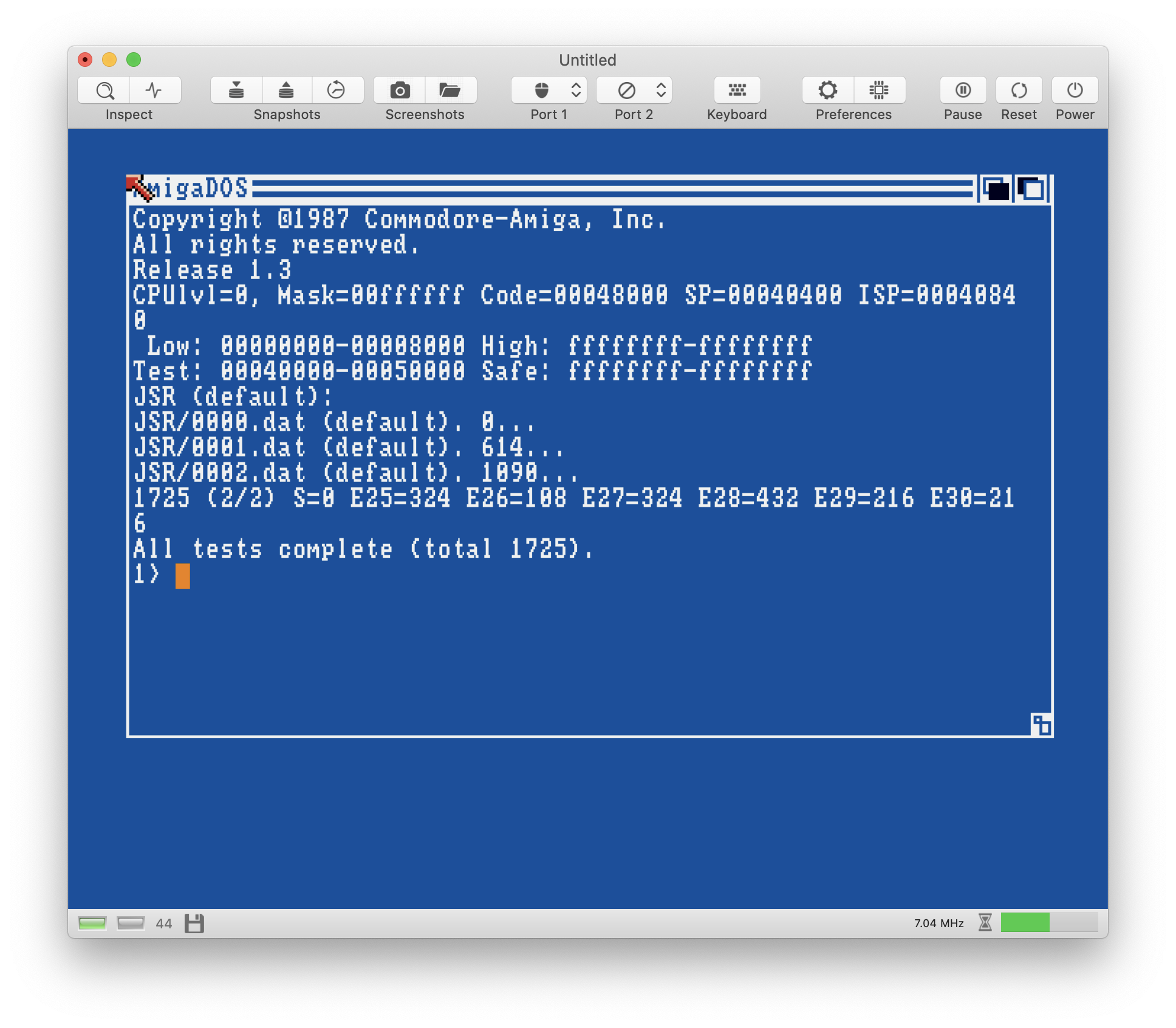
It does not exist yet but should be relatively easy to add.
That would be a really cool feature! In addition to cycle counts, would it be possible to narrow down the IPL pin polling cycle the same way?
dirkwhoffmann
on 1 Jun 2020
The latest version reports wrong cycle counts for JSR on the real machine (don't know if old versions did this, too).
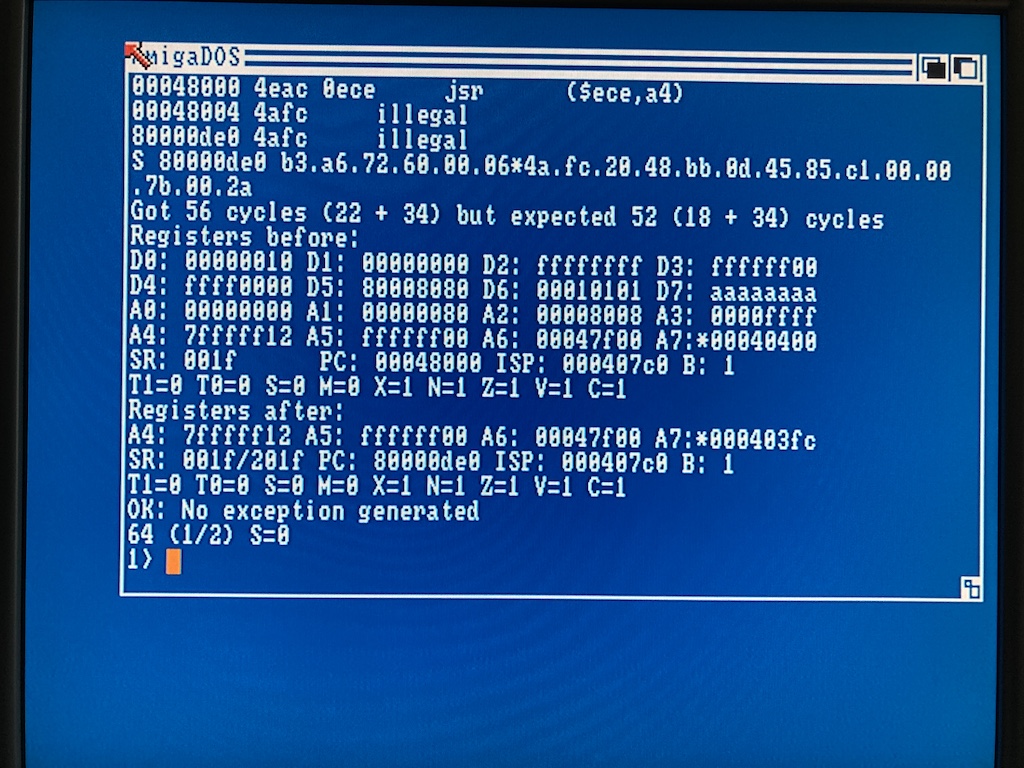
test_rounds=2
feature_sr_mask=0x0000
mode=jsr
Do you have 32-bit addressing or low test ram enabled in testing? Target address is 80000de0 which normally would hit chip ram.
tonioni
on 1 Jun 2020
low test ram enabled in testing?
Sorry, my fault. I cannot run cycle counting tests on the real machine. I forgot about that.
dirkwhoffmann
on 1 Jun 2020
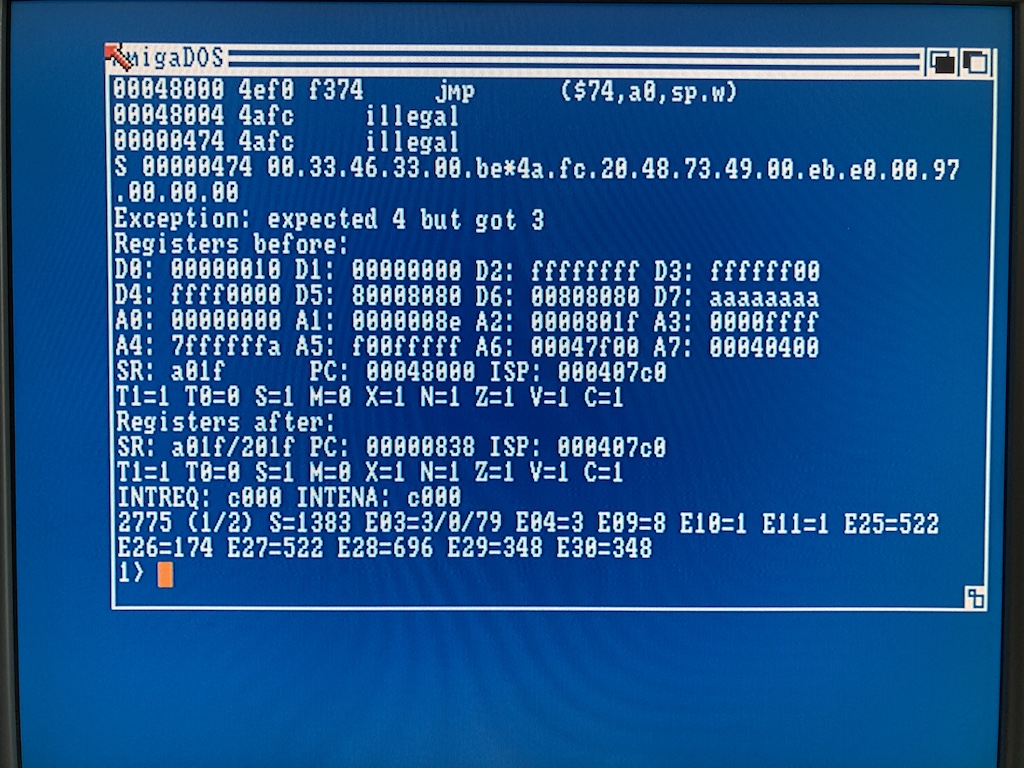
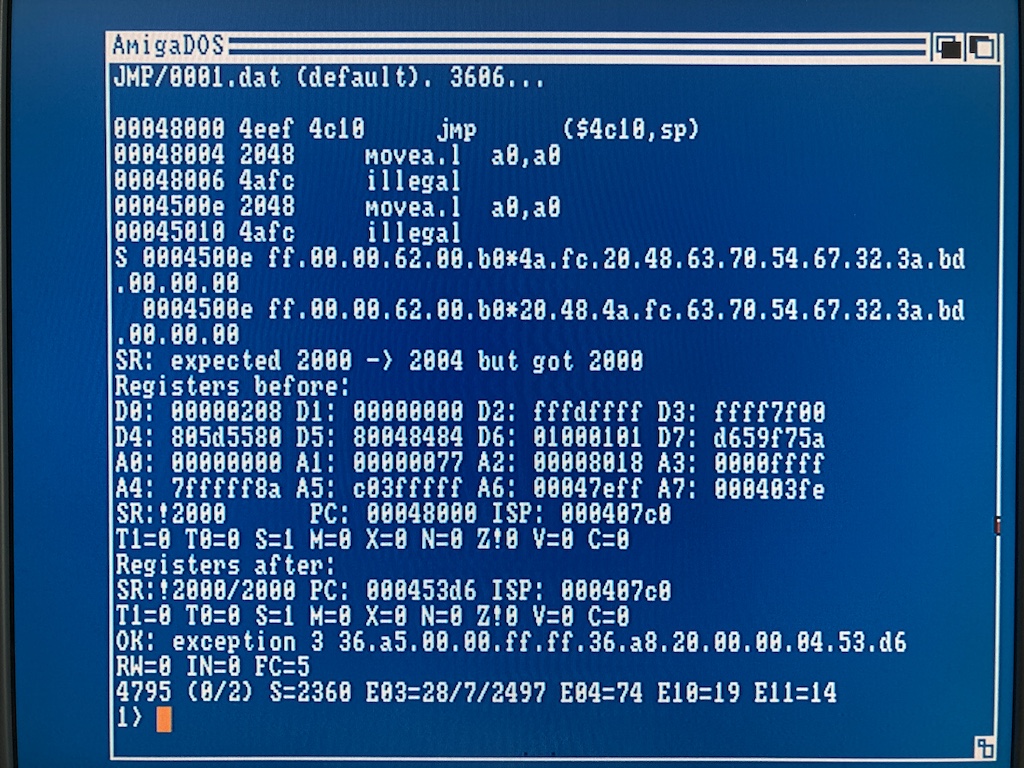
This time, I have issues with the JMP instruction on the real machine (no cycle counting): 😬
dirkwhoffmann
on 1 Jun 2020
This happens sometimes when SP is part of EA, I guess it gets confused when SP changes due to user/super switches. "After" PC is out of test memory space which usually means something went wrong.
I have seen it previously but never bothered to really debug..
tonioni
on 1 Jun 2020
Found another issue:
test_rounds=1
feature_interrupts=1
feature_sr_mask=0x0000
mode=dbcc
test_memory_start=0x40000
feature_exception3_data=0
feature_exception3_instruction=0
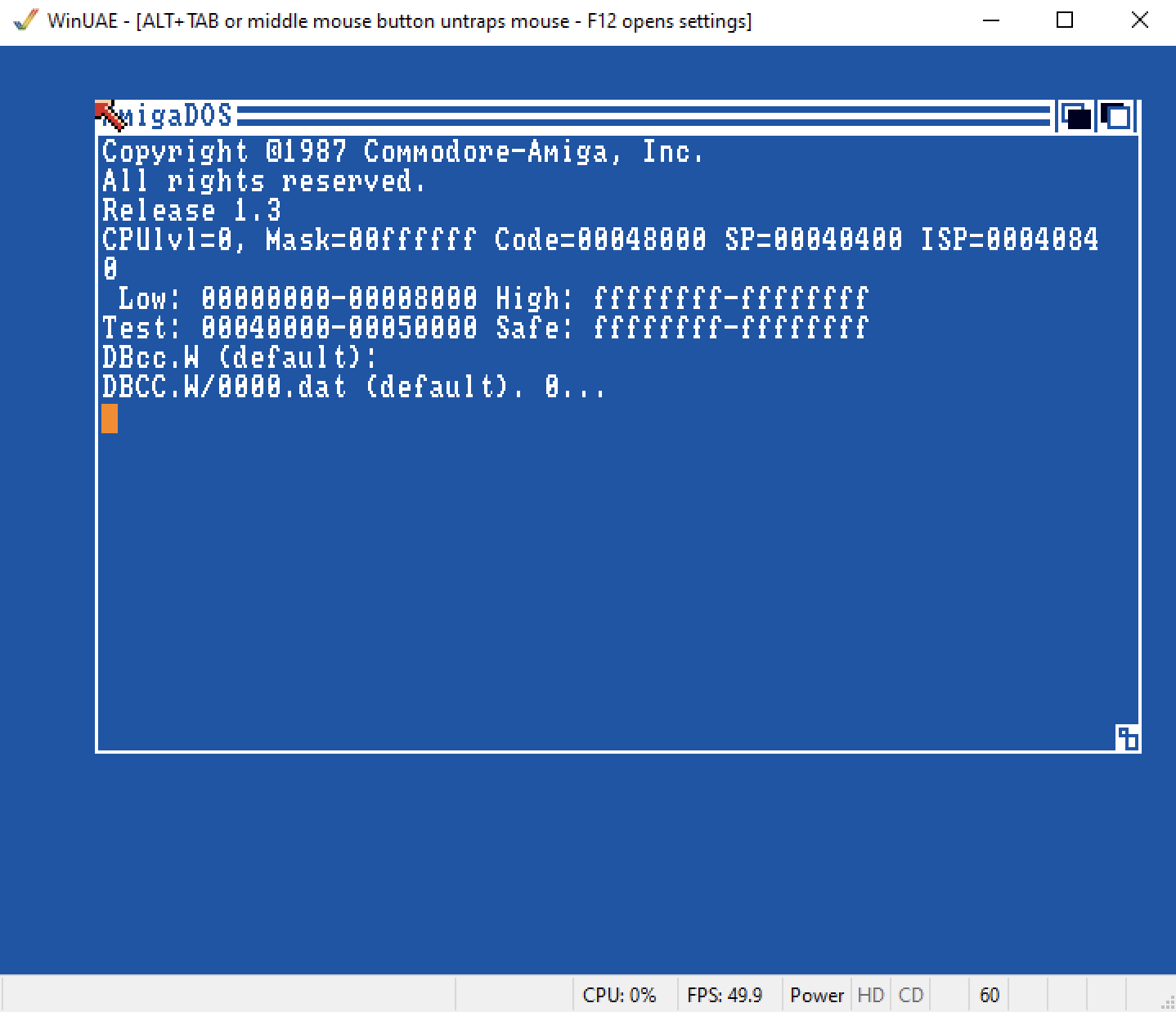
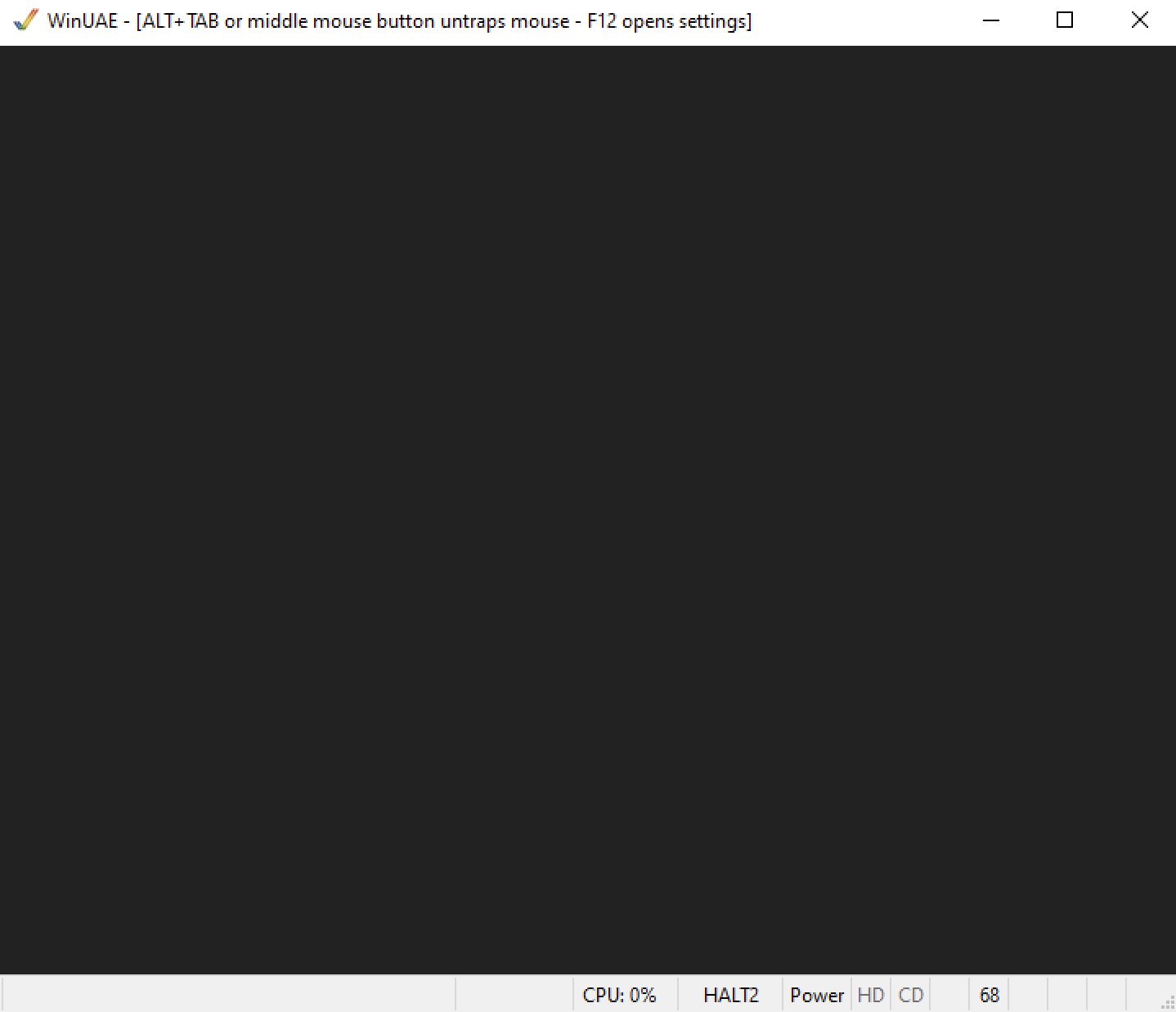
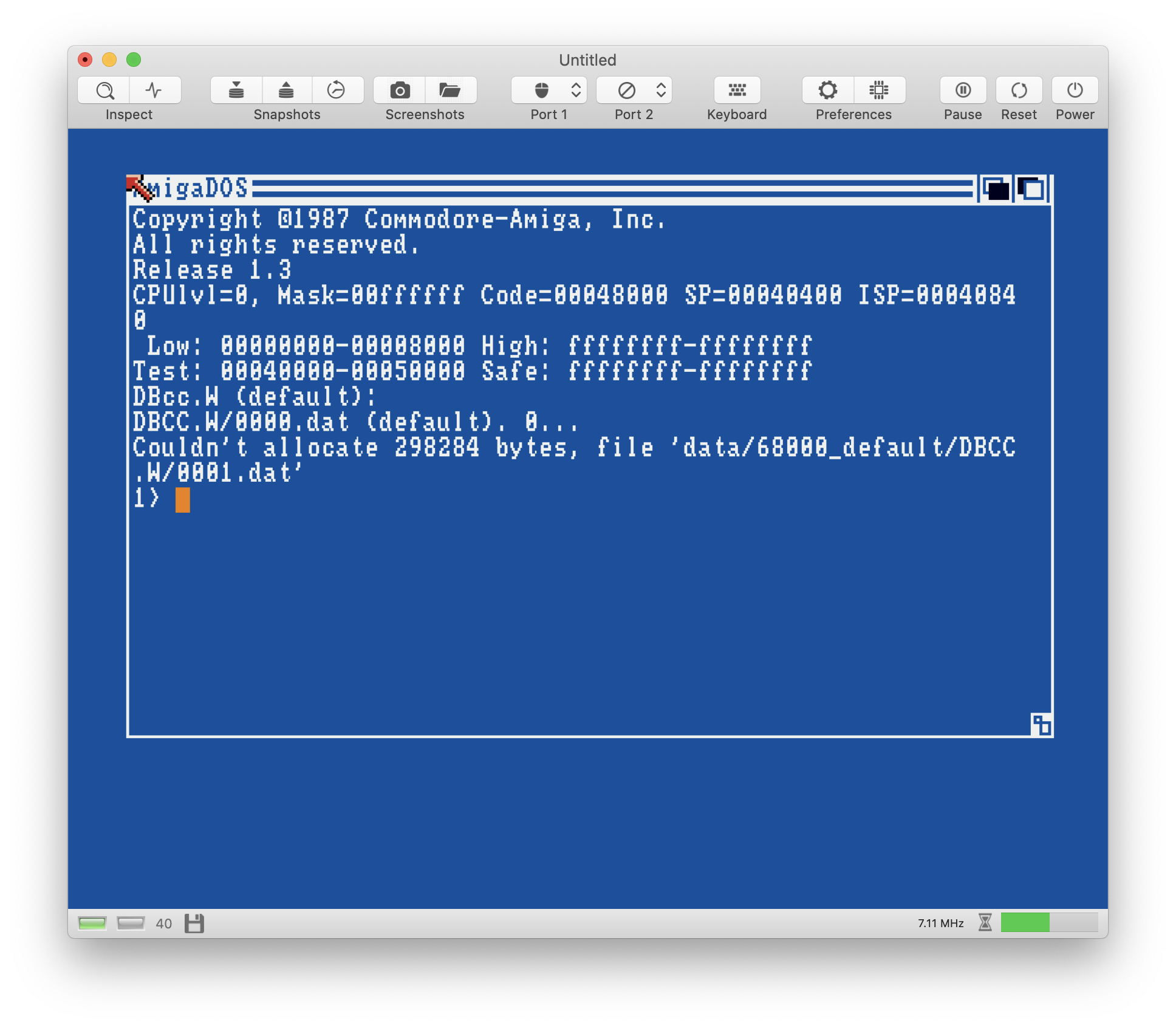
I've created an ADF (DBCC.W.adf.zip) and loaded it in UAE (512KB Chip + 8MB Fast). After loading, the CPU halts:
I can't verify the test on the real machine, because it allocates a large chunk of memory.
dirkwhoffmann
on 1 Jun 2020
One test case for the STOP instruction sets the supervisor stack pointer to an odd address and triggers an address error (which is cool). Because of the address error, the CPU wants to save an exception frame on the stack. By doing so, it stumbles over the odd stack pointer which should in theory cause another address error and so on and on. What does the real CPU in this situation? 🤔 (vAmiga decides to crash 🤭).
dirkwhoffmann
on 1 Jun 2020
Another bus or address error during bus or address stack frame writes will halt the CPU (stopped state which will need reset to wake up). So called "double fault". It is documented feature.
My tester should not generate any test that is unrecoverable (generator will reject them).
(and get at least a fast ram expension, preferably get aca500plus. ram expansion, fast cpu, hot-swappable fat formatted cf card support, even under KS 1.3. and most importantly, no need to remove it to be able to use original 7MHz A500 config with few optional memory configs)
tonioni
on 1 Jun 2020
Double fault. Cool 🤤 Sounds like double kill in duke nukem 3d
mithrendal
on 1 Jun 2020
preferably get aca500plus
Thanks for the hint, I've never heard about that expansion card before. I've ordered it a few minutes ago 😎.
Maybe it's also the right time to add hard drive support to vAmiga. To get all the different test cases in, I have to assemble lots of virtual ADFs and it would be much easier if I could just put the files generated by cputester into one large virtual hard disk file and load in into vAmiga.
I think the A590 was the original hard disk for the A500. Do you know a good starting point for adding hard drive support, i.e., some document explaining how the A590 interacts with the Amiga? If I remember correctly, it was as SCSI drive, but I haven't found much information yet.
dirkwhoffmann
on 2 Jun 2020
Double fault. Cool 🤤 Sounds like double kill in duke nukem 3d
My first thought was "Wimbledon" 🤣.
dirkwhoffmann
on 2 Jun 2020
A590/A2091 is quite complex compared to most HD controllers (true DMA SCSI). Easiest probably is A600/A1200/A4000 internal IDE or almost any side port IDE controller. IDE is very low level, basically nothing more than address decoder that maps about 8 different addresses to 8 IDE registers. Some of them don't even use interrupts. SCSI on the other hand is something totally different..
There is A500/A2000 amiga technical reference manual that includes some low level details. But as usually, linux/netbsd sources are most useful :) (at least was for me).
But emulation of "real" HD controller isn't that useful because mounting host directory as a harddrive would be much better in this case and thats not trivial. (But nice feature of amigados or actually tripos is that it supports external 3rd party filesystems which makes this totally supported method, there is no hacks whatsoever needed!)
About IPL timing testing: I have an idea that should work without any external hardware. More info later..
btw, guess who coded aca500plus firmware? :)
tonioni
on 2 Jun 2020
Easiest probably is A600/A1200/A4000 internal IDE or almost any side port IDE controller.
OK, I see, SCSI doesn't make sense, IDE is much simpler. But before I implement something, I need to make myself familiar with Amigas and hard drives in general (I never had a hard drive for the Amiga and got my first one when I switched over from the Amiga to PCs). First I thought that I could just add a HDF file in UAE, launch Kick 2.04, and it'll try to boot from there. Now I see that this is not so easy. Kick 2.04 only shows df0 in the boot menu, and Kick 2.05 shows cc0 in addition to df0, but no hd0. For now, I'll better stick to my current approach and create bootable ADFs for the cputester tests. All I want to achieve right now is to get "The Jetsons" working in vAmiga, and I think the culprit might be my CPU implementation (the game uses the trace mode trick for on-the-fly decryption of the instruction stream).
btw, guess who coded aca500plus firmware? :)
I have a suspicion 😉.
dirkwhoffmann
on 3 Jun 2020
Just delivered and already attached to the A500 MMSE 🤤
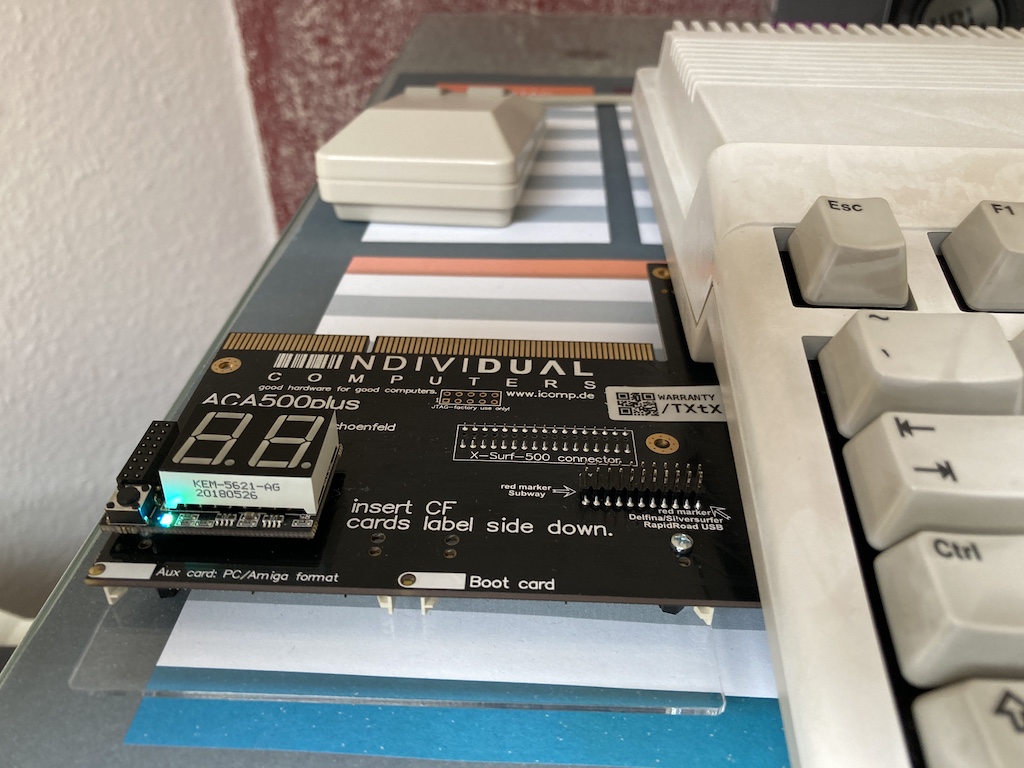
Sidenote: On the picture, you can see why the MMSE is called MMSE (Marble Madness Special Edition). For my defense, the day I did the retrobrighting was the warmest day in Germany ever on record. And 6 hours may have been a little too loooog 🙄.
The aca500 plus is awesome. I can now emulate nearly all hardware configurations on the real machine which makes it the ideal tool for emulator writers:
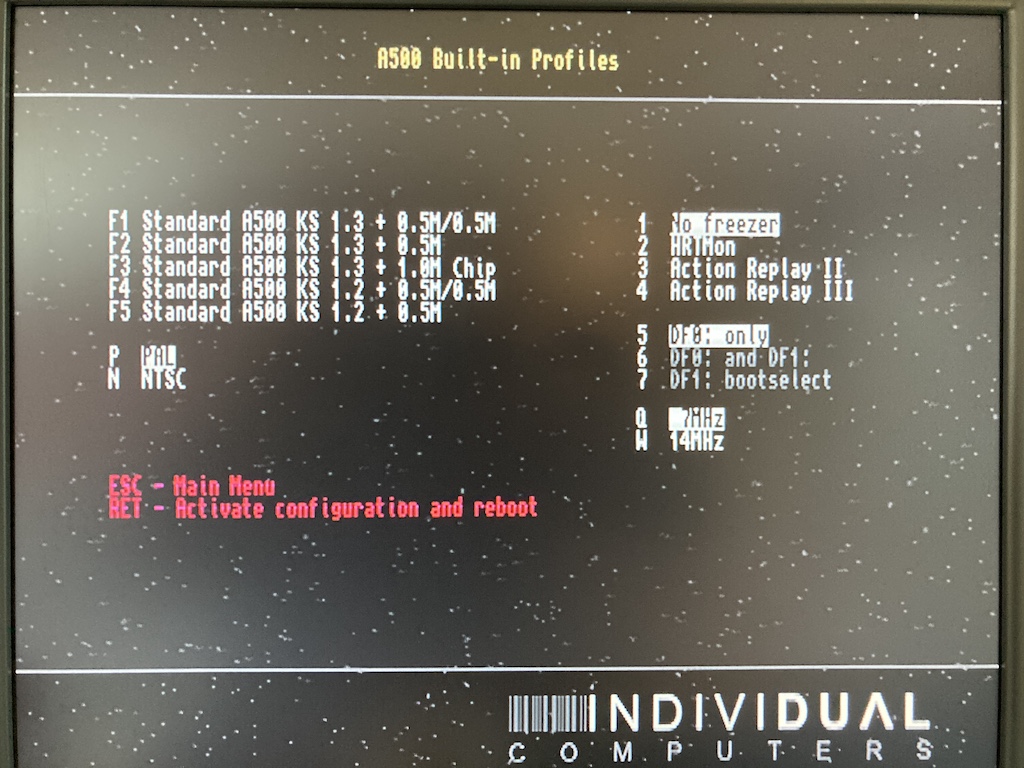
And I finally got Kickstart 1.2 back (the one my first A500 had back in the day).
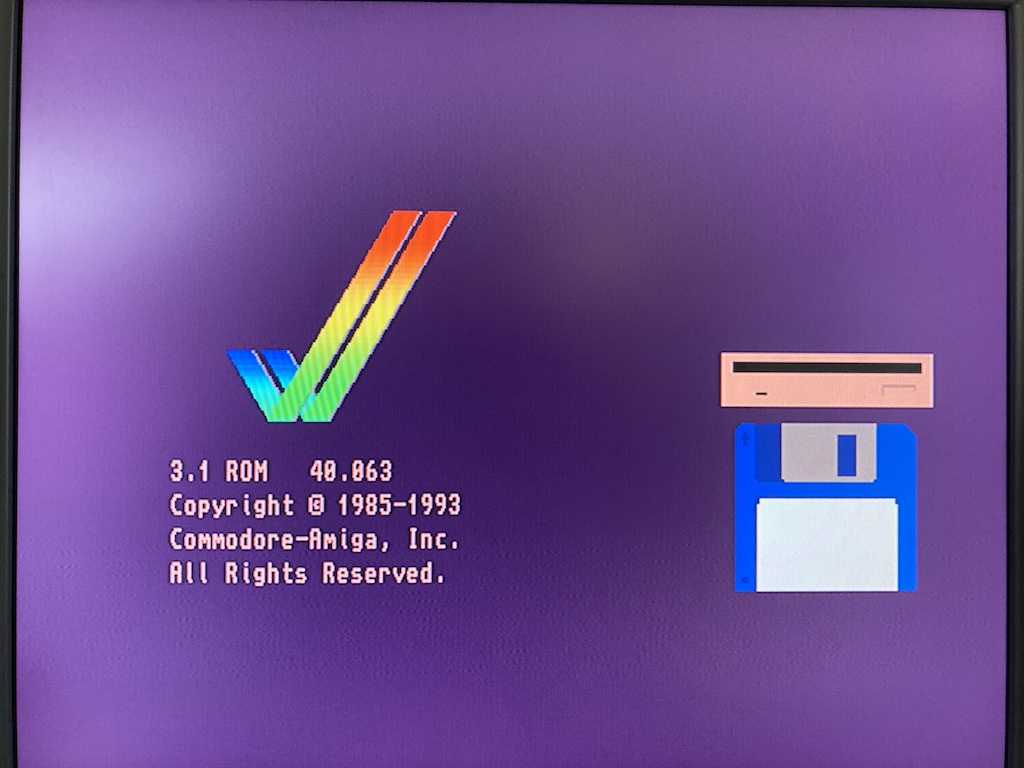
And there is even Kickstart 3.1 😎.
@mithrendal Don't even think about it. The manual says to never ever, really never, plug it into an A1000. It's even printed in bold face 😬.
dirkwhoffmann
on 4 Jun 2020
Unofficially it works fine with A1000. Warning is there because it is far too easy to install it up side down. It is back to front. CF slots pointing back, A1200 accelerator slot towards you. "This side up" text is still true. Whole board is rotated 180 degrees.
There is weird myth from back in the day that A1000 expansion port is upside down compared to A500. IT IS NOT TRUE. CONNECTING ANYTHING UPSIDE DOWN WILL PERMANENTLY DESTROY THE EXPANSION!
(btw, try HELP and DEL keys.. Check also F8 menu and increase allowed max CPU speed, you might get lucky and have CPU that works at 42MHz. Which can be useful in some test situations and button press can be configured to change CPU speed on the fly)
--
HDF will boot in UAE but note that there are two different kinds of HDFs. Original old-style HDF was single partition. Later RDB partition table HDF support was added. Both work automatically if "UAE" controller and boot even under KS 1.2. If emulating some hardware IDE/SCSI controller, it can get more tricky because lots of old controllers have all kinds of limits..
tonioni
on 4 Jun 2020
Unofficially it works fine with A1000.
look dirk ... I am unofficially allowed to dream of it now !!! 🤤
...and boot even under KS 1.2
wait .... how can that be🤔 ... I always thought that it was Kickstart1.3 which did invent support for hard drives ....
EDIT: Oh well ... @tonioni, I found the answer on eab by myself ... a certain smart guy from finland ... explained the details ... very interesting stuff !!!
http://eab.abime.net/showthread.php?t=77299
mithrendal
on 4 Jun 2020
try HELP and DEL keys.
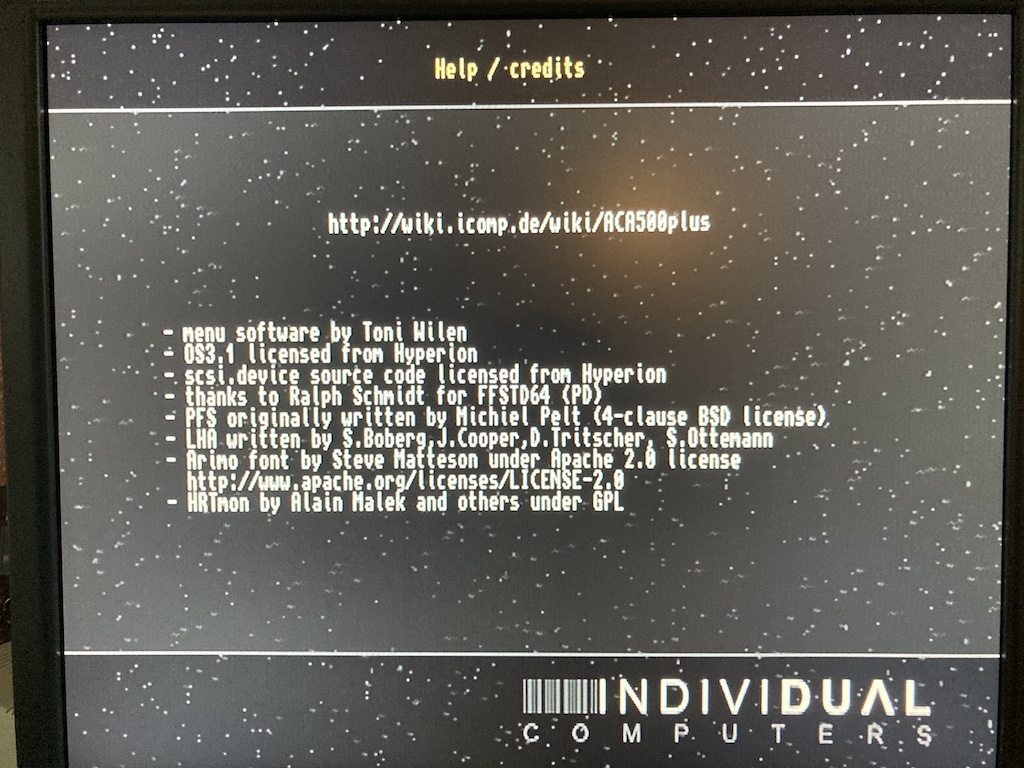
I really like the star field 😎. Did you implement that as well?
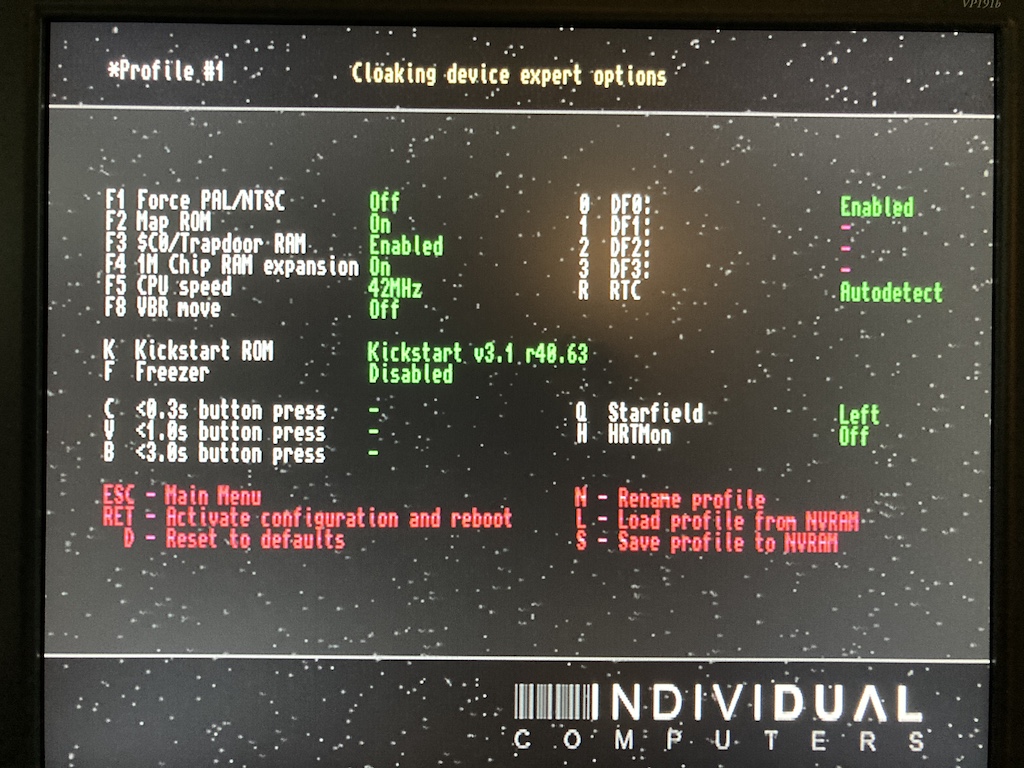
I changed it to 42 MHz and everything still seems to work. Pressing DEL has the effect that the text vanishes (the star field is still visible), but nothing else happened.
During the last couple of days, I checked all my CPU instructions with tracing and address errors enabled 🥵. This worked pretty well, and with the aca500, I can even run the tests on the real hardware now. On the positive side, the generated stack frames now seem to be correct for all instructions in vAmiga. On the negative side, the modifications have considerable messed up my code (so many subtle differences between different instructions). So my next big project will be cleaning up the CPU...
dirkwhoffmann
on 5 Jun 2020
I changed it to 42 MHz
nice speed bump dirk ... fasten your seat belt ... M68k runs 6 times faster now! 🤤

mithrendal
on 5 Jun 2020
Related issues
dirkwhoffmann
·
4Comments
dirkwhoffmann
·
3Comments
dirkwhoffmann
·
3Comments
dirkwhoffmann
·
3Comments
dirkwhoffmann
·
3Comments
Most helpful comment
Unofficially it works fine with A1000. Warning is there because it is far too easy to install it up side down. It is back to front. CF slots pointing back, A1200 accelerator slot towards you. "This side up" text is still true. Whole board is rotated 180 degrees.
There is weird myth from back in the day that A1000 expansion port is upside down compared to A500. IT IS NOT TRUE. CONNECTING ANYTHING UPSIDE DOWN WILL PERMANENTLY DESTROY THE EXPANSION!
(btw, try HELP and DEL keys.. Check also F8 menu and increase allowed max CPU speed, you might get lucky and have CPU that works at 42MHz. Which can be useful in some test situations and button press can be configured to change CPU speed on the fly)
--
HDF will boot in UAE but note that there are two different kinds of HDFs. Original old-style HDF was single partition. Later RDB partition table HDF support was added. Both work automatically if "UAE" controller and boot even under KS 1.2. If emulating some hardware IDE/SCSI controller, it can get more tricky because lots of old controllers have all kinds of limits..