This is a follow up of #58:
Need to find out what these options means.
The options in SAE control "when" the CPU should wait for the blitter. Take a look at maybe_blit() in blitter.js (line 1500)
Immediate: blit as soon as BLTSIZE is written.
Waiting: insert blitter-waiting-states to the CPU.
W-Never: blit on the next access of a blitter register.
W-Auto: insert waiting-states if no free cycles and "blitter nasty" or CPU-speed in maximum.
W-Noidle: insert waiting-states if no free cycles and "blitter nasty"
W-Always: always insert waiting-states, till the blitter is done.
 dirkwhoffmann
All 3 comments
Just thinking out loud here…
Eventually, I could imagine to have the following additional compatibility features for the Blitter:
- Additional feature 1 : Set the Blitter done flag with the proper delay.
- Additional feature 2 : Emulate the Blitter cycle accurately.
- Additional feature 3 : Block the CPU if the Blitter occupies the bus.
Since feature 3 requires feature 2, and feature 2 requires feature 1, a slider (with 4 levels) would be a suitable UI-element. Level 0 selects a fast, but less accurate Blitter, and level 4 a slow, but accurate Blitter. In detail:
- Level 0: None of the above features
- Level 1: Feature 1
- Level 2: Feature 1 + feature 2
- Level 3: Feature 1 + feature 2 + feature 3
For level 0 and 1, the emulator would call the FastBlitter (which is already there). For level 2 and 3, it would call the cycle-accurate Blitter which hasn't been implemented yet.
Possible internal names:
Enum {
    BLT_FAST = 0,
    BLT_FAST_BUSY
    BLT_SLOW
    BLT_SLOW_BLOCKING
}
I just had a look at the microcode of your new slow blitter. Wow this looks very well structured, I bet you can mimic the real hardware with it much better than with the fast blitter code, because you now have divided all logic in little microcode pieces. Very nice. Is now perfectly prepared and suitable for cycle exact emulation. 🤗
 mithrendal
on 18 Aug 2019
mithrendal
on 18 Aug 2019
First time vAmiga can draw the International Karate intro with the slow Blitter 😎:
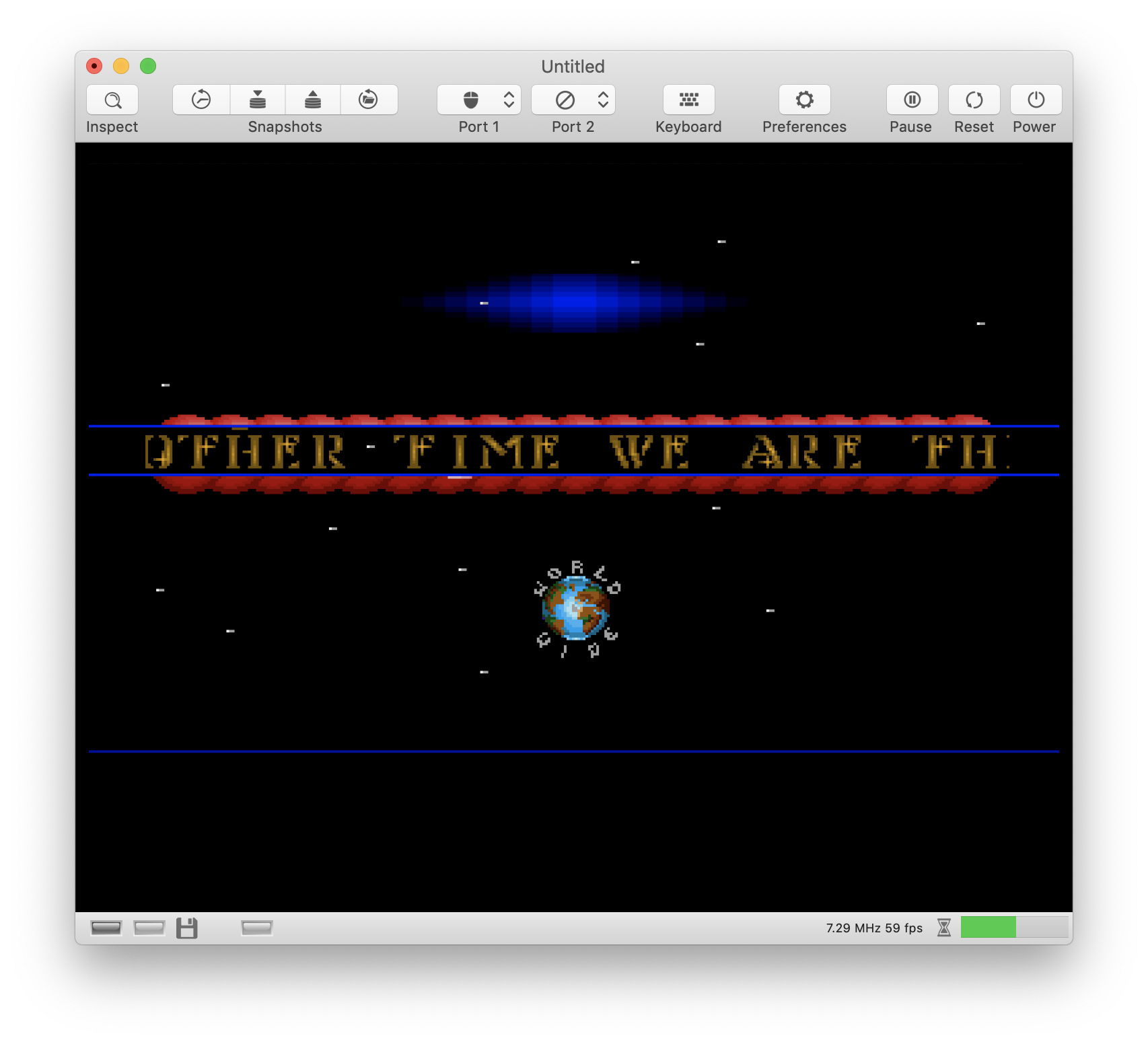
Here is the proof:
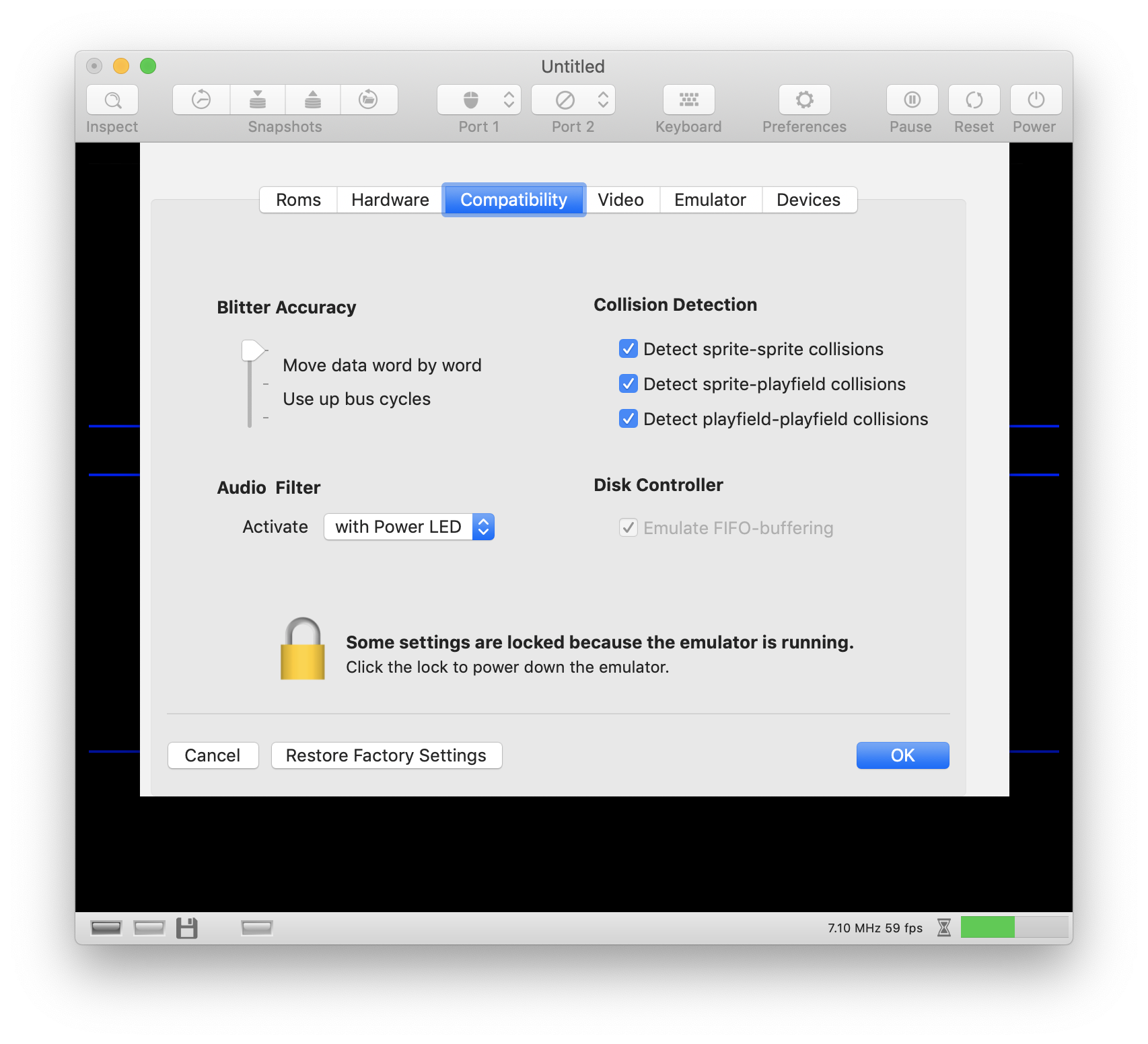
Oh no, there are wrong pixels here... under the "I" of "TIME" 🙈. The pixels are wrong even when the fast Blitter is used 😫.
dirkwhoffmann
on 21 Aug 2019
Related issues
dirkwhoffmann
·
4Comments
dirkwhoffmann
·
3Comments
dirkwhoffmann
·
5Comments
dirkwhoffmann
·
3Comments
mithrendal
·
3Comments