Valkyrie: Problems with deleting scenarios in SE
A major issue with deleting scenarios in SE. There are two scenarios that I created to reproduce the issue.
 chrismaliszewski
All 11 comments
The scenario of the problem of scenarios not being deleted:
- Download any scenario. Turn off the app.
- Go to %appdata%\Valkyrie\Download, copy the scenario file to %appdata%\Valkyrie\MoM\Editor and unzip it.
- Open the app. Go to Editor, modify the scenario's name to identify it easily. Go to Main Menu and New game. Below notice the downloaded '22.30h at the bird shop' scenario on the list.
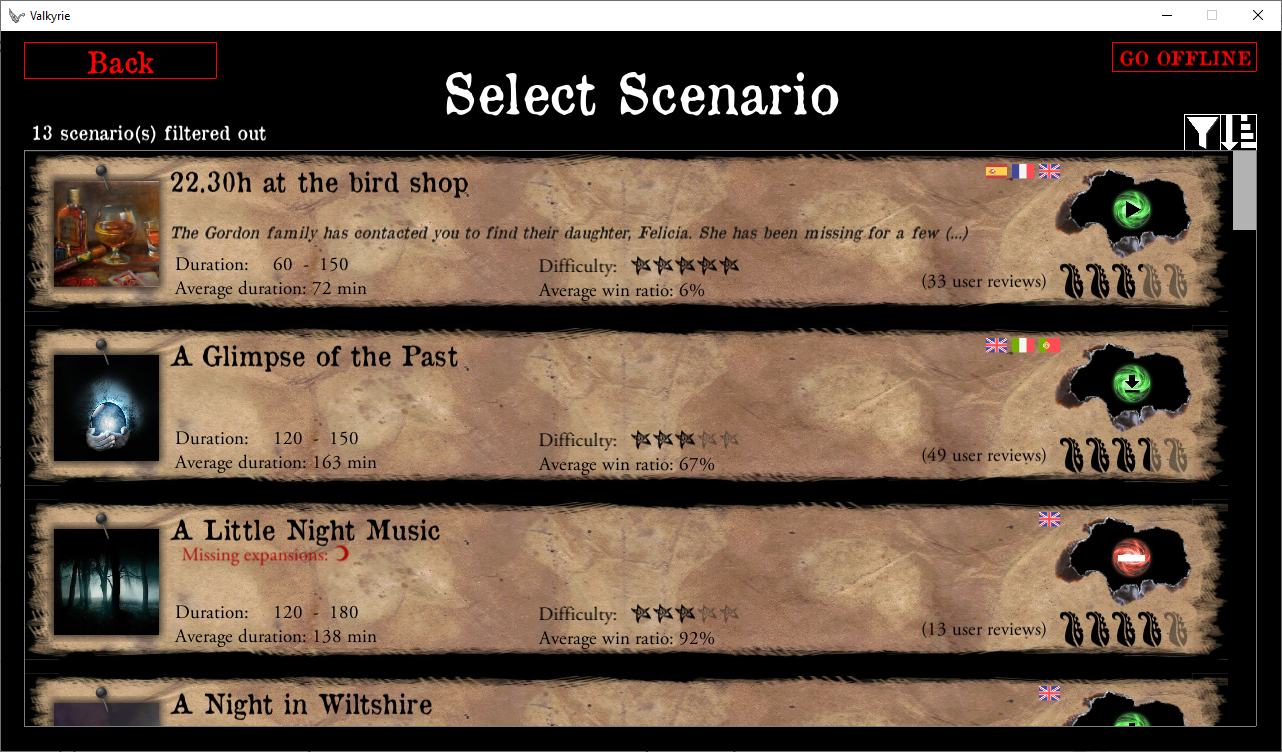
- Click Go offline. Notice two scenarios '22.30h at the bird shop' and '22.30h at the bird shop_local' on the list
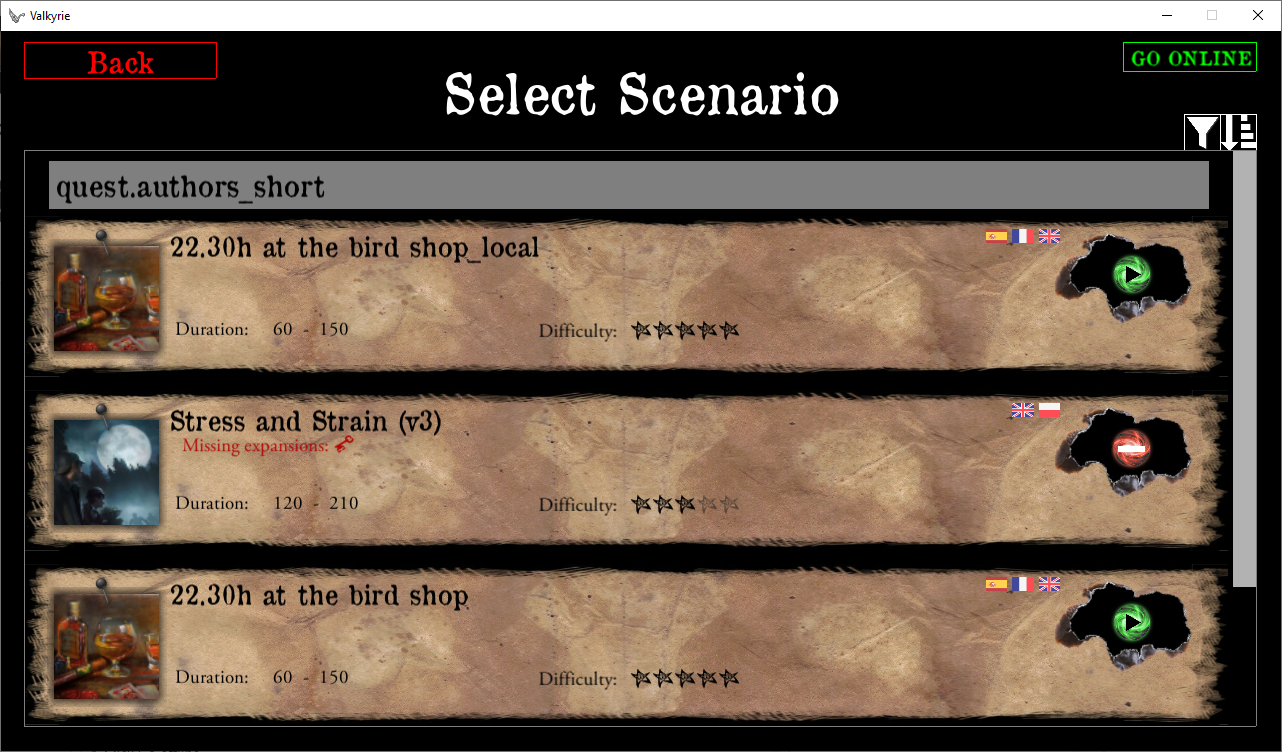
- Open local scenario and try deleting it. Notice the scenario neither of the scenarios is deleted from the list.
- Go Online. Notice that '22.30h at the bird shop' is deleted from the list here but it isn't deleted from disc
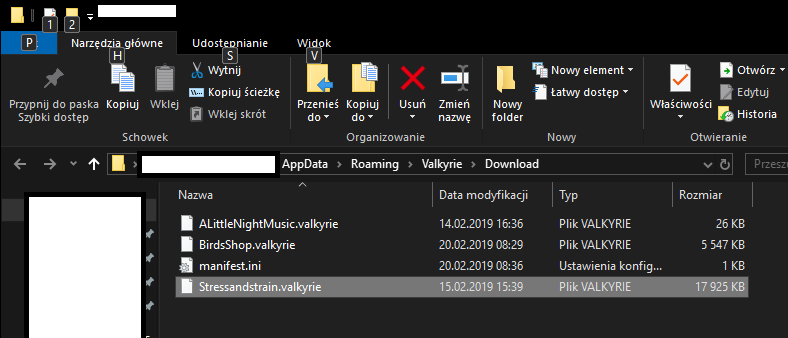
Interestingly enough, if you Go Offline, you can play the 'online' scenario without issues. To play it in 'Online mode' you need to download it again as the list sees it as not downloaded.
If you try the other way around by deleting a scenario from 'Go Online' list, no scenario is not deleted from the Offline list either.
It looks like the dictionary is not built properly. A fix to deleting scenarios should be done in this kind of situations.
chrismaliszewski
on 19 Feb 2019
Another scenario which occasionally causes a black screen.
Once I had it, other time literally nothing happened.
I think the black screen happens when you create a copy of a certain scenario for the first time. If you happened to create it in the past, it will do nothing. So, create a copy of a scenario that you've never done it.
- Open app, go to Editor, copy any scenario, open the clone and rename it for easier identification.
- Go back to Main menu, New game, 'Go Offline', click Play on the local scenario.
- Click Delete. Black screen.
According to the output_log 'The given key was not present in the dictionary.'.
https://github.com/NPBruce/valkyrie/files/2881605/output_log.txt
chrismaliszewski
on 19 Feb 2019
There are possibly two problems:
- wrong way of creating a dictionary,
- wrong way of deleting things from multiple dictionaries.
In terms of the 'black screen' issue. It should be checked:
-when the exception happens,
-how a scenario is deleted from the dictionary,
-if it's possible that two scenarios can be deleted from the dictionary by one operation of deleting a scenario while leaving data in another dictionary so a scenario exists in one list and doesn't in another.
chrismaliszewski
on 19 Feb 2019
OK thanks for all the details I will have a look.
 BenRQ
on 19 Feb 2019
BenRQ
on 19 Feb 2019
OK I have a fix.
The editor scenario were not supported properly, and directories were not deleted.
The tests and error cases created some side effect on the management of quest list for .valkyrie files.
BenRQ
on 19 Feb 2019
In the fix I made for this issue, I made it possible to delete the scenario being edited (the scenarios that are in the /editor directory).
I'm not sure this is such a good idea.
@scrubbless @redwolf2 what do you think ?
BenRQ
on 19 Feb 2019
Maybe we could later add a safety dialog "Delete scenario? Yes/No" or add a dialog that says: "Scenarios created in the Editor can only be deleted from the Scenario Editor selection dialog".
 redwolf2
on 20 Feb 2019
redwolf2
on 20 Feb 2019
I think deleting scenarios, no matter of a kind, should be possible from a splash screen so there is no need going back to Editor menu.
@redwolf2, I like your idea of the confirmation dialog. It could be a simple thing:
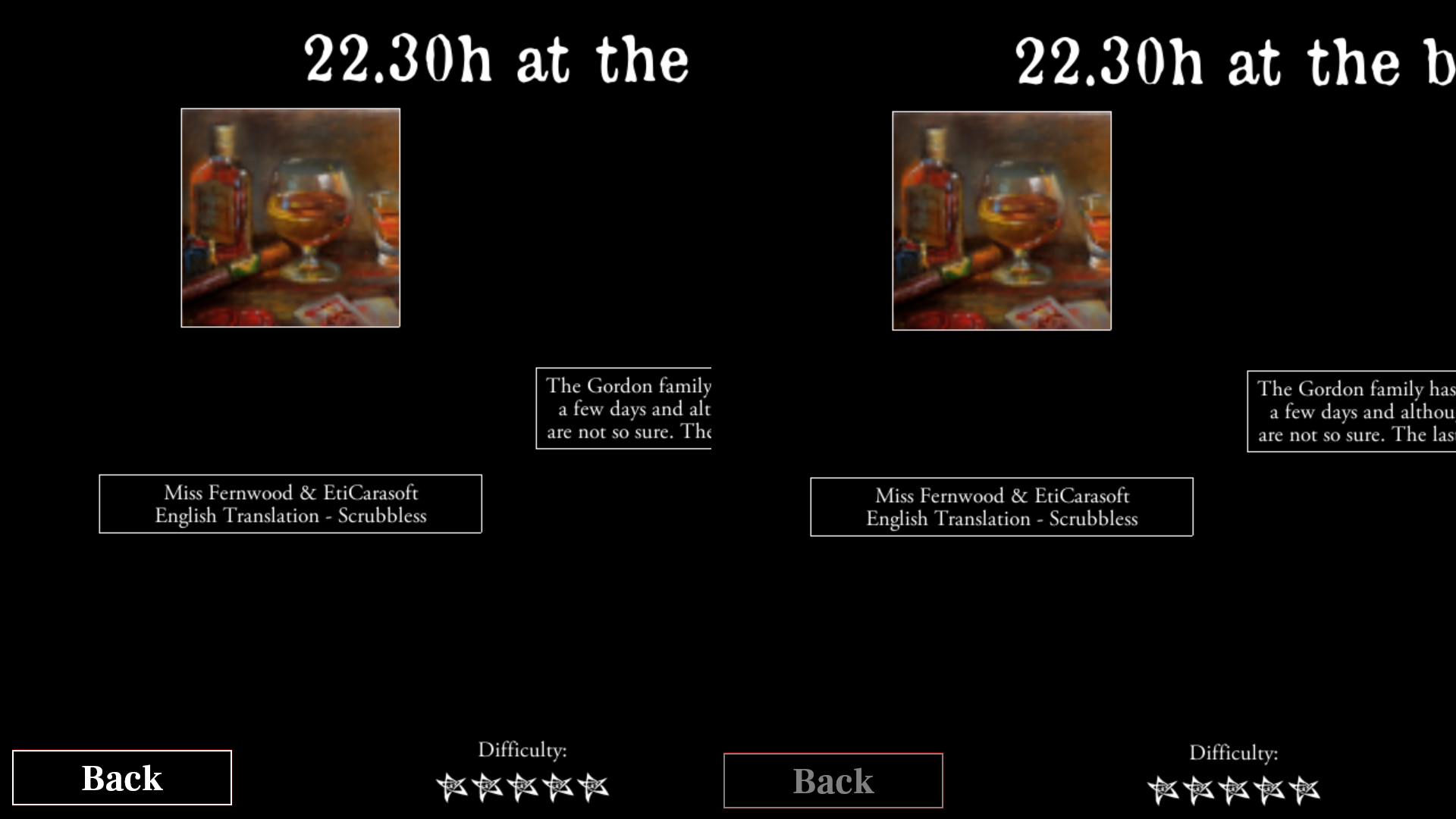
- I personally think the Delete button should stand out more and should be red-coloured. Moreover, all Back buttons in the app should have a neutral colour, i.e. be grey as the Delete is now or white. They don't do anything major/serious/dangerous to be red. But it's a topic for a different discussion.
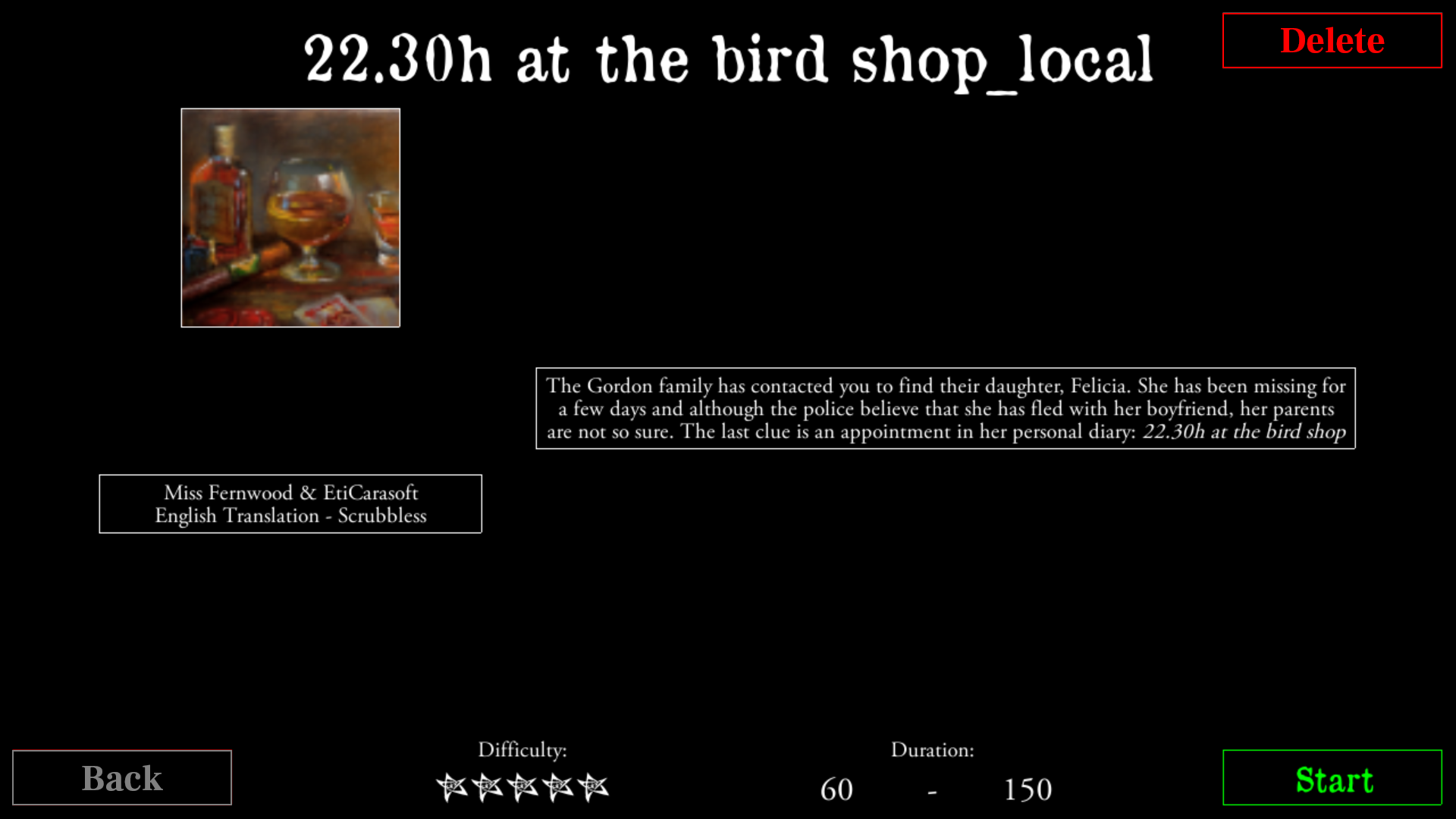
- Clicking the Delete button causes appearing of the confirmation text and two new buttons:
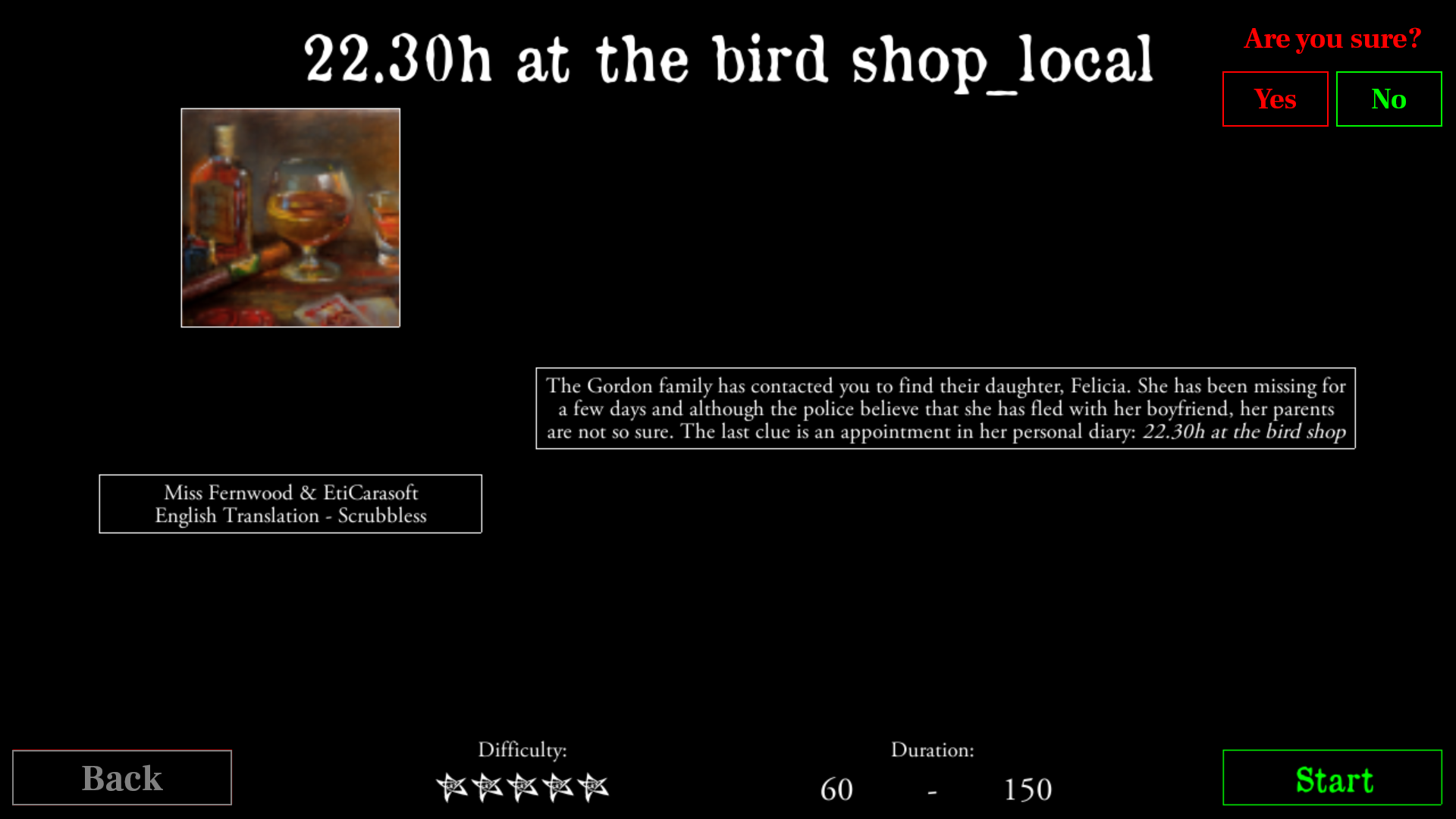
PSD: delete_confirmation.zip
The design is plain and simple. It'd could be an enhancement for another release.
PS. Grey vs White Back button:
chrismaliszewski
on 21 Feb 2019
I agree we should add a confirmation.
But for 2.2, we will just remove the delete button for editor scenarios.
Let's avoid the big drama of someone losing weeks of work because he thought he was deleting something else.
BenRQ
on 21 Feb 2019
Sure. I created new tickets for the confirmation enhancement (https://github.com/NPBruce/valkyrie/issues/1081) and the buttons' colours enhancement (https://github.com/NPBruce/valkyrie/issues/1082).
chrismaliszewski
on 21 Feb 2019
Fix done.
To make it simple, I do not show the delete button for directories.
I only show it for .valkyrie files.
I will now close this ticket as you have created other tickets for the points we have discussed.
BenRQ
on 21 Feb 2019
Related issues
 copytco
·
4Comments
copytco
·
4Comments
 Rass1968
·
8Comments
Rass1968
·
8Comments
 scrubbless
·
4Comments
scrubbless
·
3Comments
scrubbless
·
4Comments
scrubbless
·
3Comments
 jlederer2
·
7Comments
jlederer2
·
7Comments
Most helpful comment
I agree we should add a confirmation.
But for 2.2, we will just remove the delete button for editor scenarios.
Let's avoid the big drama of someone losing weeks of work because he thought he was deleting something else.