V8-archive: Successfully uploaded setting Logo but image preview is broken
Bug Report
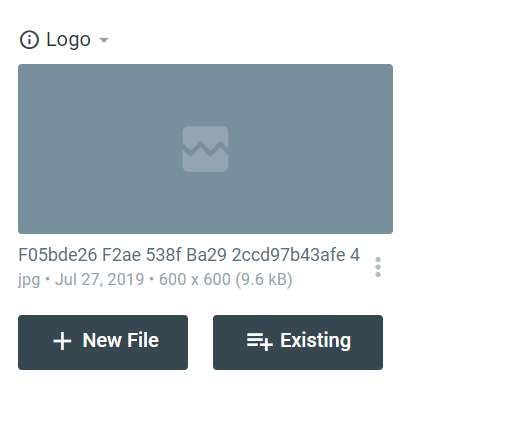
Successfully uploaded Logo but image preview is broken.
Steps to Reproduce
- Fresh install of v2.3.0
- Upload logo in settings
Expected Behavior
After successful upload, it should display the preview of the uploaded image.
Actual Behavior
Successfully uploaded but broken image preview. (this behavior also happens on normal image uploads in a collection)
Other Context & Screenshots
Install method
- Download api-build-v2.3.0.zip
- Extract and do
git initto initialize repo - Push it to remote (gitlab, github, etc).
- Clone your repo to your web server
- Install directus properly
- Once installed successfully, Do the steps to reproduce above
Cause
The cause of the bug is that when cloned in the web server, the public/uploads/_/originals/.htaccess is missing as you can see in this sample repo in gitlab, the uploads dir is missing.
It is easily fixed by manually uploading the .htaccess.
Technical Details
- Device: Desktop
- OS: Win 10 10.0.18362.145
- Web Server: Apache/2.4.29
- PHP Version: PHP 7.1.30
- Database: 10.1.40
- Install Method: See above
 eudora-fabia
All 6 comments
Hey @JbalTero
The cause of the bug is that when cloned in the web server, the
public/uploads/_/originals/.htaccessis missing as you can see in this sample repo in gitlab, the uploads dir is missing.
We have the Uploads folder in our API repo. So I don't think so if you have downloaded the zip from Git then you have not found it in yours.
Yes, we have one issue with the logo; after updation of the logo, it was not displayed in the general setting without refresh. I resolved it in #1162.
I am not sure this will resolve your issue or not. But please check it once at your end with this PR and let me know your feedback.
 bjgajjar
on 30 Jul 2019
bjgajjar
on 30 Jul 2019
Yes, we have one issue with the logo; after updation of the logo, it was not displayed in the general setting without refresh. I resolved it in #1162.
I don't think it is related since my issue is not just the Logo but any uploaded file. It is because .htaccess is missing in the uploads dir.
eudora-fabia
on 30 Jul 2019
@bjgajjar
We have the Uploads folder in our API repo. So I don't think so if you have downloaded the zip from Git then you have not found it in yours.
What I did is exactly what was in Install method above. I didn't alter the root .gitignore. Maybe something is wrong in my global git configuration?
eudora-fabia
on 30 Jul 2019
@bjgajjar If you check this line of code:
https://github.com/directus/api/blob/build/.gitignore#L44
/public/uploads/*/
!public/uploads/_/originals/.gitignore
!public/uploads/_/thumbnails/.gitignore
Everything is ignored in uploads folder except .gitignore files. However, those files does not exists.
eudora-fabia
on 30 Jul 2019
I had already checked it. You are maintaining the separate repo and it totally slipped my mind. I think for your scenario you should add this folder manually as Uploads folder is in gitignore.
bjgajjar
on 30 Jul 2019
As this is not an issue and an obvious behavior of the system; I am closing this. Feel free to reopen it.
bjgajjar
on 31 Jul 2019
Related issues
 Nitwel
·
3Comments
Nitwel
·
3Comments
 binary-koan
·
3Comments
binary-koan
·
3Comments
 HashemKhalifa
·
3Comments
HashemKhalifa
·
3Comments
 gitlabisbetterthangithub
·
3Comments
gitlabisbetterthangithub
·
3Comments
 chintohere
·
3Comments
chintohere
·
3Comments