after this last compilation: https://github.com/UPBGE/blender/commit/0d30856b3c863b37d54f4e1b9b9f32626bb1867f
my game started to present strange colors...
before
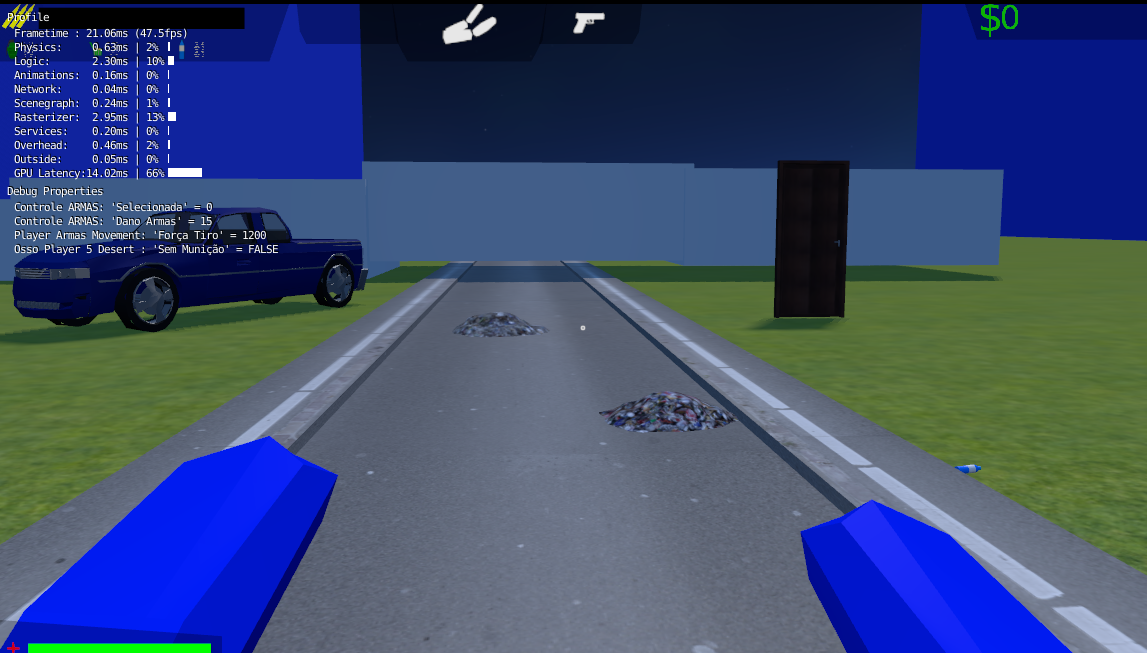
after compilation:
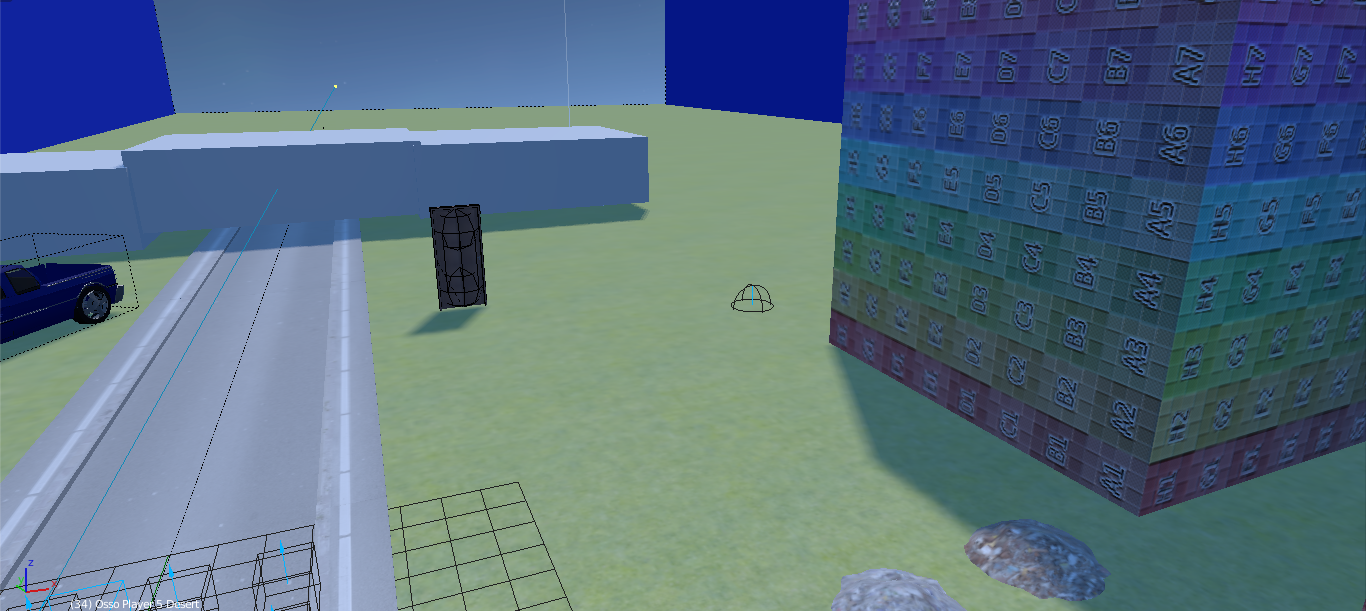
It is much clearer!
I can not solve...
I believe it is some mistake in GLSL!
or caused the error when opening the game in this build!
but I must discard the last issue because, when opening the game in the previous compilation, the game returns with the original colors!
What do you think it could be? I need help, I have no idea how to adjust it!
 EndSSgamesStudio
All 9 comments
Can you share an example file please ?
 panzergame
on 21 Oct 2018
panzergame
on 21 Oct 2018
@panzergame
right!
Do you have any old compilations?
EndSSgamesStudio
on 21 Oct 2018
An old compilation ? You mean an old build ? I can do the test on my own though with the file.
panzergame
on 21 Oct 2018
I think you're just missing the new colour management feature... try to change it back to linear to get your old colours back....
 nestanqueiro
on 21 Oct 2018
nestanqueiro
on 21 Oct 2018
@nestanqueiro
I think you're just missing the new colour management feature... try to change it back to linear to get your old colours back....
I made it...
and it's not ...
when opening the game in the previous compilation the colors come back
EndSSgamesStudio
on 21 Oct 2018
@panzergame
here: http://pasteall.org/blend/index.php?id=50533
EndSSgamesStudio
on 21 Oct 2018
This file was edited with a 0.2.4 version during the past three weeks, and so the version of the file is noted as 0.2.4 and the versioning introduced into 0d30856 failed to automate the compatibility……
.
To fix your file you have to to set "sRGB" in "Color Management" panel in texture tab. This thing is done automatically for any new file or files coming from 0.2.3…
@lordloki : I don't have a good solution to solve this versioning issue, maybe we can for next release set the version only after the alpha is stabilized.
panzergame
on 21 Oct 2018
Yes, it could be the best solution. Change the version and splash screen just before of final version
 lordloki
on 21 Oct 2018
lordloki
on 21 Oct 2018
@panzergame
God!!
Sorry, I do not read what you said. I'm Brazilian.
I was thinking it was in the Render area and not Textures, now everything is clear and I understood!
Thanks!
now I will have a great job of switching to sRGB of all textures :laughing:
EndSSgamesStudio
on 22 Oct 2018
Related issues
 Feral3d
·
3Comments
Feral3d
·
3Comments
 maconbot
·
5Comments
maconbot
·
5Comments
 RomStef
·
7Comments
RomStef
·
7Comments
 BlenderDoc
·
4Comments
BlenderDoc
·
4Comments
 UnidayStudio
·
6Comments
UnidayStudio
·
6Comments