Uno: Wasm - add support for mouse over effects
What would you like to be added:
Mouse over effects in wasm
Why is this needed:
Provide user feedback
For which Platform:
- [ ] iOS
- [ ] Android
- [x] WebAssembly
- [ ] Windows
Anything else we need to know?
Take the template app, add a button to the mainpage and note that in UWP when the mouse moves over the button, the border changes colour. Do the same in wasm and there is no visual feedback. Its cosmetic, but makes demos look nicer and helps overcome user resistance to new technologies.
MainPage.xaml:
<Page
    x:Class="UnoMouseOver.MainPage"
    xmlns="http://schemas.microsoft.com/winfx/2006/xaml/presentation"
    xmlns:x="http://schemas.microsoft.com/winfx/2006/xaml"
    xmlns:local="using:UnoMouseOver"
    xmlns:d="http://schemas.microsoft.com/expression/blend/2008"
    xmlns:mc="http://schemas.openxmlformats.org/markup-compatibility/2006"
    mc:Ignorable="d">

    <Grid Background="{ThemeResource ApplicationPageBackgroundThemeBrush}">
      <Button>dafdf</Button>
    </Grid>
</Page>
 yowl
yowl
All 5 comments
Do you want to take a stab at implementing this @yowl? Let us know if you need any guidance/help.
 ghuntley
on 8 Jul 2019
ghuntley
on 8 Jul 2019
I can have a go, but I'm not an artist. Can we lift the storyboards from somewere?
yowl
on 9 Jul 2019
👋 got your email @yowl — leave it with us.
observations
Alright so this is what I see:
uwp
When the pointer hovers over a button the visual state is updated.
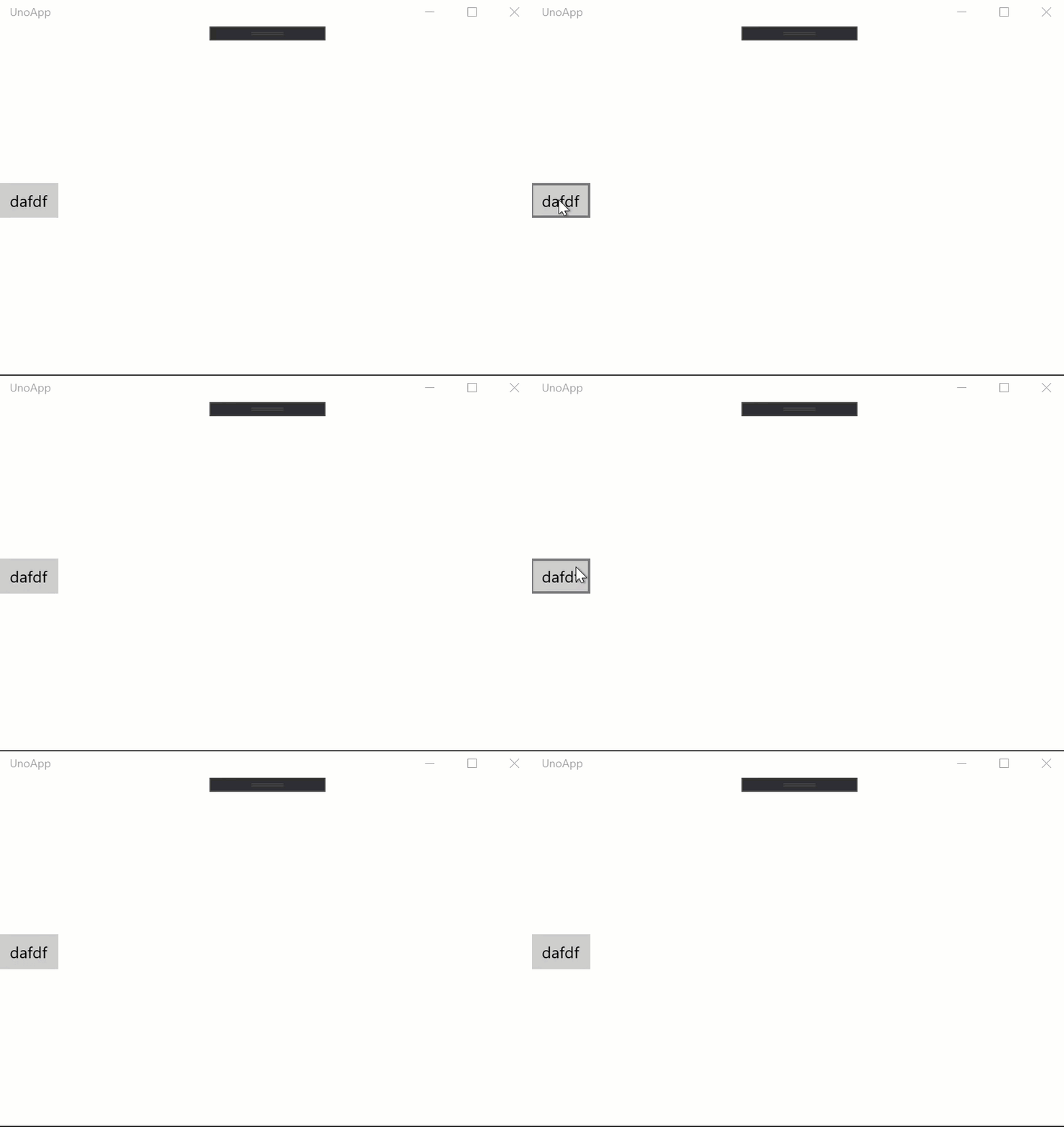
webasm
When the pointer hovers over a button the visual state is not updated.
droid
n/a - touch screen device doesn't have hovering (yes, android can support mice but let's ignore this edge case for now)
osx
n/a - touch screen device doesn't have hovering.
ghuntley
on 23 Aug 2019
This requires https://github.com/unoplatform/uno/pull/1256, I'll includes those states as part of the PR
 dr1rrb
on 23 Aug 2019
dr1rrb
on 23 Aug 2019
This has been fixed by https://github.com/unoplatform/uno/pull/1256 (for WASM and Android)
I'm closing the issue, feel free to re-open it if there is any issue.
dr1rrb
on 11 Oct 2019
Related issues
 PylotLight
·
3Comments
PylotLight
·
3Comments
 bricelam
·
3Comments
bricelam
·
3Comments
 carlh98
·
3Comments
carlh98
·
3Comments
 paulovila
·
3Comments
paulovila
·
3Comments
 MatFillion
·
4Comments
MatFillion
·
4Comments
Most helpful comment
This requires https://github.com/unoplatform/uno/pull/1256, I'll includes those states as part of the PR