Uno: ViewBox is altering the RenderTransform of its child
Current behavior
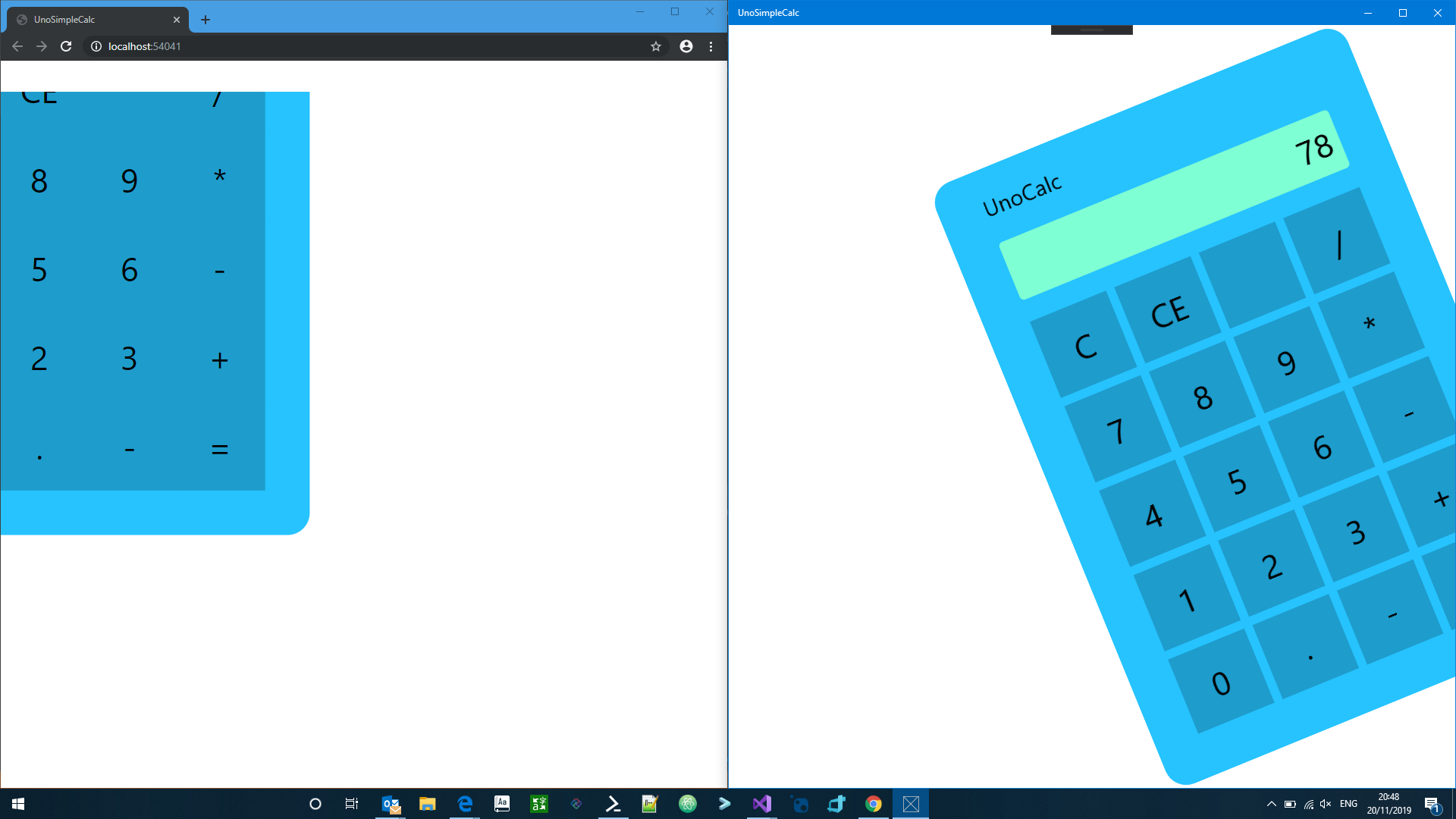
When a UI element in a ViewBox is applied a rotation transform, the transform is overwritten by the ViewBox
When a UI element is applied a rotation transform, for example over a border, the transform moves it across the X and Y , but doesn't rotate it
Expected behavior
It should rotate the control as shown in the image:
How to reproduce it (as minimally and precisely as possible)
clone https://github.com/SuperJMN/UnoSimpleCalc/tree/Rotation
checkout the Rotation branch
and see the difference between UWP and WASM
Environment
Affected platform(s):
- [?] iOS
- [?] Android
- [X] WebAssembly
- [ ] WebAssembly renderers for Xamarin.Forms
- [ ] Windows
- [ ] Build tasks
- [ ] Solution Templates
Visual Studio:
- [ ] 2017 (version: )
- [X] 2019 (version: )
- [ ] for Mac (version: )
 paulovila
All 3 comments
When I was investigating the pointers issue with the ViewBox, I notice that our current implementation is modifying the RenderTransform of it child, which is probably not valid!
In your sample, if you add an extra border between the ViewBox and the Border with the rotate transform, the rotation applies:
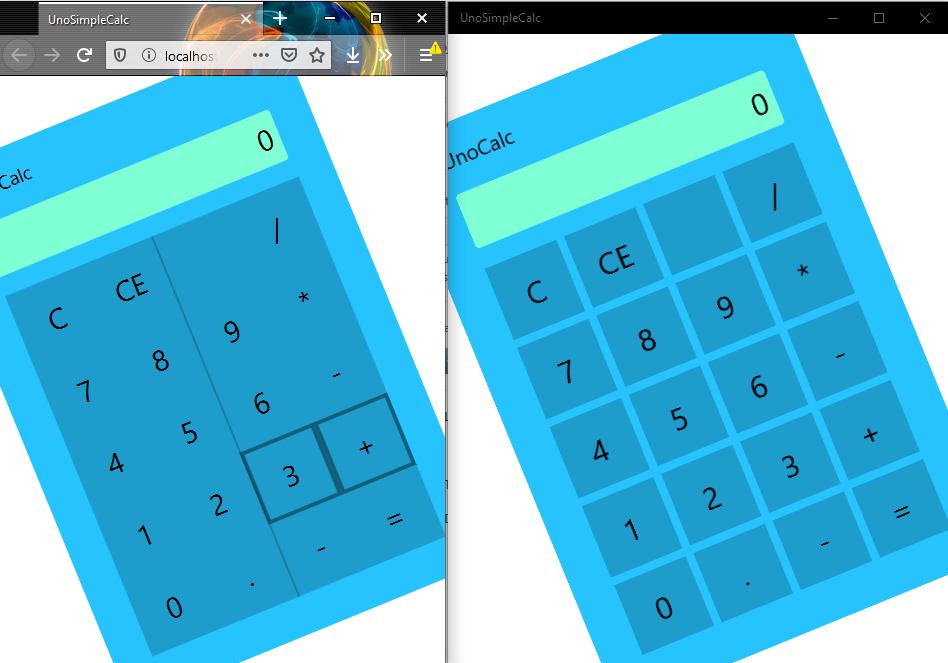
Note: I also had to set the RenderTransformOrigin=".5,.5", but it was like UWP.
I update the bug details accordingly.
 dr1rrb
on 21 Nov 2019
dr1rrb
on 21 Nov 2019
Also notice that when you rotate a button the clicking area does not rotate
<ItemsControl.ItemTemplate>
    <DataTemplate x:DataType="viewModels:ButtonViewModelBase">
        <Button VerticalAlignment="Stretch" HorizontalAlignment="Stretch"
                Command="{Binding }" Content="{Binding Text}" >
            <Button.RenderTransform>
                <CompositeTransform Rotation="-22.246"/>
            </Button.RenderTransform>
        </Button>
    </DataTemplate>
</ItemsControl.ItemTemplate>
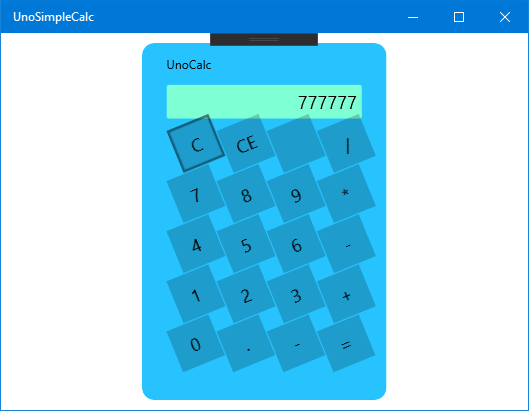
So if you click in the corners of the button it doesn't work
paulovila
on 21 Nov 2019
Fixed ... commit coming soon
dr1rrb
on 4 Dec 2019
Related issues
 JanabiSoft
·
3Comments
JanabiSoft
·
3Comments
 MartinZikmund
·
3Comments
MartinZikmund
·
3Comments
 chrisevans9629
·
4Comments
chrisevans9629
·
4Comments
 SuperJMN
·
3Comments
SuperJMN
·
3Comments
 MelbourneDeveloper
·
3Comments
MelbourneDeveloper
·
3Comments