Uno: Selected Item Color doesn't change back to default
Current behavior
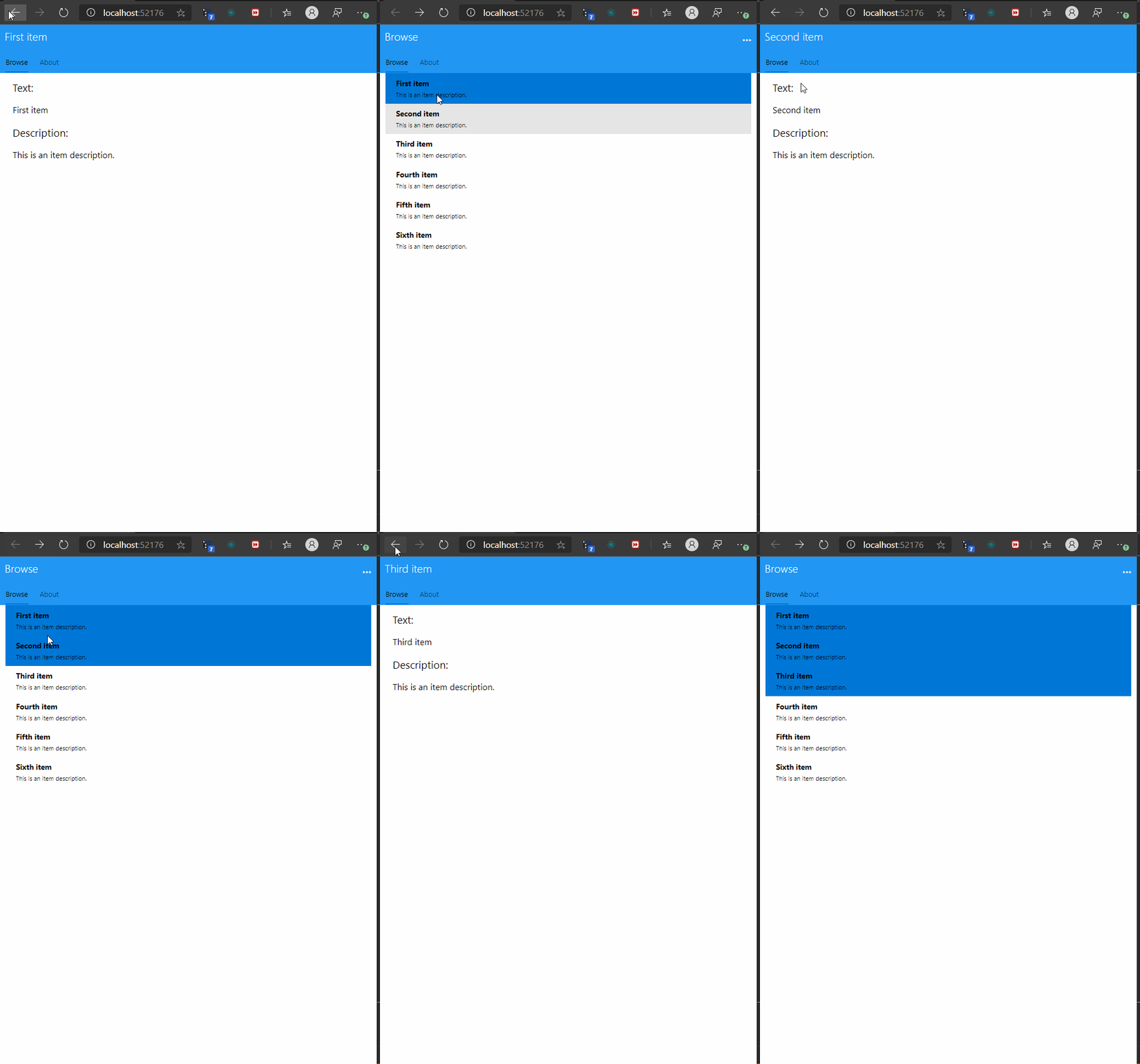
Expected behavior
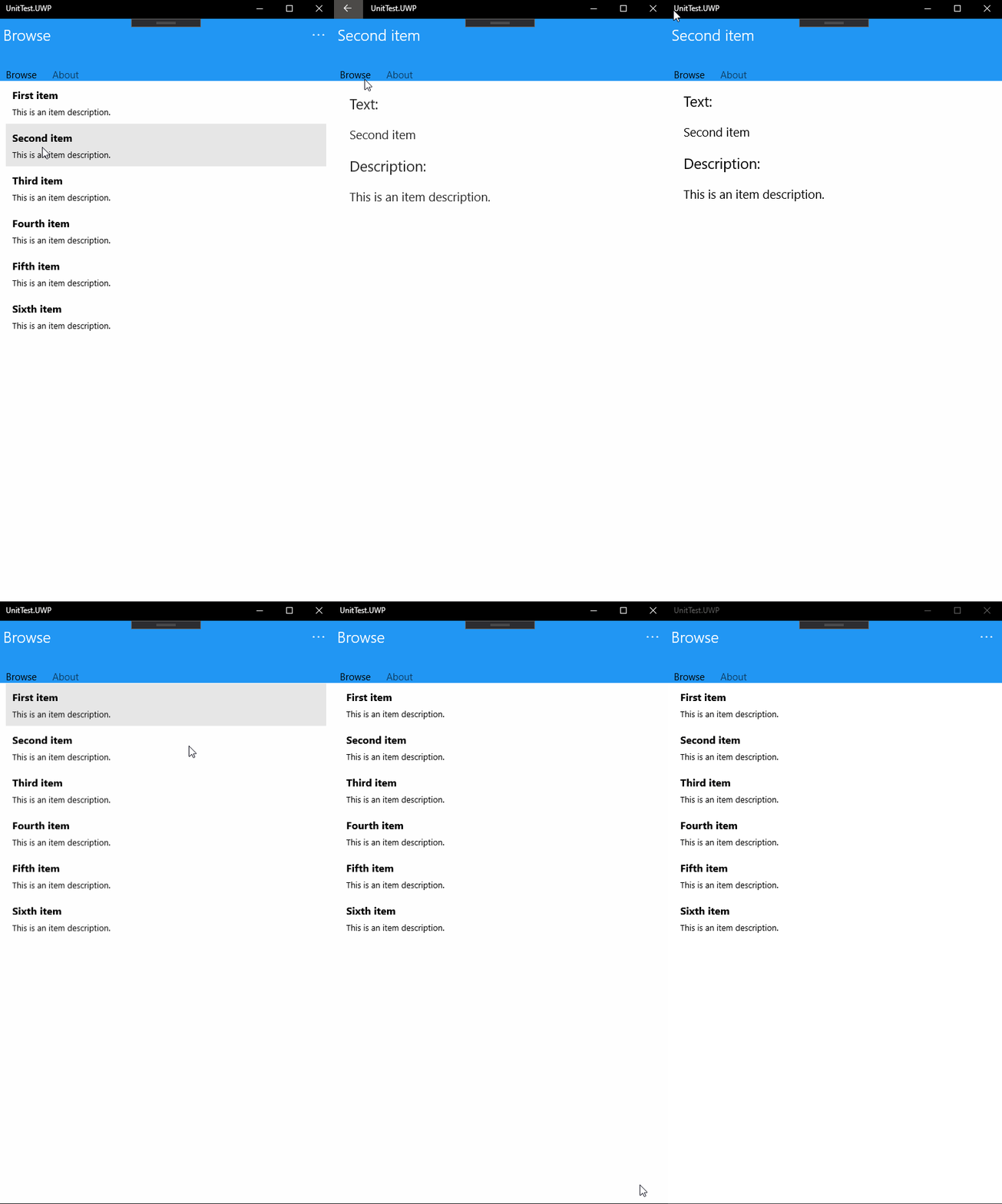
How to reproduce it (as minimally and precisely as possible)
- Create a new xamarin.forms project
- Selected Tabbed Page
- Add wasm project
- Run
I created a sample here:
https://github.com/chrisevans9629/UnoTest
Environment
Nuget Package:
<PackageReference Include="Microsoft.Extensions.Logging.Console" Version="1.1.1" />
        <PackageReference Include="Microsoft.Extensions.Logging.Filter" Version="1.1.1" />
        <PackageReference Include="Uno.Xamarin.Forms.Platform" Version="4.3.4" />
        <PackageReference Include="Uno.Wasm.Bootstrap" Version="1.0.10" />
        <DotNetCliToolReference Include="Uno.Wasm.Bootstrap.Cli" Version="1.0.0-dev.302" />
Package Version(s):
Affected platform(s):
- [ ] iOS
- [ ] Android
- [x] WebAssembly
- [x] WebAssembly renderers for Xamarin.Forms
- [ ] macOS
- [ ] Windows
- [ ] Build tasks
- [ ] Solution Templates
Visual Studio:
- [ ] 2017 (version: )
- [x] 2019 (version: 16.4.2)
- [ ] for Mac (version: )
Relevant plugins:
- [ ] Resharper (version: )
Anything else we need to know?
 chrisevans9629
All 4 comments
Thank you for the report!
Could you try installing the latest dev Uno.UI nuget package and check if this issue is still present ?
Thanks!
 jeromelaban
on 14 Jan 2020
jeromelaban
on 14 Jan 2020
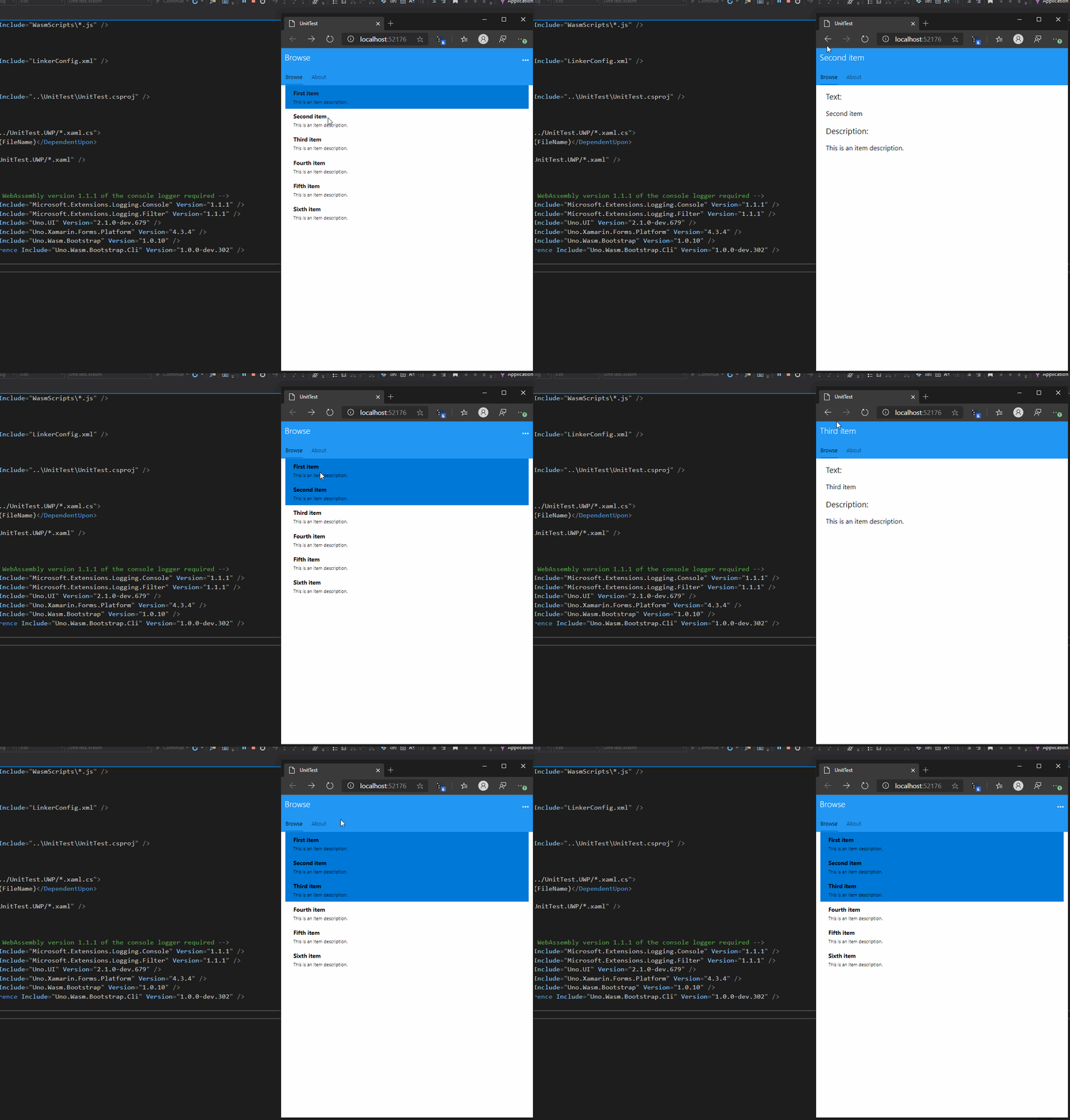
I installed <PackageReference Include="Uno.UI" Version="2.1.0-dev.679" /> and looks like the issue is still occurring
chrisevans9629
on 14 Jan 2020
@chrisevans9629 thanks for the validation!
jeromelaban
on 14 Jan 2020
👀1
👍1
Happy to help! :smile:
chrisevans9629
on 14 Jan 2020
Was this page helpful?
0 / 5 - 0 ratings
Related issues
chrisevans9629
·
4Comments
 MartinZikmund
·
3Comments
MartinZikmund
·
3Comments
 PylotLight
·
3Comments
PylotLight
·
3Comments
 carlh98
·
3Comments
MartinZikmund
·
3Comments
carlh98
·
3Comments
MartinZikmund
·
3Comments