Umbraco-cms: Change colors on Event Notifications
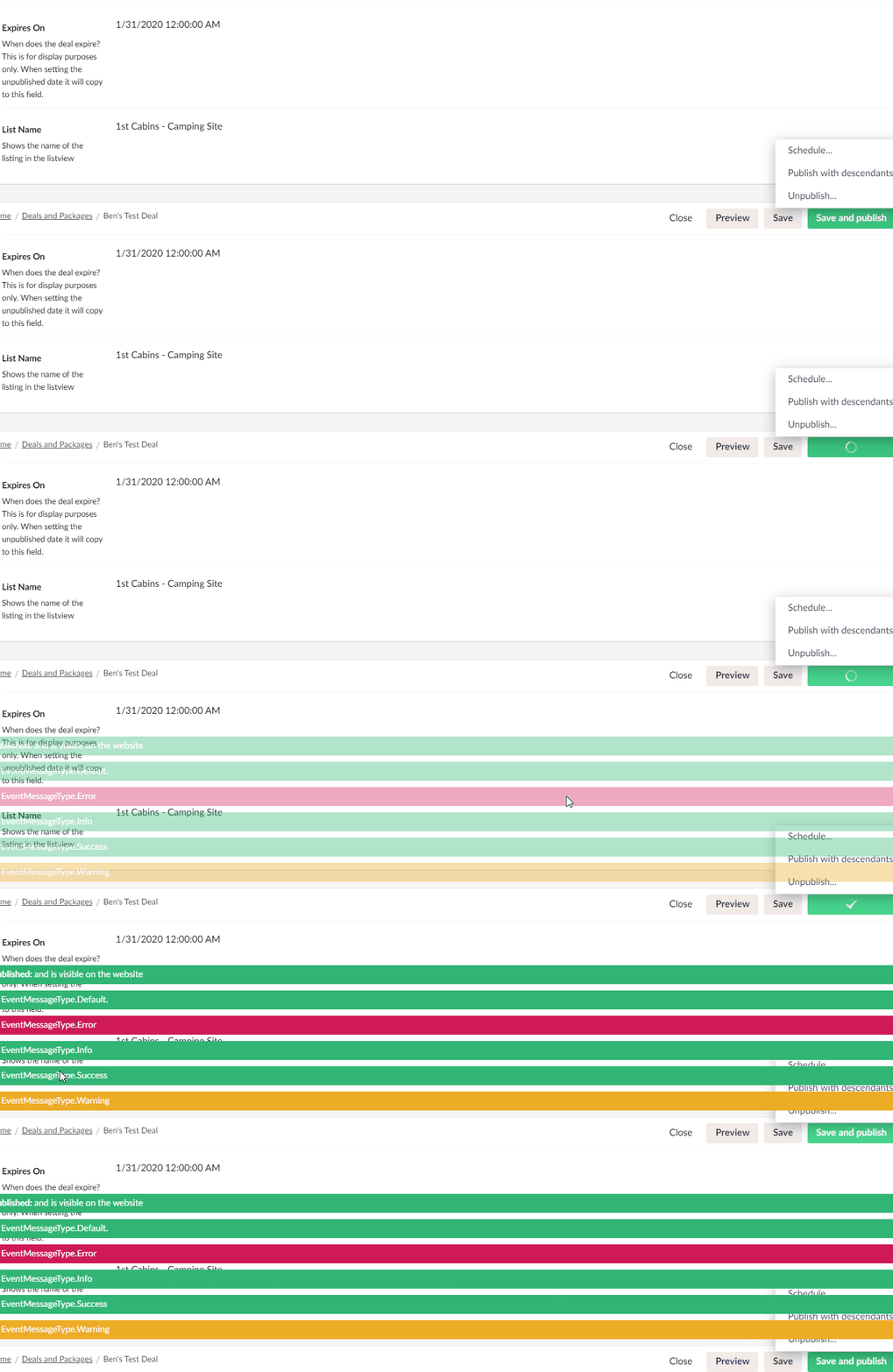
Nothing super important but on ContentService events we have the ability to inject in messages into the backoffice with several "types":
EventMessageType.Default
EventMessageType.Info
EventMessageType.Success
EventMessageType.Error
EventMessageType.Warning
It seems that Info and Success have the same green color.
I'd like to see the EventMessageType.Info have a different color. I think informational messages are often colored some shade of blue? Bootstrap as an example
 bmargevicius
All 10 comments
Sounds good! I don't think "blue" is in our current pallet, maybe we can find a similar inconspicuous color that we already use elsewhere that is not pink? :-)
 nul800sebastiaan
on 18 Dec 2019
nul800sebastiaan
on 18 Dec 2019
Maybe @nielslyngsoe has a suggestion!
nul800sebastiaan
on 18 Dec 2019
@nul800sebastiaan @bmargevicius @liamlaverty I've added a comment on the PR. 😀
https://github.com/umbraco/Umbraco-CMS/pull/7351
 nielslyngsoe
on 18 Dec 2019
nielslyngsoe
on 18 Dec 2019
I was looking to pr this, I just don't know where to begin to look to make this change. Is there some sort of process to finding things in the CMS?
bmargevicius
on 18 Dec 2019
Wow, didn't see there was a PR for it already, thanks @liamlaverty!
@bmargevicius looks like Liam beat you to it! I usually just start by inspecting the div want to change and do a global search in the code. Not the most efficient, but usually gets me where I need to go. Umbraco is a huge app with a lot of legacy code, so it's not always logical to find things.
nul800sebastiaan
on 18 Dec 2019
@nul800sebastiaan I know. I was trying to hunt this down, and found classes no longer in use... It was like dead end after dead end.
bmargevicius
on 18 Dec 2019
Hi @bmargevicius,
We're writing to let you know that we've added the Up For Grabs label to your issue. We feel that this issue is ideal to flag for a community member to work on it. Once flagged here, folk looking for issues to work on will know to look at yours. Of course, please feel free work on this yourself ;-). If there are any changes to this status, we'll be sure to let you know.
For more information about issues and states, have a look at this blog post
Thanks muchly, from your friendly PR team bot :-)
 umbrabot
on 18 Dec 2019
umbrabot
on 18 Dec 2019
No! There is already a PR.. Bad bot! 😛
nul800sebastiaan
on 18 Dec 2019
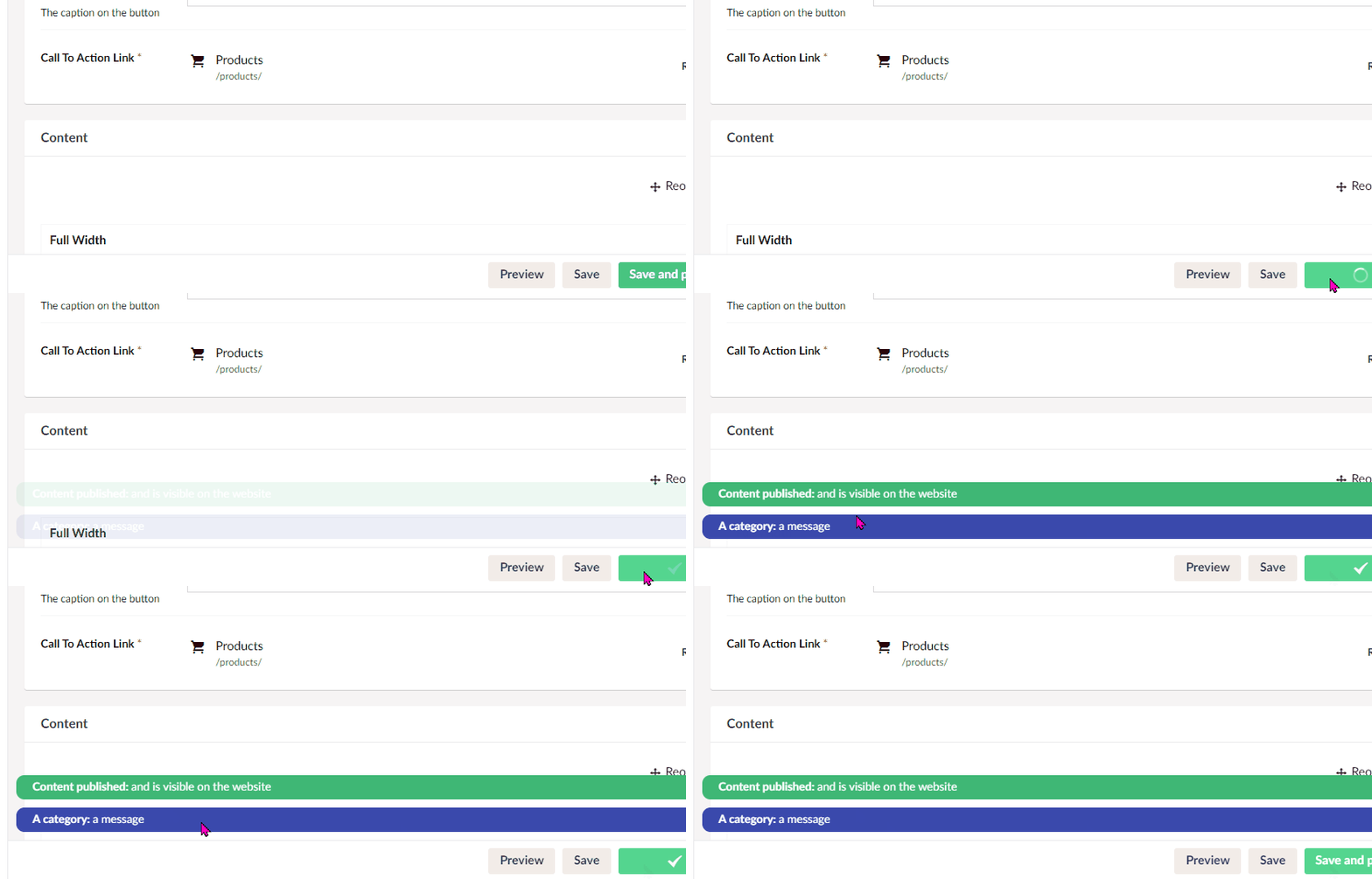
Set to @blueDark;, in 284bc4a looks like the above now. There's a handful of other html elements with .info class on them that'll be updated to use the blueDark colour by this change too.
 liamlaverty
on 18 Dec 2019
liamlaverty
on 18 Dec 2019
Fixed in #7351
 kjac
on 5 Jan 2020
kjac
on 5 Jan 2020
Related issues
nul800sebastiaan
·
24Comments
 benjaminc
·
35Comments
benjaminc
·
35Comments
 PeteDuncanson
·
31Comments
PeteDuncanson
·
31Comments
 philipdanielhayton
·
29Comments
philipdanielhayton
·
29Comments
 JoseMarcenaro
·
26Comments
JoseMarcenaro
·
26Comments
Most helpful comment
No! There is already a PR.. Bad bot! 😛