ueli.config.json - Move to Root Directory
Is it possible to move the config file inside the root folder instead of the _users_ directory?
 clrncmcnlsn
All 9 comments
Currently it is not possible to move the config to another folder. But why would you anyway? The users directory is (in my opinion) the best location: there are no problems with permissions and all users can have their own config.
 oliverschwendener
on 12 Aug 2018
oliverschwendener
on 12 Aug 2018
Almost every program I use are portable and I feel more comfortable if the config files are within the same folder instead of the OS drive.
clrncmcnlsn
on 13 Aug 2018
From my point of view, the users directory is the best place for this kind of stuff...
 maku
on 16 Aug 2018
maku
on 16 Aug 2018
@clrncmcnlsn The problem then would be where do you store the path to config file? Currently ueli reads all its settings and configurations from that file.
oliverschwendener
on 21 Aug 2018
The root folder where ueli.exe resides or probably a config folder inside root.
Any will do.
Thanks.
clrncmcnlsn
on 21 Aug 2018
@oliverschwendener when adding a lot of stuff into the config, it´s more than important to have a backup. for me, the most simple way is, to store my config files in my dropbox folder, in that case, you have a backup and it´s synced with your other devices. so it´s a bit tricky to write cronjobs that copy files from A to B or stuff like that, it would be so much easier if this app would allow us to define, where we want to store our config. maybe you can add something into to windows registry 🤔 another solution might be, adding a key into the config itself, like:
"backup_config_to_folder: "C:\Users\xxx\Dropbox\ueli\"
and whenever ueli detects a change at the config, the files get copied to that folder. that would be great and would also solve other requests here.
 michabbb
on 24 Aug 2018
michabbb
on 24 Aug 2018
Allright, I will look into it as soon as possible.
oliverschwendener
on 1 Sep 2018
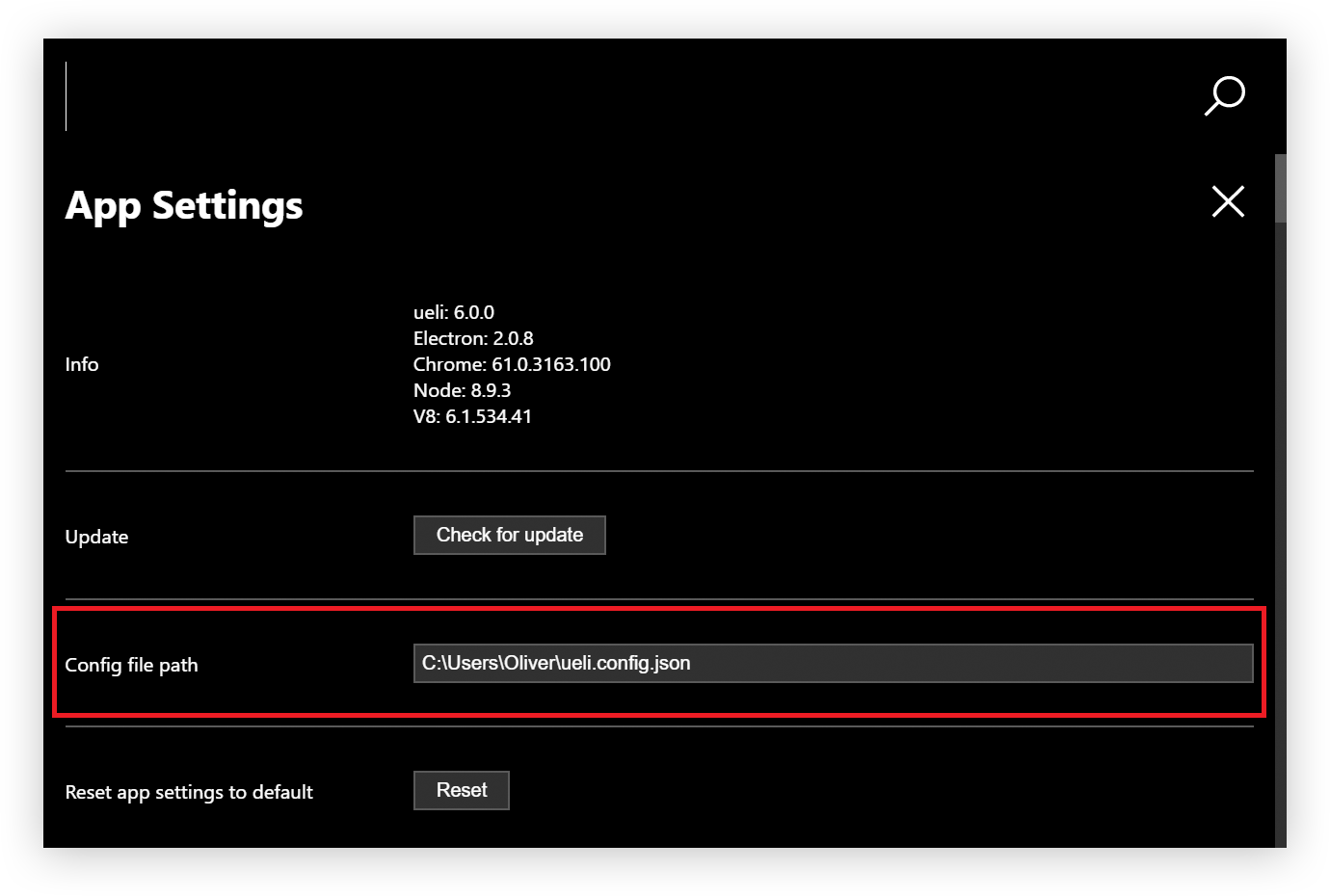
Fixed this issue in the new version v6.1.0!
Open the app settings with ctrl+i and change the config file path:
oliverschwendener
on 4 Oct 2018
Great, thanks a lot 👍👍👍
michabbb
on 5 Oct 2018
Related issues
 gabriel-peracio
·
3Comments
gabriel-peracio
·
3Comments
 LalaGhost
·
5Comments
LalaGhost
·
5Comments
 pbuw
·
5Comments
pbuw
·
5Comments
 TobiasDev
·
7Comments
TobiasDev
·
7Comments
 cosimochellini
·
5Comments
cosimochellini
·
5Comments
Most helpful comment
Fixed this issue in the new version v6.1.0!
Open the app settings with
ctrl+iand change the config file path: