Udemy-dl: "Unable to extract course idation" error
Just picked up the latest sources and now getting an error
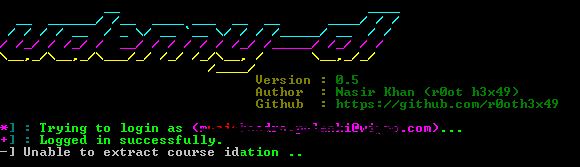
                            Version : 0.5
                             Author  : Nasir Khan (r0ot h3x49)
                             Github  : https://github.com/r0oth3x49
[*] : Trying to login as (XXXX)...
[+] : Logged in successfully.
[-] Unable to extract course idation ..
 pppedrillo
All 10 comments
The same here on Windows 10. Running with python 2.7.13. I've just started to download one course. No previous download. I've tried both login and logout from udemy in chrome.
 ioanvapi
on 8 Nov 2018
ioanvapi
on 8 Nov 2018
I getting an error "Unable to extract course id" after "Downloaded course information"
 scavdar
on 8 Nov 2018
scavdar
on 8 Nov 2018
@pppedrillo , @ioanvapi , @scavdar please take a look at #295 i already have fixed the issue.
 r0oth3x49
on 8 Nov 2018
r0oth3x49
on 8 Nov 2018
Waiting and re-login in the browser did not help me (those workarounds are mentioned in #295 ). Still unable to download course :(
pppedrillo
on 8 Nov 2018
Waiting and relogin unfortunately did not work me, either.
[*] : Trying to login as ([email protected])...
[+] : Logged in successfully.
[-] Unable to extract course idation ..
However, after I added a slash at the end of the course URL, it worked.
This does not work:
python udemy-dl.py https://www.udemy.com/mycourse -u [email protected] -p pass
This works:
python udemy-dl.py https://www.udemy.com/mycourse/ -u [email protected] -p pass
 postacik
on 9 Nov 2018
postacik
on 9 Nov 2018
Thank you @postacik. You are right. It worked after adding the slash at the end.
ioanvapi
on 9 Nov 2018
Hi @r0oth3x49 @ioanvapi @postacik
I'm experiencing the same issue. I have downloaded the latest version.
and I'm running the following script:
python udemy-dl.py https://xxxx.udemy.com/spring-hibernate-tutorial/learn/v4/overview -u [email protected] -p pass
 khansaad
on 9 Nov 2018
khansaad
on 9 Nov 2018
Thanks @postacik ! It works with trailing slash !
pppedrillo
on 9 Nov 2018
Hi @r0oth3x49
I have no luck in adding the trailing slash.
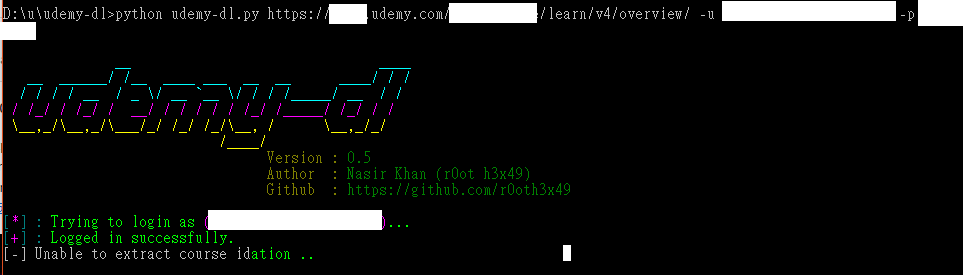
Experiencing the same issue on "Unable to extract course idation"
Have tried re-login in web and no help.
Thanks.
 waiyee
on 10 Nov 2018
waiyee
on 10 Nov 2018
Take the latest pull and it's working awesome. This issue bothered me since last 7 days. I took the latest pull today and everything is working as usual.
 ashokdey
on 13 Nov 2018
ashokdey
on 13 Nov 2018
Related issues
 ipkpjersi
·
5Comments
ipkpjersi
·
5Comments
 mattwelke
·
11Comments
mattwelke
·
11Comments
 Puyodead1
·
8Comments
Puyodead1
·
8Comments
 serhattsnmz
·
3Comments
serhattsnmz
·
3Comments
 vivekpanchal
·
8Comments
vivekpanchal
·
8Comments
Most helpful comment
Waiting and relogin unfortunately did not work me, either.
[*] : Trying to login as ([email protected])...
[+] : Logged in successfully.
[-] Unable to extract course idation ..
However, after I added a slash at the end of the course URL, it worked.
This does not work:
python udemy-dl.py https://www.udemy.com/mycourse -u [email protected] -p pass
This works:
python udemy-dl.py https://www.udemy.com/mycourse/ -u [email protected] -p pass