Udemy-dl: bug when trying to download
Traceback (most recent call last):
File "udemy-dl.py", line 924, in
main()
File "udemy-dl.py", line 879, in main
udemy.ExtractAndDownload(quality=res)
File "udemy-dl.py", line 291, in ExtractAndDownload
self.login()
File "udemy-dl.py", line 40, in login
extract_info.login(self.username, self.password)
File "/home/thesalah1212/udemy-dl-master/udemy/_extractor.py", line 147, in login
login_form = self._fill_login_form(login_popup, username, password)
File "/home/thesalah1212/udemy-dl-master/udemy/_extractor.py", line 98, in _fill_login_form
login_form = self._form_hidden_inputs('login-form', webpage)
File "/home/thesalah1212/udemy-dl-master/udemy/_extractor.py", line 88, in _form_hidden_inputs
return _hidden_inputs(form)
File "/home/thesalah1212/udemy-dl-master/udemy/_utils.py", line 80, in _hidden_inputs
html = re.sub(r'', '', html)
File "/usr/lib/python3.5/re.py", line 182, in sub
return _compile(pattern, flags).sub(repl, string, count)
TypeError: expected string or bytes-like object
thesalah1212@thesalah1212-pc:~/udemy-dl-master$
 thesalah1212
All 20 comments
I'm also getting this, upon inspecting the source code I found udemy is detecting this tool as automation, any way to hide this?
How to see it:
_extractor.py
line 80 def _form_hidden_inputs
print(html)
 ejose19
on 12 Feb 2018
ejose19
on 12 Feb 2018
Ami also I get that error, and I started thinking that maybe we should update the python ?, I would like you to answer r0oth3x49
 YaNgO15
on 12 Feb 2018
YaNgO15
on 12 Feb 2018
yup same here .. time to update the tool
 coder797
on 12 Feb 2018
coder797
on 12 Feb 2018
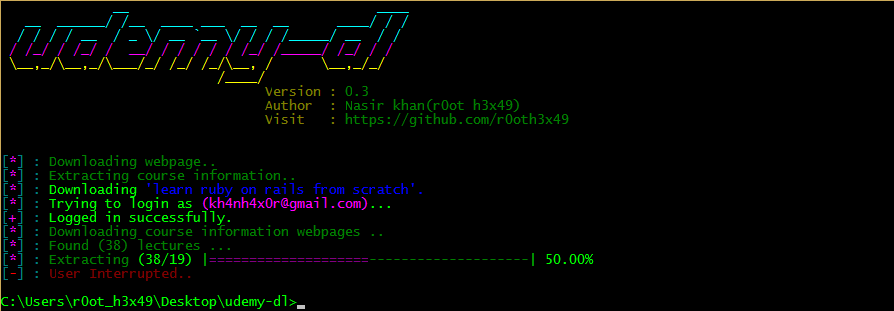
@thesalah1212 the error is causing with python3 only will fix it ASAP. with python2 it works fine for me.
have a look.
 r0oth3x49
on 12 Feb 2018
r0oth3x49
on 12 Feb 2018
 gangadharparde
on 12 Feb 2018
gangadharparde
on 12 Feb 2018
Need solution for this error
gangadharparde
on 12 Feb 2018
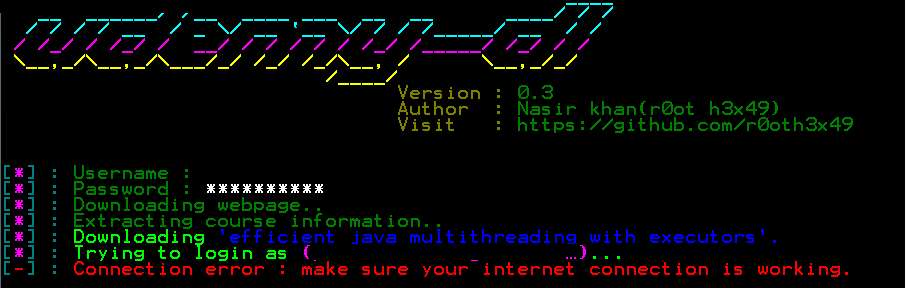
@gangadharparde which python version are you using?
r0oth3x49
on 12 Feb 2018
@thesalah1212 @ejose19 @YaNgO15 @coder797
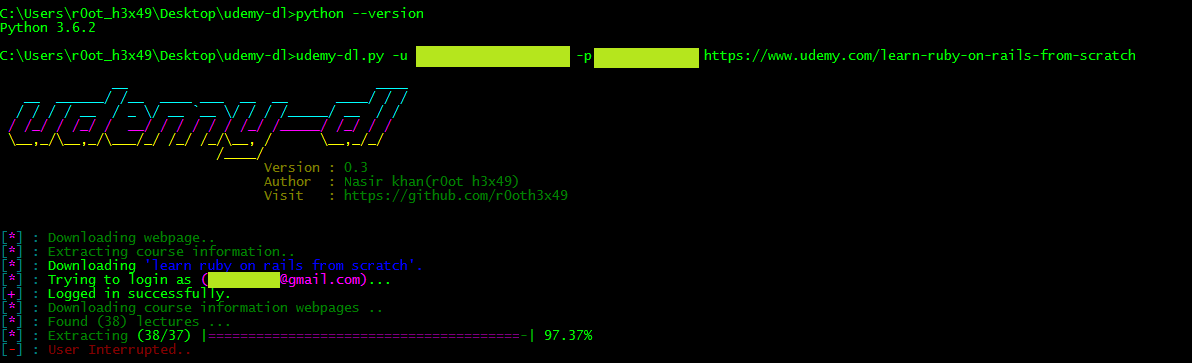
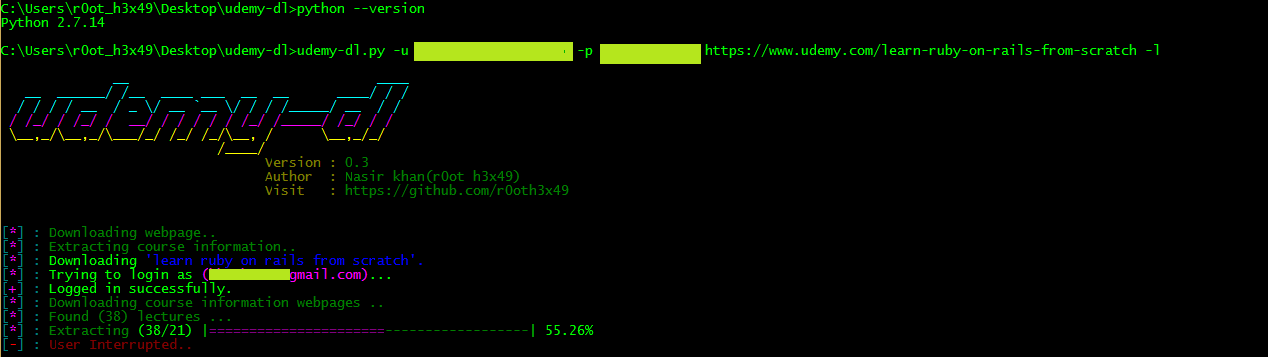
here is a simple workaround for both python version (py2 & py3)
- upgrade all the packages
- install requests[security]
then try to download and let me know if still the error occurs.
i have done the above steps and tested against py2 & py3 both, for me works fine now.
python3
python2
r0oth3x49
on 12 Feb 2018
From cffi callback
Traceback (most recent call last):
File "/usr/local/lib/python2.7/site-packages/OpenSSL/SSL.py", line 313, in wrapper
_lib.X509_up_ref(x509)
AttributeError: 'module' object has no attribute 'X509_up_ref'
[-] : Connection error : make sure your internet connection is working.
 yashjit
on 12 Feb 2018
yashjit
on 12 Feb 2018
Python 3.6.4
macOS High Sierra 10.13.3
Last version not work.
 igizm0
on 12 Feb 2018
igizm0
on 12 Feb 2018
@r0oth3x49:
Python3.6
32 bit Windows 7
gangadharparde
on 12 Feb 2018
i have a question
is it download pdf and all other project files of course ?
 jaan143
on 12 Feb 2018
jaan143
on 12 Feb 2018
I still get the error after downloading the new version and upgrading the packages.
ejose19
on 12 Feb 2018
@gangadharparde you should check this issue #56
r0oth3x49
on 12 Feb 2018
I have tried python 2.712, 2.714, v3.5.2, v3.6.4 - all as fresh installs and downloading all the requirements and ensuring they are all up-to-date and I am using the latest version of udemy-dl. I am still getting the error mentioned by thesalah1212 at the start of this post.
 DazzaB73
on 12 Feb 2018
DazzaB73
on 12 Feb 2018
I still get the error after updating the packages
thesalah1212
on 13 Feb 2018
@DazzaB73 it works fine after doing this command pip install requests[security]
thesalah1212
on 13 Feb 2018
Resolve after uninstall openssl pyhton package and reinstall it.
yashjit
on 13 Feb 2018
pip install pyOpenSSL, its works! I'm using python3.6.2
 abravodeb
on 15 Feb 2018
abravodeb
on 15 Feb 2018
I can confirm that on Ubuntu Linux 16.04 installation of pyOpenSSL works.
pip install pyOpenSSL
 seanwhe
on 16 Feb 2018
seanwhe
on 16 Feb 2018
Related issues
 sagarsamrat3956
·
7Comments
sagarsamrat3956
·
7Comments
 mumi
·
10Comments
mumi
·
10Comments
 Puyodead1
·
8Comments
Puyodead1
·
8Comments
 thedtech
·
7Comments
thedtech
·
7Comments
 TechieGenie
·
10Comments
TechieGenie
·
10Comments
Most helpful comment
@thesalah1212 @ejose19 @YaNgO15 @coder797
here is a simple workaround for both python version (py2 & py3)
then try to download and let me know if still the error occurs.
i have done the above steps and tested against py2 & py3 both, for me works fine now.


python3
python2