Trenchbroom: Resizing the Entity Browser glitches UI.
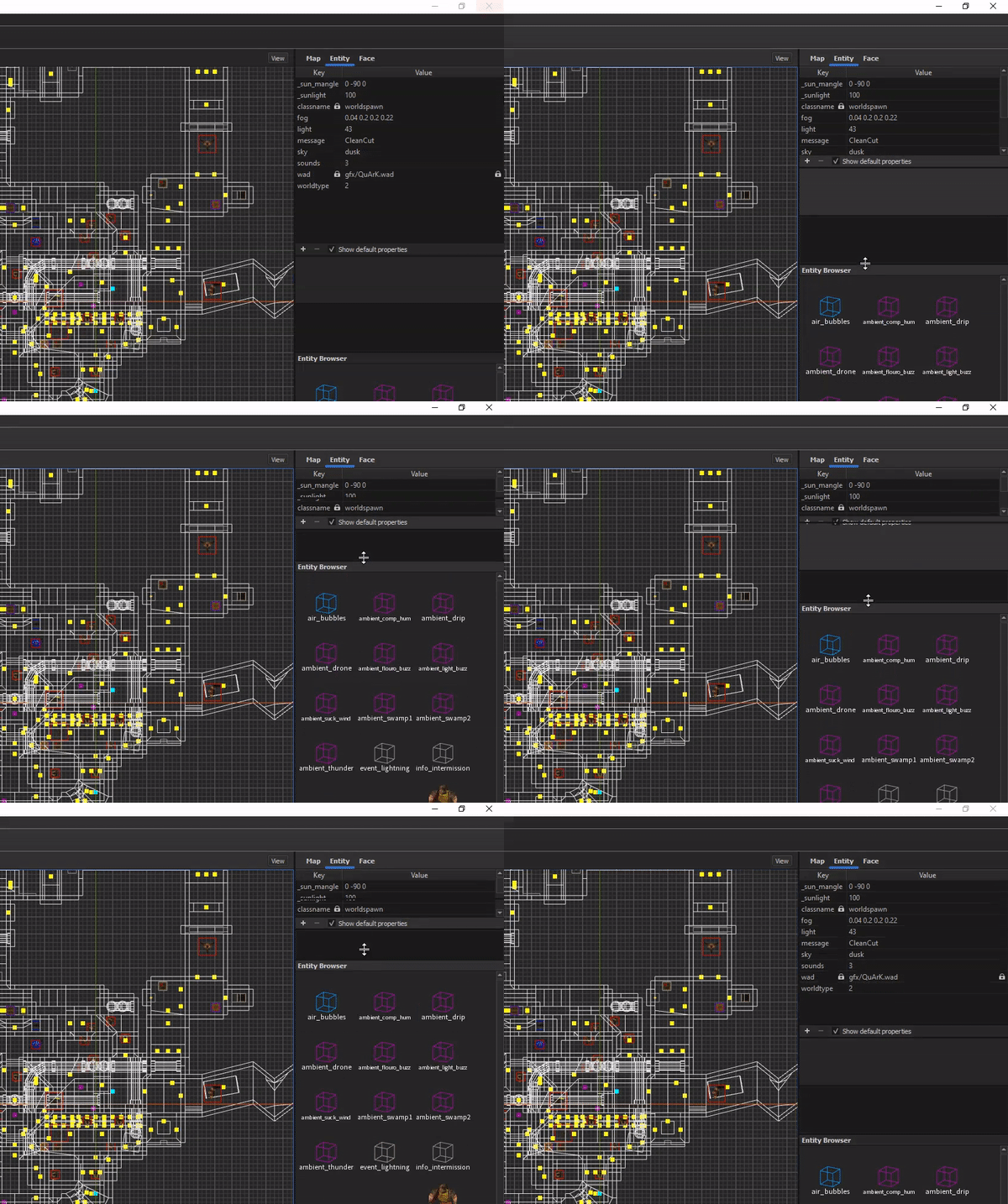
System Information
TrenchBroom V2020.1 on Windows 10
Issue
Resizing the panels in the entity tab creates a floating bar. See Gif.
Steps to Reproduce
Resize that panel by dragging the bar up and down.
 gaschka
All 5 comments
Does it happen with 2020.2?
 ericwa
on 14 Oct 2020
ericwa
on 14 Oct 2020
👍1
Yes, same with 2020.2 here.
gaschka
on 15 Oct 2020
What is your video card? Using Intel, AMD, or Nvidia?
 eGax
on 15 Oct 2020
eGax
on 15 Oct 2020
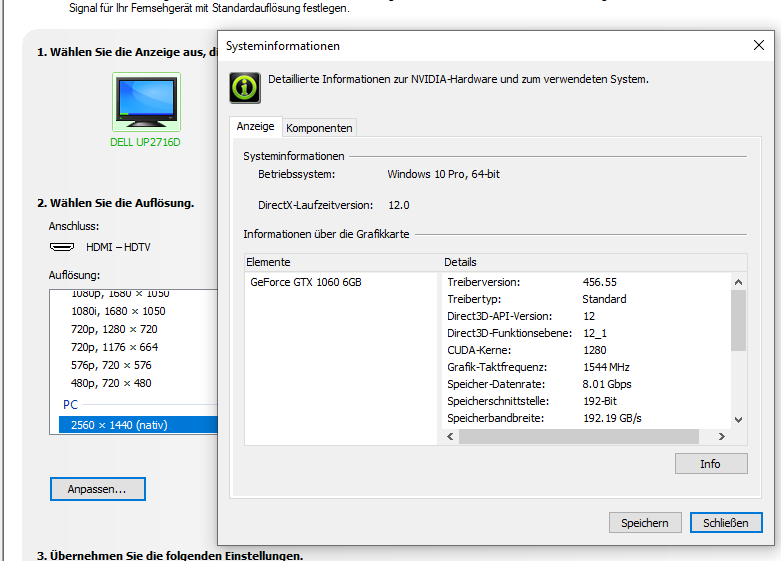
Nvidia Geforce GTX 1060
gaschka
on 15 Oct 2020
👍1
Thanks, I can reproduce it. Configure the top 2 splitters to be as small as possible, like this:
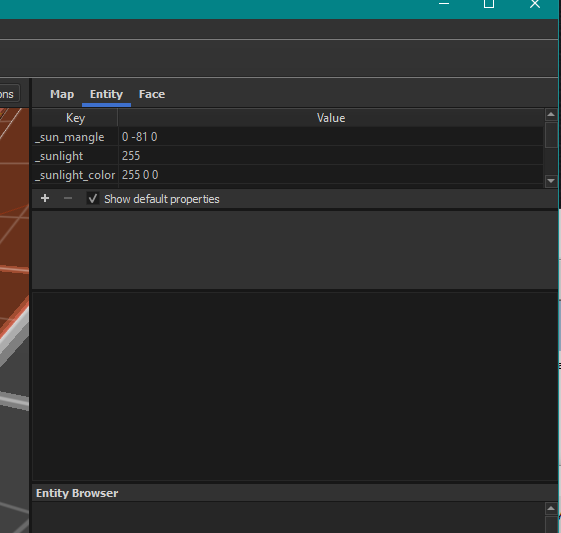
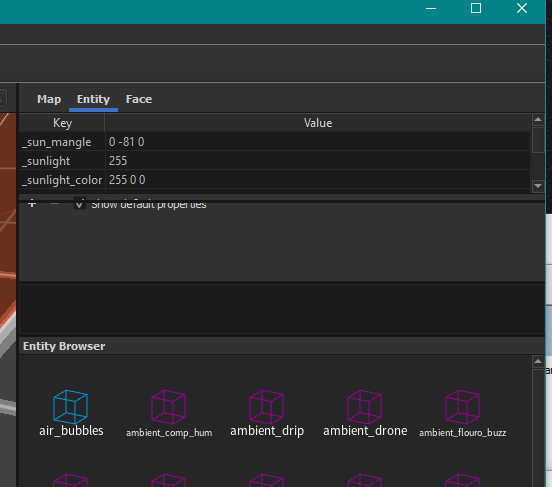
Then grab the "Entity Browser" splitter and raise it; it will let you shrink the table smaller than it should
ericwa
on 16 Oct 2020
👍1
Was this page helpful?
0 / 5 - 0 ratings
Related issues
 HeadClot
·
4Comments
HeadClot
·
4Comments
 totalnewbie
·
3Comments
totalnewbie
·
3Comments
 JackViney96
·
5Comments
JackViney96
·
5Comments
 dumptruckDS
·
5Comments
dumptruckDS
·
5Comments
 kduske
·
4Comments
kduske
·
4Comments