Trenchbroom: Vertical/Horizontal Flip no longer works like in TB 2019.6
The Vertical and Horizontal Flip buttons (and hotkeys) no longer work like in Trenchbroom 2019.6.
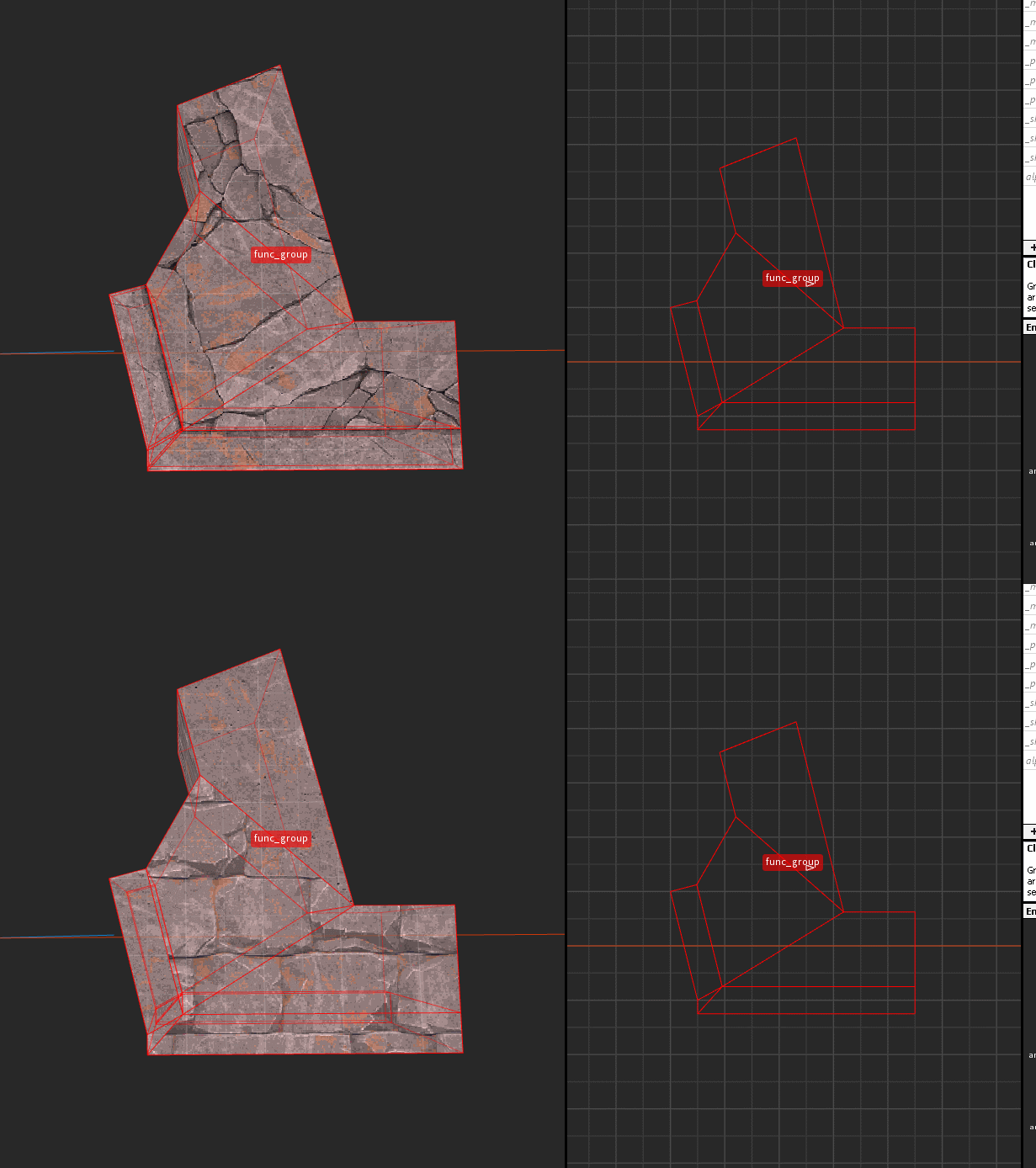
They now seem to always try to flip from the 3D view, even if you're working in a 2D view, especially the vertical flip.
Example, this is a vertical flip in 2019.6 (this is what we want, I'm working in 2D view) :
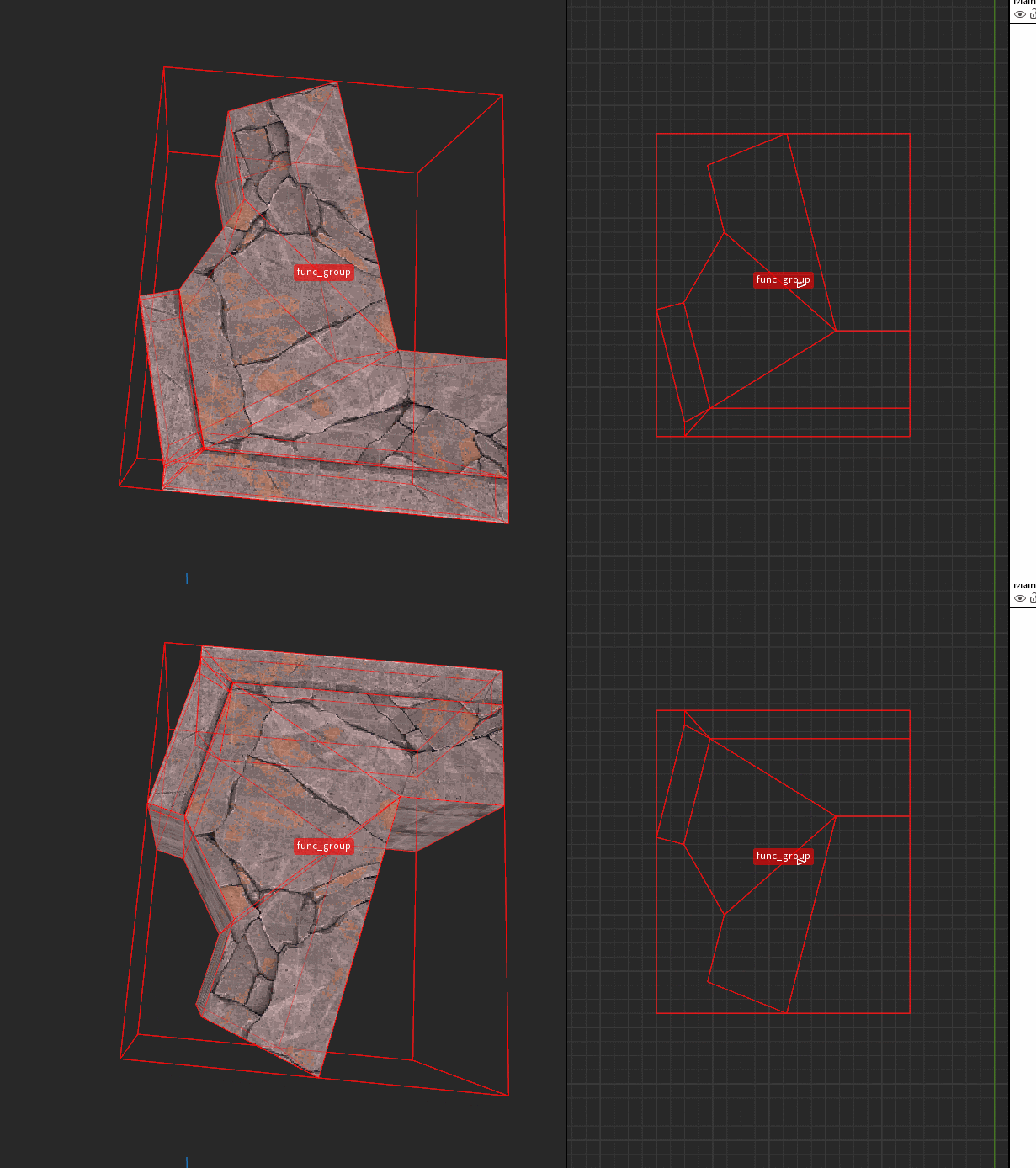
In the newer version even if I'm focused on the 2D view, it's gonna flip it top/bottom instead :
System Information
TrenchBroom f14c604 (april 12th) on Windows 7
Expected Behavior
To me the old behaviour was perfect, the Flips should work according to the view you have active, doing otherwise doesn't make much sense and would be quite confusing.
Steps to Reproduce
Flip some brushwork in old/new TBs.
 bstordeur
All 2 comments
I fixed the vertical flip behaviour in 2D views, but I wasn't able to reproduce any difference in horizontal flip behaviour vs 2019.6. If you're in a multi-pane layout, the toolbar buttons are a bit flaky because the last viewport your mouse was over will determine what the flip toolbar buttons do, but that is the same as in 2019.6
 ericwa
on 14 Apr 2020
ericwa
on 14 Apr 2020
Ok for the horizontal flip, I was probably just noticing it cause I tried using the buttons (which I never use) instead of my hotkeys to make sure it wasn't an issue with my hotkeys. :+1:
bstordeur
on 14 Apr 2020
Related issues
 Razumen
·
4Comments
Razumen
·
4Comments
 jmickle66666666
·
3Comments
jmickle66666666
·
3Comments
 totalnewbie
·
3Comments
ericwa
·
4Comments
bstordeur
·
3Comments
totalnewbie
·
3Comments
ericwa
·
4Comments
bstordeur
·
3Comments