Trenchbroom: Manual doesn't explain how to add a texture folder for a "Generic" game
System Information
TrenchBroom 2019.6 on Fedora 31 x64
Expected Behavior
TrenchBroom/manual/index.html#texture-directory-management: I expected this to explain how to add any arbitrary directory on disk for textures. Instead it says If you want to provide your own custom textures, you need to put them in a subdirectory where TrenchBroom can find them. but then explains how to do it for Quake 2 and Daikatana only, not for any generic game with any arbitrary texture folder. What I don't understand at all is do I need to set a "Game Path" in Preferences for my generic game to make this work? I am guessing maybe I do but I expected the manual to tell me.
Way more intuitive by the way would in my opinion be if the "Available Textures" list also had a '+' like the "Enabled" list, and if clicking that would just allow me to pick any disk folder or file directly to add. Because for a "Generic" game it seems like it'd be somewhat arbitrary anyway in which subfolder of the game path textures would be depending on what engine it is, etc, so it seems a little weird to enforce a specific convention there.
Steps to Reproduce
Open
TrenchBroom/manual/index.html#texture-directory-managementTry to find out how to specify an arbitrary texture directory (with image files in
.pngor.jpgor.tgaor something) for a "Generic" game rather than Quake 2 and others
Crash Info
not a crash
 etc0de
All 6 comments
Agree that the manual needs improvement (volunteers?). Currently, it is not possible to add textures from any location, you have to do it in the same way as for Quake 2 / Quake 3 / etc.
For the generic game configuration, this means you need to have a game directory set, e.g. /home/dudebro1/games/my_game, and within that directory you need a directory called textures which contains a set of subdirectories with textures.
/home
  dudebro1
    games
      my_game
        textures
          level1
            tex01.tga
            tex02.tga
          level2
            tex07.tga
Then, in the editor's face inspector, at the very bottom you can select the texture collections level1 and level2.
 kduske
on 29 Dec 2019
kduske
on 29 Dec 2019
We could update the manual to something like this in case #2958 isn't resolved any time soon. Basically just referencing the generic case.
 Danimaltl
on 15 Apr 2020
Danimaltl
on 15 Apr 2020
We should also point out the limitation that the textures need to be exactly 1 level deep (i.e. not directly in the "textures" dir, and no subdirectories of textures/level1
 ericwa
on 15 Apr 2020
ericwa
on 15 Apr 2020
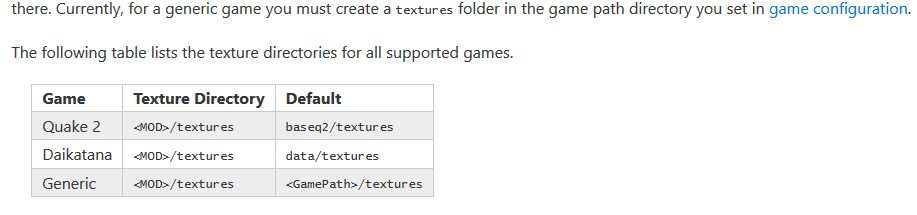
If you want to provide your own custom textures, you need to put them in a subdirectory where TrenchBroom can find them. For Quake 2, this means that you need to create a subdirectory called
texturesin the directory of the mod you're mapping for, or in the baseq2 directory. Then you need to create another subdirectory with a name of your choice. Then you copy your texture files into that directory. TrenchBroom will then find that directory (possibly after restarting the editor) and allow you to load the textures from there. Currently, for a generic game you must create atexturesfolder in the game path directory you set in game configuration, or in a directory you loaded as a mod.You need to place your textures in a subdirectory exactly one level deep in the
texturesfolder. Any loose images intextureswill not be detected, nor will any nested in subdirectories of your collection.The following table lists the texture directories for all supported games.
Game Texture Directory Default
---- ----------------- -------
Quake 2<MOD>/texturesbaseq2/textures
Daikatana<MOD>/texturesdata/textures
Generic<MOD>/textures<GamePath>/textures
How does this Sound?
Also I definitely want to work on some of the related issues to make the file browsing as intuitive as the Quake config, and afford more control over the game configurations.
Danimaltl
on 15 Apr 2020
Yeah, that sounds good.
kduske
on 16 Apr 2020
Closed with https://github.com/kduske/TrenchBroom/pull/3098?
Danimaltl
on 22 Apr 2020
Related issues
ericwa
·
4Comments
 antopilo
·
4Comments
antopilo
·
4Comments
 extinn
·
5Comments
extinn
·
5Comments
 Silentdarkness12
·
5Comments
Silentdarkness12
·
5Comments
 AlpacaNox
·
5Comments
AlpacaNox
·
5Comments
Most helpful comment
Closed with https://github.com/kduske/TrenchBroom/pull/3098?