Treestyletab: Visually misaligned tree child after Firefox restarts
Short description
On some Firefox restarts, the tree structure is not rendered properly. Some children are displayed as being at the same level as their parent, however, they still retain their functionality as a child.
Steps to reproduce
- Start Firefox with clean profile.
- Set Firefox preference: check Restore previous session
- Install TST.
- Load Tree Structure as follows:
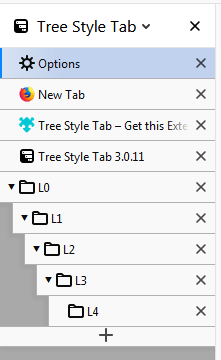
- Close Firefox and open Firefox repeatedly until you see this:
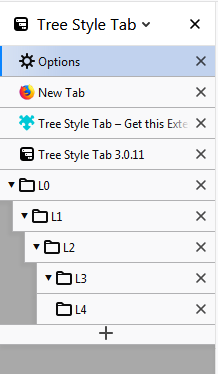
- Close Firefox and open Firefox repeatedly until you see this:
Expected result
Actual result
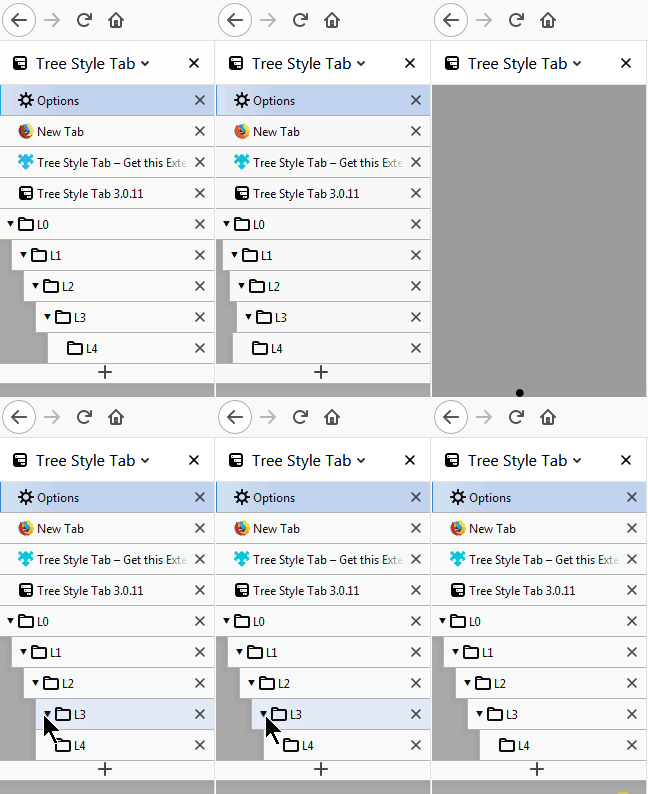

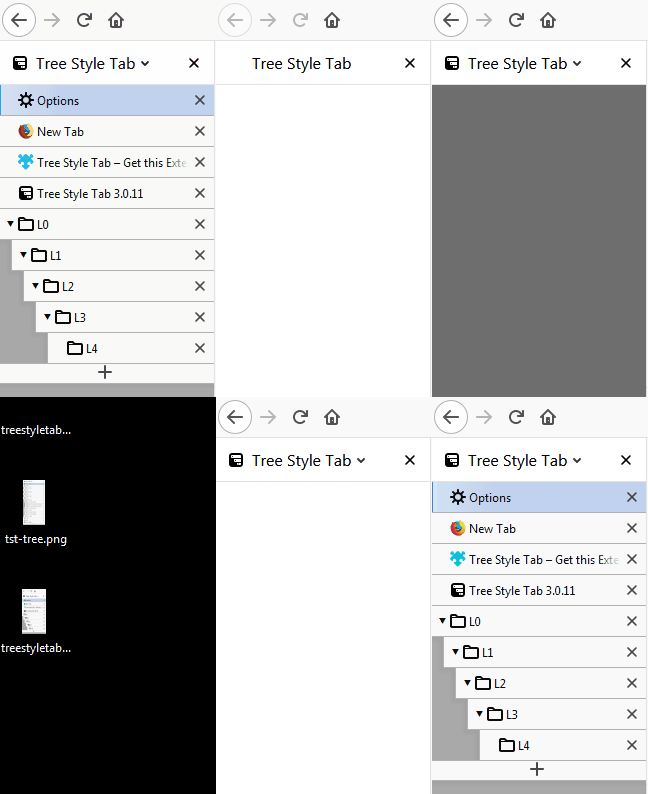
It only happens sometimes, and I cannot figure out what causes it besides the speed at which I close and open Firefox again and again. I have tried using other tabs in focus, including the tab L3. I have also tried mousing over the tree structure on load to see if it influences it, but I cannot find the exact cause still. I have yet to confirm if this only happens at this particular level (L4) or others as well. For now, I can reproduce this situation, as it is, only sometimes. I am available to help test and provide logs to help isolate the problem
Environment
- Platform (OS): Windows 7 x64
- Version of Firefox: 66.0.4 (64-bit)
- Version (or revision) of Tree Style Tab: 3.0.11
 azizLIGHT
All 7 comments
I noticed that in Actual Result gif 1, the collapsing and expanding fixed the visual issue there, but not in Actual Result gif 2. I must add that the TST settings between those two Firefox profiles are slightly different, but otherwise both are fresh Firefox profiles with no other addons. Unfortunately I was not able to try collapsing/expanding in the 3rd gif
azizLIGHT
on 7 May 2019
Thanks. I've confirmed that this problem happens sometimes, so it looks a timing issue. With the commit f9dbe67 now TST tries to initialize and update the indent level more safely, so I think this problem should be solved.
I need more further testings to confirm the problem is really fixed or not. If you OK, there is an automated build including the fix: https://github.com/piroor/treestyletab/blob/master/README.md#development-builds (but please note that you need to use Nightly or Developer Edition to install such an unsigned messages.
 piroor
on 8 May 2019
piroor
on 8 May 2019
this is very similar to my repeated issues with the tabs order and tree structure upon restoring Firefox sessions. and in my case it happens on all tab levels, and not just level 4. it also has nothing to do with the speed of reopening Firefox as this happens to me with possible hours between the crash, and the restore.
 stapuft
on 8 May 2019
stapuft
on 8 May 2019
Still seeing the issue on Firefox Nightly 68.0a1 (2019-05-09) (64-bit) and TST dev build 3.0.11.9104 with a completely fresh and separate Firefox profile
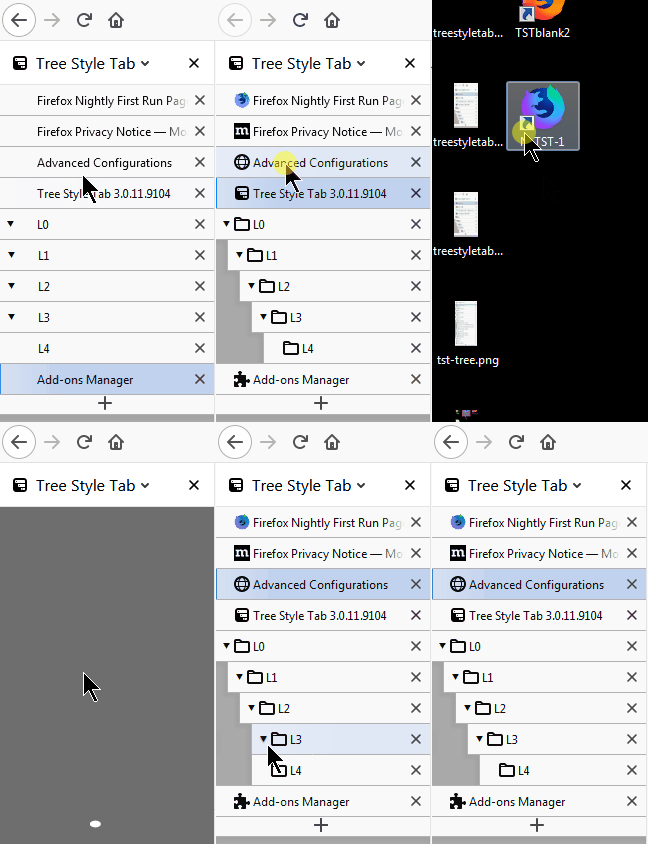
All I did here was switch some tabs in the working state, and then relaunch and mouse over the TST panel during load in the wrong state
azizLIGHT
on 9 May 2019
Thank you for testing. I've realized that there is one more missed case on the startup process about sidebar contents restored from cache. With the commit 66102b5 odd indentation on the startup should go away.
piroor
on 10 May 2019
In preliminary tests, I don't see it anymore on Firefox Nightly 68.0a1 (2019-05-09) (64-bit) and TST dev build 3.0.11.9106.
I will keep testing to confirm more. Thanks for the fix!
azizLIGHT
on 10 May 2019
Tested again on Nightly 68.0a1 (2019-05-11) (64-bit) + TST 3.0.11.9109 and I cannot reproduce the issue anymore. I consider it fixed and will close the issue.
azizLIGHT
on 12 May 2019
Related issues
 bughit
·
41Comments
stapuft
·
48Comments
bughit
·
41Comments
stapuft
·
48Comments
 sim642
·
34Comments
sim642
·
34Comments
 TempSpas
·
54Comments
TempSpas
·
54Comments
 Adelscott
·
45Comments
Adelscott
·
45Comments