Treestyletab: Shortcut (F1) to show Tree Style Tab doesn't work most of the time
Short description
Shortcut (F1) to show Tree Style Tab doesn't work most of the time
Steps to reproduce
CTRL + B to show bookmarks
F1 to show Tree Style Tab
Expected result
Tree Style Tab shown
Actual result
Tree Style Tab not shown
Environment
- Platform (OS): WIN 10
- Version of Firefox: 79.0
- Version (or revision) of Tree Style Tab: 3.5.15
 Adelscott
All 45 comments
Shortcuts for addons are sometimes cleared accidentally. Could you check the field about:addons => 'Extensions' => the gear button => 'Manage Extension Shortcuts' => 'Tree Style Tab' => 'Toggle "Tree Style Tab" Sidebar' ? If it is blank you need to set it to F1 manually.
 piroor
on 3 Aug 2020
piroor
on 3 Aug 2020
If you still see the problem after you filled the field with 'F1', could you check errors reported in the error console for TST? (*see also https://github.com/piroor/treestyletab/wiki/How-to-inspect-tree-of-tabs#how-to-start-debugger-for-tree-style-tab )
piroor
on 3 Aug 2020
@Adelscott any updates?
 irvinm
on 10 Aug 2020
irvinm
on 10 Aug 2020
Sorry, I checked the first step : yes F1 is filled. And I tried to debug
but I didn't find anything relevant, but I don't know if I'm doing it
correctly. The bug is difficult to reproduce because it doesn't happen
every time, and when it does, I restart firefox and the bug is gone.
I'll try again next time it happens.
Le lun. 10 août 2020 à 15:42, irvinm notifications@github.com a écrit :
@Adelscott https://github.com/Adelscott any updates?
—
You are receiving this because you were mentioned.
Reply to this email directly, view it on GitHub
https://github.com/piroor/treestyletab/issues/2671#issuecomment-671361344,
or unsubscribe
https://github.com/notifications/unsubscribe-auth/ACTQPFV5SCVEJO7ZKNWGL2LR772LHANCNFSM4PSXZ47Q
.
Adelscott
on 10 Aug 2020
Here's a screenshot of the debugger console when F1 doesn't work https://i.imgur.com/bERBb05.png
But I get the same errors when it works ...
Adelscott
on 16 Aug 2020
Thanks, but there looks to be no effective information in the error console. Many errors are reported but they are from other addons.
Another case, is there any other addon assigned "F1" key for its command? If the input field for the keyboard shortcut (in the list of extensions shortcuts) has a yellow border, there are multiple addons having same shortcut.
piroor
on 16 Aug 2020
No that's not it ...
Plus that's not a F1 problem, because I just tried when it was not working, changed to F4 and that didn't work either. Restarted Firefox and then F4 worked.
Adelscott
on 16 Aug 2020
When you saw the problem, does the sidebar work and updated correctly? For example, when you open a new tab with Ctrl-T, does it appear in the sidebar immediately? If you couldn't see the new tab in the sidebar, the connection between the sidebar and the background process looks lost accidentally. TST internally keep a connection while the sidebar is opened, and when the F1 key (or something others you choose) is pressed, TST tries to do: open the sidebar if there is no living connection, close the sidebar if there is a living connection. When the connection is accidentally lost but the sidebar is still open, F1 can't close the sidebar because F1 tries to "open" the sidebar due to missing living connection.
On such situation, messages from the background process to the sidebar won't be delivered anymore, so new tabs won't appear in the sidebar, activated tab won't be highlighted, and many more problems should happen. (On the other hand, clicking on a tab in the sidebar will switch the active tab, because such events are notifeid to the background process or Firefox itself via channels independent from the connection.
Connections between the sidebar and the background process won't be restored automatically. The only one way to do is: hide the TST's sidebar panel without TST's shortcut and reopen. For example, Ctrl-B will hides TST's sidebar and shows the bookmarks sidebar. After that F1 will show TST's sidebar correctly.
If you still cannot open TST's sidebar with the workardound, something internal state of Firefox can be broken. Please try disable and re-enable TST itself via the addons manager (about:addons), and if it doesn't solve the broken status, you may need to restart Firefox itself.
piroor
on 18 Aug 2020
If you still cannot open TST's sidebar with the workardound, something internal state of Firefox can be broken. Please try disable and re-enable TST itself via the addons manager (about:addons), and if it doesn't solve the broken status, you may need to restart Firefox itself.
For me, F1 always closed the side-bar. However, it didn't open the side-bar.
After enabling/disabling the extension it got fixed again.
 siran
on 20 Aug 2020
siran
on 20 Aug 2020
For me, F1 always closed the side-bar. However, it didn't open the side-bar.
After enabling/disabling the extension it got fixed again.
Hmm... It looks to mean that the sidebar panel page is internally still alive on the RAM. After you switch the sidebar panel to something others like bookmarks, foes the key F1 show the sidebar?
piroor
on 22 Aug 2020
For me, F1 always closed the side-bar. However, it didn't open the side-bar.
After enabling/disabling the extension it got fixed again.Hmm... It looks to mean that the sidebar panel page is internally still alive on the RAM. After you switch the sidebar panel to something others like bookmarks, foes the key F1 show the sidebar?
I don't think so. I know I tried hitting ctrl+b, then switching to TST. But F1 didn't start working again.
Enabling/disabling worked fine.
siran
on 23 Aug 2020
Could you try to collect log with this development version?: treestyletab-we.xpi.zip
- Download the file and rename it to "treestyletab.xpi".
- Load it as a temporary addon, with steps described at https://github.com/piroor/treestyletab/blob/trunk/README.md#development-builds
- Open debugger for TST and show the console: https://github.com/piroor/treestyletab/wiki/How-to-inspect-tree-of-tabs#how-to-start-debugger-for-tree-style-tab
- Hit the shortcut to toggle the sidebar (F1). Please note that you need to focus to the address bar before you hit the key, because F1 is assigned to "Help" for the debugger itself.
Then you'll see some logs in the console, please copy it and paste here. Here is my case, the expected result:
Open => Close
onToolbarButtonClick  Object { id: 308, index: 19, windowId: 1, highlighted: true, active: true, attention: false, pinned: false, status: "complete", hidden: false, discarded: false, … }
isSidebarOpen  1
 type:  sidebar
 SidebarConnection.isSidebarOpen(1)  true
isSidebarOpen  1
 type:  sidebar
Close => Open
onToolbarButtonClick  Object { id: 308, index: 19, windowId: 1, highlighted: true, active: true, attention: false, pinned: false, status: "complete", hidden: false, discarded: false, … }
isSidebarOpen  1
 => no connections
 SidebarConnection.isSidebarOpen(1)  false
isSidebarOpen  1
 => no connections
Right now it's working fine. If it happens again I'll take the log.
Or are you asking for the logs of the working state?
siran
on 24 Aug 2020
Sorry for less description. I hope to see logs when you saw the problem, instead of on the working state.
piroor
on 24 Aug 2020
I have had the same problem with 3.5.22. The problem was fixed when I disabled and re-enabled the extension. If it happens again, I'll come back here and load the dev version to give you the logs.
 pbarney
on 25 Aug 2020
pbarney
on 25 Aug 2020
Thanks! Please remind that you need to load the development version before starting of the problem, because loading of the development version means reloading of TST itself (so it will "fix" the problem and you will not see any log in the debugger - then you need to run development version TST for more while until the problem appears again.)
piroor
on 25 Aug 2020
Oh, very good point. I'll load the dev version now.
pbarney
on 25 Aug 2020
In the last version of Firefox, hitting F1 opens the URL to their new Firefox Support page. Is it possible to hijack it back to TST?
 kunambi
on 29 Oct 2020
kunambi
on 29 Oct 2020
@kunambi I cannot reproduce the problem on Firefox 82.0.2 on Windows 10. Which is the version and platform you use?
piroor
on 29 Oct 2020
I could reproduce it on Firefox 82.0 on Windows 10. F1 would close TST but not re-open it.
Fixed after restarting for the 82.0.1 update, and still fixed after another restart for the 82.0.2 update.
 stijnherreman
on 30 Oct 2020
stijnherreman
on 30 Oct 2020
Just updated from 82.0 to 82.0.2, linux and TST 3.5.34.
Immediately after the update the issue looked still as bad as before (closing works, re-opening never worked), but after disabling/re-enabling it a couple of times it now seems to re-open on F1 just fine most of the time, but failing a few times.
Console snippet only when pressing F1, failing sometimes:
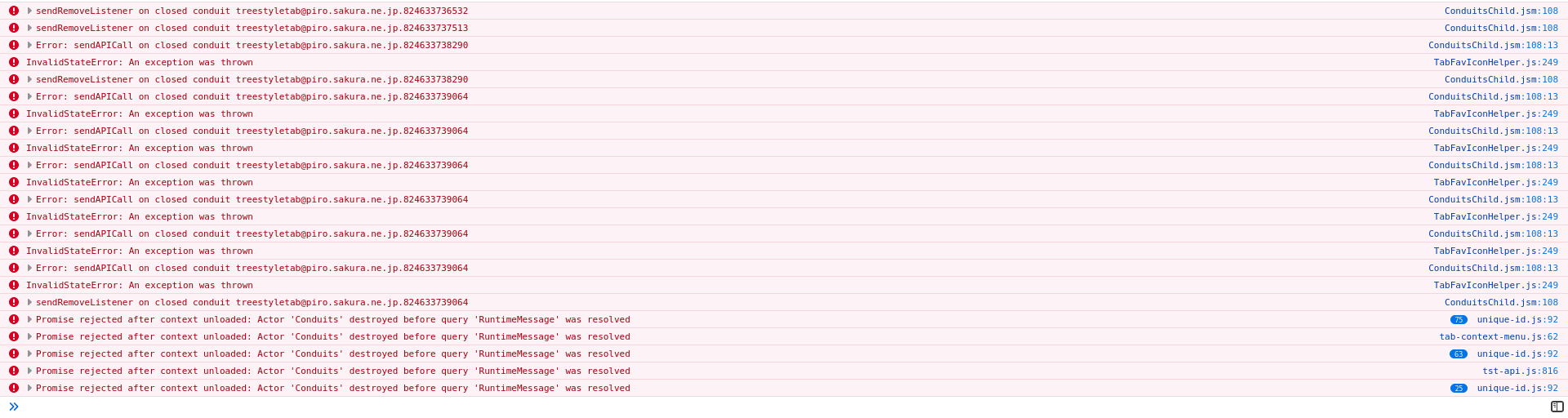
Older console output, including a couple of disable/re-enables of the extension:
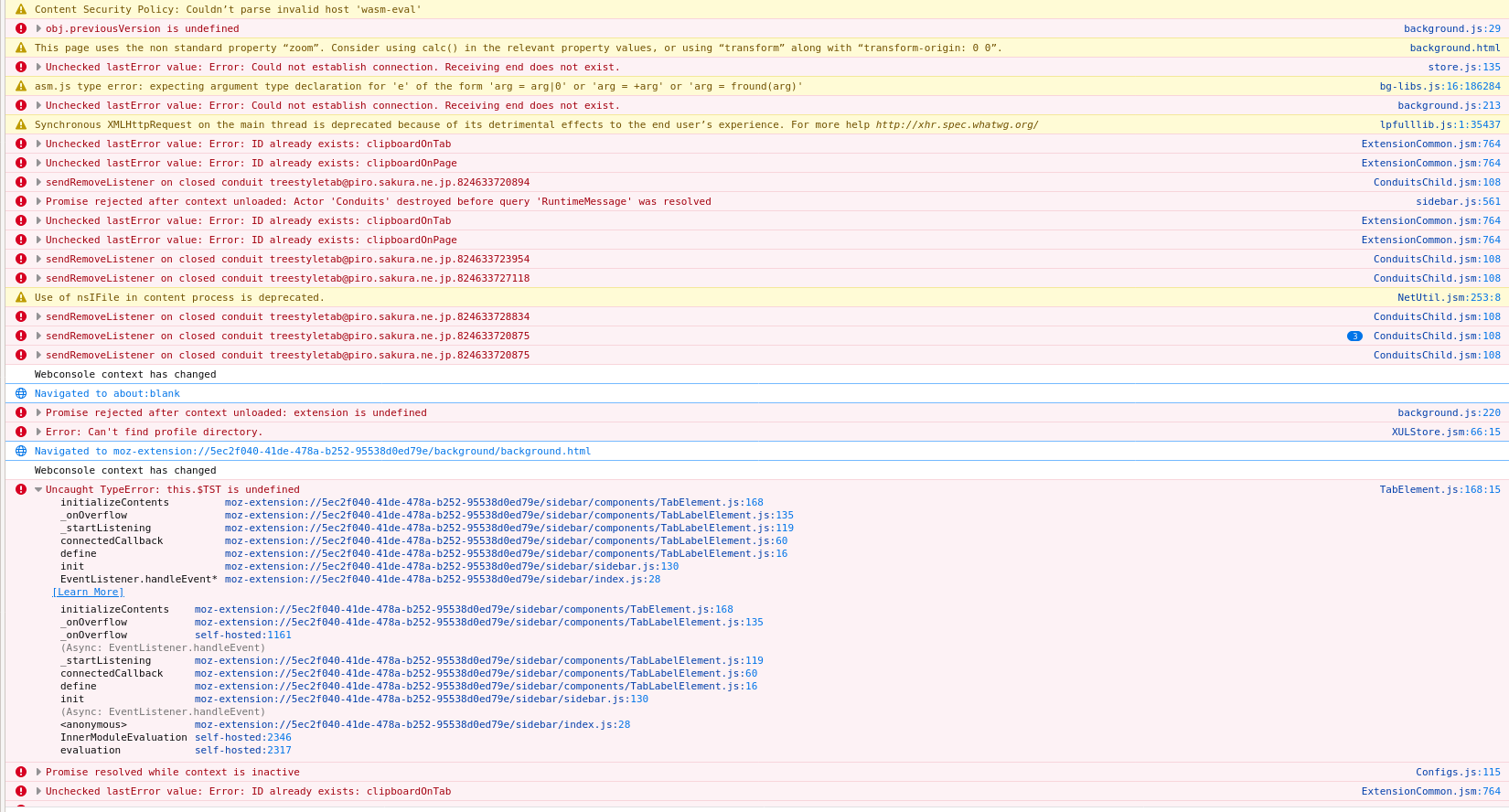
 dequis
on 30 Oct 2020
dequis
on 30 Oct 2020
@kunambi I cannot reproduce the problem on Firefox 82.0.2 on Windows 10. Which is the version and platform you use?
You're right. I managed to set it back to F1 and it's no longer a problem.
kunambi
on 12 Nov 2020
can confirm this happening with both shortkey F1 and the toolbar button, but only on occasions and afaict only after opening the history/bookmark sidebar
 mimecry
on 12 Nov 2020
mimecry
on 12 Nov 2020
I'm on Firefox 82.0.2, TST 3.6.1 under Linux. This is still happenning to me with F1 (just tested it).
 elamperti
on 12 Nov 2020
elamperti
on 12 Nov 2020
I still cannot find out certain steps to reproduce, but I've understood that the connection between the background page and a sidebar page may not disconnected even if the sidebar page is unloaded. With the commit 386c2ee now the sidebar page sends heartbeats and the background page will destroy the dead connection for safety. I hope it solves this problem fundamentally...
piroor
on 13 Nov 2020
How is 3.6.2 for everyone? Are the heartbeats helping?
irvinm
on 20 Nov 2020
I have not had any issues lately 👍
On Fri, Nov 20, 2020, 20:50 irvinm notifications@github.com wrote:
How is 3.6.2 for everyone? Are the heartbeats helping?
—
You are receiving this because you are subscribed to this thread.
Reply to this email directly, view it on GitHub
https://github.com/piroor/treestyletab/issues/2671#issuecomment-731374805,
or unsubscribe
https://github.com/notifications/unsubscribe-auth/AAJ2QDXGQTYUQA7XGRPUHOTSQ3B7HANCNFSM4PSXZ47Q
.
 mrwensveen
on 20 Nov 2020
mrwensveen
on 20 Nov 2020
+1, seems to be working fine for me now! Thanks for fixing it 🎉
elamperti
on 20 Nov 2020
i have only had one instance of F1 not working so far, which is probably an improvement compared to before but hard to say conclusively
edit: happened once more, tried to replicate it but unable to do so
mimecry
on 21 Nov 2020
@mimecry The effect of the workaround introduced at TST 3.6.2 can be delayed 500 milliseconds (= 5 seconds). The delay can be customized with TST options => Development => All Configs => connectionTimeoutDelay.
piroor
on 24 Nov 2020
@piroor i assume you mean 5000 milliseconds, which is already the default according to what i see. are you suggesting i should increase or decrease this value?
mimecry
on 24 Nov 2020
I just tried again after getting this notification, and I can reproduce the bug still with TST 3.6.2 and FF 82.0.2 linux.
I can hide it just fine with F1 every time, but I can't show it again. Instead I can press ctrl-b to show bookmarks then select it on the dropdown of the sidebar.
What would be some useful debug info to provide here?
[edit: unfortunately after posting this and restarting firefox i could never reproduce the issue again]
dequis
on 24 Nov 2020
@mimecry I think you'll get better response with decreased timeout.
@dequis Could you see debug logs for modules common/sidebar-connection and sidebar/background-connection? If the workaround implemented at TST 3.6.2 works as expected, two log lines Missing heartbeat from window XXX. Maybe disconnected or resumed. and Sidebar for the window XXX did not respond. Disconnect now. will appear when the sidebar becomes hidden. Something wrong if those messages don't appear but F1 doesn't reopen the sidebar.
And, could you try running this script with the debug consle for /background/background.html of TST?
browser.windows.getAll().then(windows => console.log(windows.map(window => `${window.id}: focused=${window.focused} open=${SidebarConnection.isSidebarOpen(window.id)}`)))
It should report a log line like Array [ "1: active=true open=false" ]. Something wrong if there is any message with open=true with all closed sidebar.
piroor
on 25 Nov 2020
okay, i decreased the value to 2000 and will continue to monitor this.
mimecry
on 25 Nov 2020
quick report: i haven't yet reencountered the issue since decreasing the value to 2000
mimecry
on 28 Nov 2020
Decreased connectionTimeoutDelay to 2000 and it hasn't happened in a few hours. I'll report back in a day or two after heavy browser usage.
 txtsd
on 30 Nov 2020
txtsd
on 30 Nov 2020
so the bug resurfaced once for me since making the previous report, but it's been smooth sailing aside from that
mimecry
on 30 Nov 2020
FYI: The default timeout is reduced from 5000msec to 500msec at the next release. Now I'm dogfooding it.
piroor
on 30 Nov 2020
FYI: The default timeout is reduced from 5000msec to 500msec at the next release. Now I'm dogfooding it.
Will this considerably increase CPU cycles?
txtsd
on 30 Nov 2020
Will this considerably increase CPU cycles?
I think it won't use the CPU as much as I worried. Basically the sidebar page sends a heartbeat on every second with an already established connection. However, sometimes the interval become 2sec or more if it is blocked by some triggers (opening multiple tabs, suspend-resume of the PC, and so on). Then the background page tries to send a vital-check message to the sidebar page. The connection will be kept if the sidebar page respond to the message, otherwise the connection is a zombie and will be killed. To send the vital-check message Firefox creates a new connection internally, but it does not happen so often (like every 50msec).
piroor
on 30 Nov 2020
With the shorter timeout, is anyone still having an issue? I am wondering if we can close out this item. (@Adelscott how about you as the OP?)
irvinm
on 22 Dec 2020
no longer an issue as far as i'm concerned
mimecry
on 22 Dec 2020
checking back in after over 2 weeks to report that this issue seems to have been fixed for good
mimecry
on 8 Jan 2021
@piroor I think this can be closed. OP has not replied to this thread since August and no one has indicated they are still seeing the problem.
irvinm
on 8 Jan 2021
Sorry I have been very busy. I haven't encountered the problem for at least 2 weeks. Thanks piroor and everyone.
Adelscott
on 8 Jan 2021
Related issues
 Evotron
·
3Comments
Evotron
·
3Comments
 woj-tek
·
3Comments
woj-tek
·
3Comments
 azizLIGHT
·
4Comments
azizLIGHT
·
4Comments
 thomasetter
·
3Comments
thomasetter
·
3Comments
 Andrade
·
3Comments
Andrade
·
3Comments
Most helpful comment
For me, F1 always closed the side-bar. However, it didn't open the side-bar.
After enabling/disabling the extension it got fixed again.