Toggldesktop: User unable to run Toggl Desktop on Windows
User first experiences the issue with the app itself saying:
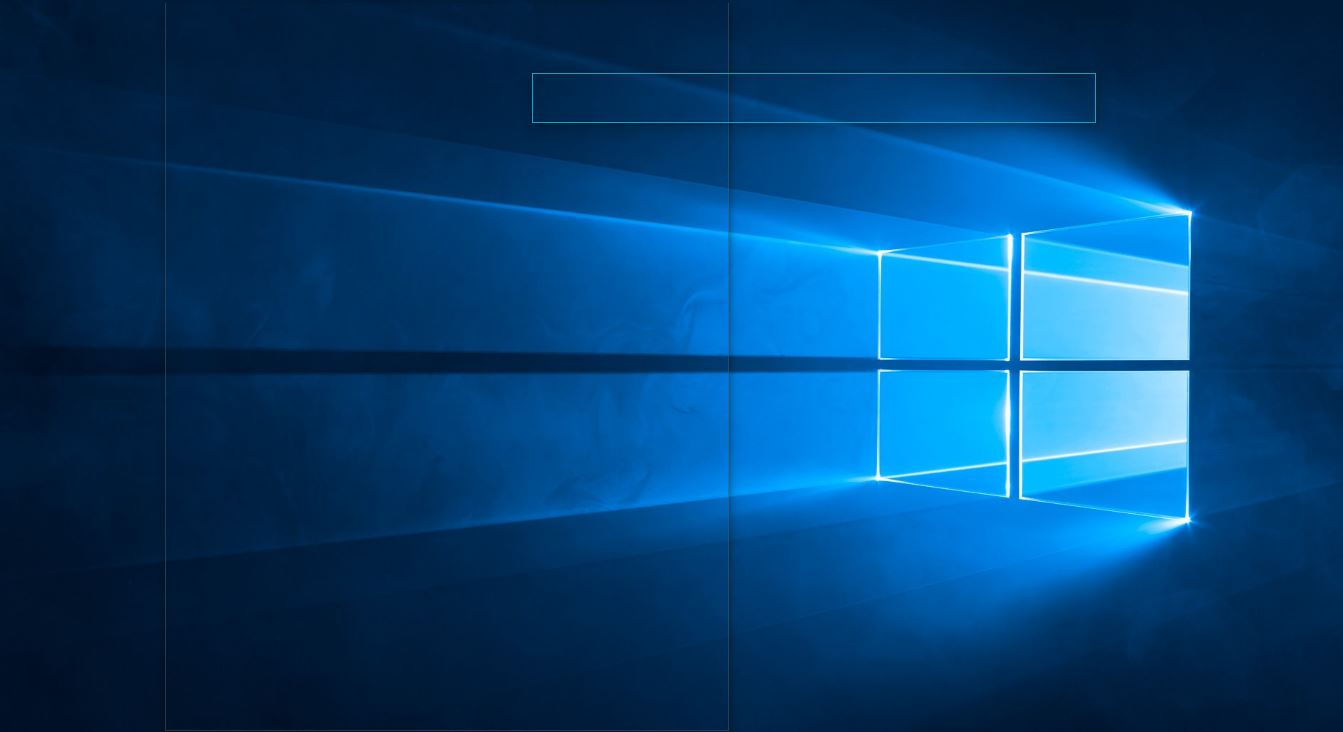
I'm not sure why, but recently, my Toggle for desktop has gone invisible - only an outline. I tried uninstalling and reinstalling the program, but no luck. I just get an outline
She was instructed to clear out the cache, which she did, and she couldn't install it again saying:
I just did that (with a restart for good measure) verified there was no longer a C:\Users\annal\AppData\Local\TogglDesktop directory left and then attempted to reinstall. During the process it said "please close Toggl desktop before continuing to install" but I don't see any old traces of the program. There's definitely no cache left because there's no directory - in Explorer I get the message, "Windows can't find 'C:\users\annal\AppData\Local/TogglDesktop'. I even ran a program called CCleaner to clear out any temp files laying about, shut down and turned it on. I downloaded the desktop program, installed - still no luck, it installs successfully (no mention of another instance), but still shows up transparent.
I've been trying to use version 7.4.52. The version immediately before it also apparently had the same issue (I forget the exact number), but before that everything was working just fine.
I'm using Windows 10 Home on a Samsung galaxy Spin 7, OS build 14393.1358
Case: #492183
 zdericnina
All 13 comments
User wrote back that other programs also started showing up transparent so the solution was to reinstall windows which fixed the issue.
 IndrekV
on 12 Jul 2017
IndrekV
on 12 Jul 2017
I got the same problem: window outlines only. Only Toggl is not working. Reinstalling windows isn't practical for me.
Windows 10 Pro 1803 build 17134.1
Toggl Desktop 7.4.122
Fixes tried but still didn't work:
- Restarted Windows several times
- Installed/updated to latest version
- Clean uninstall, reinstall
 apzeero
on 9 May 2018
apzeero
on 9 May 2018
@apedregosa I've been unable to reproduce this error. Could you send us more data of your system to [email protected] (Mention that Indrek requested the info).
Please send the following:
- TogglDesktop log file (file is named
toggldesktop.logand is located inC:\Users\<username>\AppData\Local\TogglDesktop) - Any log information that Windows shows in Event viewer about TogglDesktop.
Here is an article about event viewer: http://www.howtogeek.com/123646/htg-explains-what-the-windows-event-viewer-is-and-how-you-can-use-it/ You should look for the "Error" type entries connected to Toggl Desktop just after you have started the app.
IndrekV
on 9 May 2018
similar issue in /case/734554 log attached
 nicktoggl
on 5 Jul 2018
nicktoggl
on 5 Jul 2018
Related to /case/734554 - The user has two graphics cards and tested using the desktop app on GeForce vs Intel Graphics and it worked fine on GeForce - the issue is only present with Intel @IndrekV
 VeljkoTN
on 9 Jul 2018
VeljkoTN
on 9 Jul 2018
Hi, I have this problem also on Windows 10 Pro 1803 build 17134.165.
I had a similar problem with Spotify and was able to fix it following these instructions, ie: turning off hardware acceleration.
 kilbot
on 12 Jul 2018
kilbot
on 12 Jul 2018
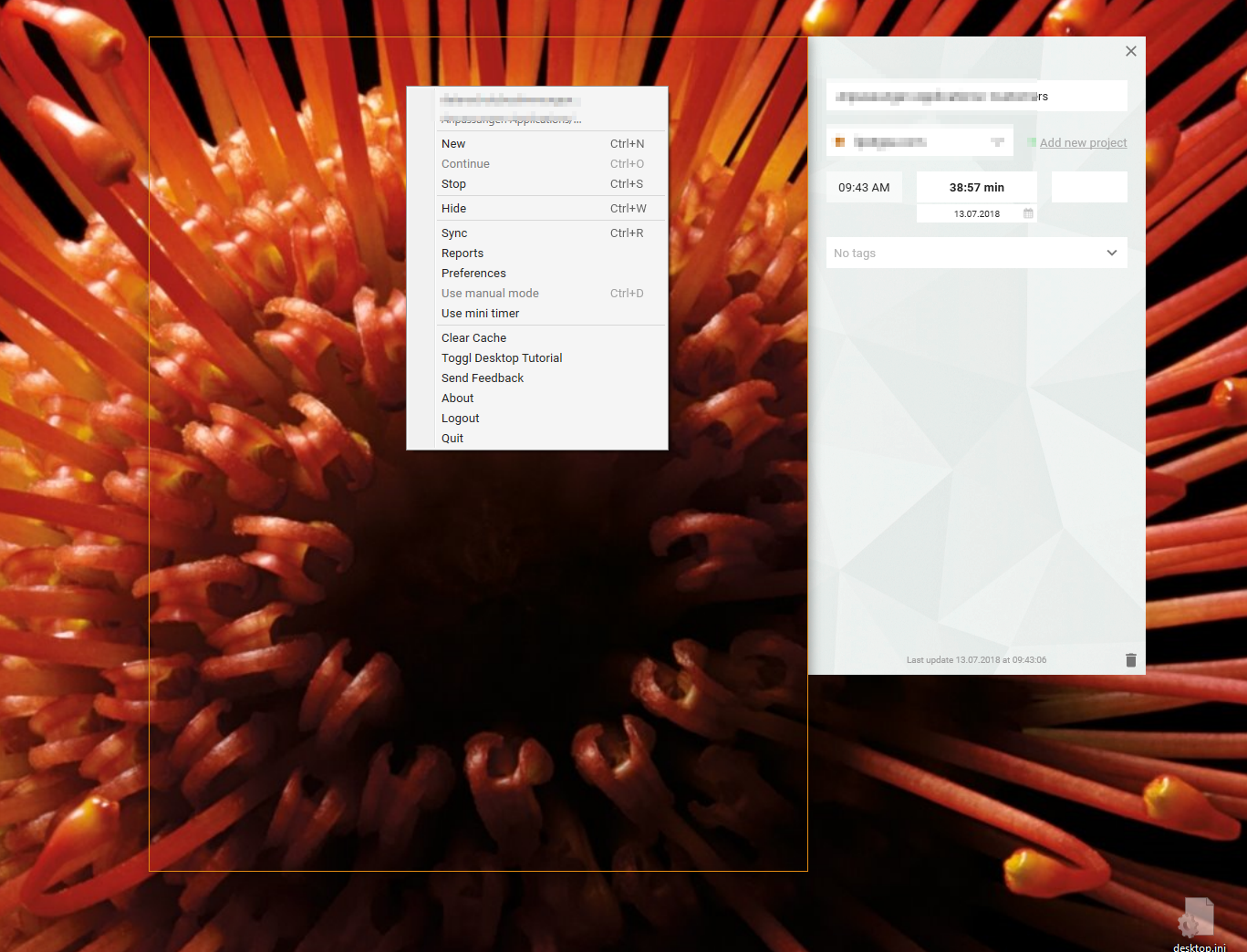
Have the same issue. Started after installing "Duet Display"
Strange thing: this is only for the main window:
 scrobbleme
on 13 Jul 2018
scrobbleme
on 13 Jul 2018
This issue seems to be connected to Hardware rendering and Graphics card not working well together.
I've created a new development build that has hardware support disabled. @scrobbleme Could you test it out and let me know if this version shows the main window properly. If it does I can work on adding a preference of some sort that allows turning Hardware support off when it is causing rendering issues.
Get the development version from: https://github.com/toggl/toggldesktop/releases/download/v7.4.205/TogglDesktopInstaller-7.4.205.exe
IndrekV
on 13 Jul 2018
Thanks @IndrekV! I've just installed this and it seems to be working fine so far.
kilbot
on 13 Jul 2018
@IndrekV Thank you, the development versions works.
scrobbleme
on 13 Jul 2018
@IndrekV confirming that this dev build works for another case.
(Intercom 17520071659)
 ricotheque
on 17 Jul 2018
ricotheque
on 17 Jul 2018
uninstalling the Duet Display in my case helped and worked flawlessly after that. I think it seems to be issue with Duet's particular version.
 krnbr
on 4 Aug 2018
krnbr
on 4 Aug 2018
I also contacted Duet about this (as I had the same issue with other software too). Answer:
We encountered that Duet has compatibility issues with your Nvidia graphic card. We are still investigating what's causing this issue between Nvidia drivers and Duet's. It's one of our priorities, but I’m afraid that won’t be fixed in days.
Strange thing: after reinstalling Duet, it worked again.
scrobbleme
on 6 Aug 2018
Related issues
 jimmypoulin
·
4Comments
jimmypoulin
·
4Comments
 ghost
·
3Comments
ghost
·
3Comments
 danfarrow
·
7Comments
danfarrow
·
7Comments
 tanel
·
4Comments
tanel
·
4Comments
 florieger
·
5Comments
florieger
·
5Comments