Todo-tree: Icons not showing on insider build
The icons seem to be broken in the newest insider build (1.54.0-insider). This problem is not present in the regular build (1.53.2).
Current behaviour
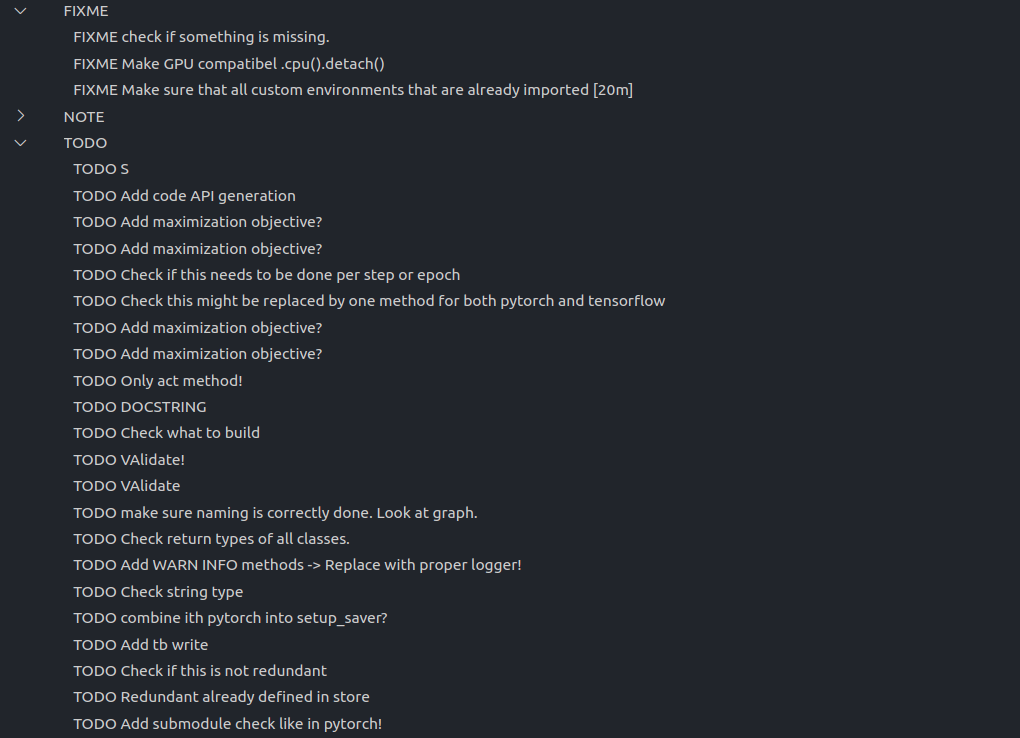
Expected behaviour
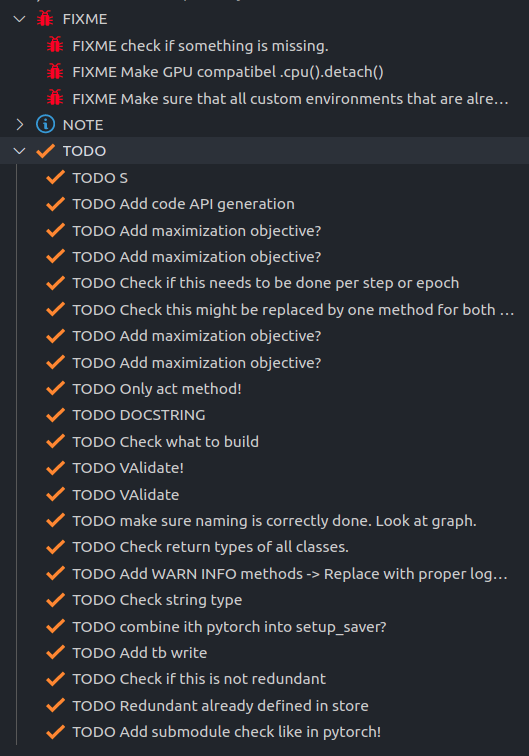
What I already tried
- Reinstalling the extension
- Reinstalling vscode
- Resetting the extension settings.
System information
Version: 1.54.0-insider
Commit: a699ffaee62010c4634d301da2bbdb7646b8d1da
Date: 2021-02-15T05:17:46.733Z
Electron: 11.2.3
Chrome: 87.0.4280.141
Node.js: 12.18.3
V8: 8.7.220.31-electron.0
OS: Linux x64 5.8.0-43-generic
Extension version: v0.0.196
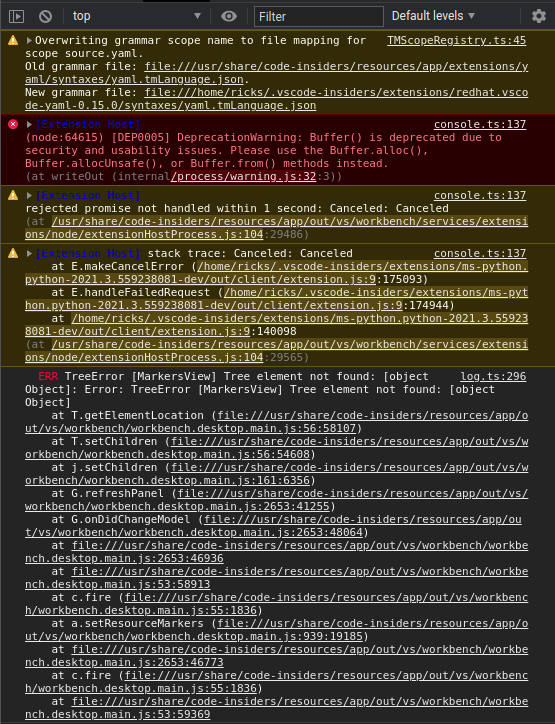
Log
 rickstaa
All 5 comments
Yes, I can confirm they're not appearing. Neither .svg icons, octicons or codicons are working, so I presume something has changed in the tree rendering.
Will investigate.
 Gruntfuggly
on 15 Feb 2021
Gruntfuggly
on 15 Feb 2021
@Gruntfuggly Great thanks a lot! Let me know if you need additional info.
rickstaa
on 15 Feb 2021
codicons are working, but not octicons or svgs. These are both accessed using globalStoragePath which looks like it has been deprecated. I'm guessing insiders may have removed support or changed it some other way.
I'll update to the new globalStorageUri and see if that fixes it.
Gruntfuggly
on 15 Feb 2021
Hmmm. It seems to not like pointing the icon path to files stored outside the extension folder. I've raised an issue: https://github.com/microsoft/vscode/issues/116735
Gruntfuggly
on 16 Feb 2021
Fixed in the latest insiders.
Gruntfuggly
on 23 Feb 2021
Related issues
 Therzok
·
5Comments
Therzok
·
5Comments
 Cloud7050
·
9Comments
Cloud7050
·
9Comments
 josbalcaen
·
5Comments
josbalcaen
·
5Comments
 WORMSS
·
6Comments
WORMSS
·
6Comments
 bitjson
·
7Comments
bitjson
·
7Comments