Todo-tree: Extremely long activation time
- Extension Name:
todo-tree - Extension Version:
0.0.169 - OS Version:
Windows_NT x64 10.0.18363 - VSCode version:
1.42.1
The extension is displaying an extremely long activation time of 14 seconds.

 BannerBomb
All 11 comments
Can you check to see if todo-tree.general.enableFileWatcher is set to true? If so, please set it to false. I need to make some tweaks to this function as it's too simple at the moment.
 Gruntfuggly
on 3 Mar 2020
Gruntfuggly
on 3 Mar 2020
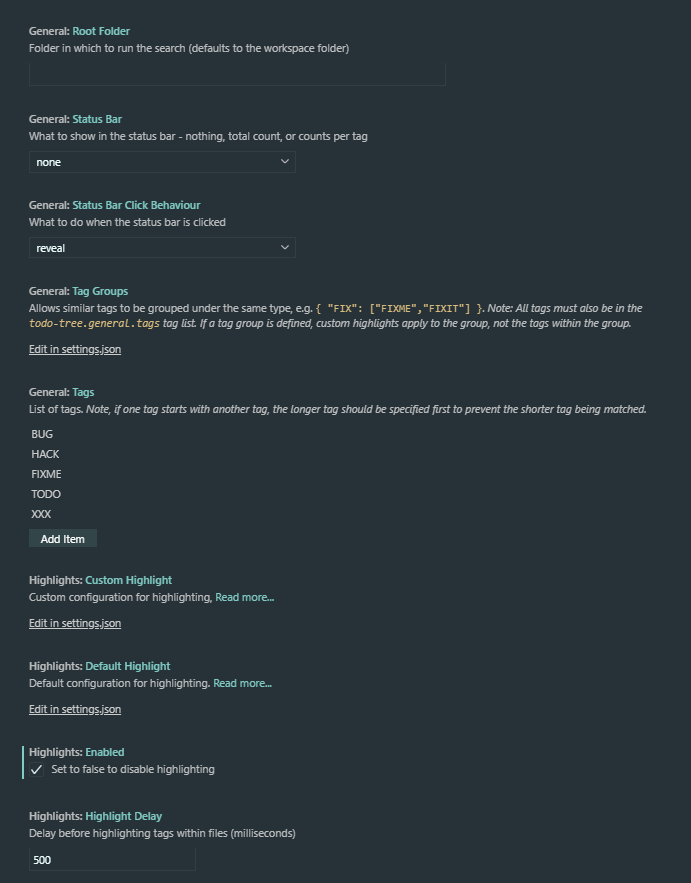
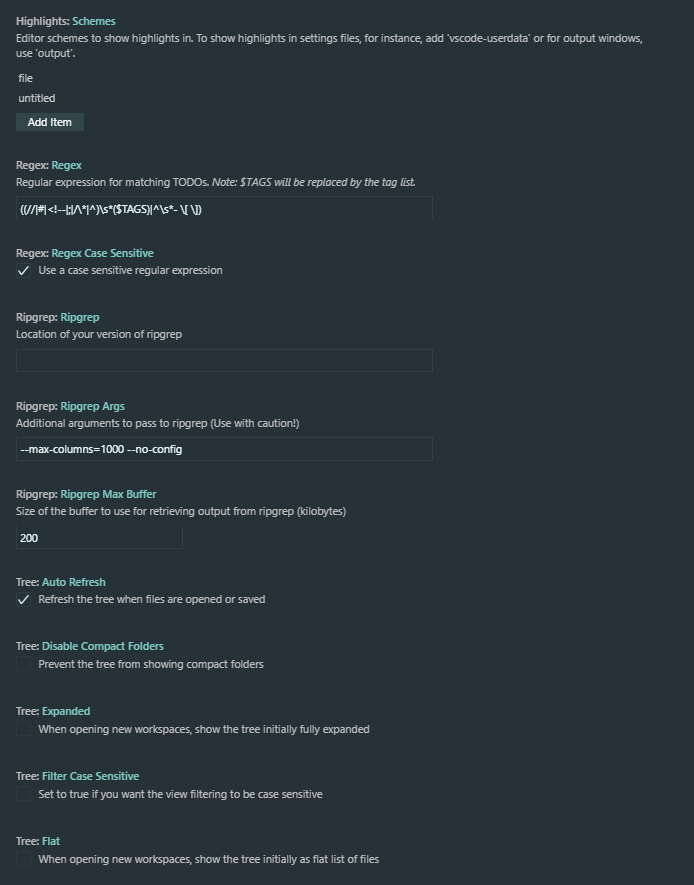
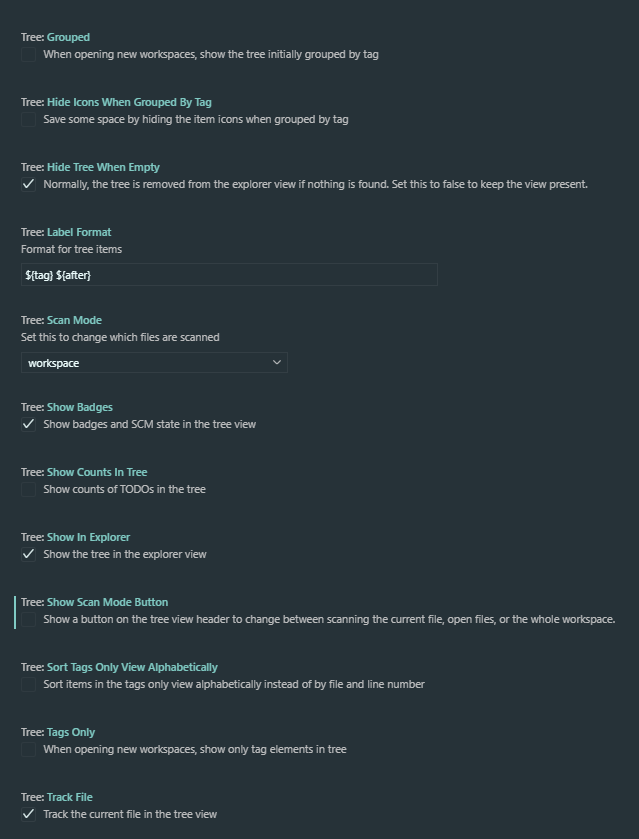
I don't have it enabled, these are the settings I have set for it.

BannerBomb
on 4 Mar 2020
How big is your workspace? The extension searches at startup so it might just be taking a long time to do the scan.
Another thing to try - can you collapse and expand the tree using the buttons on the view title bar? It's possible that the expanded node cache has built up. You could also try Todo Tree: Reset Cache. This will reset a whole bunch of stuff.
I've also added an option to disable the initial scan which will be in the next release.
Gruntfuggly
on 4 Mar 2020
Sorry for the late response, but my workspace only has about 17,000 files in it including the node_modules folder and about 200 files not including the node_modules. I haven't set any TODO's in any of my files yet. But the extension issue only happened on my desktop which has 4GB ram which is the model I listed as my OS version OS Version: Windows_NT x64 10.0.18363 once I moved to a better computer with 32GB ram everything loads much quicker.
BannerBomb
on 6 Mar 2020
OK - the option to disable the scan on startup will be added anyway, so it may be useful if you need it.
Gruntfuggly
on 6 Mar 2020
the option to disable the scan on startup will be added anyway
using this option moved the ext from +3sec to 14ms startup activation, i think away around could be checking when the editor is idle or maybe delay the activation of the scan by a few seconds until the editor has passed the startup threshold.
 ctf0
on 12 Jan 2021
ctf0
on 12 Jan 2021
There is a pending change to start the extension when everything else has finished starting, however, there is a bug in the current version of vscode which causes the extension to fail. It's been fixed in insiders, so once the next release comes out I'll update the extension.
Gruntfuggly
on 12 Jan 2021
Gruntfuggly
on 12 Jan 2021
there is also an activation event call onStartupFinished, maybe that could be an answer
ctf0
on 12 Jan 2021
Yes, that's the change, but at the moment it causes the linked issue.
Gruntfuggly
on 12 Jan 2021
Just uploaded v0.0.197 which now uses the "onStartupFinished" setting.
Gruntfuggly
on 24 Feb 2021
Related issues
 diminutivesloop
·
5Comments
diminutivesloop
·
5Comments
 nickPietrass
·
9Comments
nickPietrass
·
9Comments
 rickstaa
·
5Comments
rickstaa
·
5Comments
 WORMSS
·
6Comments
WORMSS
·
6Comments
 JonathanTroyer
·
5Comments
JonathanTroyer
·
5Comments
Most helpful comment
OK - the option to disable the scan on startup will be added anyway, so it may be useful if you need it.