Description of the problem
All sources folder are polluting by .DS_Store from Mac.
Are they really useful for other people ?
Three.js version
- [ ] Dev
- [x] r90
- [ ] ...
Browser
- [x] All of them
- [ ] Chrome
- [ ] Firefox
- [ ] Internet Explorer
OS
- [x] All of them
- [ ] Windows
- [ ] macOS
- [ ] Linux
- [ ] Android
- [ ] iOS
Hardware Requirements (graphics card, VR Device, ...)
 Itee
Itee
All 11 comments
Apparently the .DS_Store entry is in the gulp file under dev branch ! But file are still present using npm install three
Itee
on 16 Feb 2018
in the gulp file
What file? Do you mean .gitignore?
But file are still present using npm install three
Can you explain the problem in more detail, please?
 Mugen87
on 16 Feb 2018
Mugen87
on 16 Feb 2018
And, are you on a Mac, or have the files leaked into your machine? Macs create these files any time you rearrange files in Finder, but they are excluded by .gitignore anyway.
 donmccurdy
on 16 Feb 2018
donmccurdy
on 16 Feb 2018
I do not see any .DS_Store file here...
https://github.com/mrdoob/three.js/tree/dev/src
 mrdoob
on 16 Feb 2018
mrdoob
on 16 Feb 2018
Sorry yes i mean in .gitignore... Need to sleep 😪
And the problems is not critical, but there is some DS_Store file in the r90 that shouldn't be here.
I'm under Windows
When i clone the repo, everythings is ok, no DS_Store files.
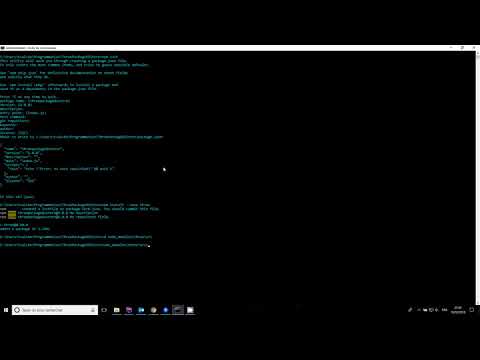
But when i setup a new project and do npm run install --save three i got some .DS_Store file in the folder tree
Some of the path containing .DS_Store files:
- node_modules\three\src\cameras
- node_modules\three\src\core
- node_modules\three\src\extras
To see what i'm talking:
Itee
on 16 Feb 2018
Weird, I don't see any .DS_Store on those paths...
https://github.com/mrdoob/three.js/tree/dev/src/cameras
https://github.com/mrdoob/three.js/tree/dev/src/core
https://github.com/mrdoob/three.js/tree/dev/src/extras
mrdoob
on 16 Feb 2018
Oh, heh I see it now... the files are in npm but not Git.
Example: https://unpkg.com/[email protected]/src/.DS_Store
From npm docs:
Use a .npmignore file to keep stuff out of your package. If there's no .npmignore file, but there is a .gitignore file, then npm will ignore the stuff matched by the .gitignore file.
We have both, and .gitignore excludes .DS_Store but .npmignore does not. Easy fix, just need to add it to .npmignore.
donmccurdy
on 16 Feb 2018
I now they are not under src when cloning. But when using npm...
This is the... strange things that happen here. And this is only under r90. A never see that before
Itee
on 16 Feb 2018
Aaaahhh !!!
Thank for the solution @donmccurdy
Itee
on 17 Feb 2018
Who make the change ?
Itee
on 17 Feb 2018
@Itee feel free to do a PR 👍
mrdoob
on 17 Feb 2018
Related issues
 fuzihaofzh
·
3Comments
donmccurdy
·
3Comments
fuzihaofzh
·
3Comments
donmccurdy
·
3Comments
 danieljack
·
3Comments
danieljack
·
3Comments
 boyravikumar
·
3Comments
boyravikumar
·
3Comments
 jens-duttke
·
3Comments
jens-duttke
·
3Comments
Most helpful comment
Oh, heh I see it now... the files are in npm but not Git.
Example: https://unpkg.com/[email protected]/src/.DS_Store
From npm docs:
We have both, and
.gitignoreexcludes.DS_Storebut.npmignoredoes not. Easy fix, just need to add it to.npmignore.