Terminus: Terminal misalignment on display scaling/DPI change
Version: 1.0.1
Platform: win32 10.0.17134
Plugins: clickable-links
Overview
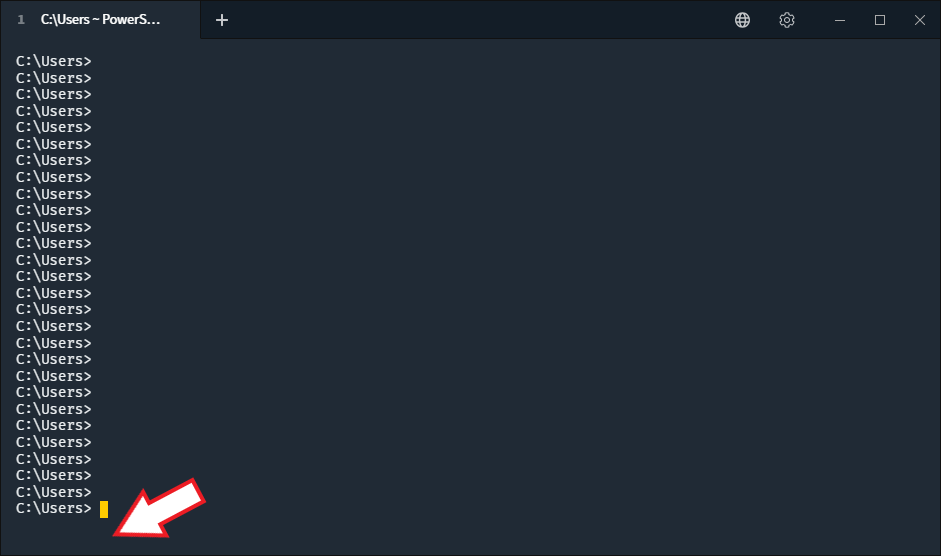
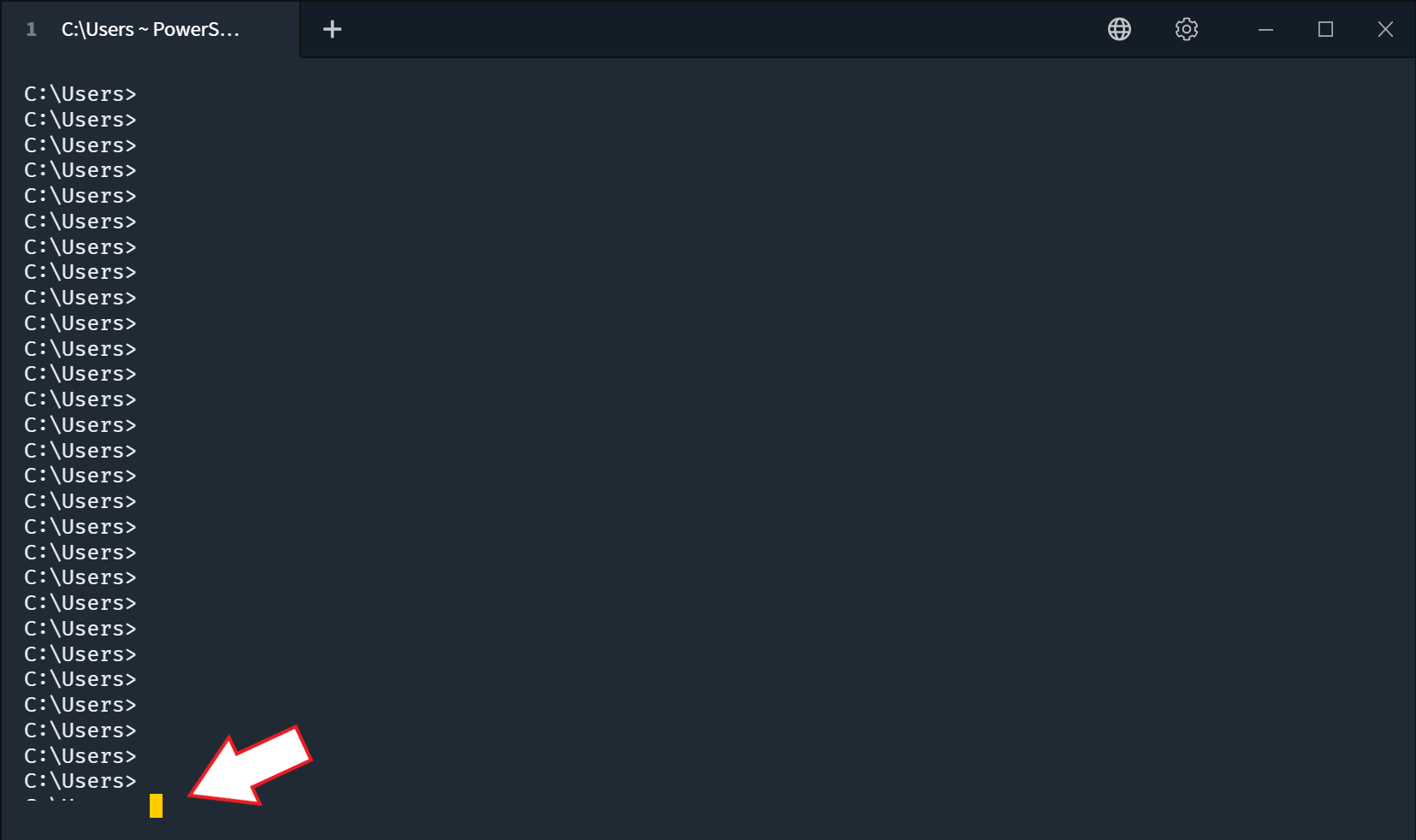
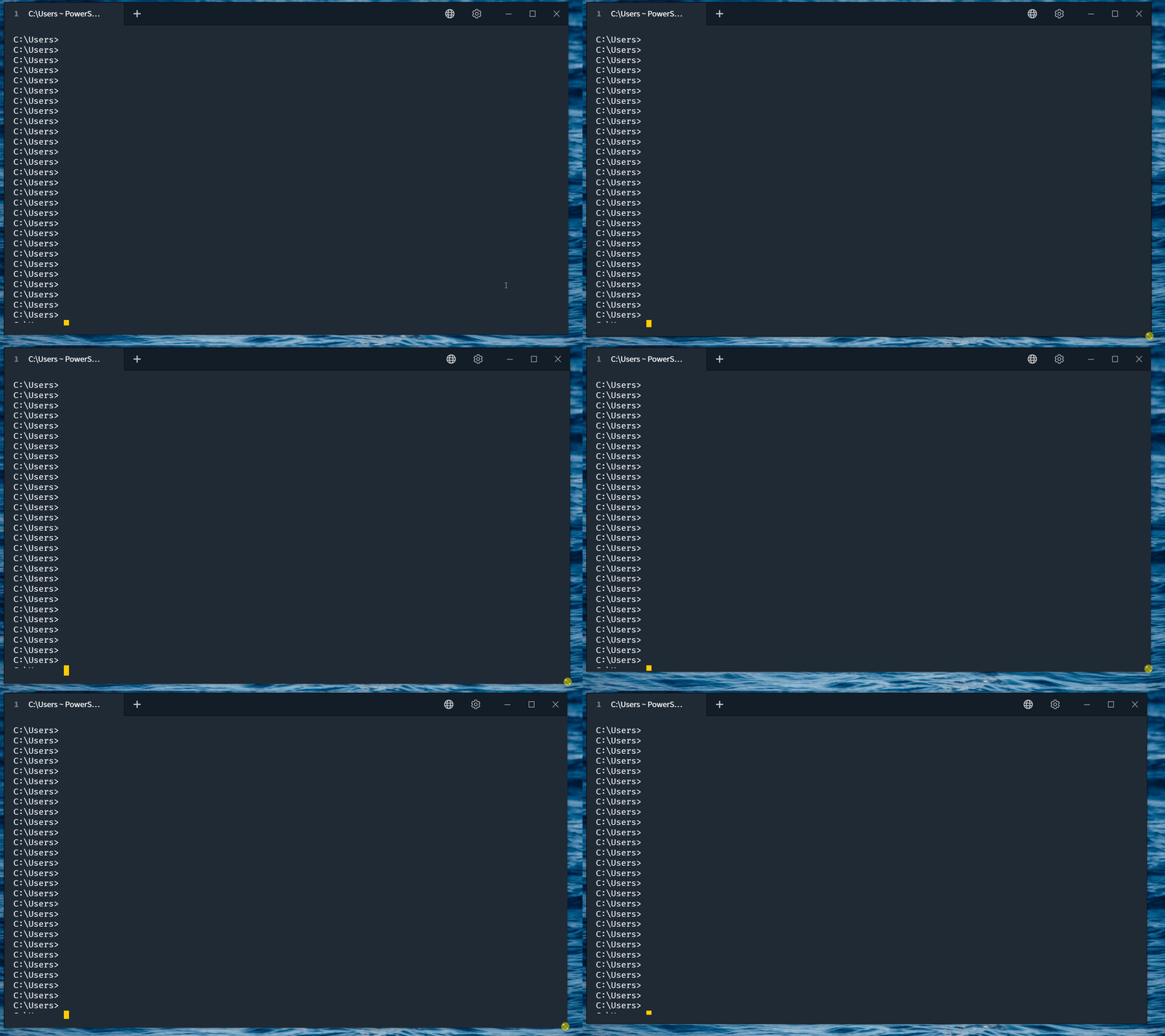
If Terminus is running when a display change occurs, such as a remote desktop session from a device with a different display size or DPI, any open terminals may be vertically misaligned. The active prompt, if at the last line of the terminal, could be below or significantly above the lower border of the Terminus window.
Here's an example going from a high-DPI display back to a normal display. Note the gap between the bottom of the terminal and the bottom of the Terminus window:
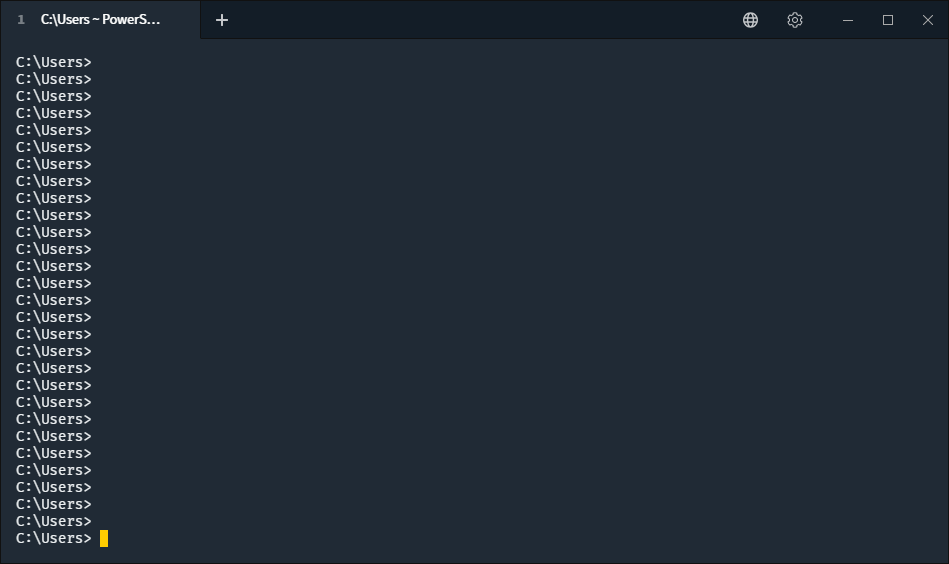
Normal for comparison:
Here's an example going from normal display to high-DPI display. Note that the last line of the terminal is mostly below the border of the Terminus window:
Opening a new tab or restarting Terminus fixes the alignment issue.
Steps to reproduce:
- Open Terminus
- Press Enter to fill the terminal with prompts
- Change the scale of the display on which Terminus is positioned
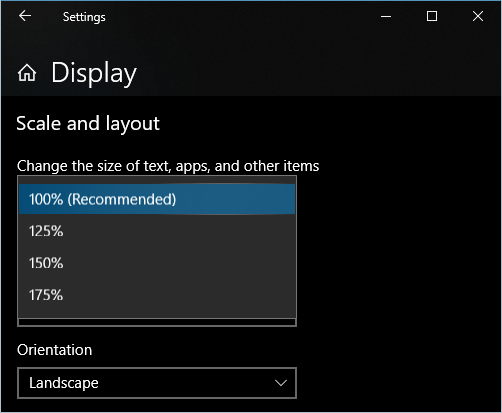
- Note the change in vertical alignment (up if scaling decreased, down if scaling increased)
 d1vanloon
All 7 comments
Does slightly (+/- just a few pixels) resizing the window also fix the alignment?
 Eugeny
on 18 Dec 2018
Eugeny
on 18 Dec 2018
No, a resize doesn't seem to affect the alignment.
d1vanloon
on 18 Dec 2018
@d1vanloon I've added a potential fix, could you please test the nightly build once it's there?
Eugeny
on 29 Dec 2018
Thanks for following up on this.
I tested with the latest nightly build. The behavior remains as previously described with one new change. If, after the DPI change, I move the window, the proper alignment is restored after a brief delay.
Could you hook into the screen.display-metrics-changed event to react to DPI changes without needing window movement?
d1vanloon
on 31 Dec 2018
I'm afraid that wouldn't be much help, because screens' DPI values do not actually get changed - it's the window that gets dragged from one DPI zone into another.
Eugeny
on 31 Dec 2018
@Eugeny The scenario in which I initially noted this issue involves a logical screen DPI change.
I use the application on my work PC with standard (78 PPI) DPI displays. I often use Remote Desktop to connect to my work PC from my home PC, which has high-DPI displays (e.g. 260 PPI). This results in an apparent display DPI change to running applications, which need to re-scale. The application window never moves, but the display DPI changed.
While the fix you've applied would allow me to force the application to re-configure by moving the window, some situations, e.g. when the window is maximized, make this workaround not apparent to the user.
d1vanloon
on 31 Dec 2018
@Eugeny The scenario in which I initially noted this issue involves a logical screen DPI change.
I use the application on my work PC with standard (78 PPI) DPI displays. I often use Remote Desktop to connect to my work PC from my home PC, which has high-DPI displays (e.g. 260 PPI). This results in an apparent display DPI change to running applications, which need to re-scale. The application window never moves, but the display DPI changed.
While the fix you've applied would allow me to force the application to re-configure by moving the window, some situations, e.g. when the window is maximized, make this workaround not apparent to the user.
Is there a potential fix for this behavior?
 renierdbruyn
on 14 Oct 2019
renierdbruyn
on 14 Oct 2019
Related issues
 lonkaars
·
14Comments
lonkaars
·
14Comments
 c0fe
·
22Comments
c0fe
·
22Comments
 csrgxtu
·
31Comments
csrgxtu
·
31Comments
 tabarra
·
16Comments
tabarra
·
16Comments
 wangxin
·
14Comments
wangxin
·
14Comments