Terminus: Laggy window drag with Fluent background on Windows 1903
I just updated my pc to Windows 10 1903, but saw that terminus' window moved incredibly slow. I thought this was a problem with my pc, so I rebooted it. After rebooting, it was still laggy. You can see that shareX completely gives up when moving the window: link.
In this video, you can see my actual cursor appearing once I stopped dragging, while the window keeps moving: link
This might be an issue with windows, but I've also tested it with fluent terminal, and that app moves fine.
 lonkaars
All 14 comments
I have same problem. Video
 cherniy95
on 26 May 2019
cherniy95
on 26 May 2019
Turns out, this is a problem with Windows 1903. I found this: link.
lonkaars
on 29 May 2019
Fixed in build 18917
 IgnusG
on 27 Jun 2019
IgnusG
on 27 Jun 2019
@Eugeny Since the bug of windows is still exists (at lease in build 19025), it might be better if Terminus can disable Fluent effect temporarily when draging and re-enable it after the drag completed.
Enable and Disable Acrylic background cost a very little time(< 0.1s)
 hv0905
on 23 Nov 2019
hv0905
on 23 Nov 2019
@hv0905 good idea
 Eugeny
on 25 Nov 2019
Eugeny
on 25 Nov 2019
I'm on Insider Slow and it fixed the issue in the Windows Terminal for me, but it's still laggy in Terminus.
 Stanzilla
on 16 Jan 2020
Stanzilla
on 16 Jan 2020
I'm on Insider Slow and it fixed the issue in the Windows Terminal for me, but it's still laggy in Terminus.
It seems all UWP apps works just fine.
hv0905
on 17 Jan 2020
@hv0905 done - looking forward to your feedback
Eugeny
on 5 Feb 2020
Unfortunately, the patch can't fix the bug in windows 10 build 19041. check out video here
This is because in this code you disabled the feature at above build 18917.
However the dragging bug is still exist (at lease in build 19041), so we have to keep the arcylic blur disabled when dragging above build 18917.
for @IgnusG 's report, ms just fixed the latency bug in emoji panel (they just directly removed the arcylic effect in emoji panel, very hacking).
hv0905
on 6 Feb 2020
Sorry - I missed the build no in your reply. Is there anything else I could check to detect a "broken" system? (it just works on my recent Insider build)
Eugeny
on 6 Feb 2020
I couldn't find a way to detect it. But if in your insider build it works fine, maybe 19041 is the last build has the bug. (19041 is the slow ring of windows insider build).
hv0905
on 6 Feb 2020
Still lagging ( 2004, 19569.1000 )
Only happens if Background type is in Fluent mode. Blur is ok.
 WoLfulus
on 24 Apr 2020
WoLfulus
on 24 Apr 2020
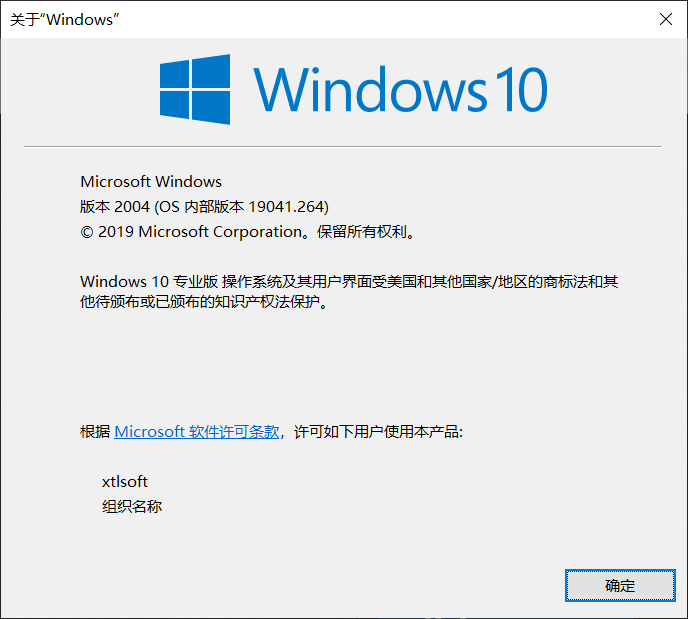
Has the problem.
 xtlsoft
on 31 May 2020
xtlsoft
on 31 May 2020
Confirmed that it only happened when the mouse report rate is too high (~500Hz or more).
It seems that a way should be found to reduce graphics usage when dragging or resizing.
Something might be helpful:
https://github.com/Microsoft/vscode/pull/52707
https://github.com/arkenthera/electron-vibrancy
GitHub
Make your electron windows vibrant! Contribute to arkenthera/electron-vibrancy development by creating an account on GitHub.
 hv0905
on 3 Jun 2020
hv0905
on 3 Jun 2020
Related issues
 Calinou
·
15Comments
Calinou
·
15Comments
 csrgxtu
·
31Comments
csrgxtu
·
31Comments
 abalter
·
18Comments
abalter
·
18Comments
 kbrucej
·
19Comments
kbrucej
·
19Comments
 marcinbojko
·
12Comments
marcinbojko
·
12Comments
Most helpful comment
Turns out, this is a problem with Windows 1903. I found this: link.