Teammates: Got problem while using checkstyle
- Operating System:Ubuntu 16.06
- JDK Version: 1.8.0_131
- Eclipse / IntelliJ Version (if applicable):Eclipse Java EE IDE Neon.3 Release (4.6.3).
- Firefox / Chrome Version (where applicable):
What I was trying to do / What I need help with
I'm setting up the static tool analysis. There were no problems when we clean the project. But upon following the guide at https://github.com/TEAMMATES/teammates/blob/master/docs/staticAnalysis.md#tool-stack, I m encouraged to run the Checkstyle and this is where I have been shown the following two errors.
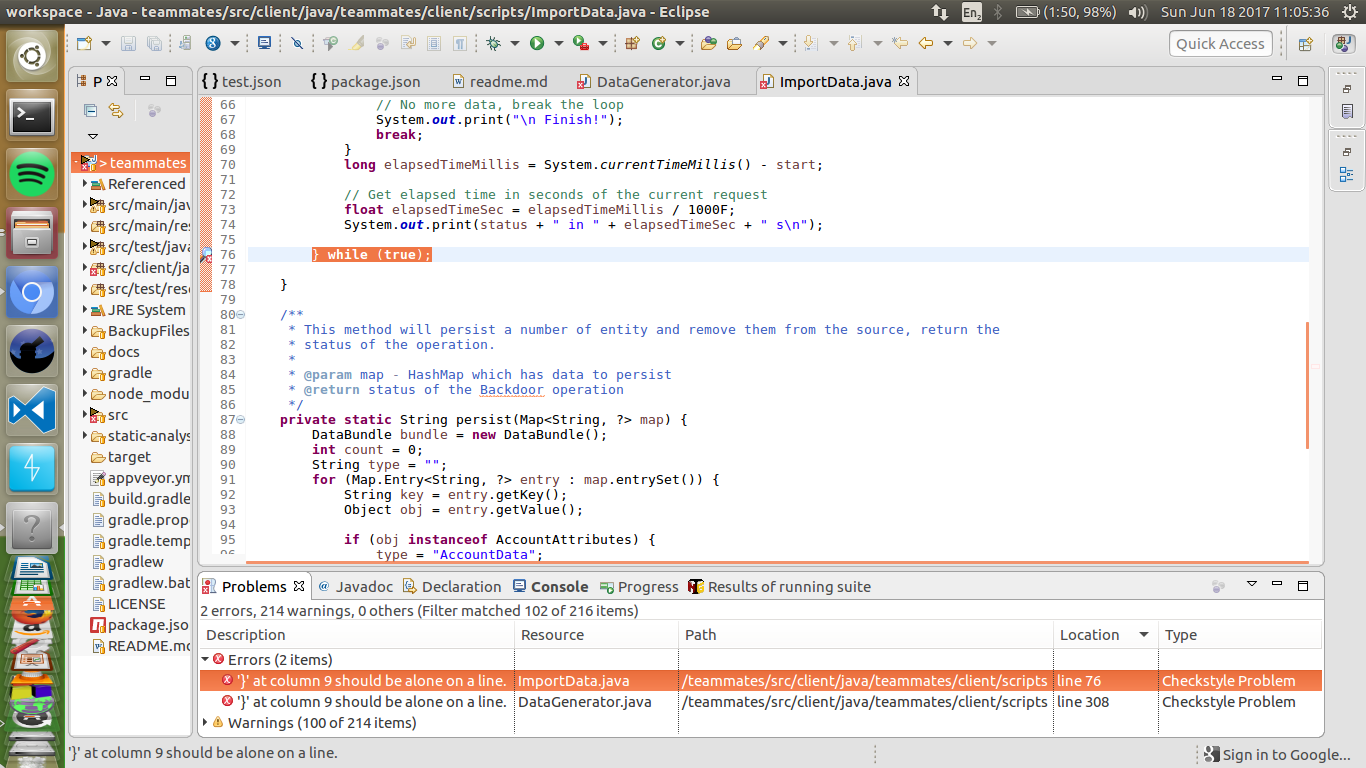
Attempts to resolve the problem
I m unable to attempt anything . I'm relatively new to code standards and project itself.
Note: I started the forking of project and related setup on May 15 and was able to setup IDE using this page ->https://github.com/TEAMMATES/teammates/blob/master/docs/ide-usage.md . I mentioned this because code may have been changed.
 dyugoaykol
All 10 comments
Have you pointed it to use our config file teammates-checkstyle.xml?
 whipermr5
on 18 Jun 2017
whipermr5
on 18 Jun 2017
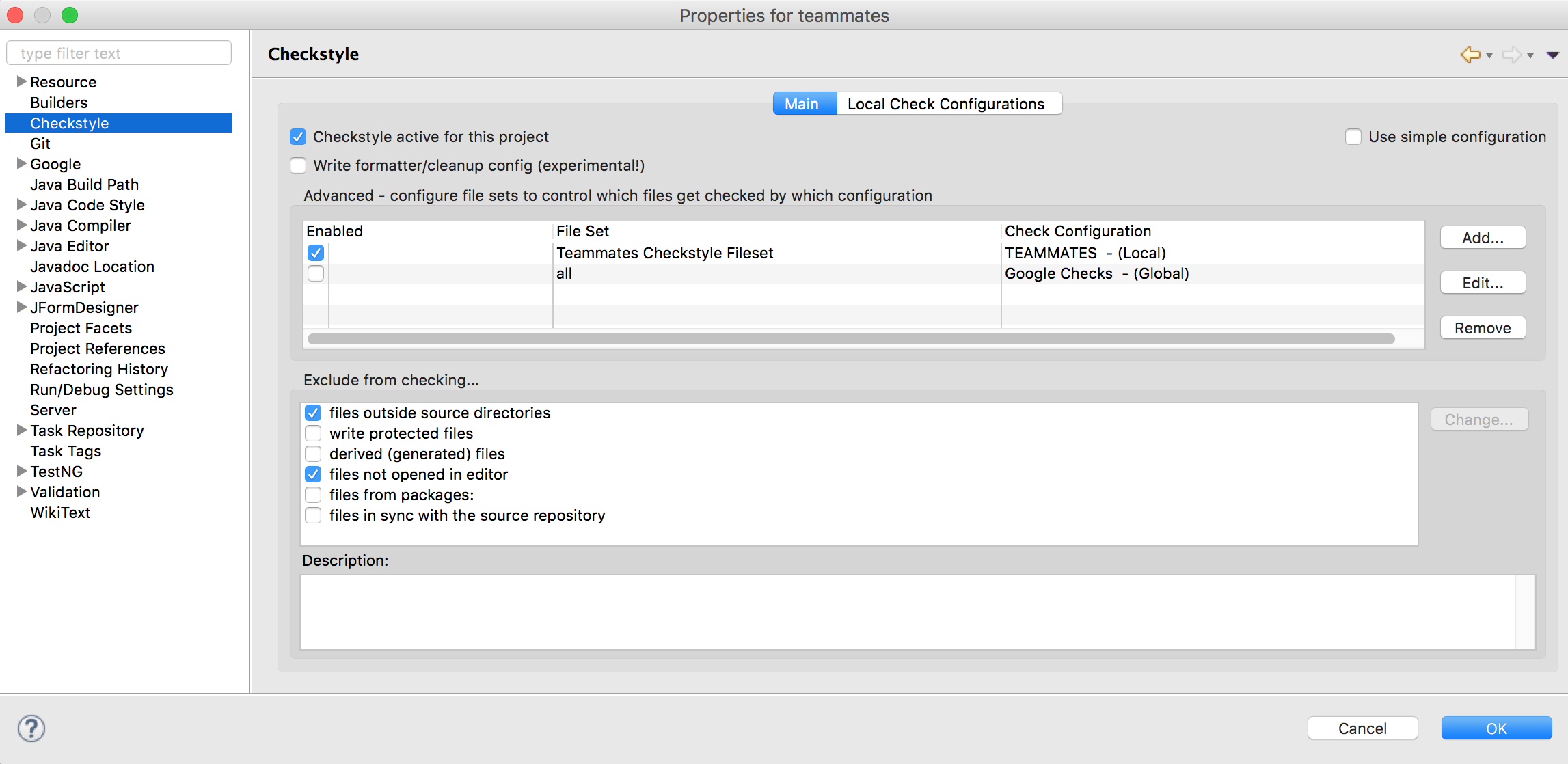
@whipermr5 I got the same thing on installing the check style plugin for Eclipse (MacOS 10.12.5, JDK 1.7.X). I had pointed it to use the teammates-checkstyle.xml. @dyugoaykol As a temporary fix, I just changed the plugin settings to only check files that were currently open in the editor. I did so by checking the files not opened in editor option under the exclude from checking... (refer to the screenshot below)
 HirdayGupta
on 18 Jun 2017
HirdayGupta
on 18 Jun 2017
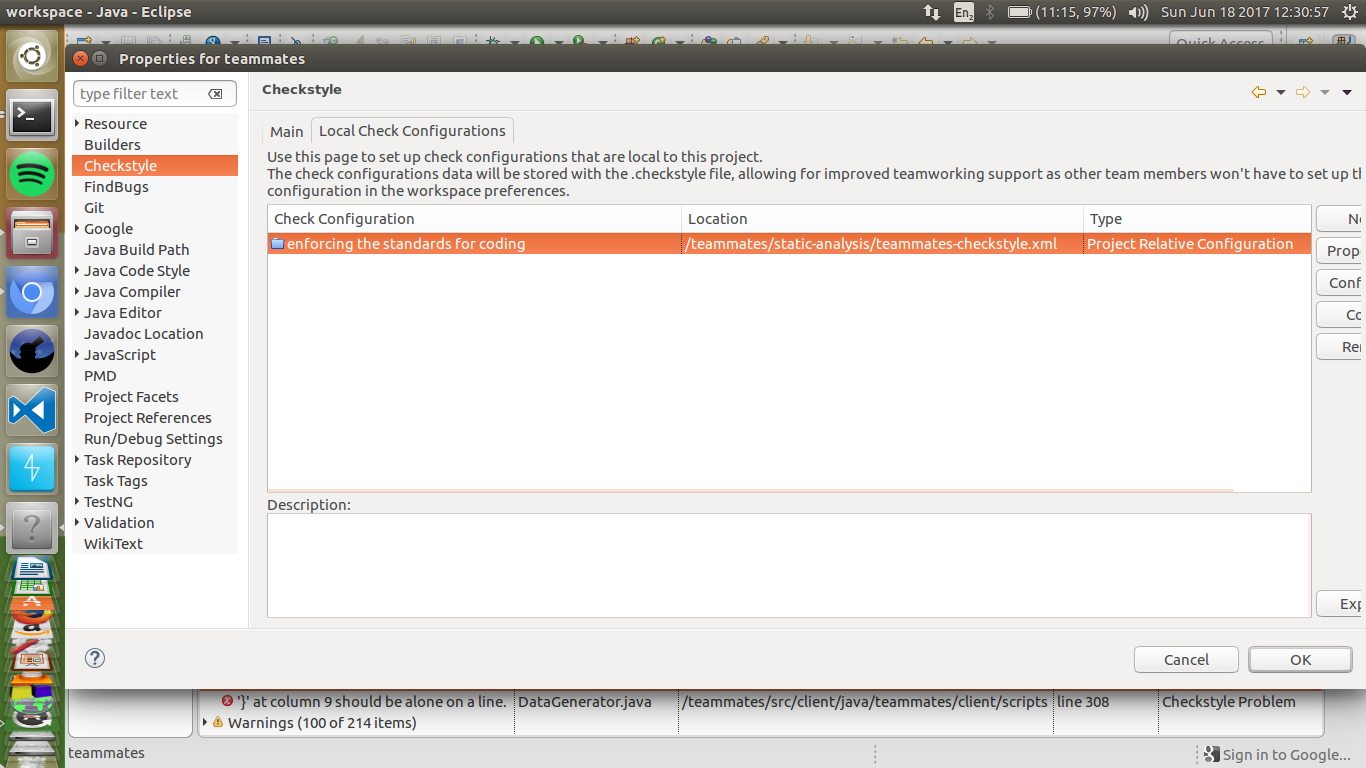
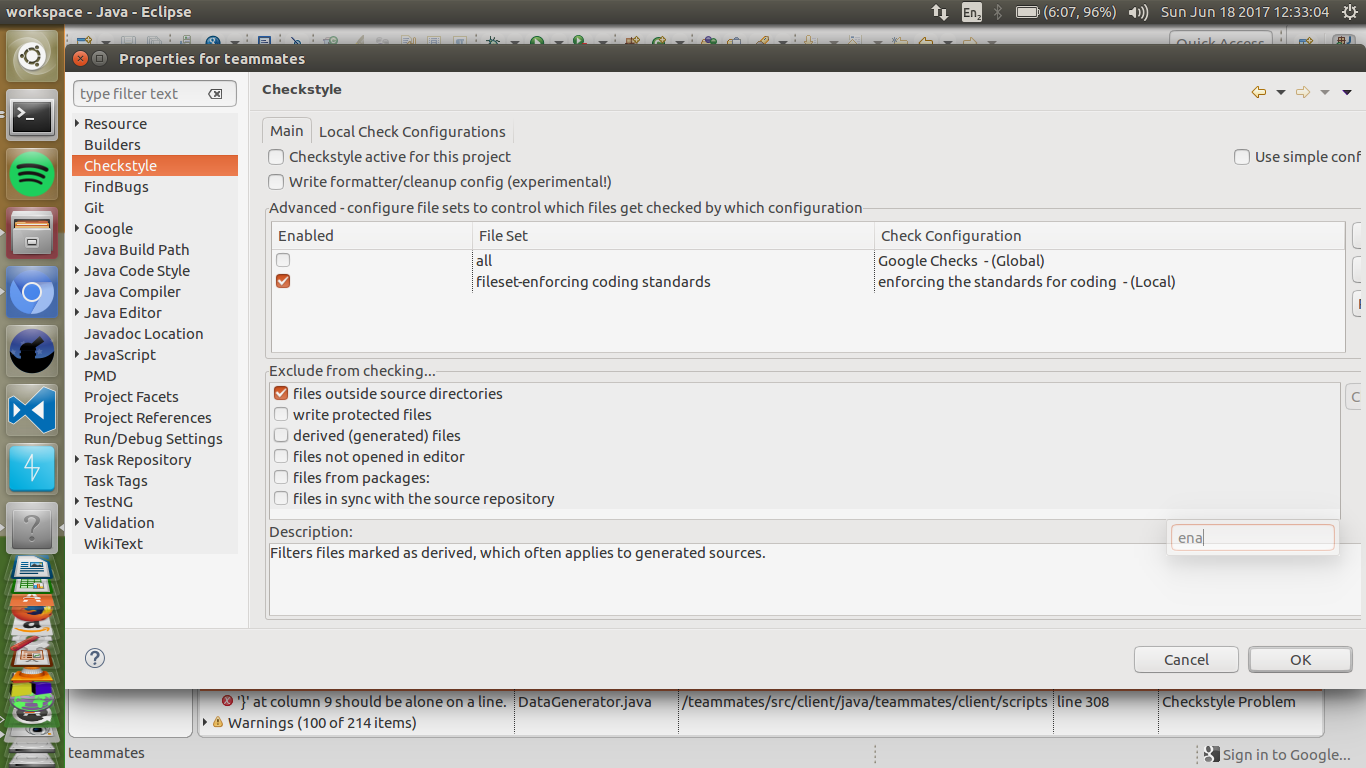
Yes, I pointed it using the instructions mentioned at https://github.com/TEAMMATES/teammates/blob/master/docs/staticAnalysis.md#tool-stack; Following is the screenshots.
- Adding the file to checkstyle.
- Enabling the standard.
dyugoaykol
on 18 Jun 2017
@HirdayGupta @dyugoaykol Which version of the checkstyle plugin was installed?
whipermr5
on 18 Jun 2017
@whipermr5 Mine is Eclipse Checkstyle Plugin 7.6.0.201703111252. Downloaded from the link in the help docs.
HirdayGupta
on 18 Jun 2017
@dyugoaykol Can you press edit on the file set and screenshot the resulting dialog?
whipermr5
on 18 Jun 2017
@HirdayGupta
From the doc:
The version number of all the tool stacks are declared in build.gradle or package.json.
When downloading the plugin for Eclipse, find the plugin version that uses the correct version of the tool, e.g if CheckStyle 6.19 is used find an Eclipse plugin that uses CheckStyle 6.19 as well. If the exact version of the plugin cannot be found, using the latest version is allowed, however there is no guarantee that there will be no backward-incompatible changes.
Conversely, when updating any tool, ensure that the tool version is supported by the Eclipse plugin, e.g when upgrading CheckStyle to 6.19 ensure that there is an Eclipse plugin which supports that version as well.
whipermr5
on 18 Jun 2017
Sure , I was lazy. @whipermr5 . Here is the version.

dyugoaykol
on 18 Jun 2017
Do use version 6.19 as declared in build.gradle.
whipermr5
on 18 Jun 2017
Great ! That resolved the problem. I also learned how to install the old version using manual methods. Thanks and Cheers !
dyugoaykol
on 18 Jun 2017
Related issues
 xpdavid
·
25Comments
xpdavid
·
25Comments
 shubham49
·
22Comments
shubham49
·
22Comments
 damithc
·
32Comments
damithc
·
21Comments
damithc
·
25Comments
damithc
·
32Comments
damithc
·
21Comments
damithc
·
25Comments
Most helpful comment
Do use version 6.19 as declared in
build.gradle.