Tdesktop: Add "Quit" to .desktop file?
Hey guys,
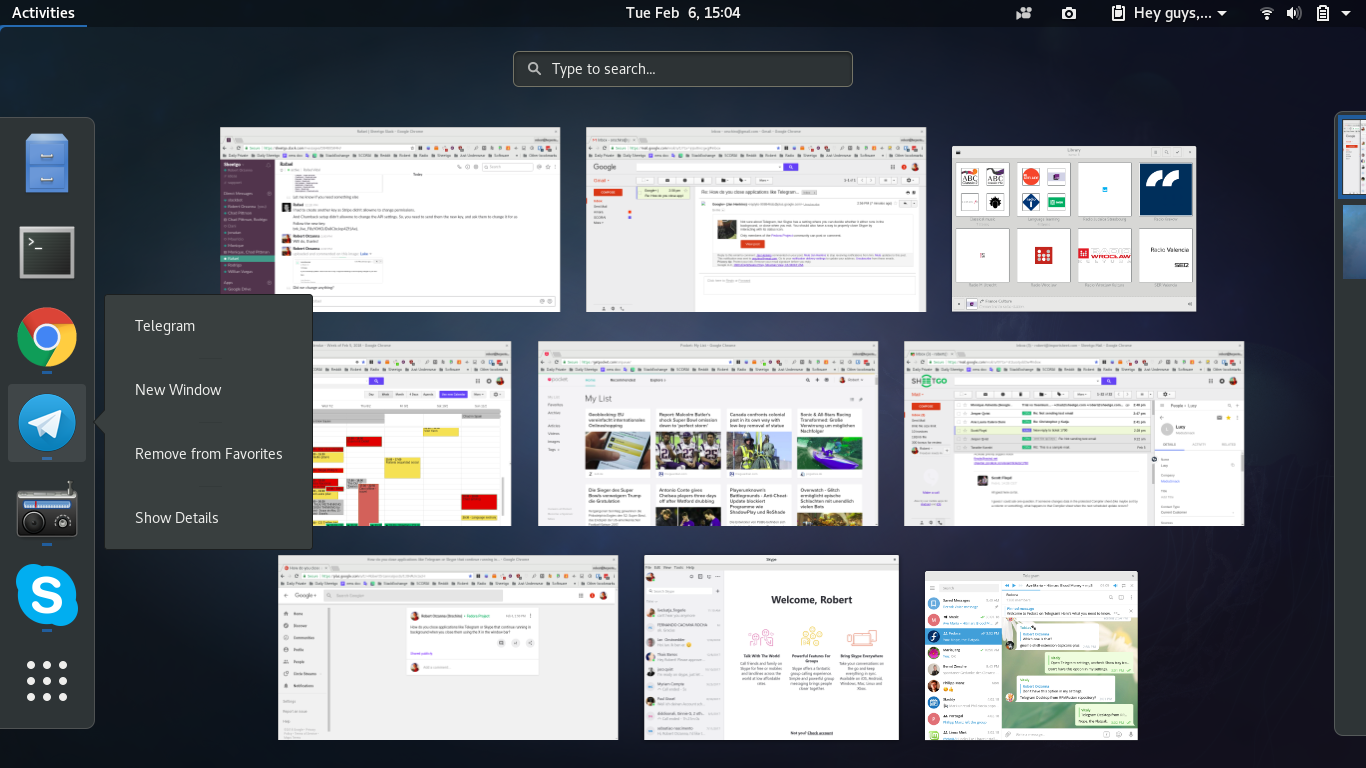
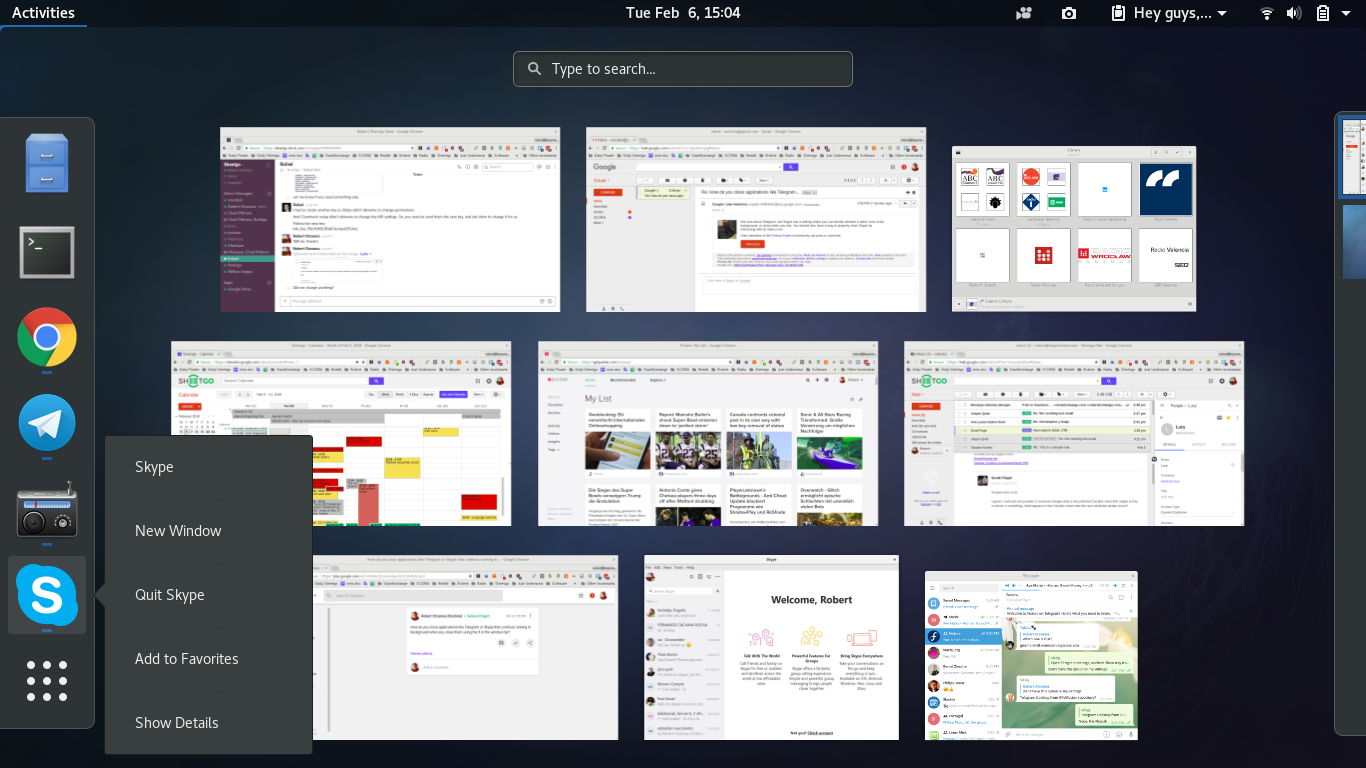
I noticed that Telegram Desktop doesn't have a "Quit" entry which makes it hard to properly close it (at least on GNOME because it doesn't show tray icons by default) without having it continue run in the background. I noticed that other apps like Skype do have a quit entry.
Now, who is responsible for providing this .desktop file? This repo or do I need to address it to the packager (in my case RPMfusion Fedora)?
Thanks guys!
 orschiro
All 14 comments
@orschiro Just press Ctrl+Q to immediately close Telegram Desktop.
 xvitaly
on 7 Feb 2018
xvitaly
on 7 Feb 2018
Just press Ctrl+Q to immediately close Telegram Desktop.
Nice, works well! Still what do you think of adding Quit to the menu icon? Ctrl + Q may not be evident to everyone.
orschiro
on 7 Feb 2018
How is that quit exactly supposed to work? What exactly do you mean by "adding Quit to .desktop file"? Could you please provide an example?
 stek29
on 7 Feb 2018
stek29
on 7 Feb 2018
How is that quit exactly supposed to work?
Do exactly the same as Ctrl + Q.
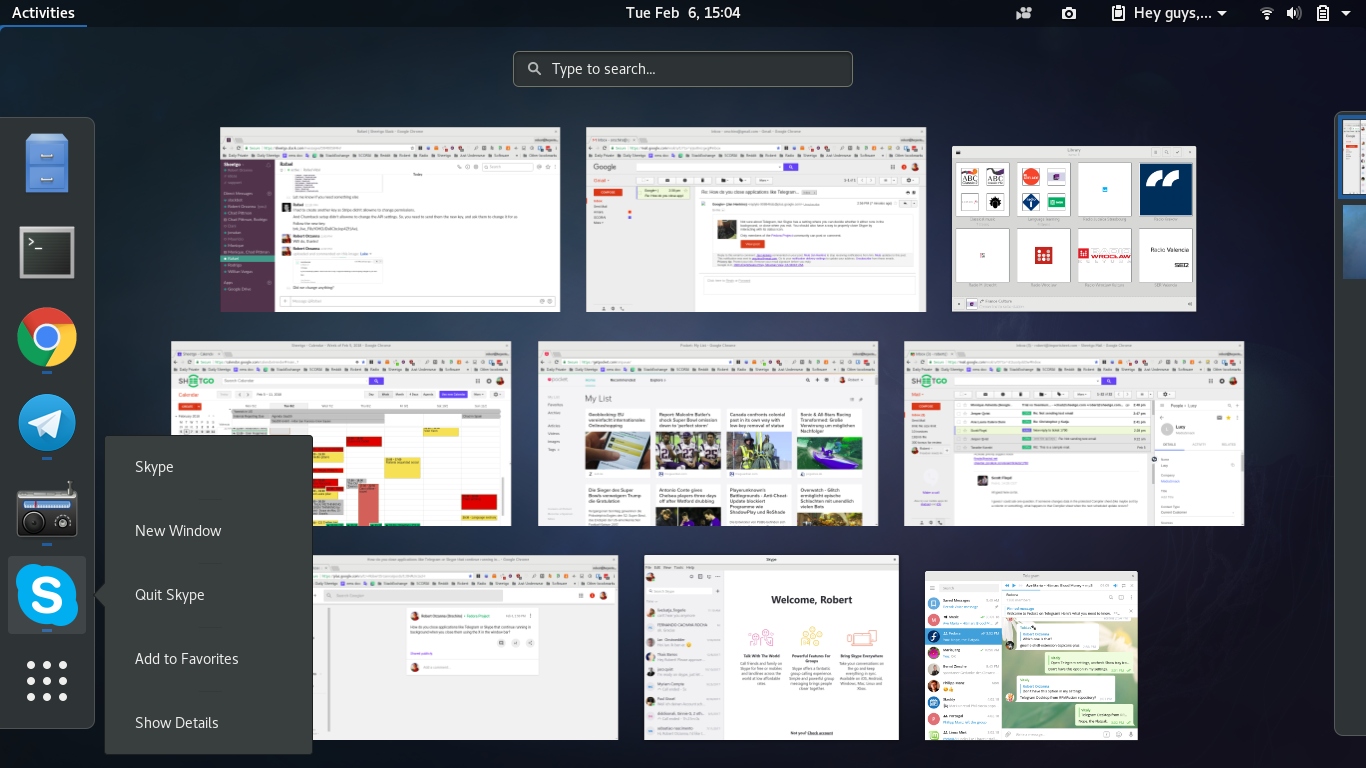
What exactly do you mean by "adding Quit to .desktop file"? Could you please provide an example?
See the below entry for Skype as an example which says "Quit Skype":
orschiro
on 7 Feb 2018
It's a Desktop QuickAction. They can be defined in desktop files.
Then the telegram binary would need a command to perform this when invoked.
 3v1n0
on 8 Feb 2018
3v1n0
on 8 Feb 2018
@xvitaly
Just press Ctrl+Q to immediately close Telegram Desktop.
How to do this from touchscreen?
 RussianNeuroMancer
on 3 May 2018
RussianNeuroMancer
on 3 May 2018
@xvitaly
Just press Ctrl+Q to immediately close Telegram Desktop.
How to do this from touchscreen?
Can you bring up a virtual keyboard at any time? If you can, then you should be able to do it.
 damnfella
on 2 Jan 2020
damnfella
on 2 Jan 2020
Can you bring up a virtual keyboard at any time? If you can, then you should be able to do it.
Gnome Shell on-screen keyboard doesn't have Ctrl button.
RussianNeuroMancer
on 2 Jan 2020
Can you bring up a virtual keyboard at any time? If you can, then you should be able to do it.
Gnome Shell on-screen keyboard doesn't have Ctrl button.
I understand. For now, you could try searching for an alternative on-screen keyboard.
Maybe open an issue in the Gnome repo for the keyboard to add those keys and improve the overall functionality of Gnome with touch?
I don't know if there would be any progress made here unless someone does a pull request for this issue.
damnfella
on 2 Jan 2020
Maybe open an issue in the Gnome repo for the keyboard
Such bugreport exist, but for now developer against this idea ("If that is a problem, that is IMO a usability issue with those applications, and I encourage you to file bugs to them.").
I understand. For now, you could try searching for an alternative on-screen keyboard.
Alternative keyboard do exist, but it's unusable in portrait orientation. Other on-screen keyboards, such as Onboard, is not available in Wayland session (Onboard stop working around Gnome Shell 3.30+ anyway, even in Xorg session). And let's not seriously discuss switching back to Xorg and installing some other keyboard just to have ability to press Ctrl+Q because there is no "Quit" in Telegram's desktop-file, because at this point this will be borderline crazy.
RussianNeuroMancer
on 2 Jan 2020
Is this still actual after tray detection was fixed (1.9.13)?
 ilya-fedin
on 21 Mar 2020
ilya-fedin
on 21 Mar 2020
Is this still actual after tray detection was fixed (1.9.13)?
Is tray expected to work in Gnome Shell?
RussianNeuroMancer
on 21 Mar 2020
Is tray expected to work in Gnome Shell?
What do you mean?
I'm saying that tray detection has been fixed and code that disables running in background works again.
ilya-fedin
on 21 Mar 2020
Is tray expected to work in Gnome Shell?
Yes, just install AppIndicator Support extension.
xvitaly
on 21 Mar 2020
Related issues
 LeonTheOriginal
·
3Comments
LeonTheOriginal
·
3Comments
 slowaways
·
3Comments
slowaways
·
3Comments
 matteotumiati
·
3Comments
matteotumiati
·
3Comments
 beppe9000
·
3Comments
beppe9000
·
3Comments
 TheAppService
·
3Comments
TheAppService
·
3Comments
Most helpful comment
It's a Desktop QuickAction. They can be defined in desktop files.
Then the telegram binary would need a command to perform this when invoked.