Sweetalert2: Readme getting flagged as phishing trojan on Windows?
Not sure what is happening, just booted and was greeted with this?

After taking a look, maybe it's a url to one of the nsfw sponsors getting flagged...
 iKlsR
iKlsR
All 23 comments
Can't reproduce. Win 10 + all updates.
 limonte
on 1 Oct 2020
limonte
on 1 Oct 2020
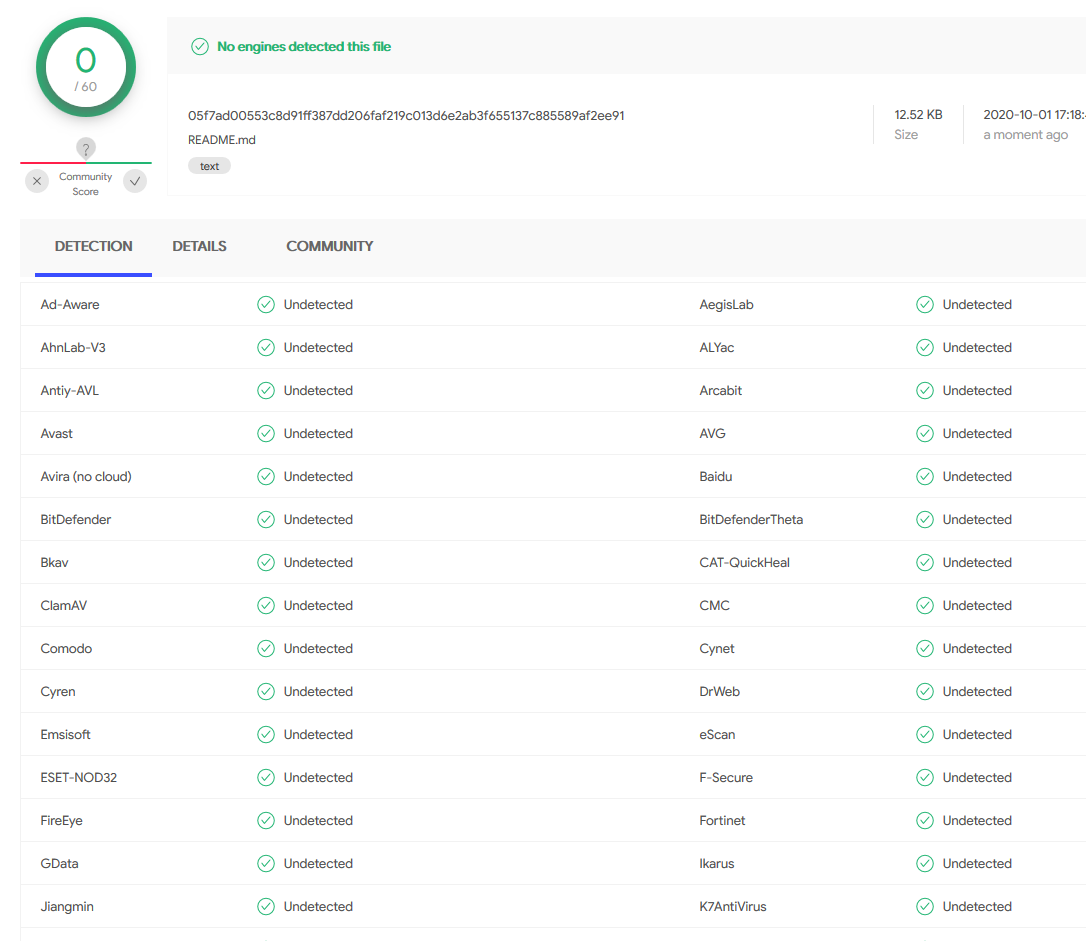
Checked with https://www.virustotal.com all is well:
limonte
on 1 Oct 2020
Noted. I updated to latest and made a fresh yarn install so we'll see. Thanks.
iKlsR
on 1 Oct 2020
This is still an issue.
Note We were targeting version 9 - without any issue previously.
We were including it via the jsdelir CDN, using the following
<script src="https://cdn.jsdelivr.net/npm/sweetalert2@9"></script>
I've recreated the file from scratch (same content), and run the file through VirusTotal
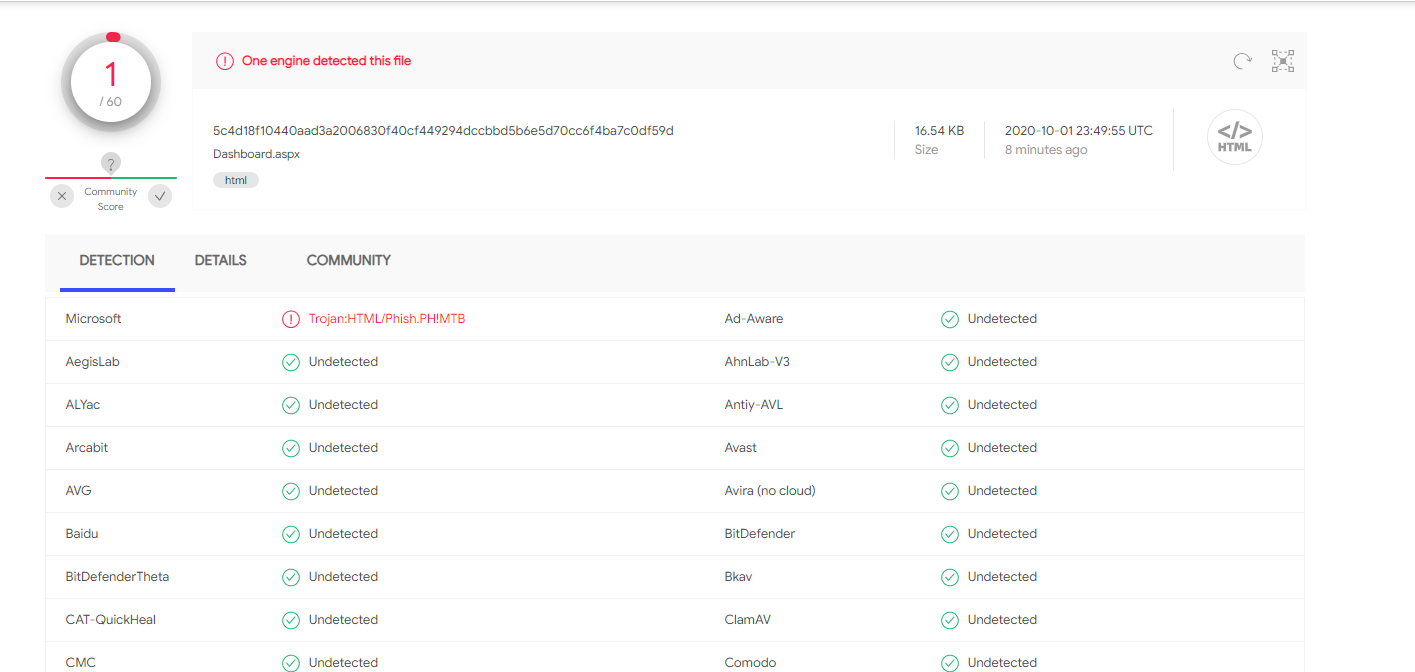
Microsoft detects the issue on Virustotal.
Using the same file, I've removed the <script src="https://cdn.jsdelivr.net/npm/sweetalert2@9"></script> line, and run this file through virustotal. Interestingly, the virus is no longer detected.
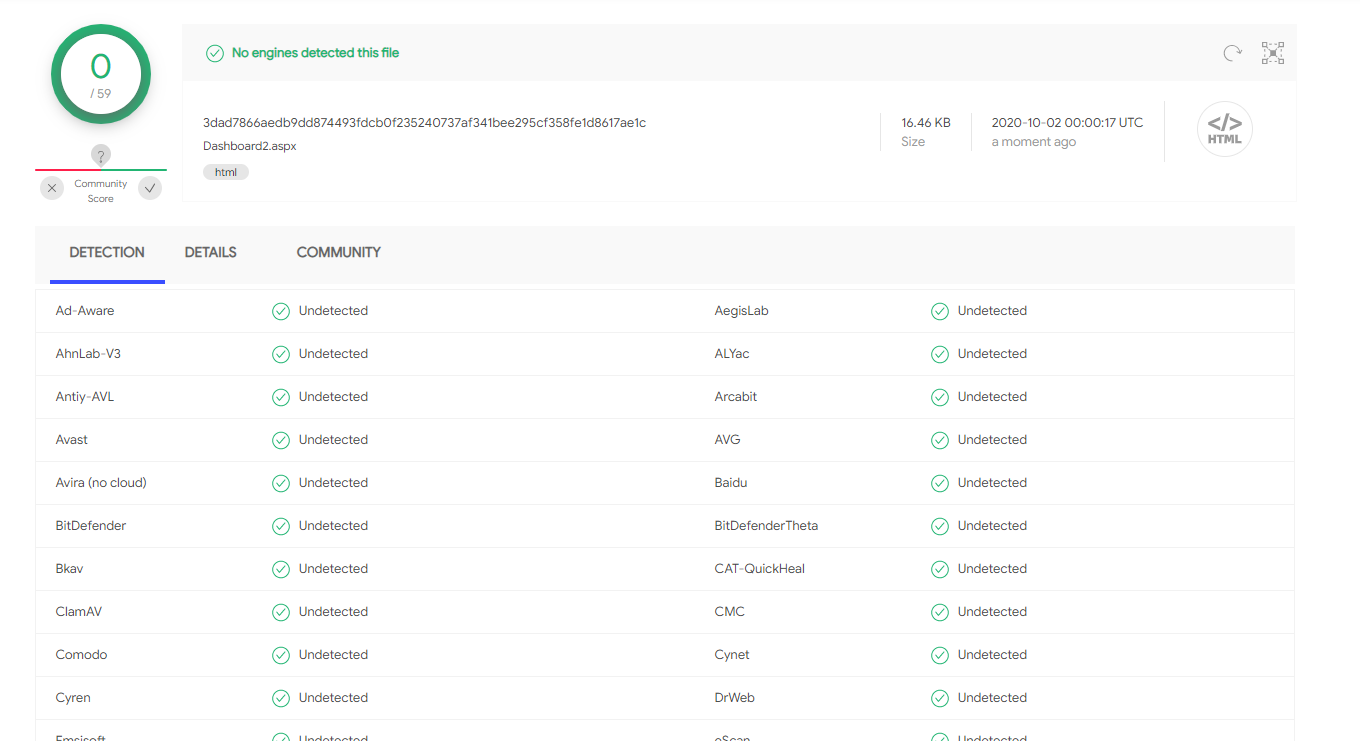
Upon checking what the latest version was - we discovered we were a version behind.. (running v9 instead of v10).
Now targeting version 10 with <script src="https://cdn.jsdelivr.net/npm/sweetalert2@10"></script>, and running this file through virustotal, the scan is fine.
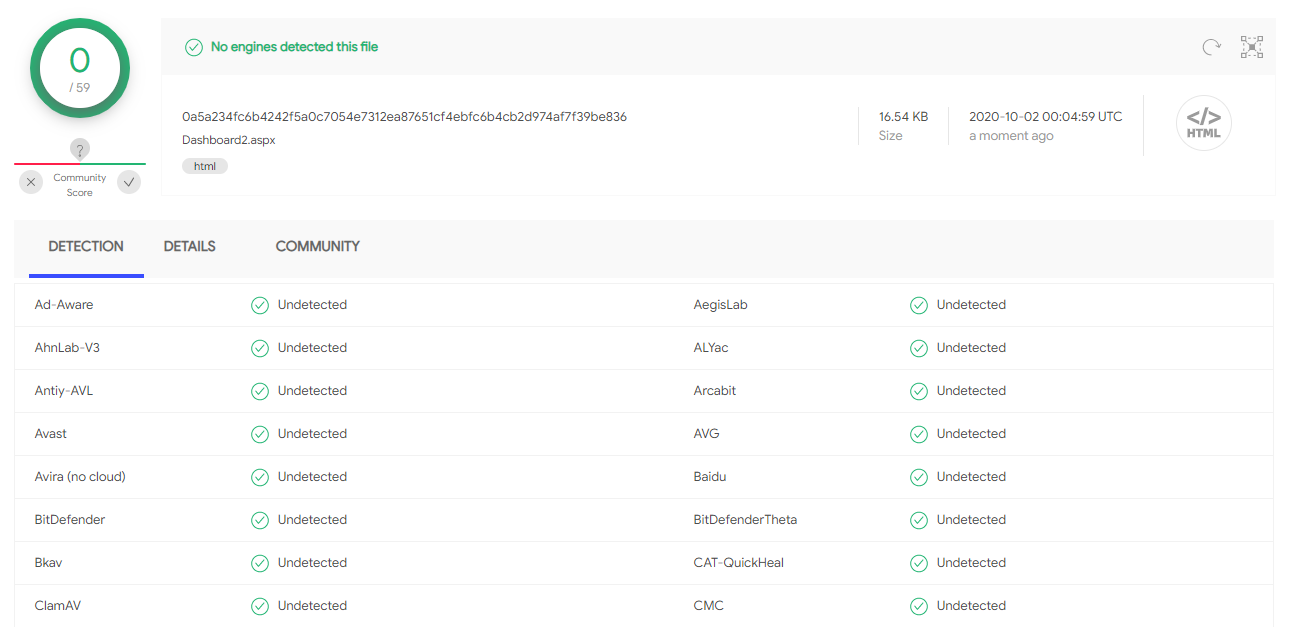
Windows Defender picked this up across all 6 of our Windows 10 dev machines
 Bejasc
on 2 Oct 2020
Bejasc
on 2 Oct 2020
@iKlsR please reopen this issue for visibility.
This is still an ongoing issue.
Bejasc
on 2 Oct 2020
This is still an ongoing issue. + 1
 MinerProfitDevelopment
on 2 Oct 2020
MinerProfitDevelopment
on 2 Oct 2020
This is also happening for us +1
 JessieCowie23
on 2 Oct 2020
JessieCowie23
on 2 Oct 2020
@iKlsR an interesting theory regarding the NSFW sponsor.
I've been running the readme file through virustotal again and again.
The only thing tripping it up is the existence of the example;
<script src="https://cdn.jsdelivr.net/npm/sweetalert2@9"></script> in the readme file itself.
When this line is removed, the virus is no longer detected.
Bejasc
on 2 Oct 2020
@Bejasc I didn't delve into it too much as I needed to work and it was the one file so I just quarantined it at the time. More than likely a false positive but lets see where the investigation leads.
iKlsR
on 2 Oct 2020
I still can't reproduce. Any help with finding the exact cause of the issue would be welcome.
In order to reproduce I created a simple HTML file:
<html lang="en">
<head>
  <meta charset="UTF-8">
  <meta name="viewport" content="width=device-width, initial-scale=1.0">
  <title>Document</title>
</head>
<body>
  <script src="https://cdn.jsdelivr.net/npm/sweetalert2@9"></script>
</body>
</html>
and uploaded it to virustotal. No viruses were detected.
limonte
on 2 Oct 2020
I also encountered this problem after installing the Windows Updates' security update. Running pnpm install with the defined package dependency version in package.json is ^9.11.0 and in package-lock.json is 9.11.0 will notify the Windows Defender that there is a virus.
I'm using Windows 10 Home 2004 with OS Build 19041.508.
 Tieantono
on 2 Oct 2020
Tieantono
on 2 Oct 2020
Any concrete steps to reproduce the issue are welcome, I'm sill unable to reproduce the issue (Windows 10 Build 19041.508 + all updates)
Example:
- Clone this repo: ....
- run
npm install
Another exmple:
- Save this file to your computer
- Windows defender will notify about the virus
limonte
on 2 Oct 2020
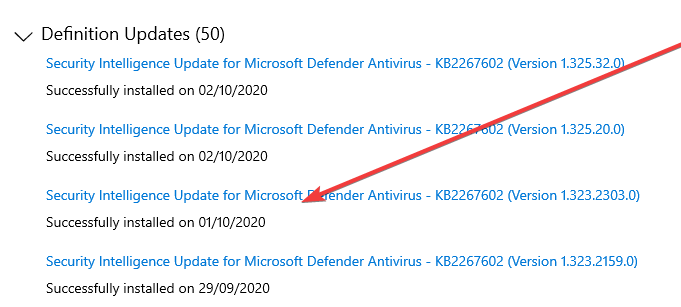
I found this update was installed last night:

Could you please check if you have this update installed in your PC?
I just cloned a repo that have sweetalert2 package defined in its package.json file, after that I run pnpm install. My installed pnpm version is 5.8.0.
Tieantono
on 2 Oct 2020
Yes:
limonte
on 2 Oct 2020
Welp, after you showed me that screenshot, I immediately run the Windows Update again, installed a new security updates (the KB2267602) and the issue is gone.
I think MS has fixed the security update for this issue, and everyone should try to run the Windows Update again.
Tieantono
on 2 Oct 2020
I'm experiencing the same - after running the exact same file_ I did through virustotal ~9h ago - it is coming up clean.
Bejasc
on 2 Oct 2020
Thank you for the feedback @Tieantono and @Bejasc
It's most probably the false positive caused by Windows Defender and luckily fixed very promptly.
limonte
on 2 Oct 2020
The concrete steps I took at the time were;
- Take the raw copy of the readme directly from this repo (a copy targeting
sweetalert2@9) - Run that file through VirusTotal - trojan found.
- Remove the
<script src="https://cdn.jsdelivr.net/npm/sweetalert2@9"></script>
4 Run through virus VirusTotal again - no trojan detected.
Notes:
- I initially thought one of the NSFW Sponsors may had been compromised too - through an elimination process (modifying file, running through VT multiple times) - the
<script src="https://cdn.jsdelivr.net/npm/sweetalert2@9"></script>line was isolated to be the cause. - Targeting
sweetalert2@10removed the issue - This was happening on a copy of the file we had locally, as well as taken from this history of this repo, as well as directly from the CDN.
- The error could be reproduced by extracting the single line (
<script src="https://cdn.jsdelivr.net/npm/sweetalert2@9"></script>) into a text file, and running it through VT.
Glad this seems to have cleared up now, but was very confusing at the time,
Bejasc
on 2 Oct 2020
The cause
the line in README was isolated to be the cause.
This is totally unexpected, but at least makes some sense. Thanks a lot @Bejasc!
limonte
on 2 Oct 2020
People who commented in this thread please run the Windows Update again, ensure that the definition updates are up-to-date:
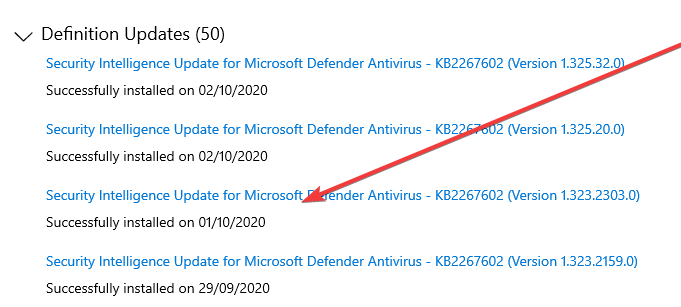
The issue should be gone.
limonte
on 2 Oct 2020
You can check out #usage and #nsfw-sponsors
W... Wait, this was resolved?
 TheColdPot
on 3 Oct 2020
TheColdPot
on 3 Oct 2020
W... Wait, this was resolved?
So it seems. I'll keep the issue opened for a couple of days in case it occurs again for someone.
limonte
on 3 Oct 2020
Seems that nobody is affected anymore by this issue. Closing.
limonte
on 5 Oct 2020
Related issues
 mrdigitalau
·
46Comments
mrdigitalau
·
46Comments
 projct1
·
33Comments
projct1
·
33Comments
 emircan-sahin
·
18Comments
projct1
·
18Comments
limonte
·
19Comments
emircan-sahin
·
18Comments
projct1
·
18Comments
limonte
·
19Comments
Most helpful comment
The concrete steps I took at the time were;
sweetalert2@9)<script src="https://cdn.jsdelivr.net/npm/sweetalert2@9"></script>4 Run through virus VirusTotal again - no trojan detected.
Notes:
<script src="https://cdn.jsdelivr.net/npm/sweetalert2@9"></script>line was isolated to be the cause.sweetalert2@10removed the issue<script src="https://cdn.jsdelivr.net/npm/sweetalert2@9"></script>) into a text file, and running it through VT.Glad this seems to have cleared up now, but was very confusing at the time,