Sweetalert2: Sweet Alert 2 scrolling to top of page after firing with magnific popup ajax
Hey Guys
Thanks for your hard work with this plugin, it's amazing.
I was wondering if you had ever experienced anything like this before?
I have a strange issue with my sweet alert 2 on a site i'm building.
I am building an online ordering system and I am currently making the functionality work so you click on a link which will take you to an AJAX Magnific Popup of the product and it's options, you then click Add to cart which closes the magnific popup and also fires off a sweet alert to say the product has been added.
The problem being that when I fire the sweet alert from the AJAX popup, it scrolls my main page to the top every time. But, when I put a sweet alert 2 link in the actual document (as opposed to the ajax popup window), it doesn't scroll to the top.
See the screencast of it in action. http://screencasts.mrdigital.com.au/watch/cbl30E2P8e
I was wondering if you had any suggestion as to why it happens? I've been pulling my hair out :)
Thank you so much for any of your advice
 mrdigitalau
All 46 comments
Hi @mrdigitalau and thanks for reporting this issue!
Could you please provide a simple jsfiddle in order for us to be able to reproduce the issue.
JSFiddle template: https://jsfiddle.net/ad3quksn/249/
 limonte
on 23 Dec 2017
limonte
on 23 Dec 2017
I'm closing this issue due to inactivity, leave a comment with a jsfiddle if you think it should be reopened.
limonte
on 30 Dec 2017
Facing a similar issue, which sort of seems like some issue with foundation, as it doesn't happen when I remove that dependency. Created a fiddle with relevant external libraries that I am using.
https://jsfiddle.net/d33uzanv/
On clicking the anchor at the very bottom, swal pops up. The page jumps to top on dismissing it.
 shubhsnov
on 30 Dec 2017
shubhsnov
on 30 Dec 2017
@shubhsnov @mrdigitalau What browser are you two using?
I think the problem lies with document.body.scrollTop, which should be modified according to the above answer.
If I figure out a good solution, I will submit a pull request.
 johncederholm
on 30 Dec 2017
johncederholm
on 30 Dec 2017
For me, this is happening in both Firefox and Chrome.
I don't know what foundation is doing in the background that is messing with the scrollTop, but yeah that is the only hint I have for now. It doesn't happen when I don't include foundation.
Also, I forgot to add e.preventDefault() on the click handler, but this still happens as long as the foundation css is linked.
shubhsnov
on 30 Dec 2017
Facing the same issue with [email protected]
 prapats
on 31 Dec 2017
prapats
on 31 Dec 2017
I could reproduce it back to 6.11.4
shubhsnov
on 1 Jan 2018
@shubhsnov your issue is totally unrelated to SweetAlert2 but I'll help with your homework.
- you forgot to prevent default action in anchor click handler
- you are including different versions of foundation (6.4.3 for js and 5.4.6 for css)
Here's the fixed jsfiddle: https://jsfiddle.net/limon/d33uzanv/11
limonte
on 1 Jan 2018
@limonte I don't think you read my above comments properly. I mentioned the preventDefault thing myself, and as for the version change thing, well I mistakenly updated the fiddle while I was trying different versions.
As for the issue being unrelated, I am not sure. The bug is still present when I use 5.4.6 for both js and css. I assume a lot of people are still using v5 and below of foundation, and this issue would be there in terms of compatibility, as many people can't jump from 5 to 6 directly(as is my case).
Anyways, here is a cleaner fiddle, where the issue still persists with foundation 5.4.6(and this is what I am using statically in my site, and the bug makes SweetAlert unusable), if you still want to have a go : https://jsfiddle.net/gvh2can8/
I assume it has to do with locking the scroll locking, which is where foundation kicks in and causes trouble. It would be good to have the disable scrolling feature as an option.
shubhsnov
on 1 Jan 2018
I was also experiencing this issue -- I'm not using Foundation, but it looks like the scrolling to the top issue is caused by adding a CSS attribute of overflow-y: hidden to the body. I tried a JSFiddle using only jQuery and SweetAlert2 and everything seemed to work fine, so I'm not sure what's causing it, but here is what fixed it for me:
body.swal2-shown:not(.swal2-no-backdrop):not(.swal2-toast-shown) {
  overflow-y: visible !important;
}
Hopefully this will help someone.
 cornelisonc
on 6 Jan 2018
cornelisonc
on 6 Jan 2018
Hey @cornelisonc ,
Thanks heaps for that solution, it works an absolute charm :)
mrdigitalau
on 7 Jan 2018
@cornelisonc Thanks a lot! That worked for me too. :)
shubhsnov
on 10 Jan 2018
@cornelisonc Thank you. The style fix worked for us as well. This is still a problem in v7.3.5.
 queejie
on 12 Jan 2018
queejie
on 12 Jan 2018
@cornelisons Thanks a lot.
 morning-bird
on 13 Jan 2018
morning-bird
on 13 Jan 2018
Thanks @cornelisonc ! This issue was giving me a lot of grief and this worked for me. Would be great to see the developers add that little css line to their main release.
 smithaa02
on 14 Jan 2018
smithaa02
on 14 Jan 2018
I will reopen this issue because it affecting so many people and the suggested solution body.swal2-shown:not(.swal2-no-backdrop):not(.swal2-toast-shown) { overflow-y: visible !important; } looks very hacky to me.
PLEASE everyone in this thread, provide a jsfiddle with your case. Without code, we can't help you much.
JSFiddle template: https://jsfiddle.net/ad3quksn/249/
At least, say something about your environment. Which framework are you using? What version? etc.
limonte
on 15 Jan 2018
I think I finally fixed this nasty issue! :tada:
Please check out the latest release: https://github.com/sweetalert2/sweetalert2/releases/tag/v7.4.0
limonte
on 17 Jan 2018
If the fix in 7.4.0 works for you, please remove the suggested here hack:
body.swal2-shown:not(.swal2-no-backdrop):not(.swal2-toast-shown) {
  overflow-y: visible !important;
}
since it depends on internal classnames which theoretically could be changed in one of next releases
limonte
on 17 Jan 2018
This seems to be an issue on mobile for me... even with 7.4.0
 abrambailey
on 8 Mar 2018
abrambailey
on 8 Mar 2018
@limonte, solved for me in 7.4.0!
Many thanks.
 pedro-lb
on 16 Mar 2018
pedro-lb
on 16 Mar 2018
I'm still having this scroll up issue with version 7.9.0 (even on desktop) - but only with Safari (tested on version 11.1). On Chrome everything is working fine.
 mitomm
on 8 May 2018
mitomm
on 8 May 2018
Mobile chrome (android) is affected by this issue too
Edit: Chrome on PC is too
 7twin
on 16 May 2018
7twin
on 16 May 2018
The linked "fixed" jsfiddles have the same issue too
7twin
on 17 May 2018
@7twin @mitomm @abrambailey guys, I would like to help you, but I can't reproduce the issue.
Could you please provide a bit more information about the document structure of your projects. If they are public provide a link. If not, provide either test credentials (my email [email protected]) or replicate the document structure in jsfiddle.
limonte
on 17 May 2018
@limonte preventing default and returning false from the onclick function, makes it only jump ~50 pixels down and then back up, but it still does jump
edit: I'll try to create a fiddle later
edit2: with the preventdefault it only happens on mobile
7twin
on 17 May 2018
@limonte I actually just found out that there was another issue (that was related to me changing the url of the page and catching that somewhere else) in my code that made it jump to the top. So it seems to work fine again for me now. Sorry for giving you some wrong feedback.
mitomm
on 17 May 2018
@limonte sent you a mail with the title "SweetAlert2 scrollup issue" instead of a fiddle, it's much harder to create a fiddle
7twin
on 17 May 2018
Thanks a lot @7twin for the email with the code example! The issue should be fixed in the latest release (v7.20.6) :tada:
limonte
on 17 May 2018
@limonte yes, just pulled the master and it's fixed, great job, thank you!
7twin
on 17 May 2018
Alright, closing the issue then. I think it's finally fixed.
limonte
on 17 May 2018
@limonte unfortunately it doesn't seems fixed in my version
Please check the html copy on jsfiddle
https://jsfiddle.net/fk3psp83/
Running on SweetAlert v7.20.8, Having Issues on both Latest version of Chrome & Firefox
 glendonyeo
on 24 May 2018
glendonyeo
on 24 May 2018
@glendonyeo many thanks for jsfiddle! The issue with your case is that the document is outside of <html> borders:

To fix it remove:
html { max-height: 100%; }frommain.css- inline
style="height: 100%;"from<html>
After those changes SweetAlert2 will works as expected.
limonte
on 24 May 2018
@limonte
thanks for pointing out the issues,
for my case, the height:100% is set by google translation widget (just for other reference),
issues can be solve by set html{height: auto !important} to my css
the issues will appear when both body & html height is set to 100%
(or similiar conditions like html {height:100%} , body {max-height:100%})
i am able to reproduce the issues @ sweetalert demo page by adding the css
glendonyeo
on 24 May 2018
Thanks @glendonyeo! I made another issue about this https://github.com/sweetalert2/sweetalert2/issues/1107
Subscribe to it to track the progress.
limonte
on 24 May 2018
I just released v7.20.9 which contains the fix for #1107
@glendonyeo you can remove html{height: auto !important} from your css :tada:
limonte
on 24 May 2018
@limonte all is good from my side. hope this issues closed for real 😅
glendonyeo
on 25 May 2018
Not resolved in 7.21.1 per this fiddle: https://jsfiddle.net/ad3quksn/1189/
Removing the "overflow: auto" from the fiddle fixes the scroll issue, but we don't always have the opportunity to control that in style in certain sites.
 infoeon
on 1 Jun 2018
infoeon
on 1 Jun 2018
@infoeon what's the purpose of using overflow: auto on html?
limonte
on 2 Jun 2018
Hey there
So your fix looks to be working properly on chrome and on desktops.
But on the phone (android and ios) it still skips to top.
My project is live now, it would be really hard for me to fiddle it as it's a laravel project, but take a look:
https://order.manoosh.com.au/order/pickup/marrickville
If you go there on your android device and try add a product to the cart, it skips to the top on mobile, but not on desktop..
Cheers
mrdigitalau
on 12 Oct 2018
Hey @cornelisonc,
I also encountered this problem in the use of the project, refer to your suggestion, found that the use of swal2-show did not take effect, after reading the source code, changed to use swal2-in after the effective, I use the version is 5.3.3, thank you for your help!
body.swal2-in:not(.swal2-no-backdrop):not(.swal2-toast-shown) {
  overflow-y: visible !important;
}
 yangmingfa
on 11 Mar 2019
yangmingfa
on 11 Mar 2019
I found this problem too
I fix by this css code
body.swal2-shown:not(.swal2-no-backdrop):not(.swal2-toast-shown), html.swal2-shown:not(.swal2-no-backdrop):not(.swal2-toast-shown) {
  height: 100% !important;
  overflow-y: visible !important;
}
 deksoke
on 21 Mar 2019
deksoke
on 21 Mar 2019
I think the major problem is in HTML when the acnhor element has <a href="#"> Click Me</a>" , the # tells the browser to go to some where on the page! so before you install sweet alert the default action is to go to the top when you did not assign the anchor element target.
My problem just solved when I delete href="#" sweet alert working fine without any additional JavaScript or CSS.
 Tawfeekamr
on 14 May 2019
Tawfeekamr
on 14 May 2019
I cannot scroll to top or desired location using Swal.fire. Can you please help me with this.
if (!rateValidation) {
        window.scrollTo(0, 550);
        $('lblRateFactors').focus();
        Swal.fire({
          width: 350,
          text: 'Please complete the ratings for all factors',
          confirmButtonText: '<font color="black">Continue Rating</font>',
          animation: false,
          focusConfirm: false,
          confirmButtonColor: '#00CEDB'
        }).then();
        return false;
      }
 Pratysha
on 15 May 2019
Pratysha
on 15 May 2019
@Pratysha could you provide a live example for your issue along with an explanation of what you are trying to do? Also keep in mind that this specific issue may not have anything to do with what you are trying to achieve (if I understood your code)
 gverni
on 15 May 2019
gverni
on 15 May 2019
In case anyone else came across this issue with the page scrolling up when the dialog opens, there is now a solution where you can set heightAuto: false in your options to fix it. (There was a reference to the pull request above, but it's easy to miss.)
 orrd
on 20 Sep 2019
orrd
on 20 Sep 2019
i have a problem, i try to fix by last comment but dont work
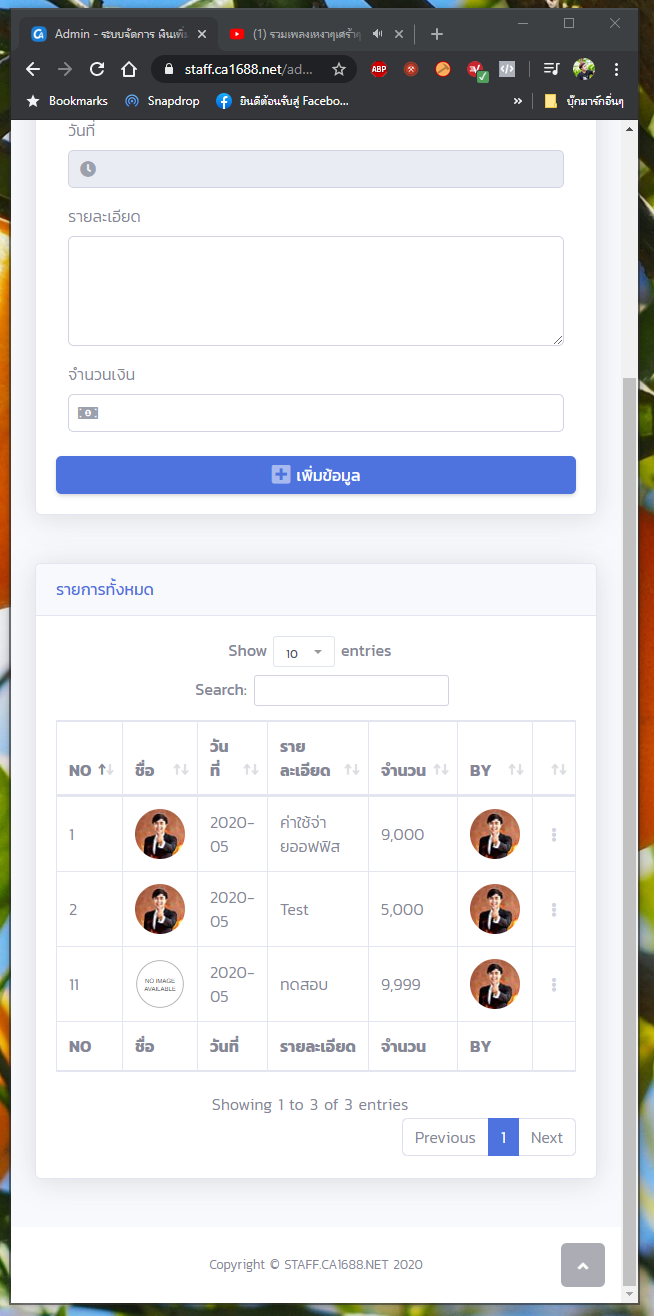
when am click

 COLONEROz
on 20 May 2020
COLONEROz
on 20 May 2020
Related issues
 tobiv
·
23Comments
tobiv
·
23Comments
 S-Hodgson-MMOARgames
·
17Comments
limonte
·
18Comments
S-Hodgson-MMOARgames
·
17Comments
limonte
·
18Comments
 egeersoz
·
17Comments
egeersoz
·
17Comments
 toverux
·
20Comments
toverux
·
20Comments
Most helpful comment
I was also experiencing this issue -- I'm not using Foundation, but it looks like the scrolling to the top issue is caused by adding a CSS attribute of
overflow-y: hiddento the body. I tried a JSFiddle using only jQuery and SweetAlert2 and everything seemed to work fine, so I'm not sure what's causing it, but here is what fixed it for me:body.swal2-shown:not(.swal2-no-backdrop):not(.swal2-toast-shown) { overflow-y: visible !important; }Hopefully this will help someone.