Sweetalert2: Unable to click the confirm/cancel button of tall popup in iOS
Current behavior
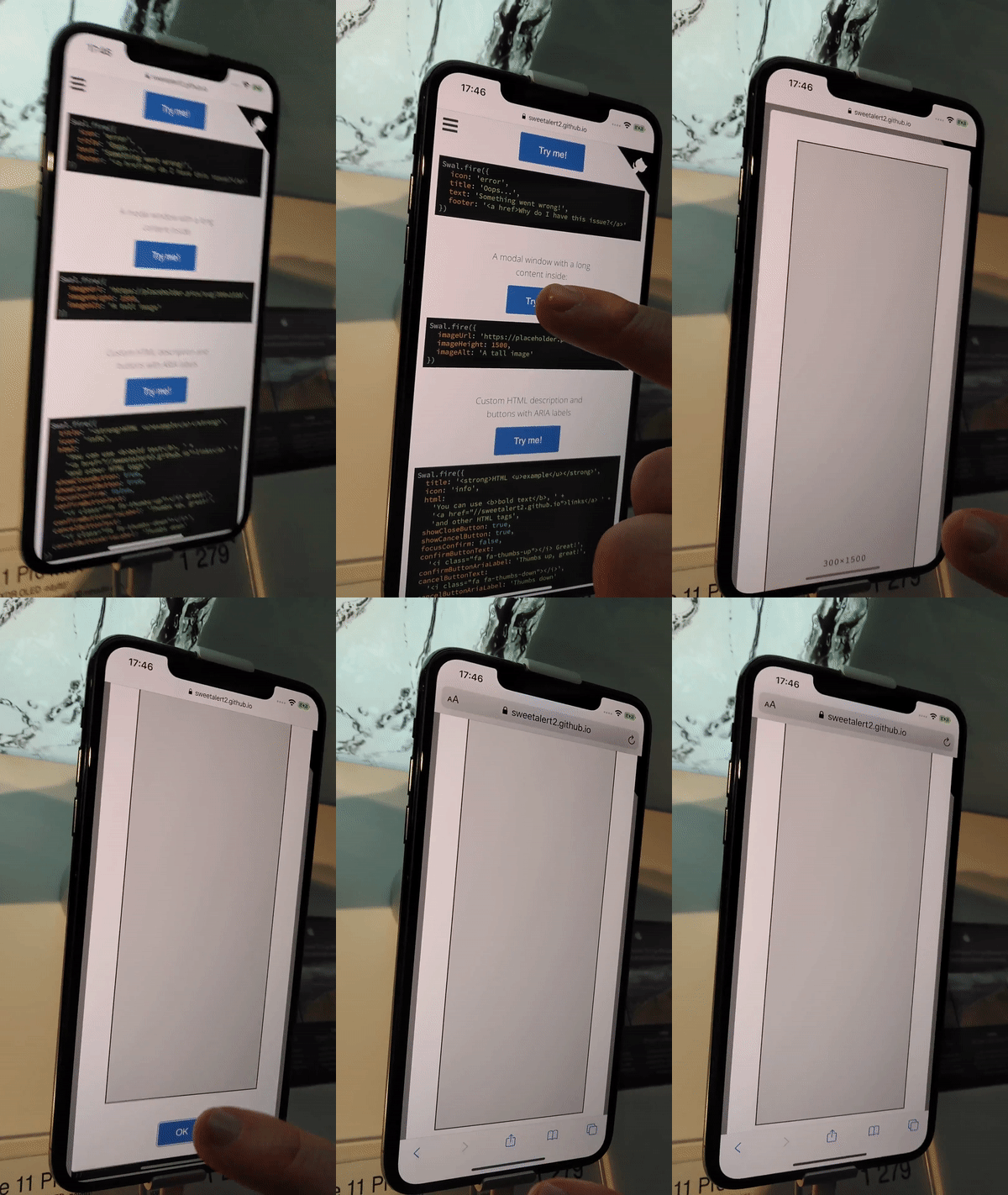
Instead of button being clicked, the bottom panel appears. It'll be possible to click the button after additional scrolling.
Expected behavior
Users should be able to click the button
Live demo
 limonte
All 19 comments
@gverni will you have time to take a look at this issue? I don't have iPhone at my working place atm, and the issue is not reproducible in iPad which I do have for testing purposes.
limonte
on 15 Apr 2020
sure @limonte. I reproduced it on iPhone, and for completeness, it happens only with Safari. Chrome doesn't have that bottom bar, so the issue is not reproducible there.
 gverni
on 15 Apr 2020
gverni
on 15 Apr 2020
Again, if that seems to be the browser issue, we have no choice than report the issue to https://bugs.webkit.org/ , recommend workarounds for our users and wait for the fixed release of Safari.
limonte
on 15 Apr 2020
Let me correct the statement. Chrome does have the bar, but doesn't get in the way.
Also, I've noticed that I'm able to scroll the page behind the modal with the long content modal. Was there any change to that recently @limonte ?
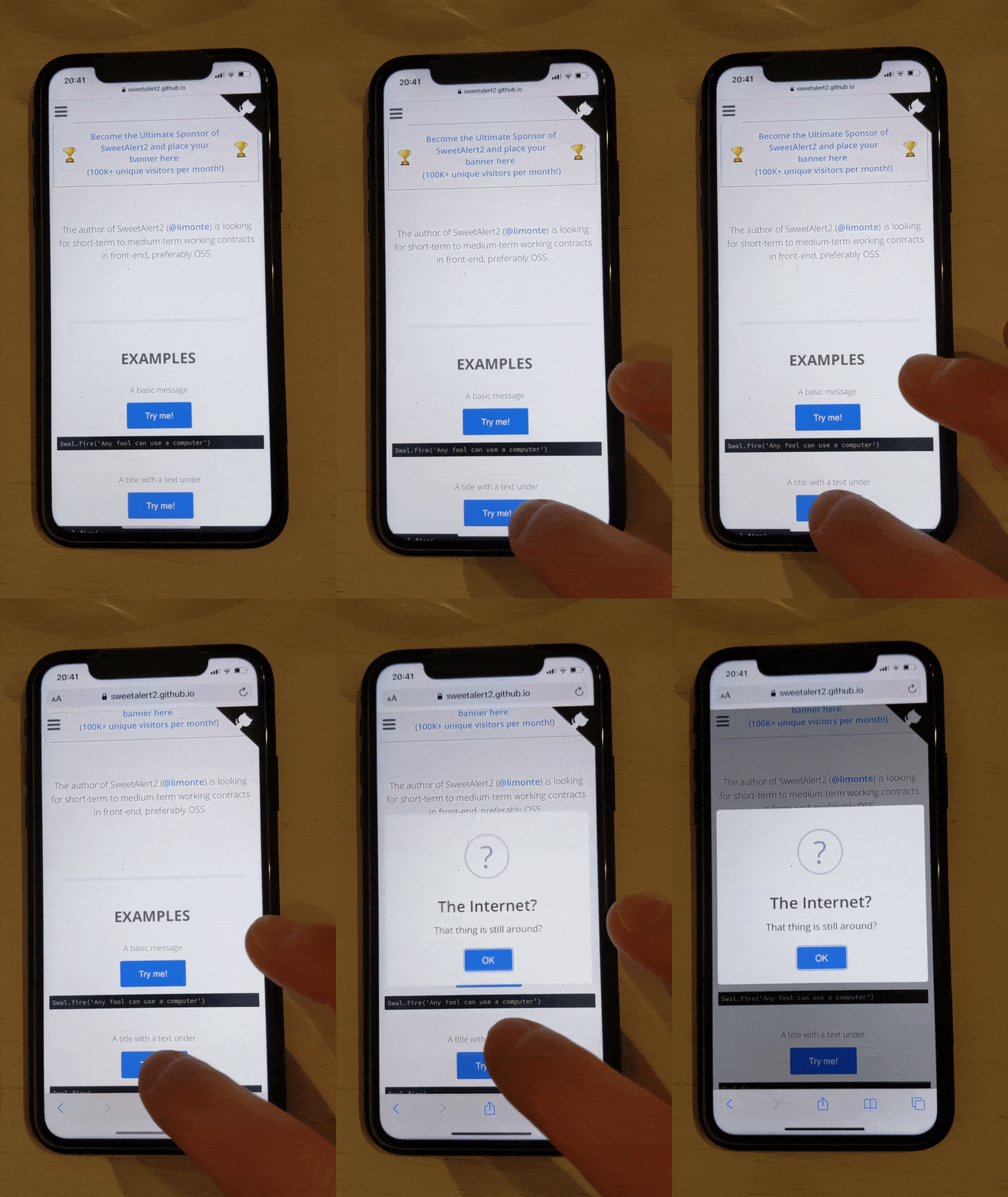
One final observation (that can explain this behaviour). If you scroll a page to put a button at the very bottom of the screen, when you try to click it, the bottom bar appears, the button gets pushed up, but the onclick event is not fired. So the only different with the modal is that the button doesn't get pushed up and remain behind the bar. I need to do some more experiments, but it doesn't seem to be strictly related to the modal itself.
Video below:
gverni
on 15 Apr 2020
Let me correct the statement. Chrome does have the bar, but doesn't get in the way.
Roger, thanks!
Also, I've noticed that I'm able to scroll the page behind the modal with the long content modal. Was there any change to that recently @limonte ?
Nope, should be blocked. If not, please report the issue. Thank you!
One final observation (that can explain this behaviour). If you scroll a page to put a button at the very bottom of the screen, when you try to click it, the bottom bar appears, the button gets pushed up, but the
onclickevent is not fired. So the only different with the modal is that the button doesn't get pushed up and remain behind the bar. I need to do some more experiments, but it doesn't seem to be strictly related to the modal itself.
That's weird and does seem like an issue (or a "cool" feature) in Safari :/
limonte
on 15 Apr 2020
I do not know if this helps because it is Bootstrap, but it might get you headed in the correct direction to fix the content scrolling behind the SweetAlert,:
I had this exact issue with the Bootstrap model.
I had to do this:
JavaScript:
var scolltop = $(document).scrollTop();
$(document).on('show.bs.modal', function() {
    $(this).find('.modal.show').css({padding:0});
    scolltop = $(document).scrollTop();
    $('html').addClass('modal-open').css({
        overflow: 'hidden',
        left: 0,
        right: 0,
        top: 0,
        bottom: 0,
        position: 'fixed',
    });
}).on('hide.bs.modal', function() {
    $('html').removeAttr('class').removeAttr('style');
    $(document).scrollTop(scolltop);
});
 wilecoyte78
on 8 May 2020
wilecoyte78
on 8 May 2020
:moneybag: Money for code! :moneybag:
I will donate $10 for the PR with the fix for this issue (donation will be done after approval and merge).
limonte
on 8 May 2020
@gverni let's see if the community will be able to help us with this issue. It's bothering me and I have no idea how to fix this iOS "feature" :)
limonte
on 8 May 2020
One final observation (that can explain this behaviour). If you scroll a page to put a button at the very bottom of the screen, when you try to click it, the bottom bar appears, the button gets pushed up, but the onclick event is not fired. So the only different with the modal is that the button doesn't get pushed up and remain behind the bar. I need to do some more experiments, but it doesn't seem to be strictly related to the modal itself.
This happens to all buttons that need to be clicked on a a web page that is close to the bottom of the iPhone. It is not modal related it iOS Safari related. iOS Safari developed this way because they wanted to give the user a faster way to get back to the bottom tool bar without scrolling back up first. So yes you have to click twice for any button on the bottom to fire the click event.
wilecoyte78
on 8 May 2020
I have tested the button clicking on iOS Chrome and it does not do what Safari does. iOS Safari built their app to make the bottom toolbar appear when clicking close to the bottom is built into their app.
wilecoyte78
on 8 May 2020
Also, I've noticed that I'm able to scroll the page behind the modal with the long content modal
The content behind the model can be scrolled only when the SweetAlert Modal is longer than the device height.
wilecoyte78
on 8 May 2020
If you watch this video you will see after scrolling to the bottom the content in the background can be scrolled. Look at the top right hand corner for the darker scroll bar to move.

wilecoyte78
on 8 May 2020
I forgot to mention it does this on all browsers on iOS.
wilecoyte78
on 8 May 2020
Thank you @wilecoyte78 for your input!
limonte
on 8 May 2020
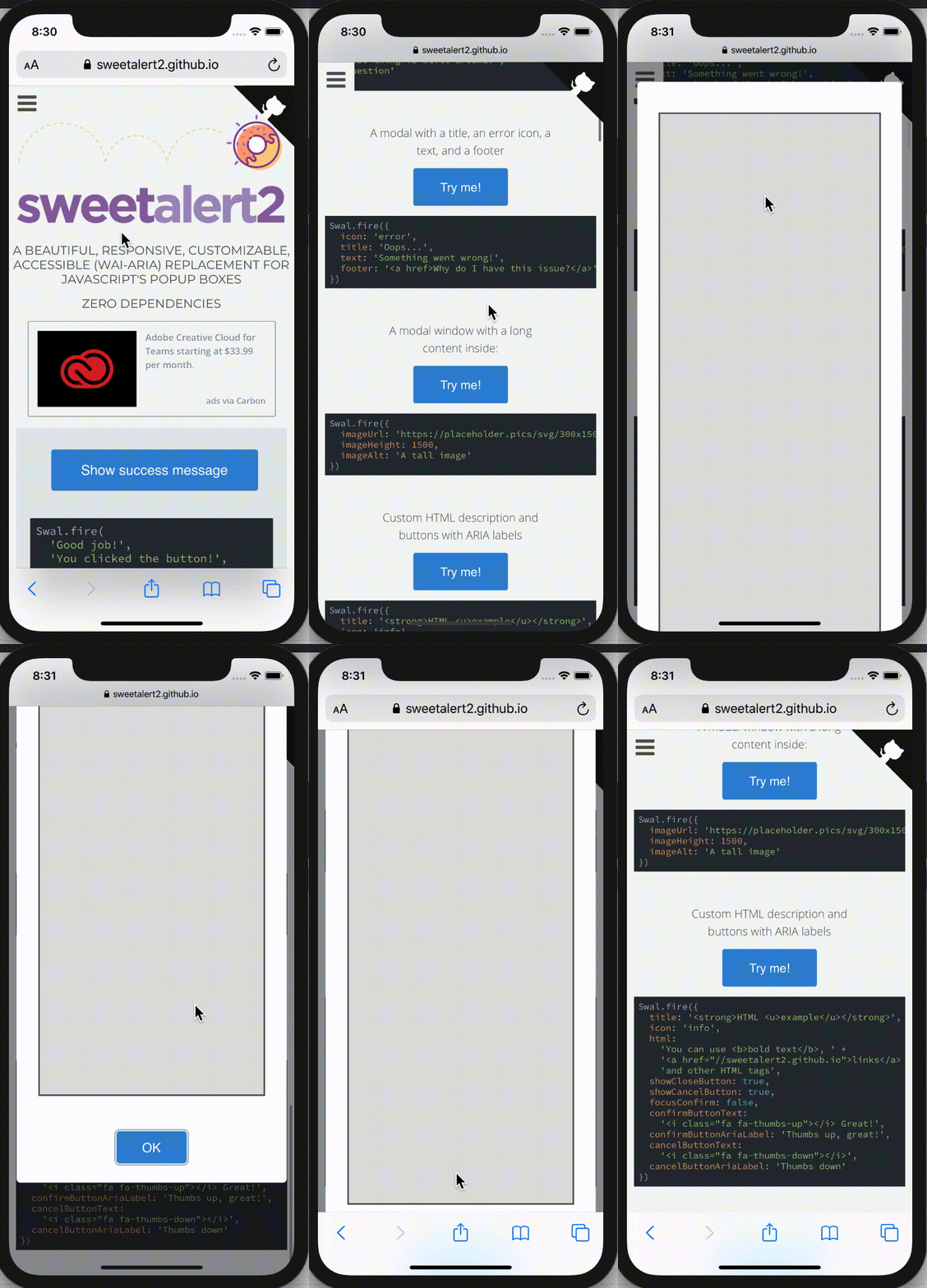
Just for the record, this issue is reproducible using iPhone simulator on MacOS:
 tiagostutz
on 31 May 2020
tiagostutz
on 31 May 2020
I think I found a way to fix it. Here's the demo:
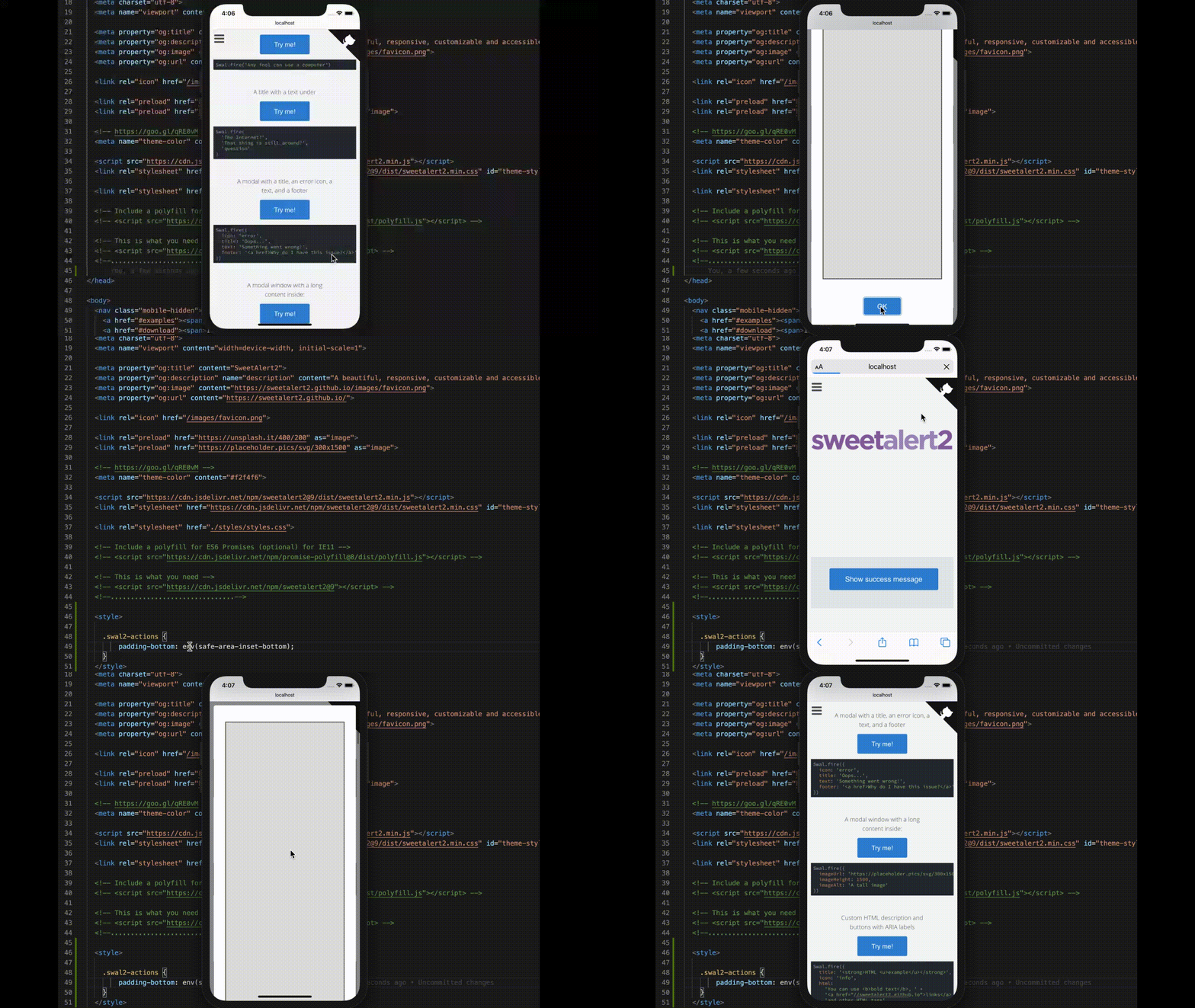
padding-bottom: env(safe-area-inset-bottom);
I'm working on the PR now... I have to check wether it introduces any side effects on other browsers.
tiagostutz
on 5 Jun 2020
https://medium.com/@draganeror/iphone-x-layout-features-with-css-environment-variables-d57423433dec
// Older browsers (do now support CSS Environment variables).
.selector {
   height: 100%;
}
 // Browsers which partially support CSS Environment variables (iOS 11.0-11.2).
 @supports (padding-top: constant(safe-area-inset-top)) {
   .selector {
     --safe-area-inset-top: constant(safe-area-inset-top);
     height: calc(100% + var(--safe-area-inset-top));
   }
 }
 // Browsers which fully support CSS Environment variables (iOS 11.2+).
 @supports (padding-top: env(safe-area-inset-top)) {
   .selector {
     --safe-area-inset-top: env(safe-area-inset-top);
     height: calc(100% + var(--safe-area-inset-top));
   }
 }
Good reference, but I think that setting the hight attribute is not the best approach as I am trying to stick the adjustment to the actions area instead of the whole dialog to avoid side effects in other components, that's why I used padding-bottom. Any thoughts on that?
But I was missing the constant fallback and the direct use of env as value. Really good points! Even though it worked here on my tests with direct env value, the author says that it is not always true. Let's trust him. =)
About the older browsers support, I think we should no provide support for legacy browsers because we are fixing an issue that affects iPhones that doesn't have the home button (iPhone X+), so what the chances of having older browsers in this scenario? I think we should keep as strict as possible to this constraint to reduce the possible side effects we could introduce. If other cases show off, then we add this fallback.
tiagostutz
on 6 Jun 2020
:tada: This issue has been resolved in version 9.14.2 :tada:
The release is available on:
Your semantic-release bot :package::rocket:
limonte
on 6 Jun 2020
Related issues
 S-Hodgson-MMOARgames
·
17Comments
S-Hodgson-MMOARgames
·
17Comments
 thisisevan
·
17Comments
thisisevan
·
17Comments
 egeersoz
·
17Comments
egeersoz
·
17Comments
 projct1
·
18Comments
projct1
·
18Comments
 tobiv
·
23Comments
tobiv
·
23Comments
Most helpful comment
@gverni let's see if the community will be able to help us with this issue. It's bothering me and I have no idea how to fix this iOS "feature" :)