Super-productivity: Auto Update AUR
@alosarjos
I am opening this issue to keep track of the final testing of this. Manually triggering the script leads to an error, but this might be due to not releasing from a tag.
  Copying PKGBUILD...
  '/PKGBUILD' -> './PKGBUILD'
  Updating .SRCINFO
  ==> ERROR: pkgrel is not allowed to be empty.
  ==> ERROR: pkgver is not allowed to be empty.
  ==> ERROR: pkgname is not allowed to be empty.
 johannesjo
All 13 comments
Hmmmm, there seems to be something failing, but can't get why, I run from a fork I did before updating the PR. Let me check it again...
 alosarjos
on 1 Nov 2020
alosarjos
on 1 Nov 2020
Hoping this fixes the issue. The commands running on the GitHub actions seems to work a bit strange. But anyways, just tested it again and as you can see it's working:
https://github.com/alosarjos/super-productivity/runs/1338855031
And the AUR package is marked as updated right now: https://aur.archlinux.org/packages/superproductivity-bin/
alosarjos
on 1 Nov 2020
Maybe we can keep the issue opened until next version is released to check everything went. Since I have it installed on my main Arch machine I should get the update and everything should work as expected. Is there any way I can get notified when a new version is released here?
alosarjos
on 1 Nov 2020
Maybe we can keep the issue opened until next version is released to check everything went.
I was just about to write the same ;)
Seems to run fine:
https://github.com/johannesjo/super-productivity/actions/runs/340428074
Thank you!
johannesjo
on 1 Nov 2020
Since the version is still the same, the package manager is not showing a new update to install, but I see you username is marked as last maintainer for the package in AUR.
https://aur.archlinux.org/packages/superproductivity-bin/
Looks good to me!
alosarjos
on 1 Nov 2020
What commands would I normally use to install this? I would like to add this to the install instructions.
johannesjo
on 1 Nov 2020
The main way (And the most manual one) would be to:
Clone the AUR repo with the 2 files inside of it: git clone https://aur.archlinux.org/superproductivity-bin.git
And inside this directory, run the command: makepkg -si
If using an AUR helper (Provides easier way to install and update packages) for example pikaur: pikaur -S superproductivity-bin
I've trying it, and it gives an error right now because of the missing checksum (Needs to explicitly say to skip them), providing a fix in a second
alosarjos
on 1 Nov 2020
Thanks for the fix. I added the basic instructions. I suspect arch users using pikaur probably know who to install this.
johannesjo
on 1 Nov 2020
While it may be clear, looking at https://github.com/johannesjo/super-productivity/commit/36064455aeff1d926f197685e5c1eaceab0dbe97 it's missing a cd superproductivity-bin command in the middle. Also, would be awesome if you could trigger the AUR Action again to include the MD5 Skip on the AUR repository.
alosarjos
on 1 Nov 2020
johannesjo
on 1 Nov 2020
Just tried a clean install from AUR using Pikaur and it installed without a problem. Seems to be done! :rocket: :rocket: :rocket:
alosarjos
on 1 Nov 2020
Well, well, well, I checked for updates and look who is here...
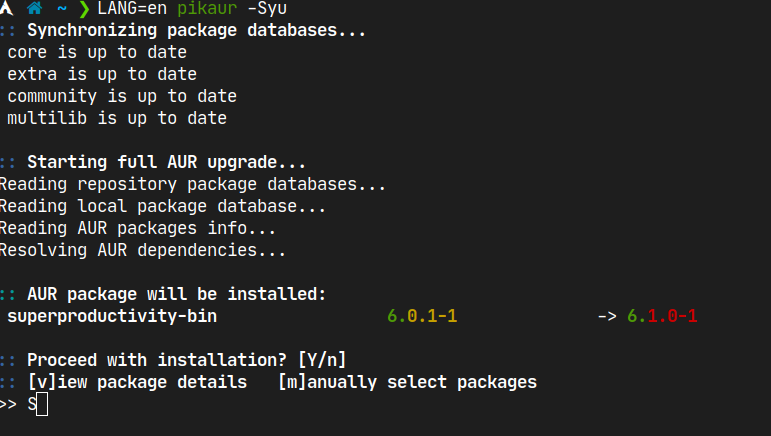
And updated without a problem
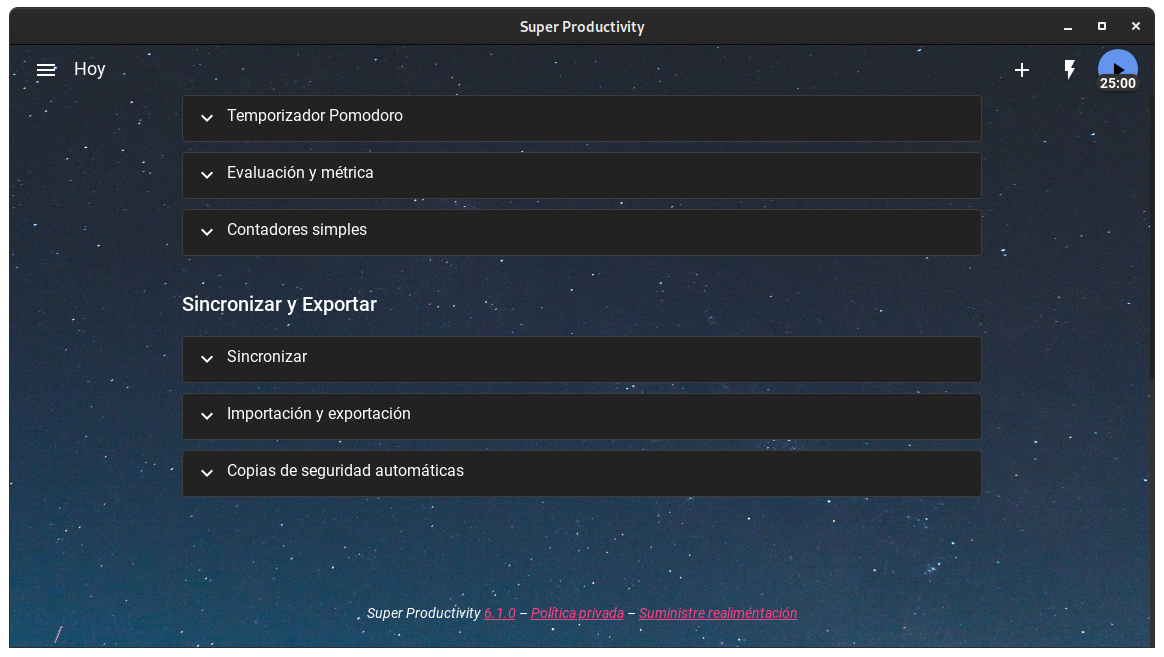
I think we can close the issue now :smiley:
alosarjos
on 14 Nov 2020
That's great to hear! Thanks for checking I forgot to do so yesterday to be honest :) and thank you very much again for all your hard work on this!
johannesjo
on 14 Nov 2020
Related issues
 theCalcaholic
·
3Comments
theCalcaholic
·
3Comments
 Mindstormer619
·
4Comments
Mindstormer619
·
4Comments
 D06E
·
3Comments
D06E
·
3Comments
 fkohrt
·
3Comments
fkohrt
·
3Comments
 IT-Tool
·
3Comments
IT-Tool
·
3Comments
Most helpful comment
Just tried a clean install from AUR using Pikaur and it installed without a problem. Seems to be done! :rocket: :rocket: :rocket: