Suitecrm: User Preferences Wrong Label
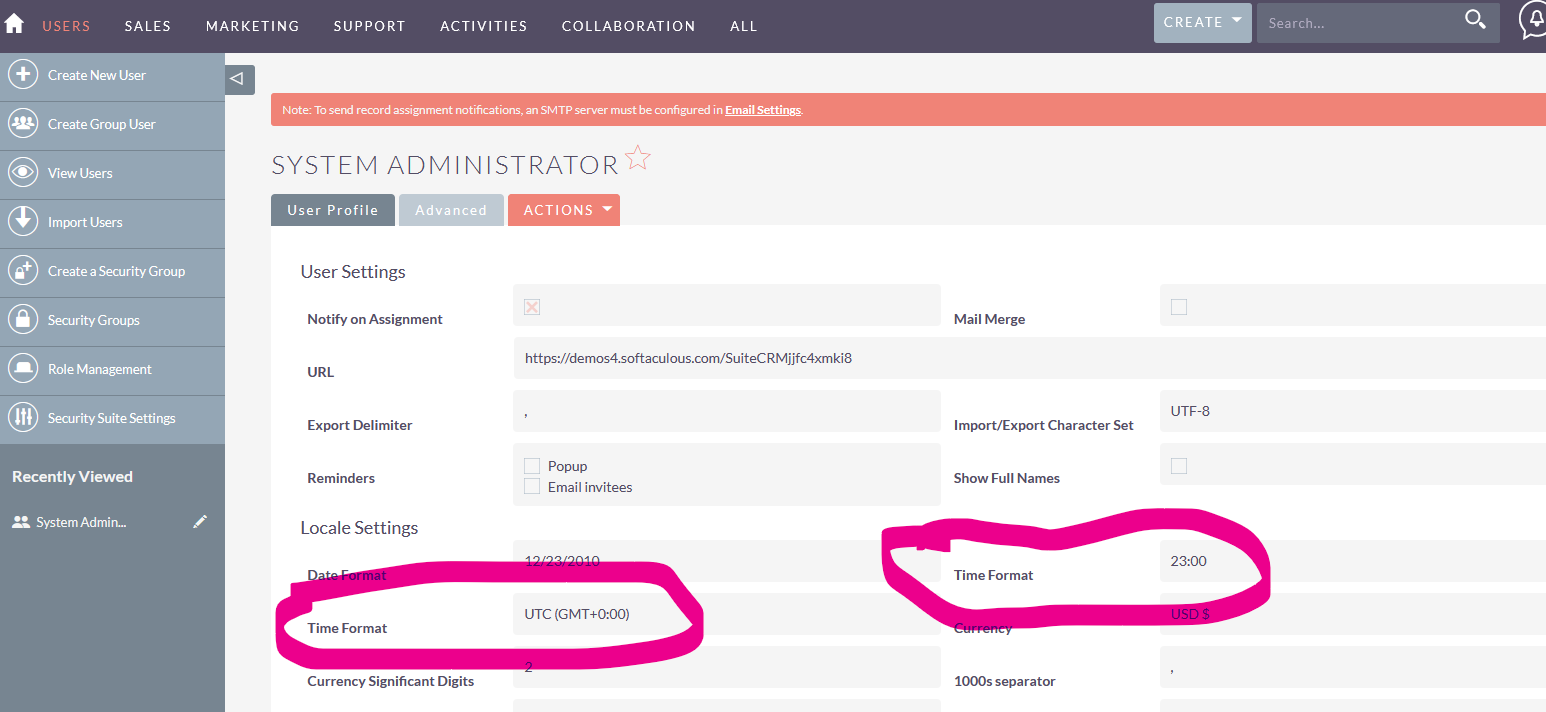
Should this say 'Time Zone'? It does when yo ugo to Edit Mode..

 peter-lernyx
All 13 comments
That's weird, in Edit Labels it actually has the right label assigned...?
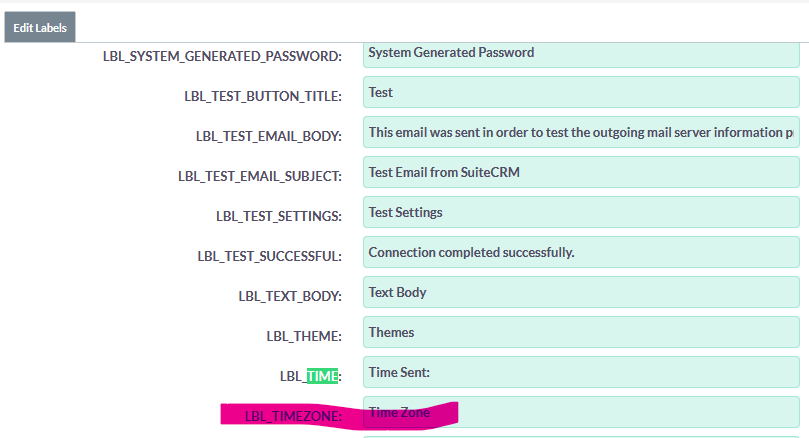
peter-lernyx
on 27 Jan 2021
You don't say where this screen is...
You don't say your SuiteCRM version...
 pgorod
on 27 Jan 2021
pgorod
on 27 Jan 2021
It does say user preferences right up there in the title? Version is 7.11.18, so if it is there it is presumably in all others.
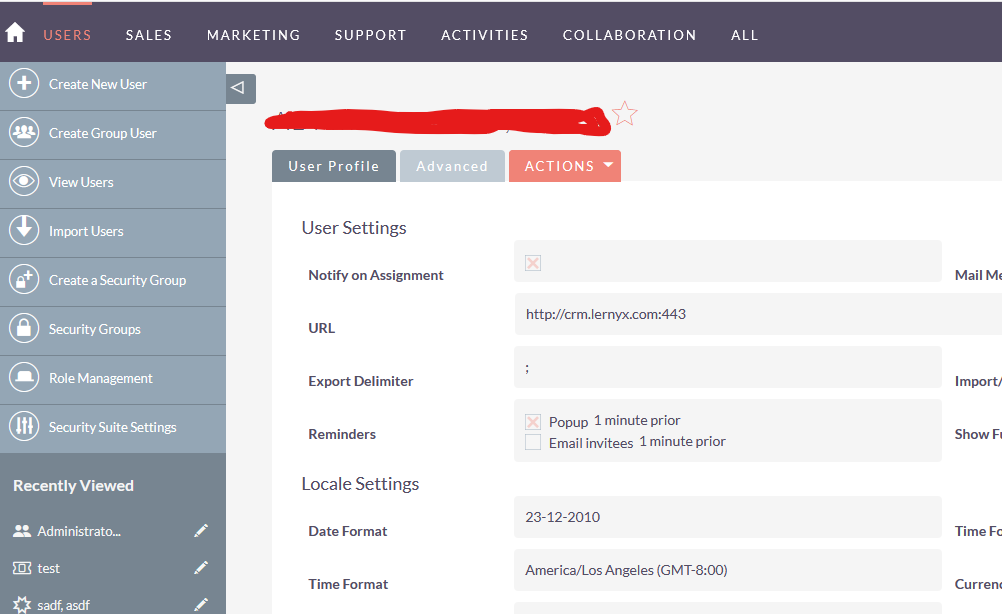
peter-lernyx
on 27 Jan 2021
This doesn't appear on the live demo, and in one other system I tried.
You might be seeing some caching glitch, assuming you don't have any customizations or unsupported PHP version that might be causing this.
Filling in the complete Issue report template helps narrow down things. It costs you more time but saves maintainers/testers' time.
pgorod
on 27 Jan 2021
OK, thanks. Will investigate.
peter-lernyx
on 27 Jan 2021
There is some bug here!
From softaculous demo (Version 7.11.18 Sugar Version 6.5.25 (Build 344)) https://www.softaculous.com/demos/SuiteCRM
The view screen has 2 "Time Format labels"
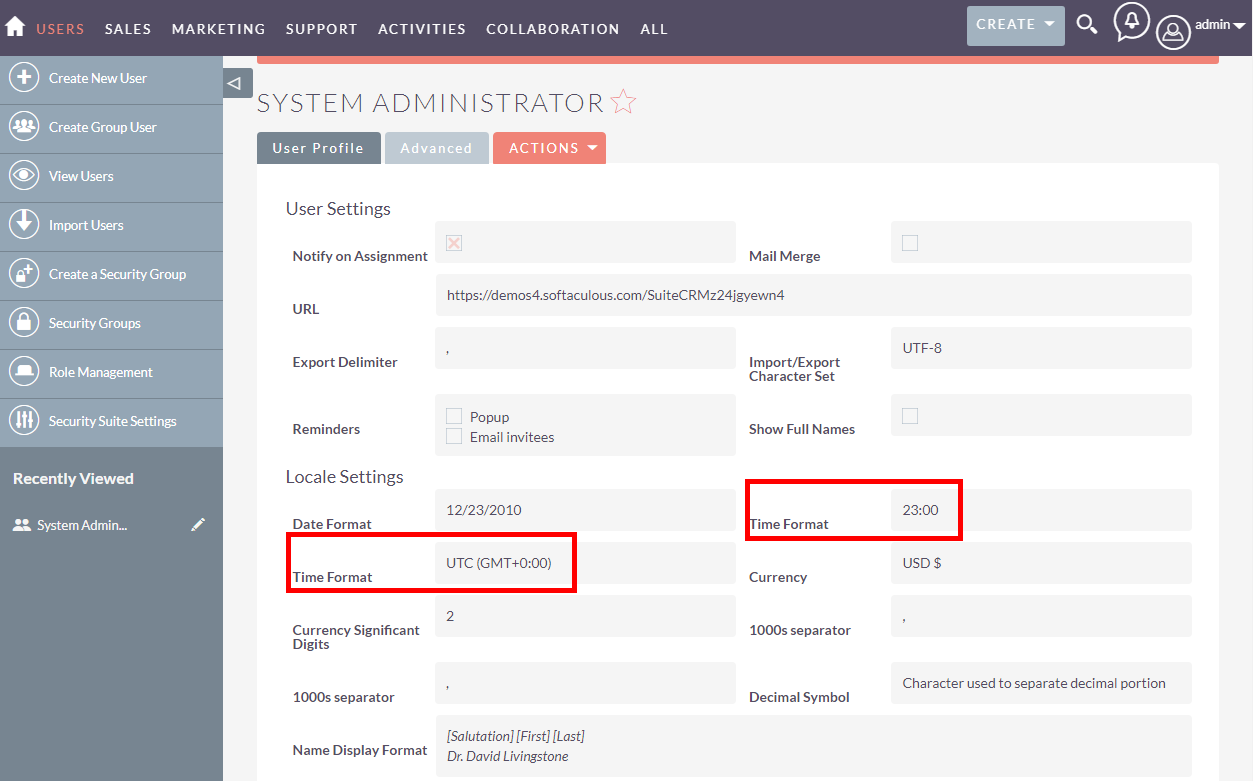
But the edit screen has the proper Time Format and Time Zone labels
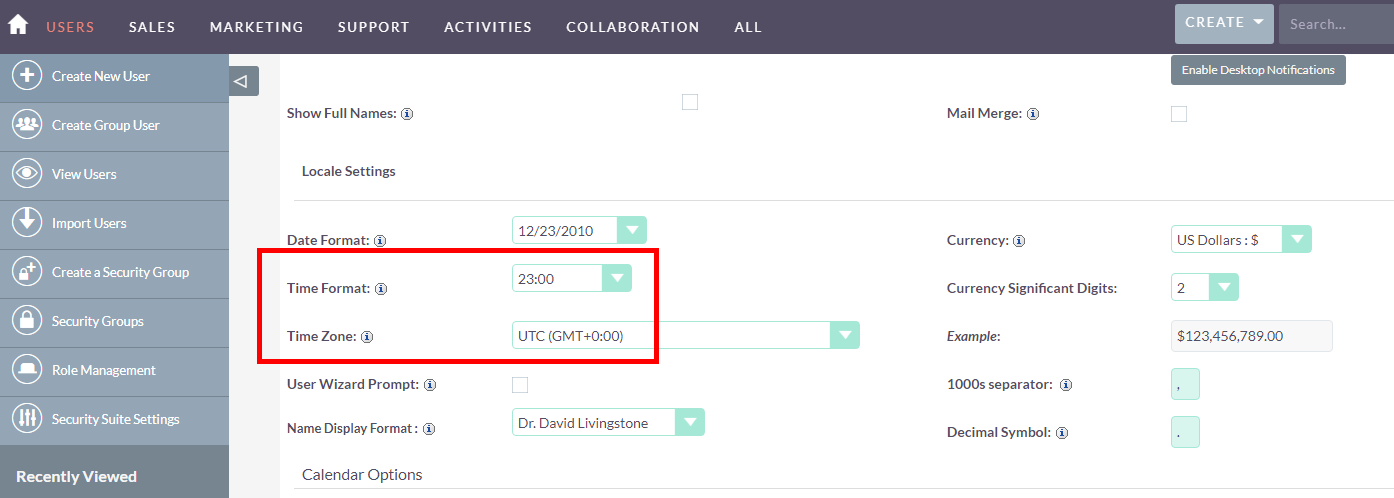
 horus68
on 27 Jan 2021
horus68
on 27 Jan 2021
Yes, that's what I said. Unfortunately I can't even log in to the demo instance, no idea why
peter-lernyx
on 27 Jan 2021
Yes, that's what I said. Unfortunately I can't even log in to the demo instance, no idea why
The softaculous demo has some issues if you try to login in the initial screen:
1- Enter https://www.softaculous.com/demos/SuiteCRM
2- Waite till the instance starts... do not enter login details
3- Click the link "Admin Panel" on the top right (will open a new window)
4- then, in the new window, enter the login details
horus68
on 27 Jan 2021
I'm not seeing the bug in the Softaculous demo, it shows ok for me... both on Firefox and on Edge.
pgorod
on 27 Jan 2021
You need to look on the right page, i.e. the overview page, NOT the detail page (i.e. not after clicking ACTIONS -> EDIT)
peter-lernyx
on 27 Jan 2021
I'm not seeing the bug in the Softaculous demo, it shows ok for me... both on Firefox and on Edge.
@pgorod (in portuguese just to make a direct note to the user)
No botão da direita não carregues logo no utilizador administrador (pois surge a página de edição).
Carrega na lista de Utilizadores. Aí entras na página dos utilizadores e escolhes o Administrador (é o único na lista) e tens estes ecrãs (que são o ecrã de visualização
horus68
on 28 Jan 2021
Thanks. So, 12 posts later, here are the "steps to reproduce" that are missing from the Issue:
- Click Admin
- Click User management
- Click a specific user name
- Click Advanced
I confirm that I can reproduce this issue.
Going directly from the top-right menu into the current user's preferences page does not exhibit the bug.
pgorod
on 28 Jan 2021
The problem comes from here:
pgorod
on 28 Jan 2021
Related issues
 likhobory
·
3Comments
pgorod
·
3Comments
likhobory
·
3Comments
pgorod
·
3Comments
 project-banana
·
3Comments
project-banana
·
3Comments
 tech-ch1
·
3Comments
tech-ch1
·
3Comments
 dawansv
·
3Comments
dawansv
·
3Comments
Most helpful comment
The softaculous demo has some issues if you try to login in the initial screen:
1- Enter https://www.softaculous.com/demos/SuiteCRM
2- Waite till the instance starts... do not enter login details
3- Click the link "Admin Panel" on the top right (will open a new window)
4- then, in the new window, enter the login details