Subtitleedit: Release 3.5.17
About time for yet another update :)
Two important bug fixes
- Fix drop of subs in bd .sup files with overlap
- Fix for overlap in "Tools -> Adjust duration"
And a ton of minor improvements (especially shortcuts) and minor fixes: https://raw.githubusercontent.com/SubtitleEdit/subtitleedit/master/Changelog.txt
Beta link: https://github.com/SubtitleEdit/subtitleedit/releases/download/3.5.16/SubtitleEditBeta.zip
Do let us know if you known/find any bugs :)
TODO:
- [x] Test "Batch convert"
- [x] Test transport stream convert
- [x] Test new shortcuts
- [x] General testing (+ fixing bugs)
 niksedk
All 18 comments
Why is line 4131 duplicated in line 4135 in main.cs?
 OmrSi
on 29 Sep 2020
OmrSi
on 29 Sep 2020
 moob158
Another great release.
Here's the updated greek translation and the no-break-after list.
Translation + No-break-after list.zip
 PMitsakis
on 29 Sep 2020
PMitsakis
on 29 Sep 2020
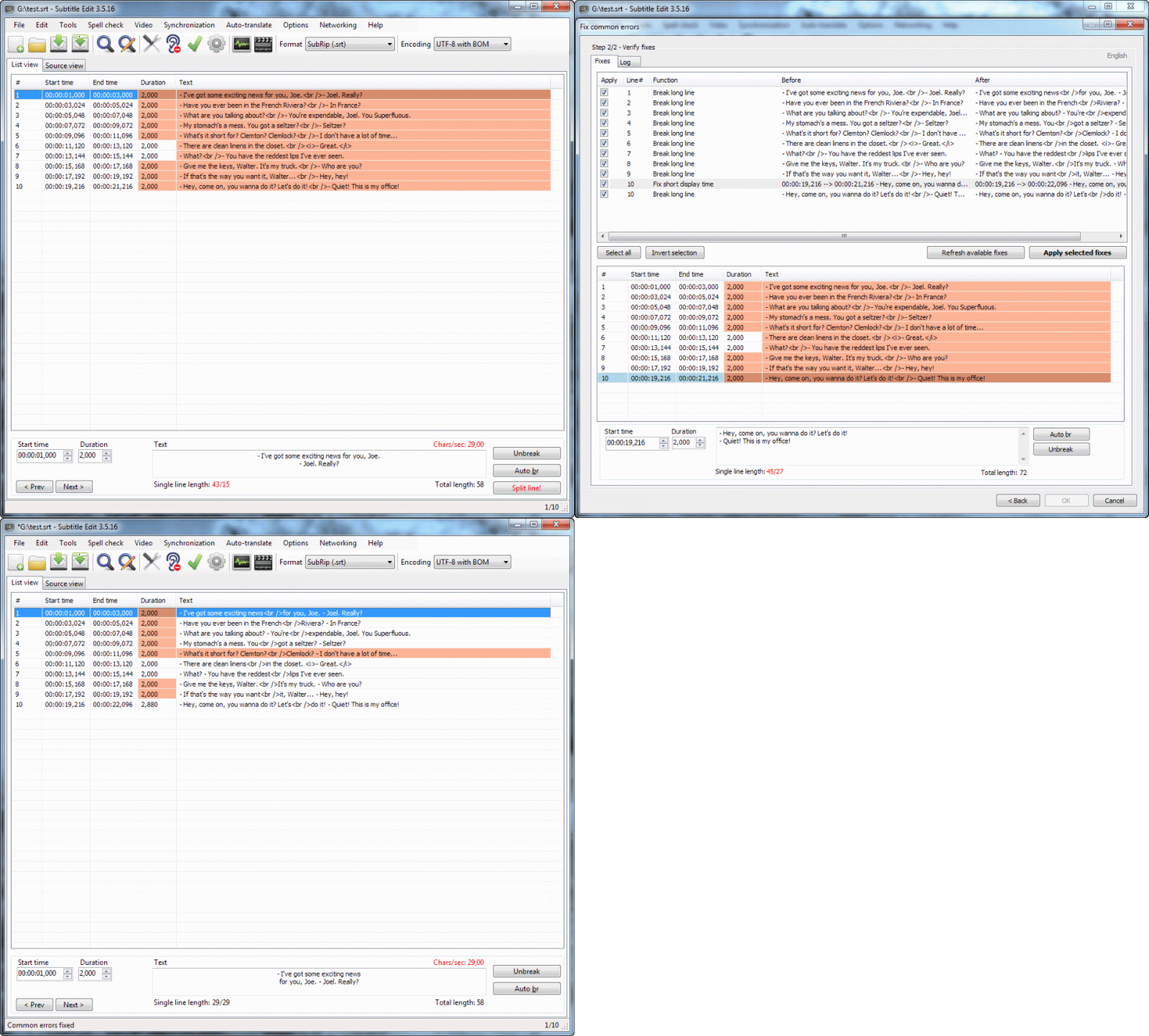
SE 3.5.16.240. Using the 'Fix common errors -> Break long lines" feature will disrupt dialogue lines by moving a part of the first long line to the second line even though it's not supposed to do that. SE 3.5.14.436 did not have this issue.
 Elheym
on 29 Sep 2020
Elheym
on 29 Sep 2020
@Elheym: Hm, I cannot re-create this... could you attach the sub file and perhaps your Settings.xml too?
niksedk
on 29 Sep 2020
@niksedk @Elheym It's probably because this is not activated:
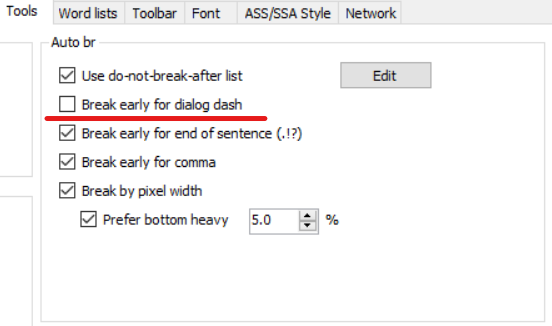
Since "Break long lines" depends on auto-break...
OmrSi
on 29 Sep 2020
Oh, my bad. Shame I missed that. @OmrSi Thanks mate!
@niksedk False alarm. With activated "Break early for dialog dash" works fine.
Elheym
on 29 Sep 2020
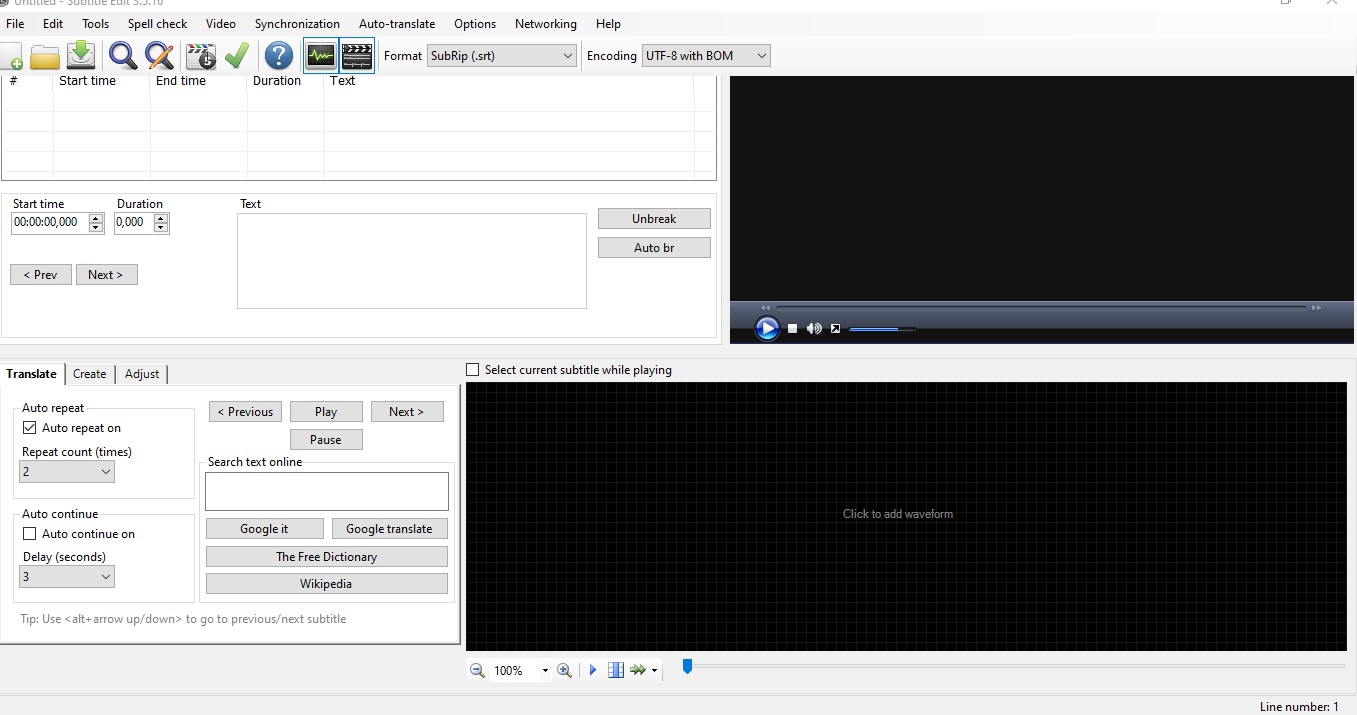
I found a minor issue. If you delete the language file you are using, some UI elements are not visible.
Also, a typo fix for the translation.
el-GR.zip
PMitsakis
on 30 Sep 2020
https://github.com/SubtitleEdit/subtitleedit/pull/4399
Also please add this one ru_NoBreakAfterList.zip
Elheym
on 1 Oct 2020
@niksedk Am I misunderstanding or does this version introduce batch processing of TS files? I see "Batch convert" and "Transport stream convert" in the list but not on the same line :)
Something has certainly changed because now when I drop TS files into the Batch Converter things happen when I press Convert, although nothing actually gets outputted. The TS files are clearly being read but should I be getting some .srt files out now?
 beeeeswax
on 1 Oct 2020
beeeeswax
on 1 Oct 2020
@beeeeswax: Yes, TS files (both teletext and images) can now be processed by batch convert and cmd line convert.
Was a bit buggy, but should work now: https://github.com/SubtitleEdit/subtitleedit/releases/download/3.5.16/SubtitleEditBeta.zip
Also please add this one ru_NoBreakAfterList.zip
thx, added here: https://github.com/SubtitleEdit/subtitleedit/commit/03b49b1dcbc6044e03180bb40299c124fe5a06a3
niksedk
on 1 Oct 2020
@beeeeswax: Yes, TS files (both teletext and images) can now be processed by batch convert and cmd line convert.
Was a bit buggy, but should work now: https://github.com/SubtitleEdit/subtitleedit/releases/download/3.5.16/SubtitleEditBeta.zip
Yeessssss! So glad to see this new feature, thanks for implementing it. Just updated with the zip you linked and it's working!
Only tried it on some Channel 5 HD (UK) content so far, am getting 2 .srt files outputted, one with .en in the filename and the other with .888. The .en ones are ~30kb and contain just timecodes with no subs but the .888 from Teletext looks perfect. I only use Teletext as my source anyway so this is fine. Any way to get Batch Converter to only look at Teletext/888 streams?
edit: Oh, one other issue, the extra conversion options don't seem to be getting applied, at least not the "Merge lines with same text" option. If I open it up after batch and use "Merge lines with same text", it detects and removes them all, should it work in batch at the moment?
edit2: Here is a sample .ts recording if it helps: https://gofile.io/d/Svs54G
beeeeswax
on 1 Oct 2020
@beeeeswax: thx for the file and info - I see a few issues that need to be fixed...
niksedk
on 2 Oct 2020
@beeeeswax: How is this beta: https://github.com/SubtitleEdit/subtitleedit/releases/download/3.5.16/SubtitleEditBeta.zip ?
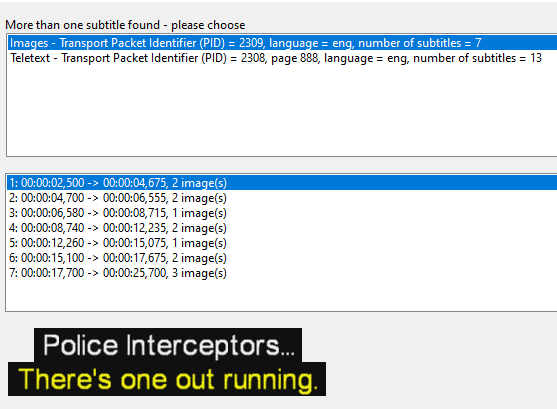
Note the new "Only teletext" option:
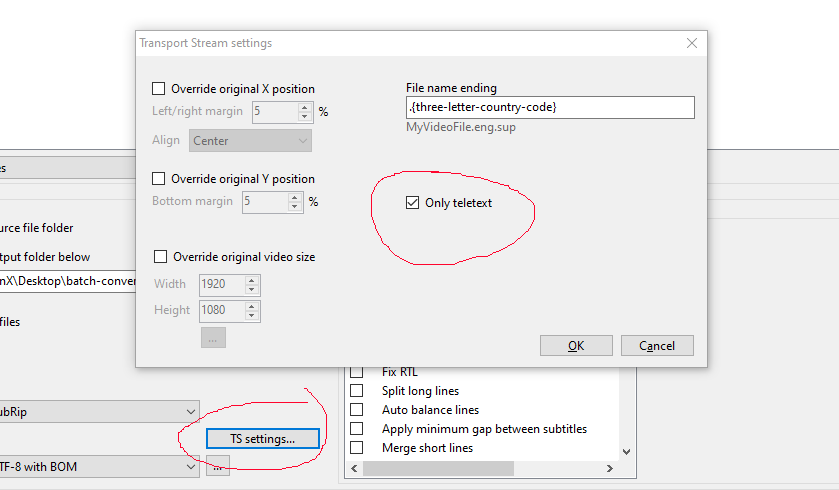
The (previously) empty track is an image based track:
niksedk
on 2 Oct 2020
@beeeeswax: How is this beta: https://github.com/SubtitleEdit/subtitleedit/releases/download/3.5.16/SubtitleEditBeta.zip ?
Note the new "Only teletext" option:
Well this is just some phenomenal work - amazing! I've tried the new beta on a bunch of satellite captures from different channels, including some from years-old caps and this just works _beautifully_ !
That Teletext-only option! Those working batch fixes! Amazing work @niksedk I salute you 🥇
beeeeswax
on 2 Oct 2020
@beeeeswax: thx for testing :)
niksedk
on 2 Oct 2020
OK, we are nearly there... several issues with batch/cmd-line convert has been fixed.
I only have a couple of bug reports I will try to re-create... + check dictionary download links.
Beta updated: https://github.com/SubtitleEdit/subtitleedit/releases/download/3.5.16/SubtitleEditBeta.zip
niksedk
on 4 Oct 2020
@niksedk Please take a lot at this before the new version: https://github.com/SubtitleEdit/subtitleedit/pull/4408
I updated it, the details are in the PR.
This is important as well https://github.com/SubtitleEdit/subtitleedit/pull/4407
Because it wasn't excluding all Control Characters before.
OmrSi
on 4 Oct 2020
Related issues
 m0ck69
·
5Comments
OmrSi
·
6Comments
m0ck69
·
5Comments
OmrSi
·
6Comments
 taxen
·
6Comments
taxen
·
6Comments
 Ouroboros1995
·
5Comments
Ouroboros1995
·
5Comments
 SubEdict
·
3Comments
SubEdict
·
3Comments
Most helpful comment
Well this is just some phenomenal work - amazing! I've tried the new beta on a bunch of satellite captures from different channels, including some from years-old caps and this just works _beautifully_ !
That Teletext-only option! Those working batch fixes! Amazing work @niksedk I salute you 🥇