Subtitleedit: [Question] MPV on Windows XP
A friend of mine is trying to run MPV on Windows XP, Here is a video from him with the details of what's happening:
https://mega.nz/#!2HB0WYLA!AKaJAuOJ2m0_Cky78LjAFTrY_WtMSDZK5nXxwmHx3pE
 OmrSi
OmrSi
All 24 comments
Looks like, to quote the build website, XP support has been dropped (but a build from 2015 should still work):
https://github.com/mpv-player/mpv.io/issues/59
 darnn
on 17 Nov 2018
darnn
on 17 Nov 2018
@darnn Stupid me, that should have been the first thing I check. 😅
Thank you, man.
Was there a dll file then?
OmrSi
on 17 Nov 2018
Yep. just saw it. Thanks again.
OmrSi
on 17 Nov 2018
Let me know if it works for him! If it does, it might be a good idea to add the link to the FAQ for people trying to use MPV on XP (I'm just pasting it here for future reference):
https://web.archive.org/web/20161023110401/https://mpv.srsfckn.biz/mpv-dev-20151029.7z
darnn
on 17 Nov 2018
Will do. :D
OmrSi
on 17 Nov 2018
@darnn @niksedk Damn it. Now I have a problem.
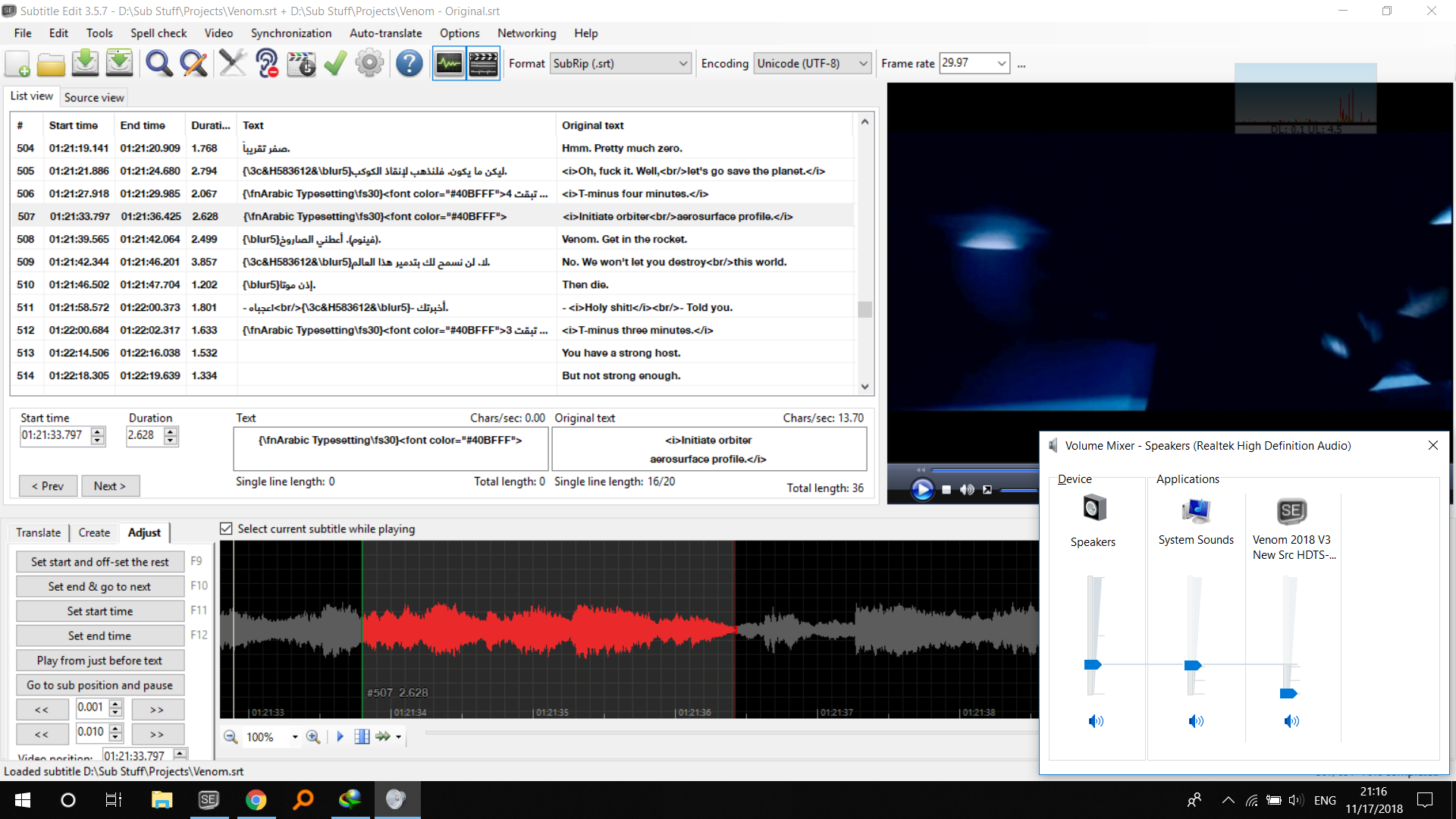
After I downloaded an old version to test it for my friend, It didn't work here, so I downloaded the new again, Now I have no voice With Directshow or MPV or VLC, only MPC is giving sound, I downloaded a portable version, and it's working just fine there. Only in installed version, it isn't. :\ 😓😣😣
OmrSi
on 17 Nov 2018
Huh. I mean, I certainly don't know, but the obvious thing to me would be to save settings.xml, uninstall and reinstall?
darnn
on 17 Nov 2018
Already tried, it didn't work. :\
MPV and VLC and portable SE are working, But VLC and Directshow and MPV inside installed SE aren't. 😓
OmrSi
on 17 Nov 2018
Weird. And beyond me, I'm afraid.
darnn
on 17 Nov 2018
I tried deleting everything related to SE and reinstalling, it doesn't work, the sound is only working in portable and with mpc.
And by the way, when my friend tested the version you mentioned, the messages disappeared but the video didn't work.
Just like what happened with me. :\
OmrSi
on 17 Nov 2018
😂😂😂😂😂😂😂😂
Somethings are just insane...
I don't know why it would just change but its own.
OmrSi
on 17 Nov 2018
@darnn Going back to the original issue, It didn't work.
OmrSi
on 17 Nov 2018
Weird! I'm glad you got it sorted out, though. Also, I tested the dll over here too - the 64 bit one loads without errors, but doesn't allow you to open video at all. Which is unfortunate. I don't have time right now, but if you'd like, you can try to see about getting a build of SE from around when that build of MPV came out - that combination might work, and might actually work on XP (though there's been tons of updates over those three years I personally couldn't do without). Otherwise I guess your friend will have to either make do with VLC/MPC, or upgrade.
darnn
on 17 Nov 2018
Like, I'm assuming SE makes use of features in the current(ish) version of MPV in such a way that calls to the same functions (or whatever) in the old version don't work, and it would probably be extremely unpleasant to maintain parallel versions that fix that, speaking as someone with no programming experience.
darnn
on 17 Nov 2018
Yeah, I'll just tell him he has to downgrade SE or upgrade his windows.
XP is old, we're at 10, Redstone 4 now. 😅
OmrSi
on 17 Nov 2018
I stuck with XP as long as I could too, but at a certain point I would have had to upgrade to the 64 bit version if I wanted more than 4 GB of RAM, and I decided to just bite the bullet and switch to 7. But I'm holding on to 7 for as long as I can, now. One of my laptops that came with 8 upgraded itself to 10 on its own, and while it was slow before, it's nearly impossible to use it now. Like, when I use SE, aside from things like lag in playback, which is a given, stuff like this (https://github.com/SubtitleEdit/subtitleedit/issues/2179) or joining two subtitles inside of a file takes like a second or two, which, if you're used to it happening instantaneously, is just the worst.
darnn
on 17 Nov 2018
Yeah, Windows 10 does need some high specifications.
OmrSi
on 17 Nov 2018
By the way, can you test this issue when you have time? https://github.com/SubtitleEdit/subtitleedit/issues/3172
Just copy the latest beta so the system, If you haven't already, and try to download Tesseract 4.
OmrSi
on 17 Nov 2018
Win XP does not support latest version of TLS, so sites that do not support older TLS (unsecure) connections like github will NOT work on XP :(
 niksedk
on 17 Nov 2018
niksedk
on 17 Nov 2018
Yeah, That proved to be the case, it's too old, anyway.
OmrSi
on 17 Nov 2018
Tesseract 4 downloads fine here in the latest beta, as do the languages.
darnn
on 17 Nov 2018
@darnn Installed or portable?
OmrSi
on 17 Nov 2018
I replace the installed exe with the beta one.
OmrSi
on 17 Nov 2018
It works when I replace the installed version's exe too.
darnn
on 17 Nov 2018
Related issues
 teodargent
·
5Comments
teodargent
·
5Comments
 taxen
·
6Comments
taxen
·
6Comments
 depeo
·
5Comments
depeo
·
5Comments
 Ouroboros1995
·
5Comments
Ouroboros1995
·
5Comments
 m0ck69
·
5Comments
m0ck69
·
5Comments