Subtitleedit: MPV subtitle preview fails to update after "adjust all times"
3.5.7 build 102.
Under certain circumstances, the MPV subtitle preview times will fail to update after using "adjust all times". Specifically, I move all the timecodes two hours forward so as to not get a preview (because my subtitles just have arbitrary timecodes from "import plain text"), but the preview text remains in the video window at the previous timecode positions.
To reproduce:
- Create a new subtitle file and then restart SE, so as to start fresh.
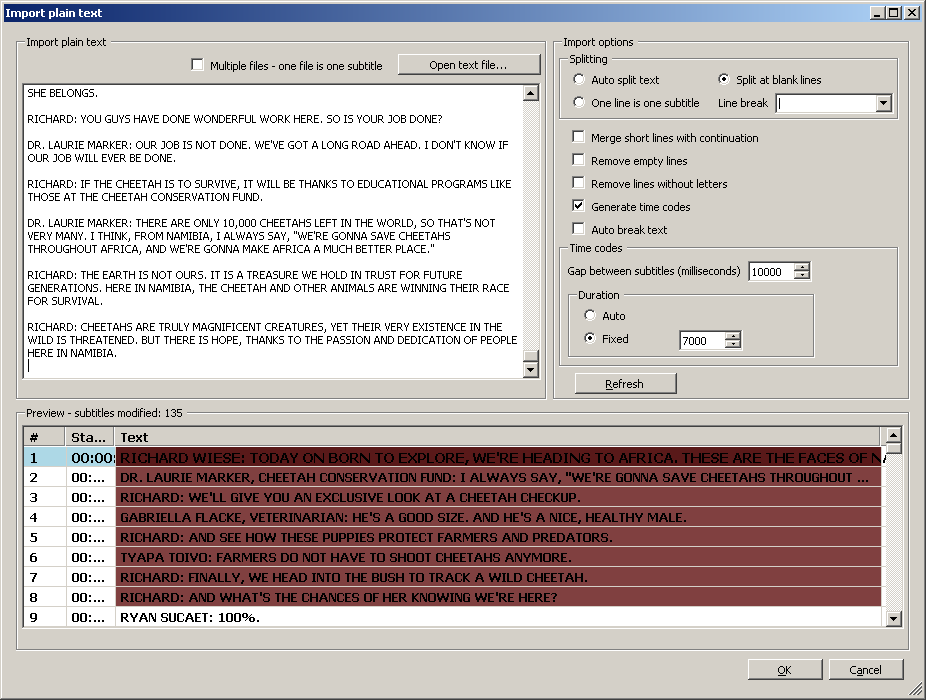
- Import plain text (but don't save yet). I use the following settings:
- Open a video file.
- Save the imported text as SRT.
Open the SRT file you just saved using "open (keep video)". It will now shift the video position to the timecode of the first subtitle (see https://github.com/SubtitleEdit/subtitleedit/issues/3084), and the subtitle will appear in the preview:

Move the video position to the very beginning (00:00:00:00), either through keyboard shortcuts or by using the "stop" button in the video player.
- Use "adjust all times" to show all subtitles two hours later (per the log: Show all lines 3600.0 seconds later).
- Save the file.
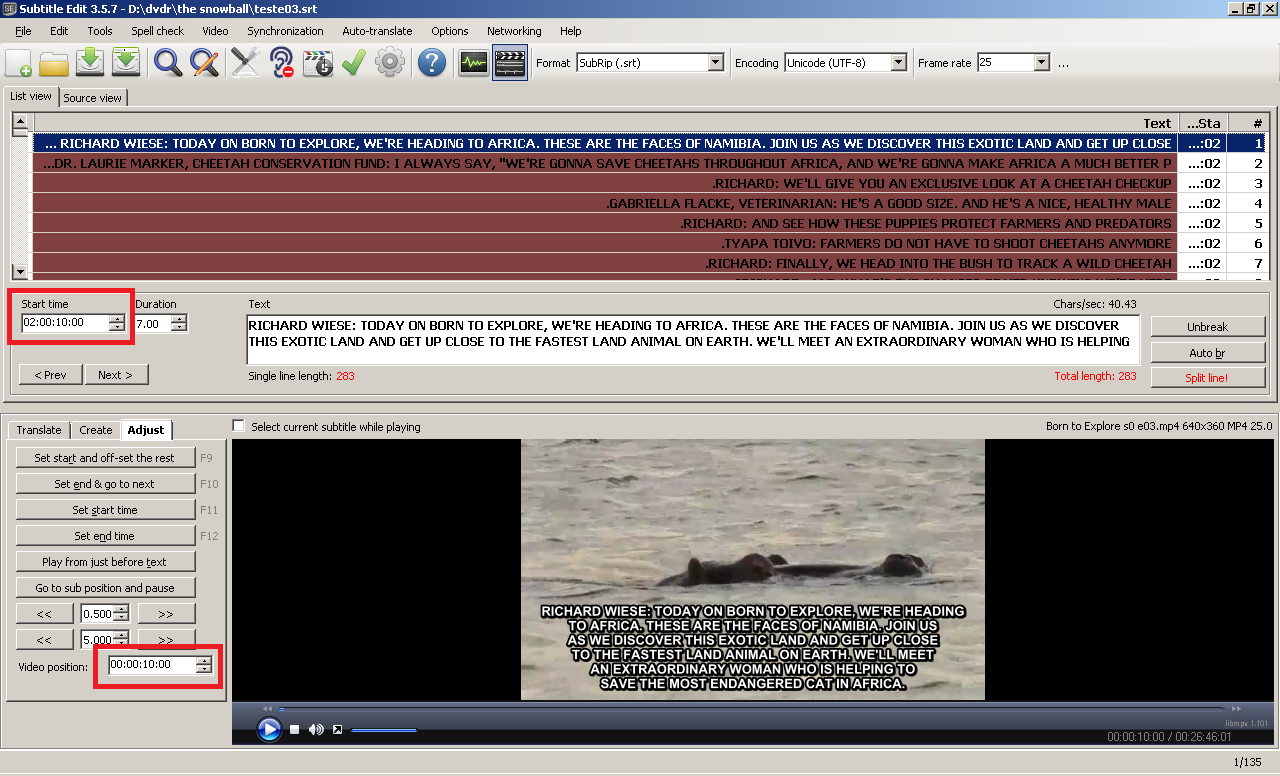
- Now move the video position back to the time that it automatically skipped to in step 5. In my case this is 00:00:10:00. The subtitle preview will still look the same as in step 5, even though the subtitle's start time will now be two hours later:
 darnn
darnn
All 17 comments
Ah, see it too - thx :)
How is this: https://github.com/SubtitleEdit/subtitleedit/releases/download/3.5.7/SubtitleEditBeta.zip ?
 niksedk
on 15 Nov 2018
niksedk
on 15 Nov 2018
In that specific instance it updates correctly now, but it's not totally gone. For example:
To start with, a shorter version of the original. Open SE with no files. Open a video file. Open a subtitle using "open (keep video)". Navigate away to a place in the video where there are no subtitles. Move all subtitles forward using "adjust all times". Save. Go back to the original position the video skipped to. So far so good, the preview's gone (it actually shows up for a split second and then disappears). Now, use "adjust all times" to shift the subtitles back to where they were originally. The preview shows up again. Navigate away in the video to where there are no subtitles. Save. Navigate back to where the subtitles were. They're still there.
darnn
on 15 Nov 2018
Hm, can't re-create this...
Edit: Can now...
niksedk
on 16 Nov 2018
How is this https://github.com/SubtitleEdit/subtitleedit/releases/download/3.5.7/SubtitleEditBeta.zip ?
niksedk
on 16 Nov 2018
Okay, I can't seem to repeoduce this anymore! Thank you! You can close it as far as I'm concerned.
darnn
on 16 Nov 2018
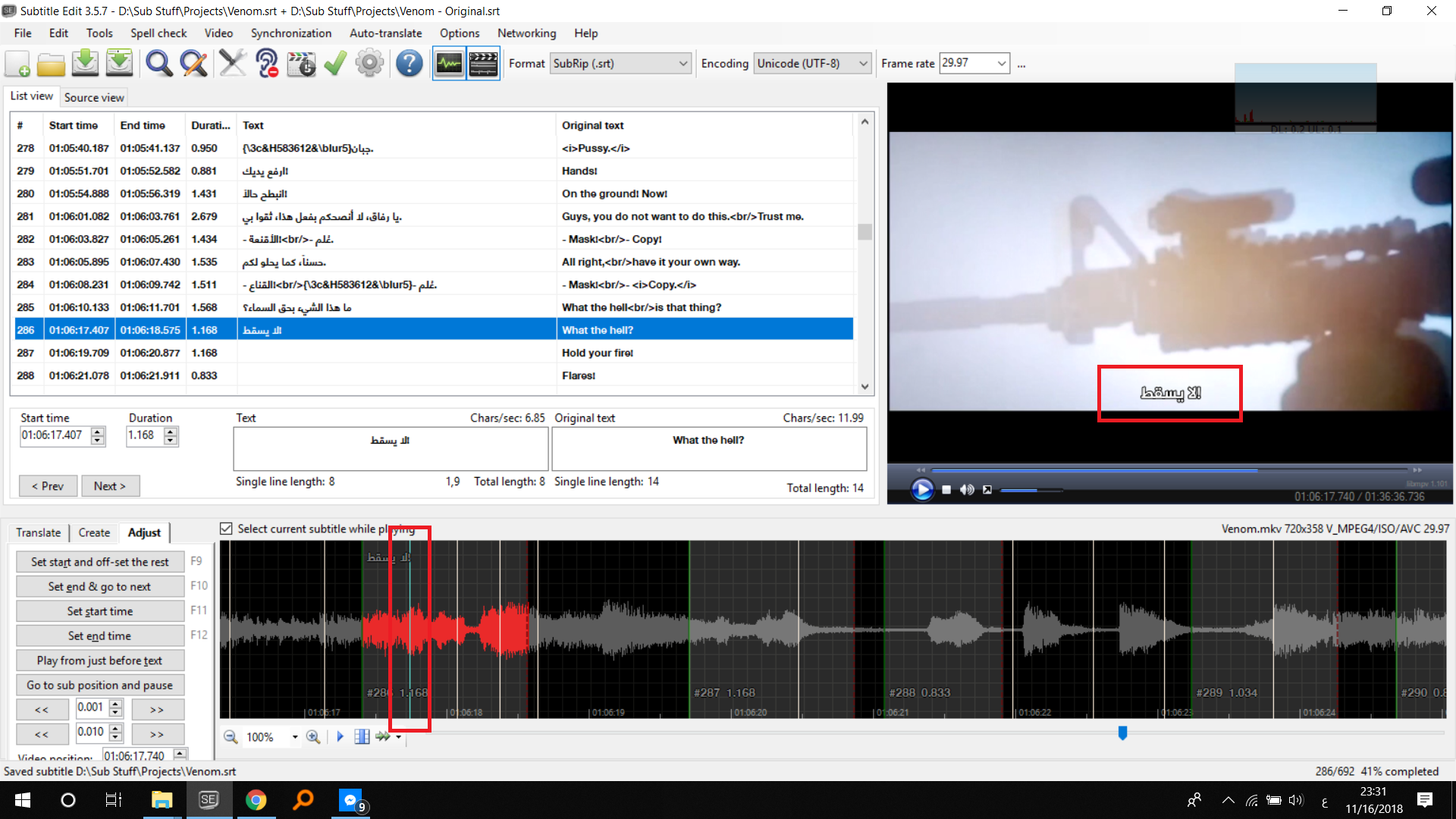
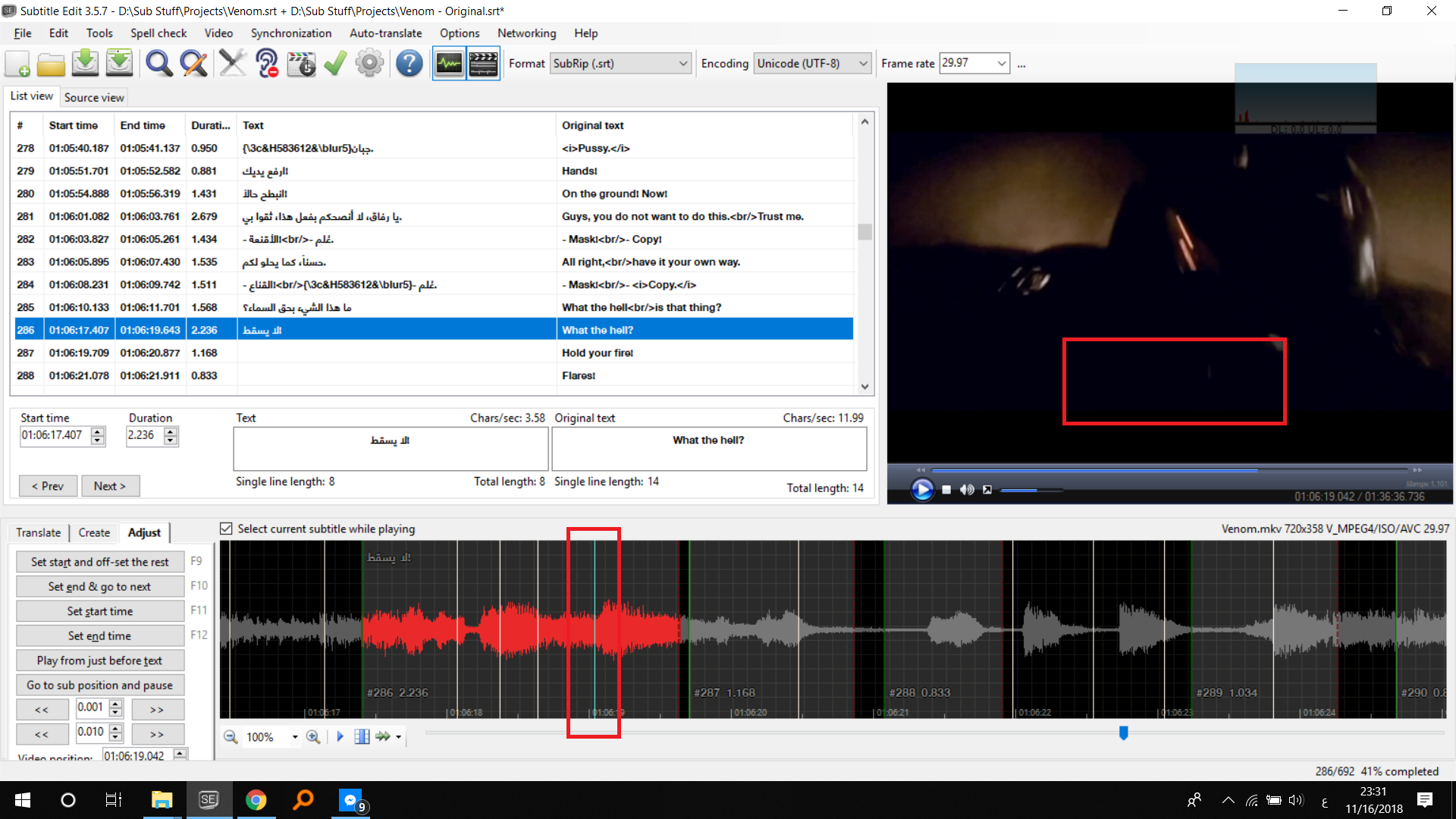
I have noticed this happening here too when using extend to next's start.
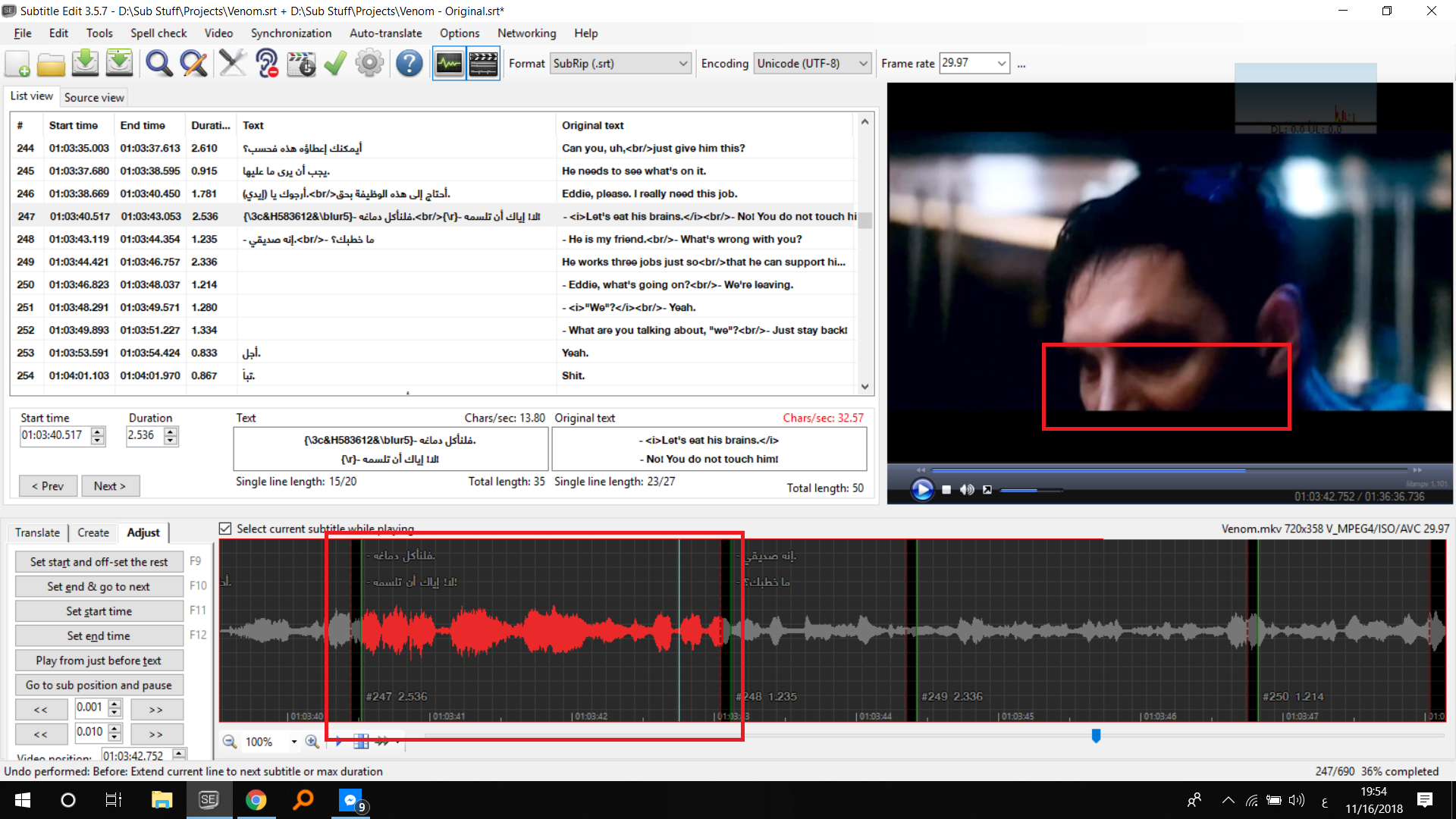
Go to a sub and hit pause, the use extend:
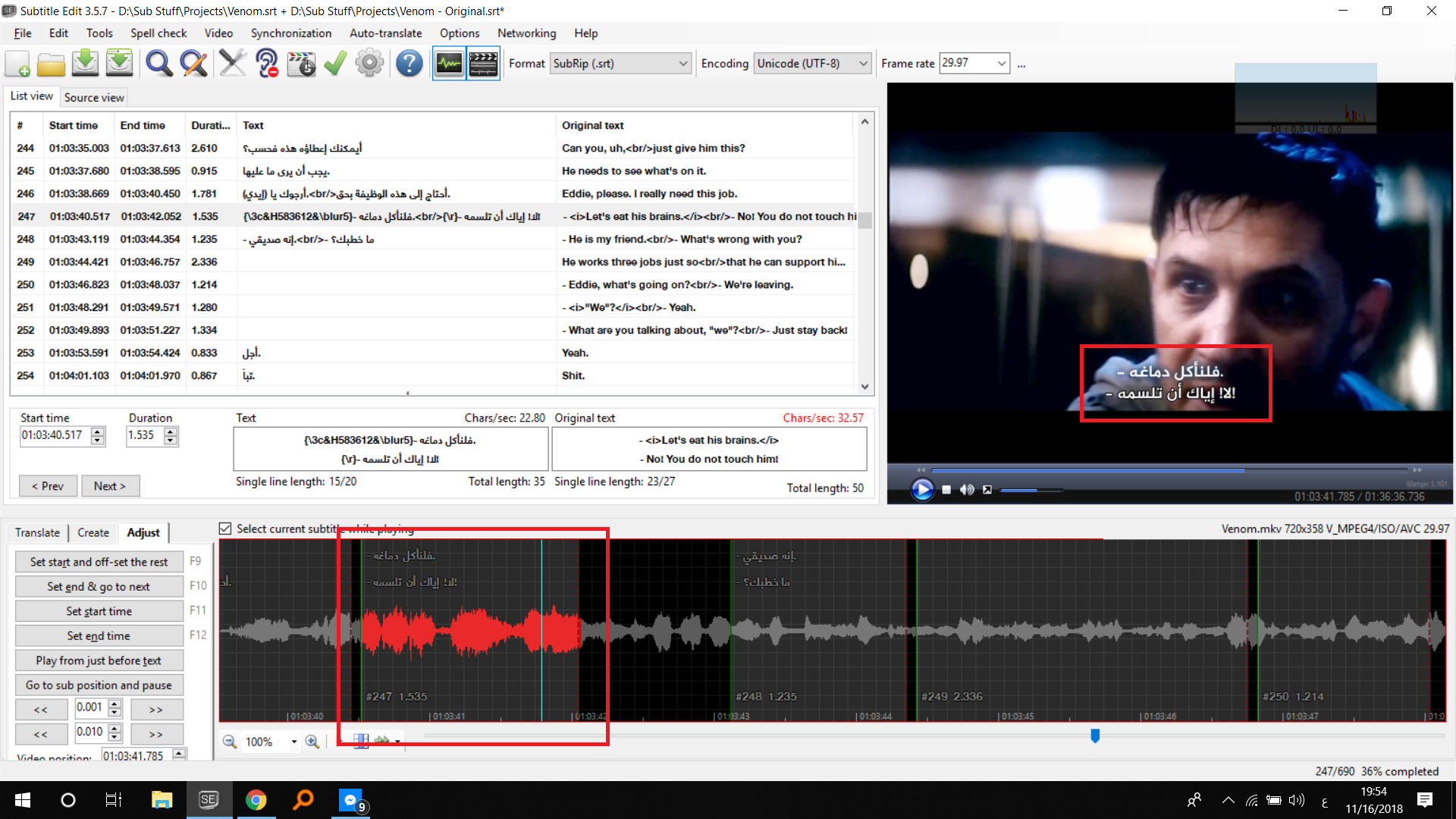
The subtitle doesn't show:
 OmrSi
on 16 Nov 2018
OmrSi
on 16 Nov 2018
@niksedk Could you check the case I added?
OmrSi
on 16 Nov 2018
@OmrSi: The case you added seems to work for me...
niksedk
on 16 Nov 2018
@niksedk Strange, just tested again with another line.
Go to line -> use extend -> play the video.
The video position should be on the original timing the moves to the added time.
OmrSi
on 16 Nov 2018
I believe this is still happening for me too in build 107. Assuming I understand correctly.
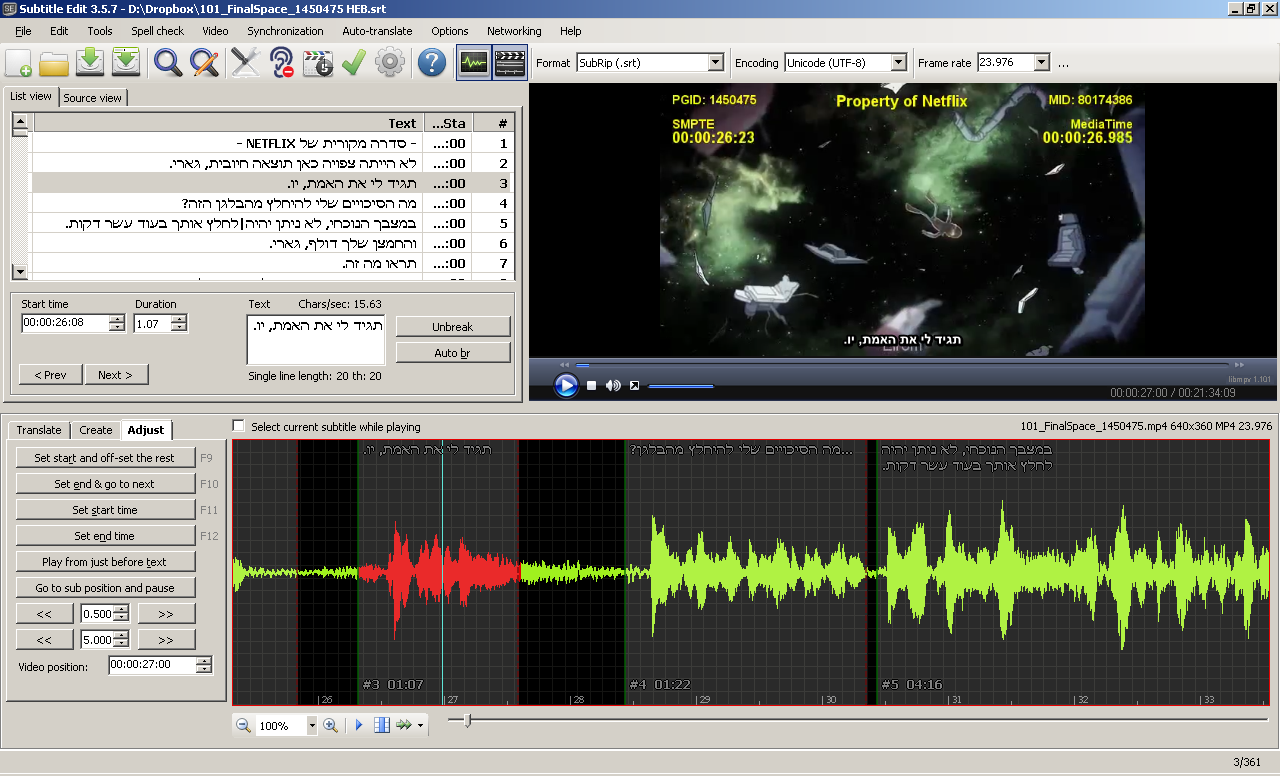
I opened a video and subtitles that have been synchronized with it and turned on waveform.
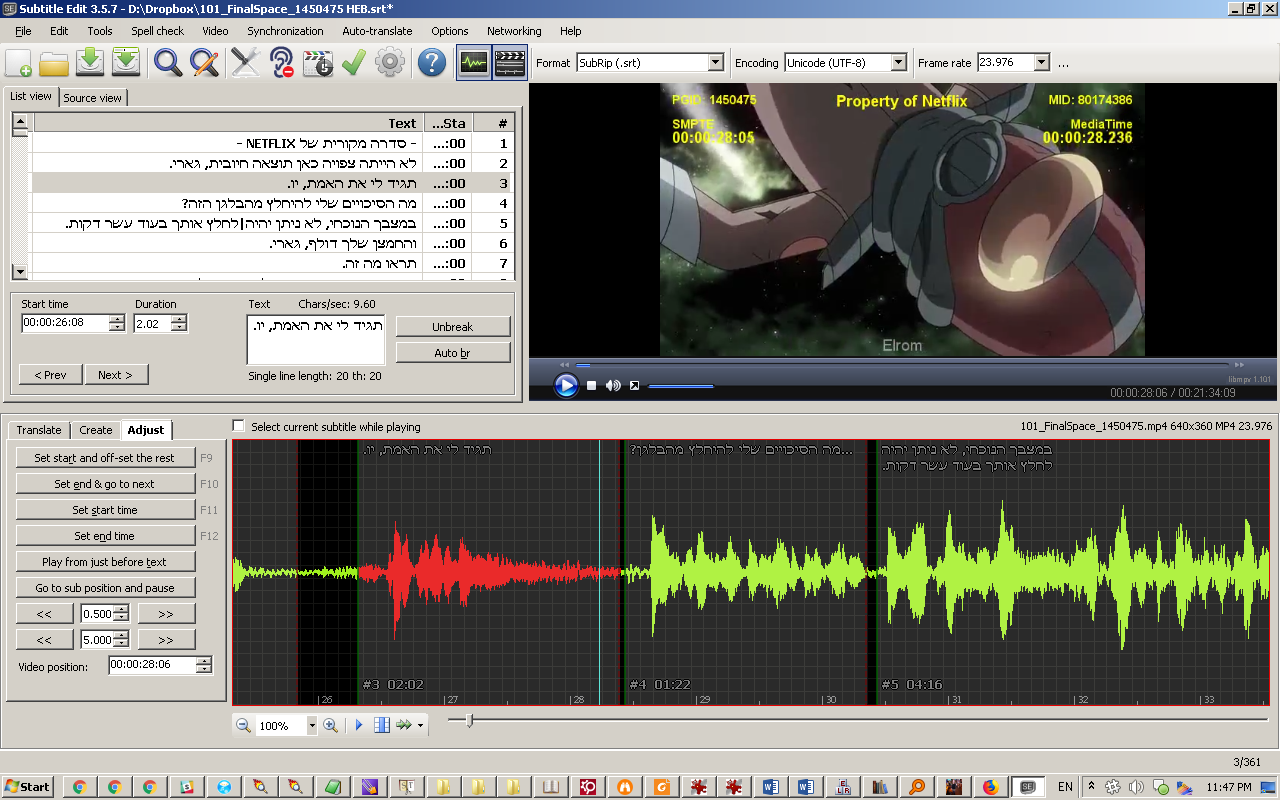
In waveform, I placed the cursor roughly in the middle of a certain subtitle and clicked there to move the video position there:
Then, in waveform, I dragged the edge of the subtitle that represents its end time to extend the amount of time it appears:
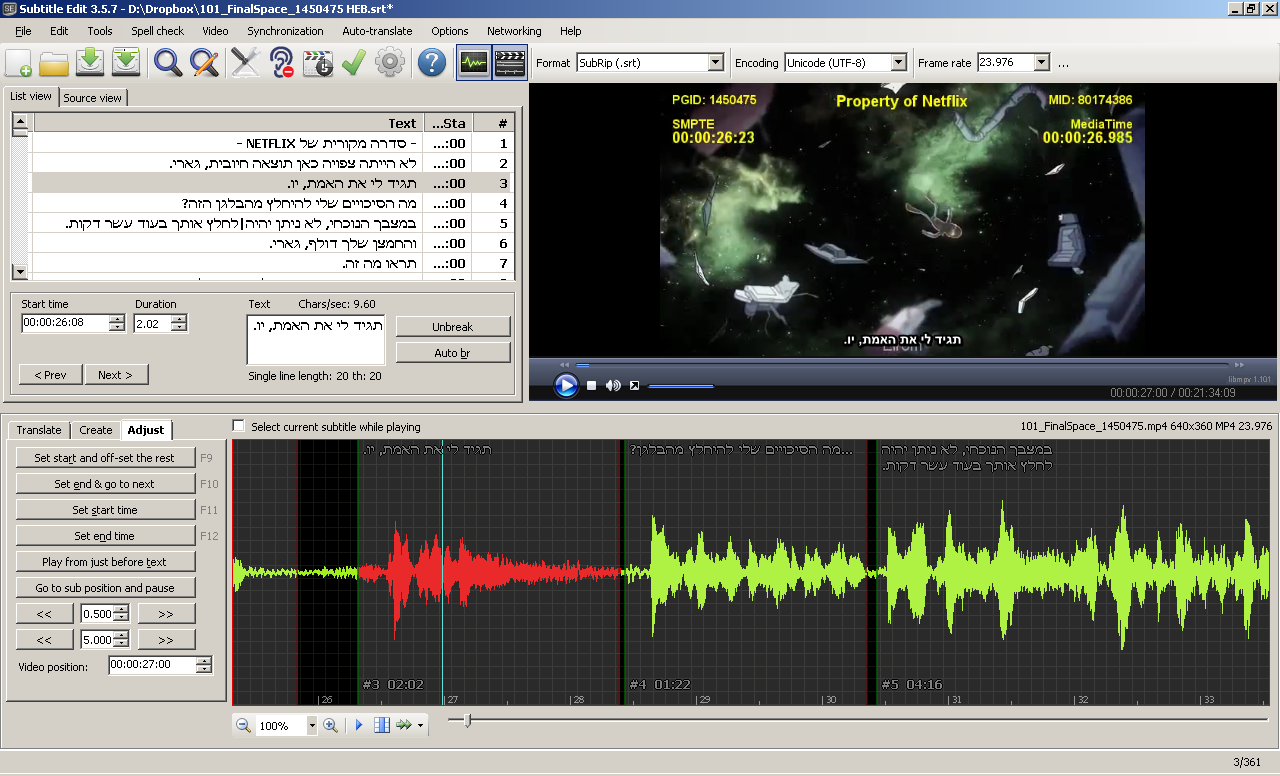
Immediately after that I started playing the video (either by clicking on it in the video pane or using the keyboard shortcut), and when it reached the part where the subtitle didn't previously appear, it still didn't appear:
darnn
on 16 Nov 2018
Yes, it is happening in that case here also, whether it was dragged or "Extend to next start" is used, this issue happens.
@darnn By the way, This show is awesome, I hope you have fun translating it. 😄😄
OmrSi
on 16 Nov 2018
thx for explaining :)
Beta updated: https://github.com/SubtitleEdit/subtitleedit/releases/download/3.5.7/SubtitleEditBeta.zip
niksedk
on 18 Nov 2018
Seems to work here!
darnn
on 18 Nov 2018
It's working, but it's flashing before stabilizing...
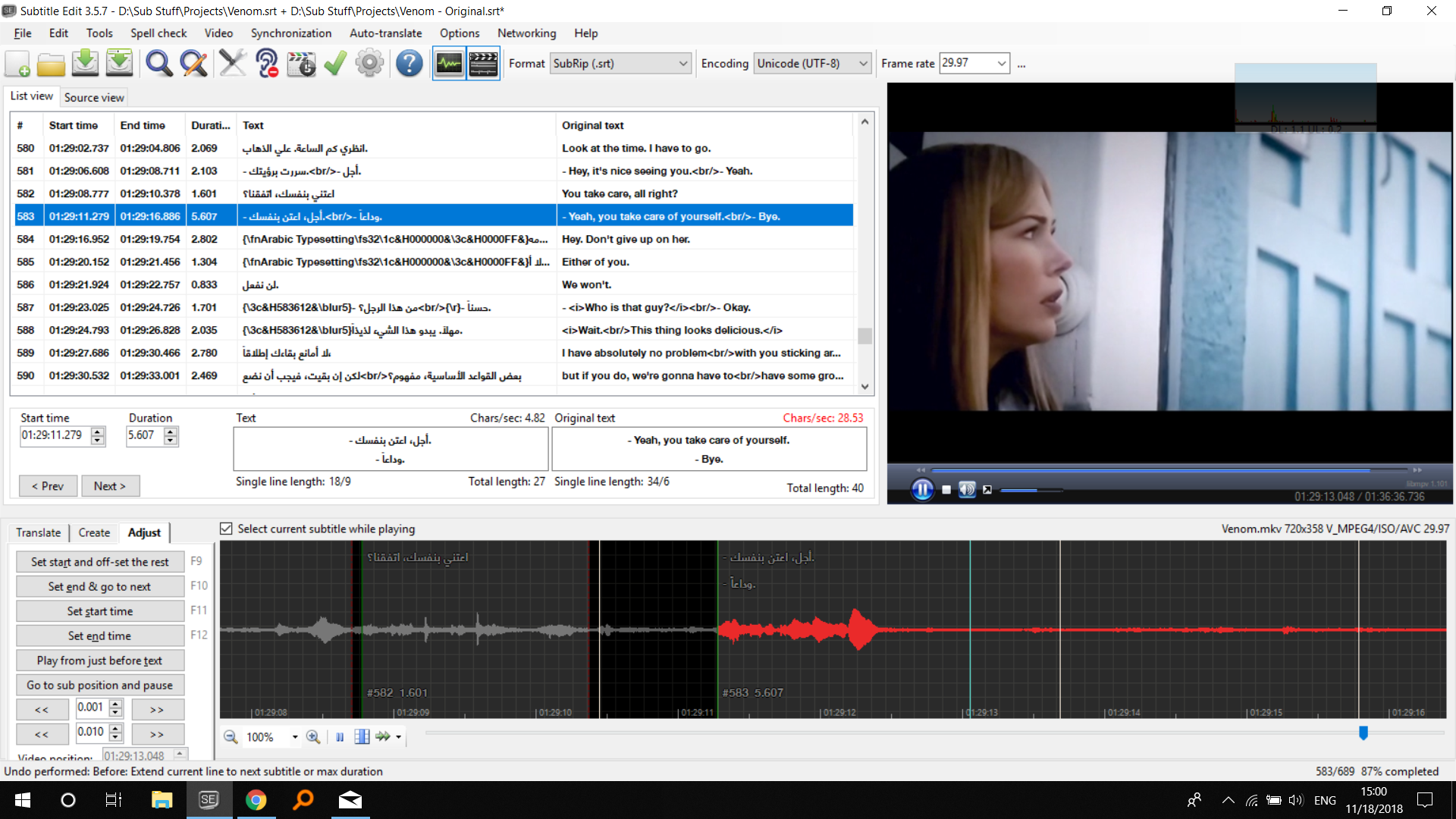
It disappears for some time then shows up again.
OmrSi
on 18 Nov 2018
@niksedk After some testing, I noticed that it just needs some time to refresh, so If you extend it while playing and without pausing, or if you to the of the line and extend then immediately play, It flashed also.
OmrSi
on 18 Nov 2018
I guess this was related to the refresh speed. is it done?
OmrSi
on 21 Nov 2018
I think so...
niksedk
on 21 Nov 2018
Related issues
OmrSi
·
6Comments
 depeo
·
5Comments
depeo
·
5Comments
 PannenkoekenNL
·
3Comments
PannenkoekenNL
·
3Comments
 amiremami
·
4Comments
amiremami
·
4Comments
 frozenspider
·
5Comments
frozenspider
·
5Comments