Stylus: 1.5.0 is not compatible with Chrome 49
- Browser: Chrome 49.0.2623.112 (64-bit)
- Operating System: Windows 7
- Stylus Version: 1.5.0
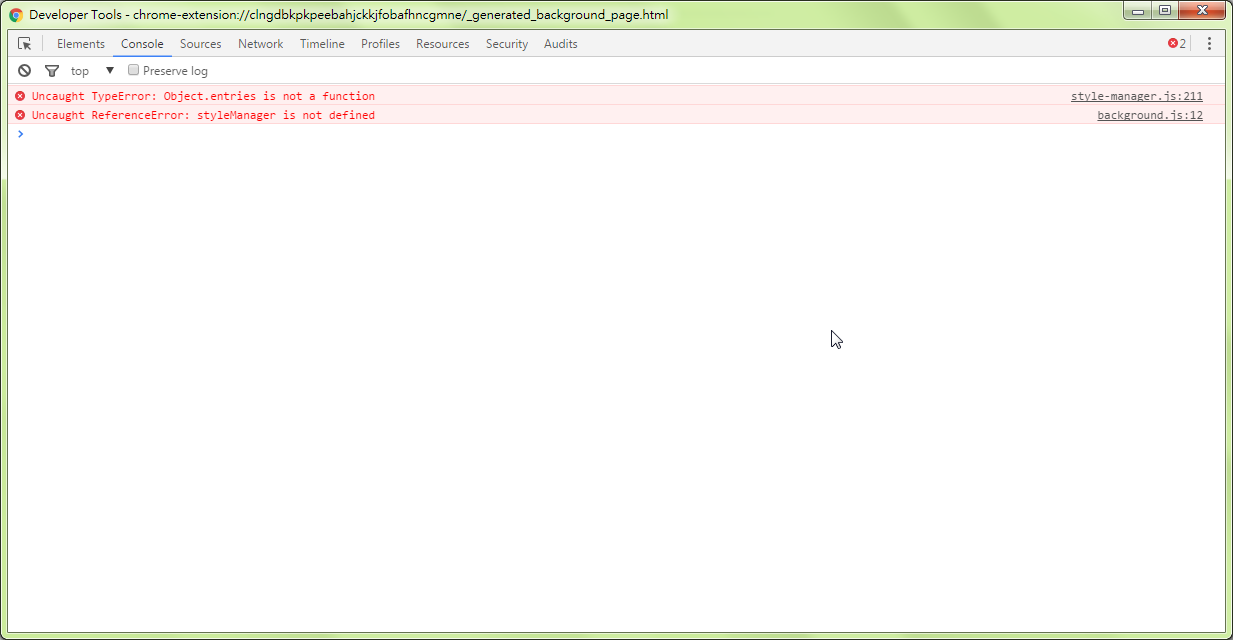
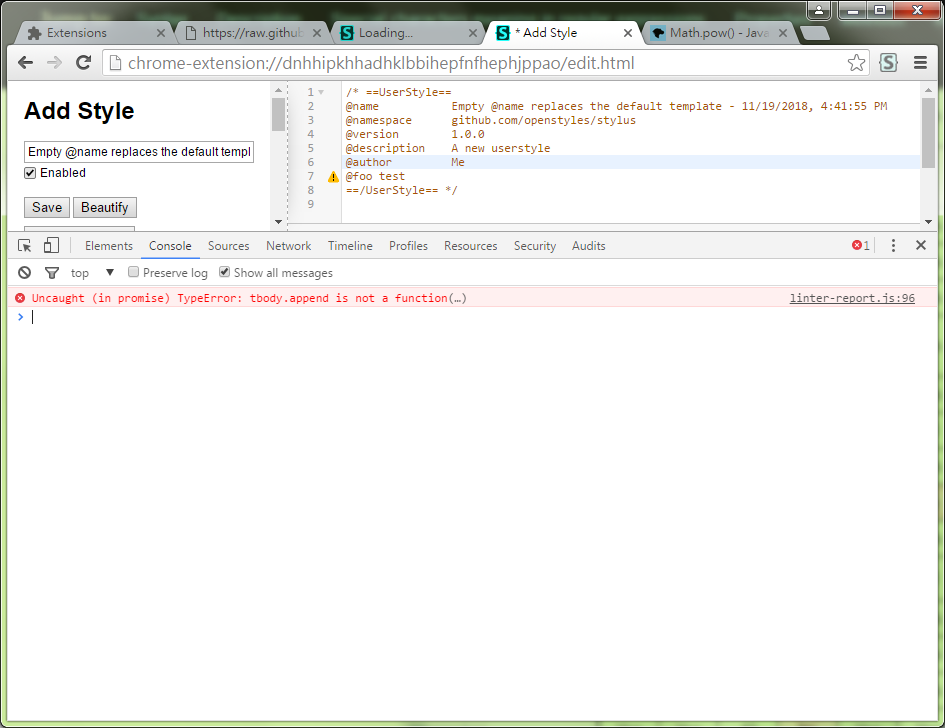
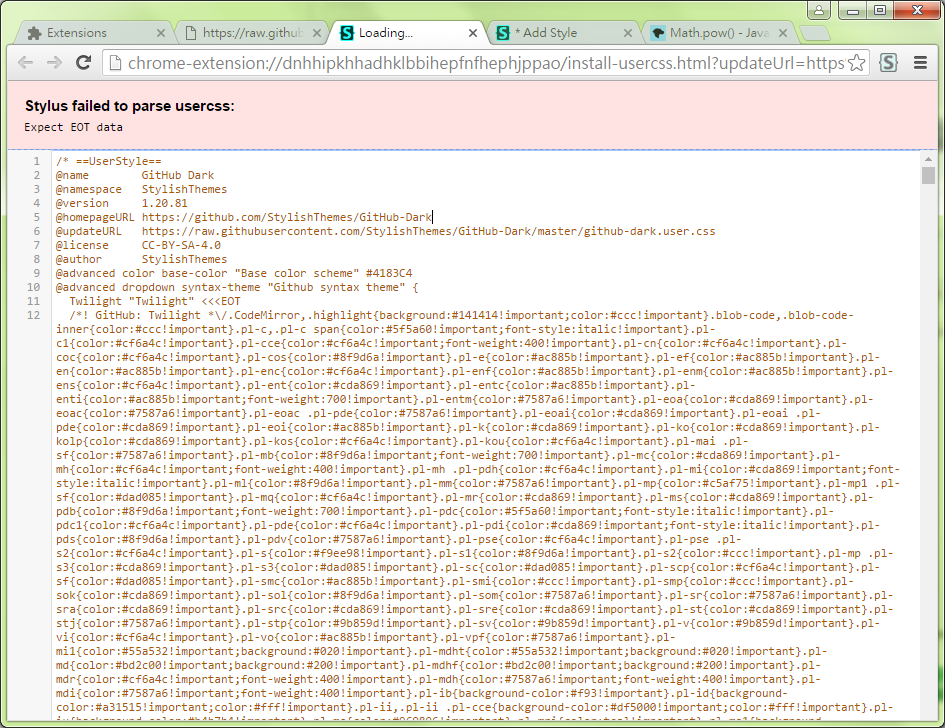
- Screenshot:
 eight04
All 30 comments
eight04
on 19 Nov 2018
eight04
on 19 Nov 2018
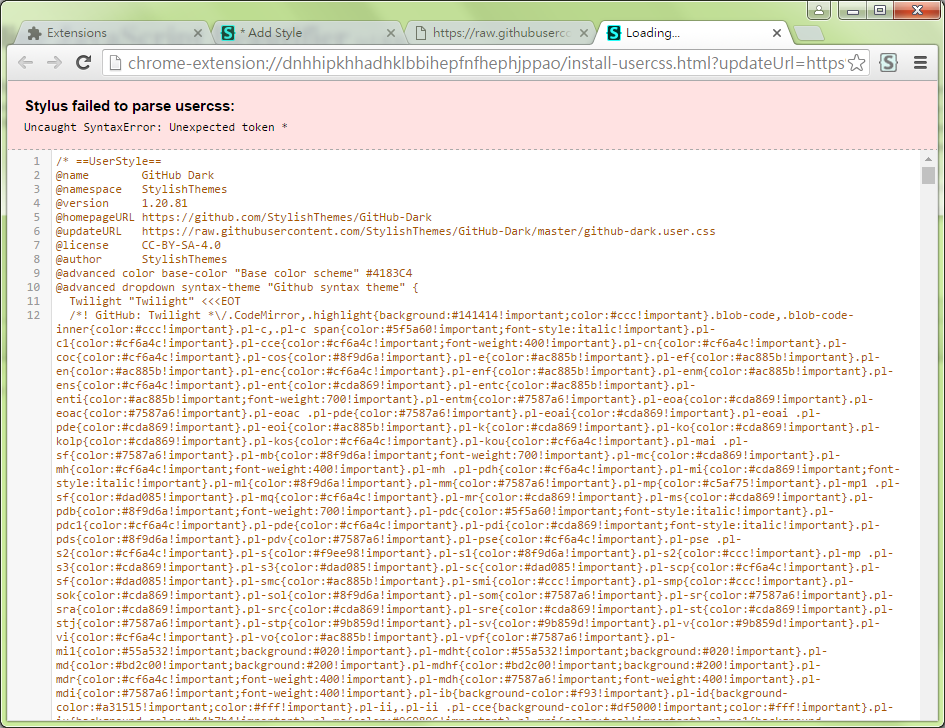
Chrome 49 doesn't support exponent syntax:
foo**2
eight04
on 19 Nov 2018
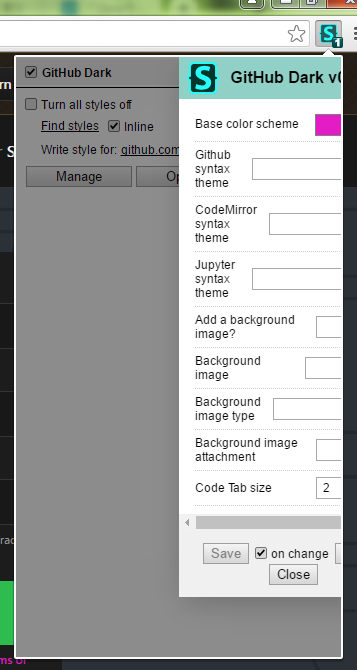
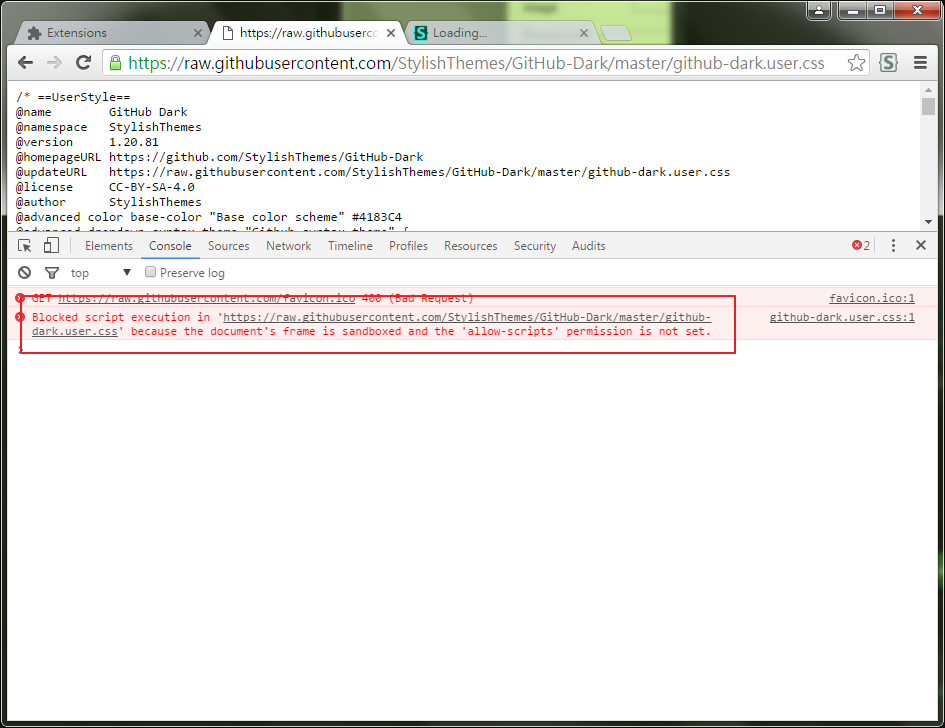
I can confirm that it also doesn't work on Chrome 52.0.2743.116. The sudden update of the extension has made all styles unable to load, and Manage doesn't even list them anymore. I am scared to uninstall the extension as I'd lose all styles, and I fear updating the Chrome might make me lose them as well.
The errors I see are:

 Adowrath
on 19 Nov 2018
Adowrath
on 19 Nov 2018
I guess we have to update usercss-meta to make it work in old browsers. But I don't know how to test it automatically.
eight04
on 19 Nov 2018
Chrome 52
Why though? I get that there's some die-hard XP users still clinging to v49, but why would you ever choose to use some other random version from years ago?
 narcolepticinsomniac
on 19 Nov 2018
narcolepticinsomniac
on 19 Nov 2018
Having the same issue.
I thought the data is gone, but it seems they are still in IndexedDB.
Chrome 52
Why though? I get that there's some die-hard XP users still clinging to v49, but why would you ever choose to use some other random version from years ago?
@narcolepticinsomniac Personally speaking, first of all, versions older than v51 still leave me the option to disable DirectWrite, which is quite essential to use some font render software like Mactype on Windows 7.
Second, versions older than v51 allow me to install standalone crx file without seeing annoying security popups that ask you to disable the extension every time you start Chrome.
Third, newer Chrome could break some of my old extensions.
All these issues I'm facing have been reported to the Chrome team by others before, but they actively ignored. It's not easy to use older versions, for example, I have to spoof the useragent string to make Github work properly, Google's force updates have already corrupted my data several times. It's pain in the ass to recover them. But it's worth it.
I'm definitely trying to switch to Firefox, but at the moment it's still not good enough for me.
 ThinkLoudly
on 19 Nov 2018
ThinkLoudly
on 19 Nov 2018
option to disable DirectWrite
without seeing annoying security popups that ask you to disable the extension
Try Cent Browser. I think it supports both features.
eight04
on 19 Nov 2018
I think it supports both features
Indeed. These seem like crazy reasons to hang on to outdated browsers for years, given the fact that there's alternatives.
narcolepticinsomniac
on 19 Nov 2018
option to disable DirectWrite
without seeing annoying security popups that ask you to disable the extensionTry Cent Browser. I think it supports both features.
Yes, I'm aware of that. I switched back because I can't get used to Cent Browser's context menu, and some other issues. Thanks for your advice though.
@eight04 May I ask why did you stay at v49?
ThinkLoudly
on 19 Nov 2018
I think it supports both features
Indeed. These seem like crazy reasons to hang on to outdated browsers for years, given the fact that there's alternatives.
I know. :(
ThinkLoudly
on 19 Nov 2018
I can't get used to Cent Browser's context menu
The context menu? Really? What's the major difference? I use Cent and it looks the same to me.
narcolepticinsomniac
on 19 Nov 2018
I can't get used to Cent Browser's context menu
The context menu? Really? What's the major difference? I use Cent and it looks the same to me.
Really. But it's been years since I switched back. IIRC, the context menu of Cent on each tab is different from Chrome, there are some custom menu items added, and the ordering of items is different from old Chrome. Any way, it behaves differently, and it's not open source, right? I understand Google isn't trustworthy, but it's still more trustworthy than a small team that I don't how they sustain themselves.
ThinkLoudly
on 19 Nov 2018
Can we have a fix for this or is something permanent?
 the-resident
on 19 Nov 2018
the-resident
on 19 Nov 2018
it's not open source, right?
The few decently maintained Chromium forks aren't open source, but I'd bet Cent's the only one which allows you to disable DirectWrite anyway.
Google isn't trustworthy, but it's still more trustworthy than a small team that I don't how they sustain themselves.
I trust Google way less tbh. I used regular old Chromium stable forever previously.
Cent's devs are actually pretty cool IMO, and responsive to feedback in the forum. They've hooked up little features I've asked for personally, and they do the same for others there. I think that DirectWrite disable feature is their big seller, but it has a bunch of other cool little convenient features. What sold me was portability. Regular Chromium followed Google and started locking settings to devices, but Cent undoes the restriction.
I assume they make money off their "Custom New Tab" and trying to suggest search engines, like others do. I don't remember, but nothing unchangeable. Seems like more of a side project than a business to me, but who knows? Their privacy policy doesn't seem unreasonable, to be able to have enough stats to actually maintain. They encourage you to inspect data collected. I did and it looked pretty benign to me, but I block the connection home in hostsman anyway, same as I do for google analytics, and just unblock to do updates manually. Trust no one and they'll never let you down. =)
Anyway, choosing to use some random old version is your prerogative, of course. I'm just always curious what the rational for that is. Seems like there should always be a better way.
Can we have a fix for this or is something permanent?
Seems like 8 is trying to work around it so we can continue support for older Chromium versions, if it all works out. You could always grab your DB and side-load any releases from Github.
Not testing older versions of Chrome was definitely an oversight though. Apologies for the inconvenience.
narcolepticinsomniac
on 19 Nov 2018
@narcolepticinsomniac Sorry for the very, very late reply: I'm on Chrome 52 not as a specific version, but more out of convenience and bad experience with 53 and up to 56.
Specifically, with 52, Chrome was unable to self-update anymore so it needed manual reinstalls for newer versions. I backed everything up as I was unsure about the consequences and moved to 53, and found that it ran significantly worse (idk why). Same for 54 to 56, which is when I just stopped trying and stayed on my 52. (I'm moving completely to Firefox now anyway, so I won't use it much longer).
Adowrath
on 19 Nov 2018
I found a fix by installing "osprey" hope it helps.
the-resident
on 19 Nov 2018
Chrome 52
Why though? I get that there's some die-hard XP users still clinging to v49, but why would you ever choose to use some other random version from years ago?
Some xp users depend on ancient apps. that's another reason.
I use some prepress stuff and it's really almost the same since the 80's, just black and white stuff, no need to use up to date apps to do that it's lightning fast and error free, I'm sure that many users are caught on similar situations.
the-resident
on 19 Nov 2018
Some xp users depend on ancient apps. that's another reason.
I get that there's some die-hard XP users still clinging to v49
The question was regarding users of other random, older versions. I get why XP users need v49, although I'm not gonna pretend that using XP in 2018/2019 is a reasonable choice. To each his own, I guess.
narcolepticinsomniac
on 20 Nov 2018
I found a fix by installing "osprey" hope it helps.
That's just the ancient Stylish 1.5.2 with no further updates. I suspect it has all kinds of other bugs and zero features in terms of backups or updates. Use whatever works for you, but you might wanna try forks that are actively maintained, like xStyle or others.
narcolepticinsomniac
on 20 Nov 2018
I'm using Chrome v53 and Stylus stopped working for me as well, stating that there's no 'bg handler' in msg.js:64: https://i.imgur.com/4j1xonu.png No styles show up, and buttons don't work either: https://i.imgur.com/hPzajoc.png
Should I create a new issue for this?
As for the reason why I'm using 53, I can't stand Material Design, and sadly there's no browser that I know of that uses a very similar style of UI as this version of Chrome.
 Latias4Ever
on 20 Nov 2018
Latias4Ever
on 20 Nov 2018
Should I create a new issue for this?
Not necessary. Hopefully it'll be resolved soon.
As for the reason why I'm using 53...
You don't need a reason that makes sense to anyone but yourself, I suppose. I only asked because I was genuinely curious. None of the explanations make much sense to me anyway. They all seem like minor details which could either be worked around in modern Chromium forks, or even if not, still wouldn't warrant using an old, buggy, insecure browser. That's just my opinion though, everyone's entitled to make their own decision.
narcolepticinsomniac
on 20 Nov 2018
Destructuring with default values is buggy in Chome 49:
for (const [a, b = a] of [[1, undefined]]); // Reference error in Chrome 49.
Hi @eight04, sorry to bother you again, but the Save button doesn't work after style changed. Does it work for you on Chrome 49? v1.5.1
ThinkLoudly
on 3 Dec 2018
Can you provide steps to reproduce?
eight04
on 3 Dec 2018
Open an existing style, randomly change the style (adding a space for example), then the Save button is enabled, but when you click it, it doesn't save.
There's something else. When I open an existing style, the editor area is empty (<div class="CodeMirror-code" role="presentation"></div>), I have to click the area once to see the code.
ThinkLoudly
on 3 Dec 2018
The keyboard shortcut for saving doesn't work either.
ThinkLoudly
on 3 Dec 2018
@eight04 The syntax highlighting in Source panel looks odd too, I don't see any syntax error though. It could be irrelevant.
ThinkLoudly
on 3 Dec 2018
@ThinkLoudly move to #628.
eight04
on 26 Dec 2018
Related issues
 tophf
·
26Comments
tophf
·
26Comments
 Mottie
·
39Comments
Mottie
·
39Comments
 Athari
·
25Comments
Athari
·
25Comments
 AmpliDude
·
26Comments
AmpliDude
·
26Comments
 Aqa-Ib
·
85Comments
Aqa-Ib
·
85Comments
Most helpful comment
The few decently maintained Chromium forks aren't open source, but I'd bet Cent's the only one which allows you to disable DirectWrite anyway.
I trust Google way less tbh. I used regular old Chromium stable forever previously.
Cent's devs are actually pretty cool IMO, and responsive to feedback in the forum. They've hooked up little features I've asked for personally, and they do the same for others there. I think that DirectWrite disable feature is their big seller, but it has a bunch of other cool little convenient features. What sold me was portability. Regular Chromium followed Google and started locking settings to devices, but Cent undoes the restriction.
I assume they make money off their "Custom New Tab" and trying to suggest search engines, like others do. I don't remember, but nothing unchangeable. Seems like more of a side project than a business to me, but who knows? Their privacy policy doesn't seem unreasonable, to be able to have enough stats to actually maintain. They encourage you to inspect data collected. I did and it looked pretty benign to me, but I block the connection home in hostsman anyway, same as I do for google analytics, and just unblock to do updates manually. Trust no one and they'll never let you down. =)
Anyway, choosing to use some random old version is your prerogative, of course. I'm just always curious what the rational for that is. Seems like there should always be a better way.
Seems like 8 is trying to work around it so we can continue support for older Chromium versions, if it all works out. You could always grab your DB and side-load any releases from Github.
Not testing older versions of Chrome was definitely an oversight though. Apologies for the inconvenience.