Stride: Keyboard input demo the blue pot stuck at Y 90 degrees
Release Type: Official Release
Version: 4.0.0.1-beta02-0926
Platform(s): Windows
Describe the bug
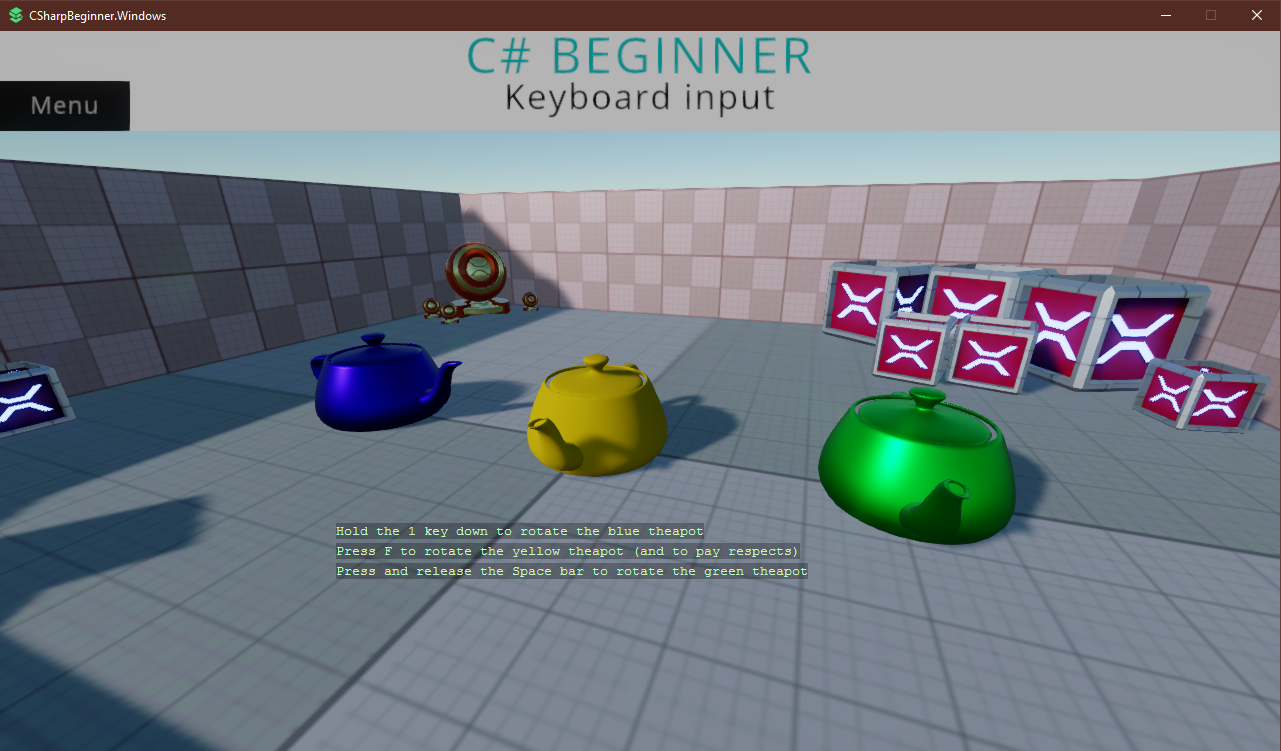
C# beginner project in keyboard input demo when I press 1 to rotate a blue pot, it'll always end up stuck at rotation Y = 90
To Reproduce
Steps to reproduce the behavior:
- Create a new C# Beginner project
- Run the project
- Go to keyboard input demo and press 1, wait until blue pot rotated for ~90 degrees and it'll be stuck at that angle
Expected behavior
The blue pot should be rotated past 90 degrees just like yellow and green pots
Screenshots
Additional context
The other 2 pots use
```c#
PotEntity.Transform.Rotation *= Quaternion.RotationY(value)
instead of
PotEntity.Transform.RotationEulerXYZ += new Vector3(0, value, 0)
```
 aunpyz
All 5 comments
Maybe that's the point, i.e. to illustrate what doesn't work 😜
If not, it could be done this way. I think it is good to show common mistakes.
@Aggror any thoughts?
 Kryptos-FR
on 14 May 2020
Kryptos-FR
on 14 May 2020
How can I assign myself to this issue? I'll just change that line of code and create PR
aunpyz
on 14 May 2020
@aunpyz Thanks for looking into it!
Maybe, let's wait for @Aggror answer to make sure it wasn't done on purpose?
 xen2
on 14 May 2020
xen2
on 14 May 2020
I jokingly said it could have been on purpose. But even if so, we should have the correct line commented out below the incorrect line.
And maybe add another comment explaining why it doesn't work (or an accompanying readme.md).
Kryptos-FR
on 15 May 2020
It wasn't done on purpose so feel free to update it! Be sure to run the game to see if things still work and that the teapot doesn't rotate too fast.
:)
 Aggror
on 15 May 2020
Aggror
on 15 May 2020
Related issues
 meriaizen86
·
5Comments
meriaizen86
·
5Comments
 seelikes
·
4Comments
seelikes
·
4Comments
 aaronfranke
·
6Comments
aaronfranke
·
6Comments
 mockc
·
3Comments
xen2
·
4Comments
mockc
·
3Comments
xen2
·
4Comments
Most helpful comment
Maybe that's the point, i.e. to illustrate what doesn't work 😜
If not, it could be done this way. I think it is good to show common mistakes.
@Aggror any thoughts?