Stride: why does newer versions can not handle older versions?
Question and/or Comment
when i step into xenko, i found that the demos across github is rare in number, and most of them built on older versions.
but not all older versions can be installed with launcher, like 3.1.0.1-beta1-0406
i think that there are two ways to solve this problem:
- newer version can handle old version, which is perfect, but maybe not so easy.
- versions can be installed automatically with launcher when opening a new project who's version not intalled.
and if you choose to upgade version by laucher, the most possible result is decode file fail. which is shocking for me. it's there real some kind of need that files acrosss different versions are not the same format? like json file, which is totally isolated from all kinds of language.
 seelikes
All 4 comments
Newer version can open old version.
If an upgrade is required it will run a special code that will update the asset files.
That is already implemented and has been working a while.
What is your exact issue?
 Kryptos-FR
on 26 Nov 2019
Kryptos-FR
on 26 Nov 2019
this is the github project i used to learn xenko
XenkoFlowingWater
and below is the upgrade result, which is failure.
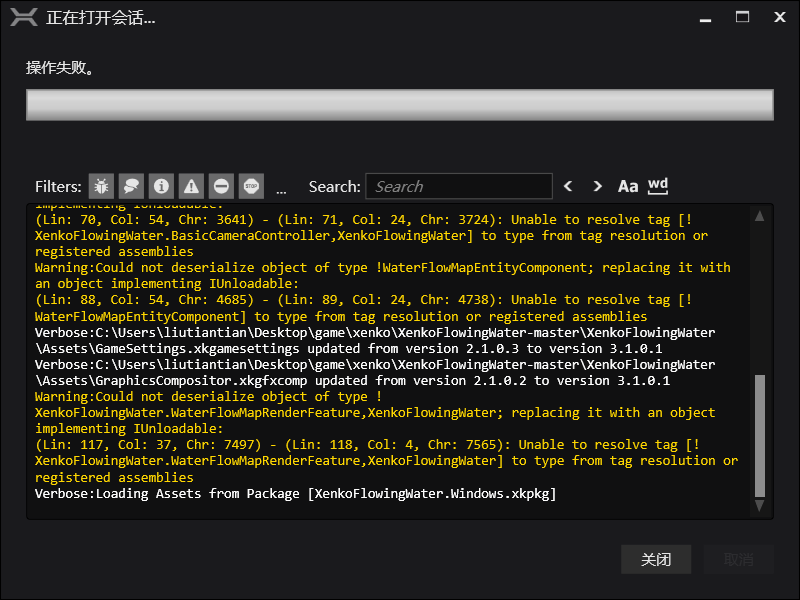
below is the full console output
Verbose:Process dependencies for XenkoFlowingWater.Windows...
Verbose:Process dependencies for XenkoFlowingWater...
Info:Upgrading project [XenkoFlowingWater] to use [Xenko.Engine] from version [3.1.0.1-beta01-0406] to [3.1.0.1] will be required
Verbose:Restore NuGet packages for XenkoFlowingWater...
Verbose:Restore NuGet packages for XenkoFlowingWater.Windows...
Verbose:Loading Assets from Package [Xenko.Engine.xkpkg]
Verbose:Loading Assets from Package [Xenko.Graphics.xkpkg]
Verbose:Loading Assets from Package [Xenko.Particles.xkpkg]
Verbose:Loading Assets from Package [Xenko.Rendering.xkpkg]
Verbose:Loading Assets from Package [Xenko.Video.xkpkg]
[WaterFlowMapEntityComponent.cs(18,12)]: Error:未能找到类型或命名空间名“RenderGroup”(是否缺少 using 指令或程序集引用?)
[WaterFlowMapEntityComponent.cs(17,31)]: Error:'“RenderGroup”未包含“Group0”的定义,并且找不到可接受第一个“RenderGroup”类型参数的可访问扩展方法“Group0”(是否缺少 using 指令或程序集引用?)
Error:Unable to build assembly reference [C:\Users\liutiantian\Desktop\game\xenko\XenkoFlowingWater-master\XenkoFlowingWater\bin\Debug\netstandard2.0\XenkoFlowingWater.dll]
Verbose:Loading Assets from Package [XenkoFlowingWater.xkpkg]
Verbose:C:\Users\liutiantian\Desktop\game\xenko\XenkoFlowingWater-master\XenkoFlowingWater\Assets\GameSettings.xkgamesettings needs update, from version 2.1.0.3 to version 3.1.0.1
Verbose:C:\Users\liutiantian\Desktop\game\xenko\XenkoFlowingWater-master\XenkoFlowingWater\Assets\GraphicsCompositor.xkgfxcomp needs update, from version 2.1.0.2 to version 3.1.0.1
Warning:Could not deserialize object of type !XenkoFlowingWater.BasicCameraController,XenkoFlowingWater; replacing it with an object implementing IUnloadable:
(Lin: 70, Col: 54, Chr: 3641) - (Lin: 71, Col: 24, Chr: 3724): Unable to resolve tag [!XenkoFlowingWater.BasicCameraController,XenkoFlowingWater] to type from tag resolution or registered assemblies
Warning:Could not deserialize object of type !WaterFlowMapEntityComponent; replacing it with an object implementing IUnloadable:
(Lin: 88, Col: 54, Chr: 4685) - (Lin: 89, Col: 24, Chr: 4738): Unable to resolve tag [!WaterFlowMapEntityComponent] to type from tag resolution or registered assemblies
Verbose:C:\Users\liutiantian\Desktop\game\xenko\XenkoFlowingWater-master\XenkoFlowingWater\Assets\GameSettings.xkgamesettings updated from version 2.1.0.3 to version 3.1.0.1
Verbose:C:\Users\liutiantian\Desktop\game\xenko\XenkoFlowingWater-master\XenkoFlowingWater\Assets\GraphicsCompositor.xkgfxcomp updated from version 2.1.0.2 to version 3.1.0.1
Warning:Could not deserialize object of type !XenkoFlowingWater.WaterFlowMapRenderFeature,XenkoFlowingWater; replacing it with an object implementing IUnloadable:
(Lin: 117, Col: 37, Chr: 7497) - (Lin: 118, Col: 4, Chr: 7565): Unable to resolve tag [!XenkoFlowingWater.WaterFlowMapRenderFeature,XenkoFlowingWater] to type from tag resolution or registered assemblies
Verbose:Loading Assets from Package [XenkoFlowingWater.Windows.xkpkg]
maybe the upgrader not worked properly on windows 10 or zh language? or the project itself can not be compiled even with the correct xenko version, which can not be installed by the newest launcher for now.
seelikes
on 27 Nov 2019
OK, this is a small breaking change without an auto upgrade:
Xenko.Engine.RenderGroup was moved to Xenko.Rendering.RenderGroup.
Adding the appropriate using in the C# code should fix the issue on next reload (Visual Studio should suggest you to do that automatically if you hover the error in the code).
 xen2
on 27 Nov 2019
xen2
on 27 Nov 2019
@xen2 thanks very much, after alt+enter, every worked fine.
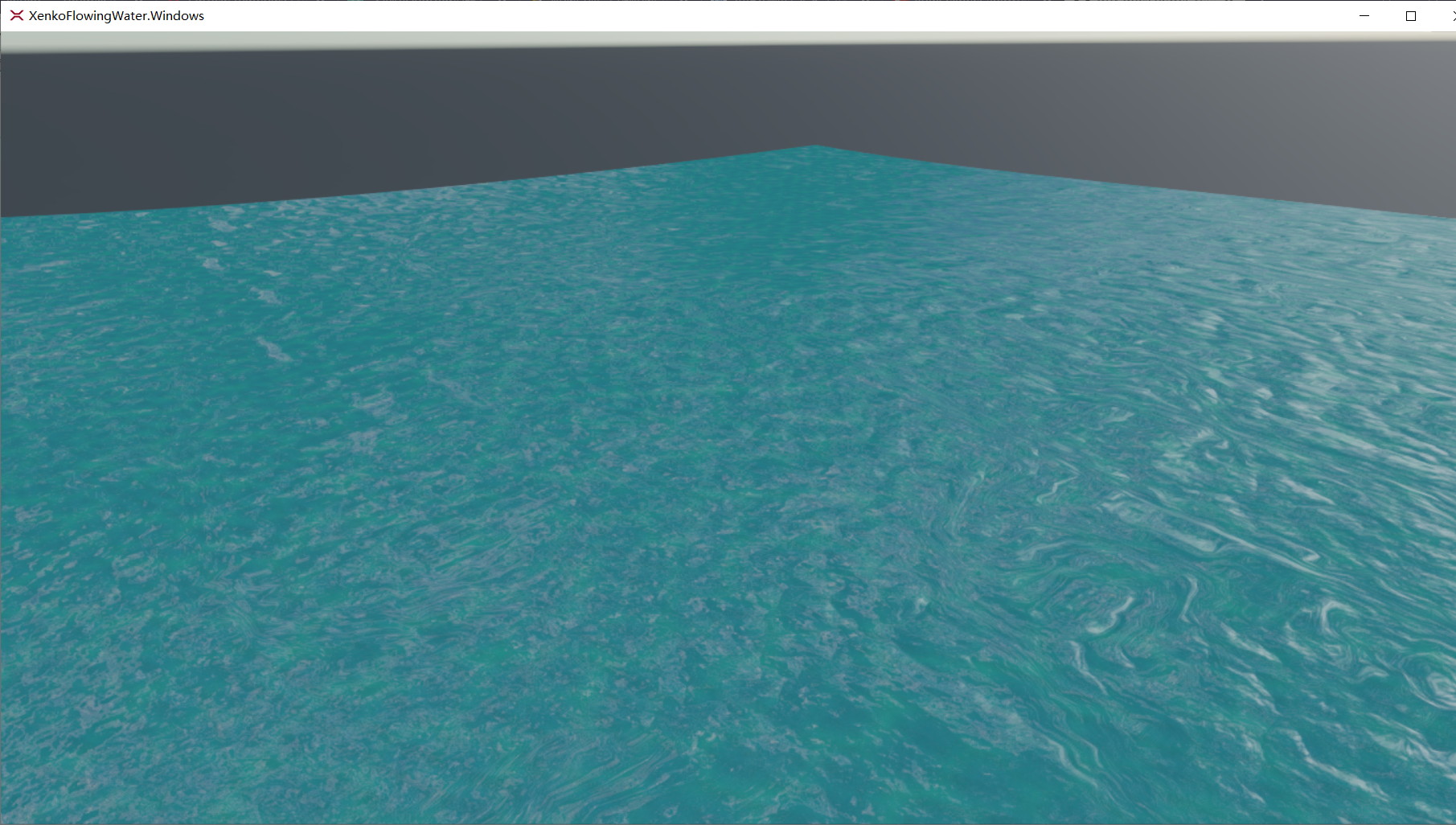
and below is the game output window.
seelikes
on 27 Nov 2019
Related issues
 MichaelJ1423
·
3Comments
MichaelJ1423
·
3Comments
 tebjan
·
4Comments
tebjan
·
4Comments
 Eideren
·
3Comments
Eideren
·
3Comments
 meriaizen86
·
5Comments
meriaizen86
·
5Comments
 Basewq
·
3Comments
Basewq
·
3Comments
Most helpful comment
@xen2 thanks very much, after alt+enter, every worked fine.

and below is the game output window.