Stride: Projects with Stride.Voxels as a dependency cannot be built
GitHub master(4.0.0.1-beta02), Windows
Firstly, sorry for never getting back after the merge, thanks so much for helping it through!
There's a problem though. Adding Stride.Voxels as a dependency to a project causes it to fail when building; everything works fine in the editor however. It seems that the asset compiler can't deserialize any of the classes in that module.
To Reproduce
Steps to reproduce the behavior:
- Create a project (I usually use the FirstPersonShooter template)
- Confirm it builds and runs
- Add Stride.Voxels as a dependency
- It no longer builds
Expected behavior
Probably should still build.
Log and callstacks
VoxelsBuildFail.txt
Thanks for any help!
 WhyPenguins
All 7 comments
I've experienced the same... Wasn't sure whether it's a problem on my side.
 tebjan
on 30 Apr 2020
tebjan
on 30 Apr 2020
I'm very new to stride engine, so I don't know if any of this will be useful, but here are my observations so far...
At first glance, it looks to me like the problem is the buildengine does not have Stride.Voxels in it's environment, so it can't access it's classes for (de)serialization when reading the asset files during the asset build.
I assume Stride.Voxels must be capable of doing (de)serialization, since how else would it save and load Stride Studio save files?
And so my current question is...
Where does the buildengine load dependent assemblies during the build process?
Below are the hard-coded references in the build engine csproj.. I don't know how the builder works, but this doesn't seem like all of what it would need to process any assets, so I assume it is picking up other assembly dependencies somehow...
<ItemGroup>
    <ProjectReference Include="..\..\core\Stride.Core\Stride.Core.csproj" />
    <ProjectReference Include="..\..\core\Stride.Core.IO\Stride.Core.IO.csproj" />
    <ProjectReference Include="..\..\core\Stride.Core.MicroThreading\Stride.Core.MicroThreading.csproj" />
    <ProjectReference Include="..\..\core\Stride.Core.Serialization\Stride.Core.Serialization.csproj" />
    <ProjectReference Include="..\Stride.Core.BuildEngine.Common\Stride.Core.BuildEngine.Common.csproj" />
  </ItemGroup>
 jeske
on 3 May 2020
jeske
on 3 May 2020
This video is helpful for setting up a working voxel project
Howto setup Real Time Voxel Global Illumination in Stride3D 4.0.0.1 beta2 - YouTube
jeske
on 3 May 2020
Stride.Voxels should now be properly loaded. Still not sure how it could have been working on my PC before when I worked on the PR, there was definitely some functionality missing.
There's still one issue left to easily setup runtime plugins such as VoxelGI:
A GameStudio restart is needed, otherwise the project won't run directly out of the box from GameStudio using F5
Everything else is OK, including creating Graphics Compositor (without GameStudio restart).
 xen2
on 3 May 2020
xen2
on 3 May 2020
(bunch of irrelevant build errors deleted from notes)
jeske
on 4 May 2020
@jeske
You compiled from master and you can see 4.0.0.1-beta02 in title bar without the -0926, right?
I think it's because I didn't bump version to -beta03.
It should now be OK with latest master (I have bumped the version).
To give more details:
- Public packages generated by CI have a version number automatically computed from git height
- Packages built locally have a fixed version number that needs to be manually bumped (because people might rebase so git height might go back, also want to control/test upgrade paths); I forgot to do this manual bump, and as a result it was not able to open project generated with latest public packages.
xen2
on 4 May 2020
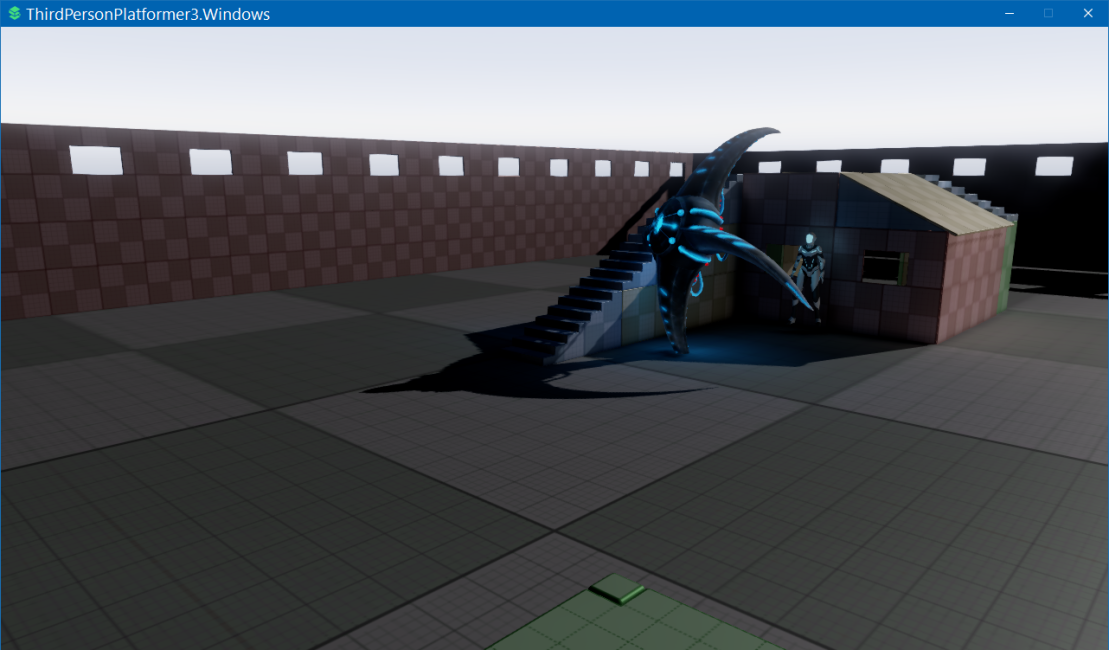
I was finally able to get it built and running VXGI in a game target with help from SolarChrome!
My game project was stuck using the 4.0.0.1.beta2-0926.... took me a while to figure out how to get it to pick up the new locally compiled packages, and fix some other problems..
This is what I did.. not necessarily optimal...
- edited Stride 00-Config/SharedAssemblyInfo.cs, changed
NuGetVersionSuffixto "-beta02-local" - cleaned Stride project (and deleted contents of AppData/Local/Stride/Dev), cleared nuget cache
- manually built Stride.Core (because a full build kept throwing errors, maybe because of empty nuget cache?)
- did a full build (which only worked after #3 above)
- Went to my game target solution, nuget package manager, checked the magic "include prerelease" checkbox (took a long time to find this, see image below)
- Updated all the packages in my game target
- Launched locally built stride studio
- assigned the main camera to the VoxelCompositor->Main slot (because it was throwing an error about no main camera. camera was still assigned to the default compositer)
- Opened game Settings, changed the graphics level to 11 (because it was throwing errors that Voxelization requires graphics level 11, which I guess game studio forces? that's a bit non-intuitive that it's different)
BOOYAH.. finally got a working game executable.
It seems like there might be some kind of issue with step 3/4 there. When I cleaned stride and the nuget cache, the build broke until I manually built stride.core. Maybe there is a "project dependency" or "build order" which is not specified in the configuration correctly? I'll mess around and see if I can figure out what I did to wedge the build.
Here is the secret "include prerelease" checkbox in nuget package manager.

jeske
on 4 May 2020
Related issues
 sanslash332
·
3Comments
jeske
·
3Comments
sanslash332
·
3Comments
jeske
·
3Comments
 seelikes
·
4Comments
seelikes
·
4Comments
 aunpyz
·
5Comments
aunpyz
·
5Comments
 CharlesWoodhill
·
3Comments
CharlesWoodhill
·
3Comments
Most helpful comment
This video is helpful for setting up a working voxel project
Howto setup Real Time Voxel Global Illumination in Stride3D 4.0.0.1 beta2 - YouTube