Informations
- Node.js version: 10.9.0
- npm version: 6.2.0
- Strapi version: 3.0.0-alpha.14.1.1
- Database: mongodb/mlab
- Operating system: mac
What is the current behavior?
Trying to connect to a database hosted at mlab doesn't work.

Steps to reproduce the problem
Create a database at mlab.com
Create a database user
go to /config/environments/development/database.json and configure it using your credentials:
{
  "defaultConnection": "default",
  "connections": {
    "default": {
      "connector": "strapi-hook-mongoose",
      "settings": {
        "client": "mongo",
        "host": "*****.mlab.com",
        "srv": false,
        "port": "*****",
        "database": "johhansantana",
        "username": "jsantana",
        "password": "********"
      },
      "options": {
        "authenticationDatabase": "", // I tried johhansantana as well
        "ssl": true // tried false as well
      }
    }
  }
}
What is the expected behavior?
Be able to connect to mlab
Suggested solutions
There are a few questions on the cli and configurations that aren't explaind.
For example:
"options": {
  "authenticationDatabase": "",
  "ssl": true
}
It's not clear what authenticationDatabase is for
and ssl not sure either.
This is my database user at mlab:
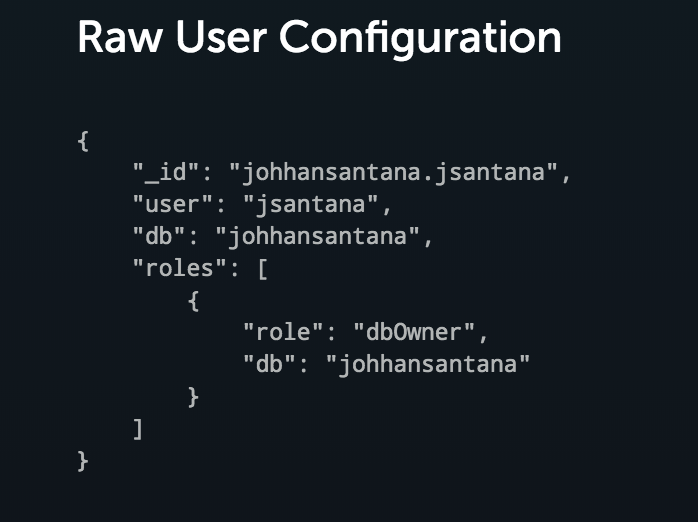
 johhansantana
All 45 comments
For the cli authentiicationDatabase value you need to use whatever the name was when creating it on mLab. So if you created a new deployment named my-sandbox, it would display something like ds100100/my-sandbox. Whatever the name is after the / is your authenticated DB (my-sandbox in this example). If I can find the reference then I'll edit this for your own research. I hope this helps. All I can say is I had a heck of a time getting started, also. Stay persistent!
Edit: Also I believe you just leave SSL to the default (press enter). If I'm mistaken just type it explicitly then. I'll look for the issue where I found this from...
 coding-saints
on 25 Sep 2018
coding-saints
on 25 Sep 2018
Tried putting what's after the / but no luck.
Tried from the beginning but still no luck:
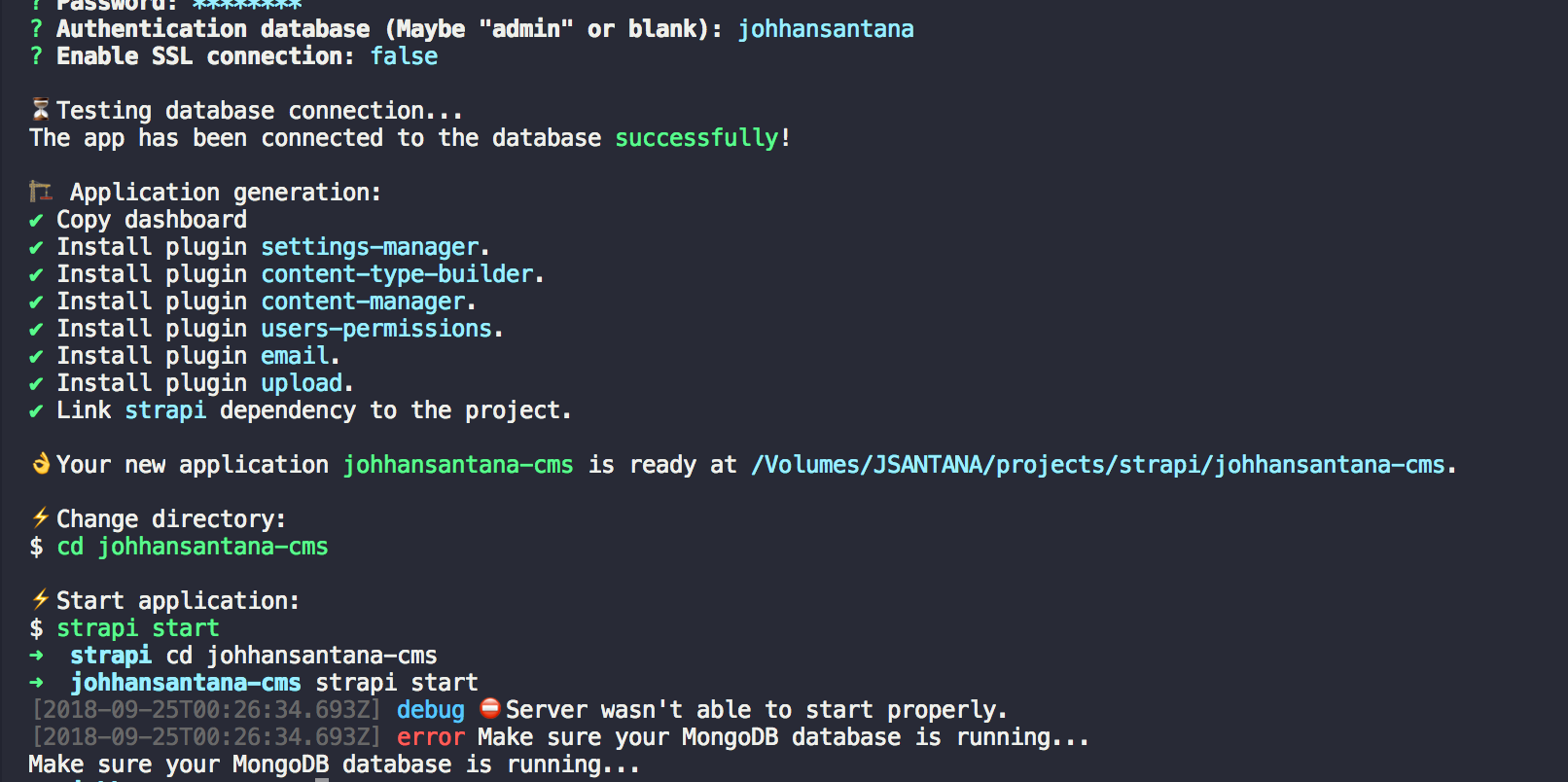
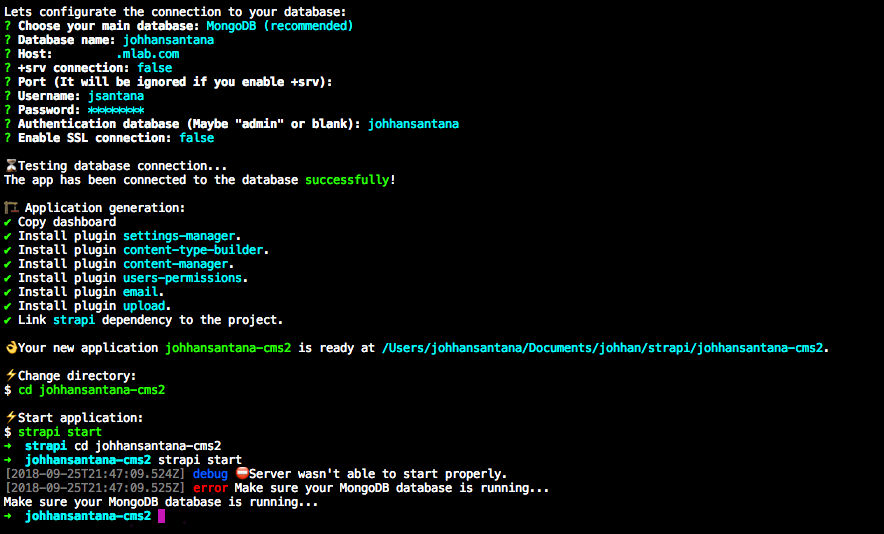
This time, cli says it connected but when I run it fails.
johhansantana
on 25 Sep 2018
I am able to connect to mLab by using:
{
"defaultConnection": "default",
"connections": {
"default": {
"settings": {
"client": "mongo",
"host": "${process.env.DATABASE_HOST || '127.0.0.1'}",
"port": "${process.env.DATABASE_PORT || 27017}",
"database": "${process.env.DATABASE_NAME || 'strapi-development'}",
"username": "${process.env.DATABASE_USERNAME || ''}",
"password": "${process.env.DATABASE_PASSWORD || ''}"
},
"options": {
"ssl": false
},
"connector": "strapi-hook-mongoose"
}
}
}
 yummyelin
on 25 Sep 2018
yummyelin
on 25 Sep 2018
tried your way but no luck :(
{
"defaultConnection": "default",
"connections": {
"default": {
"connector": "strapi-hook-mongoose",
"settings": {
"client": "mongo",
"host": "******.mlab.com",
"port": "******",
"database": "johhansantana",
"username": "jsantana",
"password": "********"
},
"options": {
"ssl": false
}
}
}
}

johhansantana
on 25 Sep 2018
@johhansantana Never used mlab but there are a host of closed issues related this for instance with your auth db:
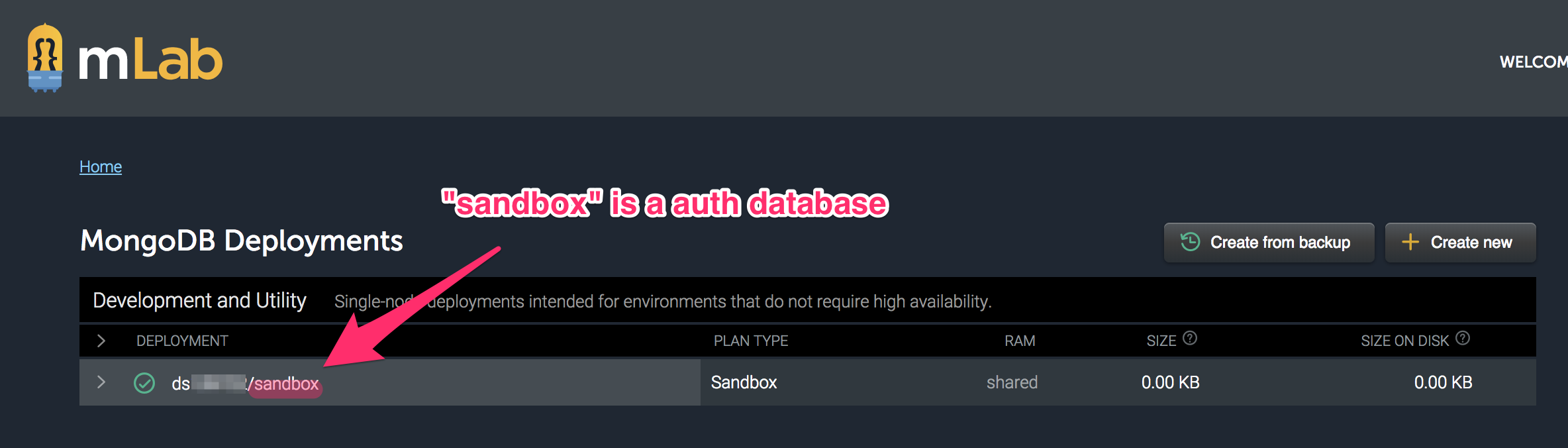
 derrickmehaffy
on 25 Sep 2018
derrickmehaffy
on 25 Sep 2018
@derrickmehaffy that's the name I'm using. Both that and the database name are the same johhansantana
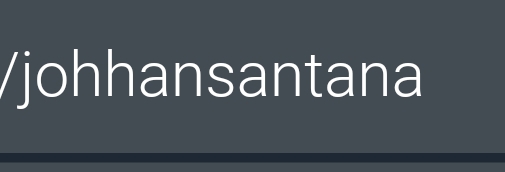

johhansantana
on 25 Sep 2018
How about the port number is correct?
Or can you connect to the DB from other clients like Robo 3T or Compass or mongo shell?
 sundaycrafts
on 25 Sep 2018
sundaycrafts
on 25 Sep 2018
I was able to connect via Robo 3T:
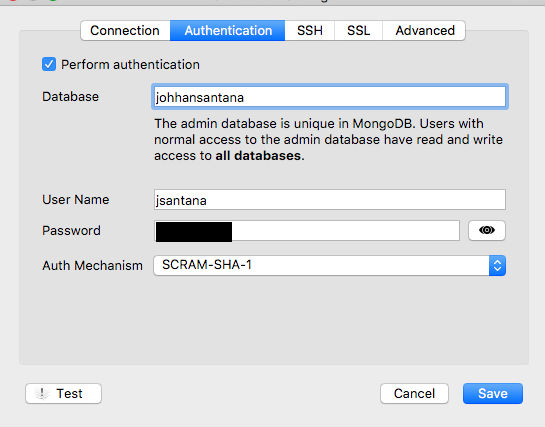
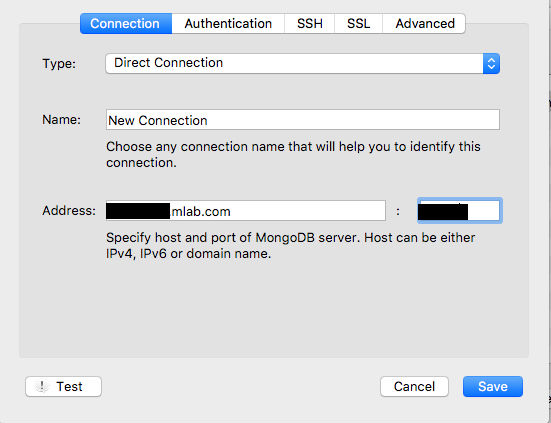
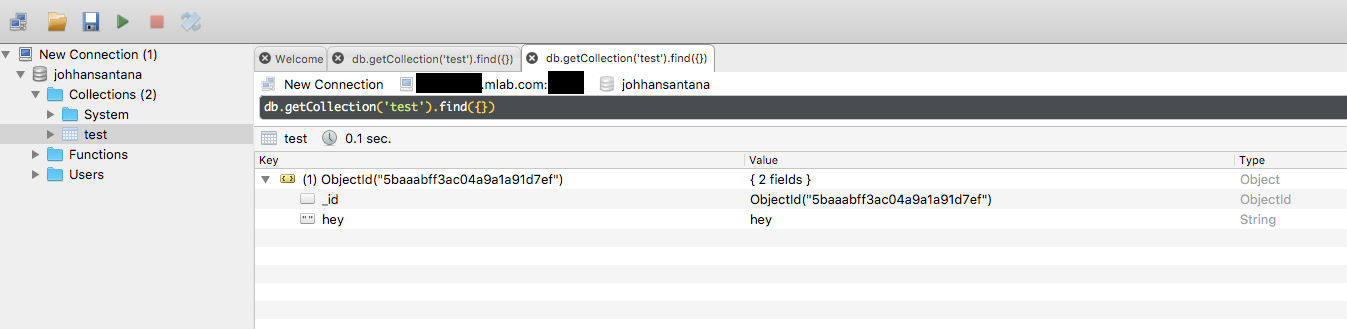
I tried again to see if I just needed to have some data in the mlab database but failed again:
johhansantana
on 25 Sep 2018
Thank you for your report! But I'm sorry I can't detect the problem.
If you have some time, please try to edit the module source code directly and get error full message.
Strapi may throw error from this line. Just inject console.log(error). You can access this file from node_modules/strapi-hook-mongoose in your project (it may be link).
sundaycrafts
on 26 Sep 2018
I tried that and I get the following log:
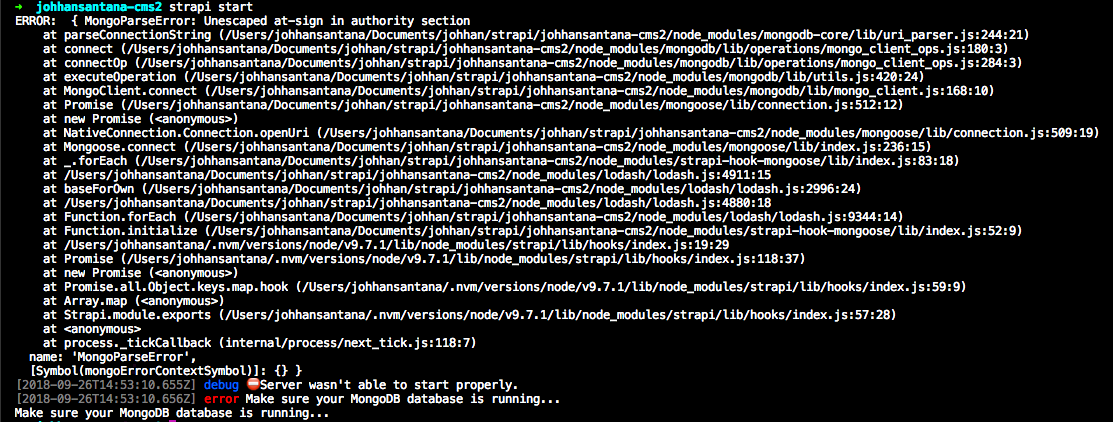
If I put a wrong username or password I get:
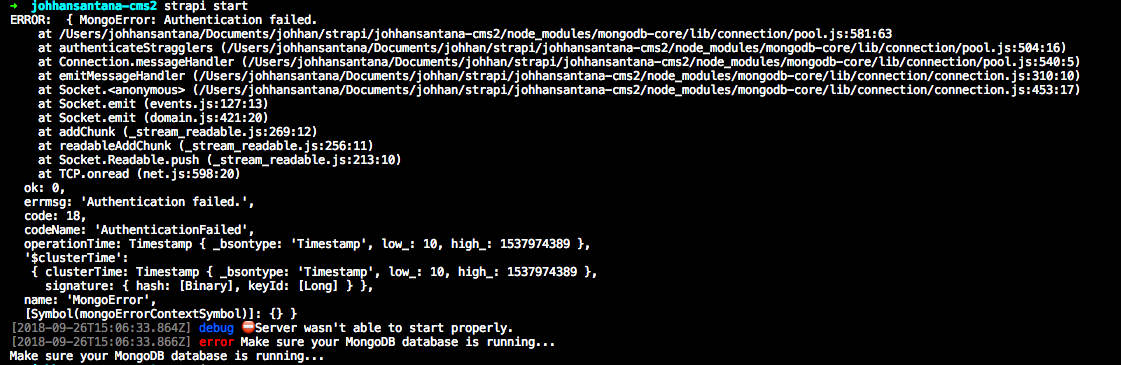
Doesn't matter what I put in authenticationDatabase.
johhansantana
on 26 Sep 2018
I have tried using a VPS with a local mongodb with an authentication as well but still the same error:

I'm able to connect via the terminal though:

This is the config:
{
"defaultConnection": "default",
"connections": {
"default": {
"connector": "strapi-hook-mongoose",
"settings": {
"client": "mongo",
"host": "***.***.**.*",
"srv": false,
"port": 27017,
"database": "johhansantana",
"username": "jsantana",
"password": "******"
},
"options": {
"authenticationDatabase": "admin",
"ssl": false
}
}
}
}
Hi o/ I just give a quick eye on the conversation. I have one question: What's the value of NODE_ENV?
In the past I tried mlab without problems. No value for authenticationDatabase, just host, port, username, password and database, plain and simple.
As far I saw, I think the problem could be that when you create the project, strapi writes to config/environment/develop/database.json, but when you try to run it, reads from config/environment/WHATEVER_NODE_ENV_IS/database.json. If that's the case, the fix is just copy the file, or set the data to the correct env variables that are in the file.
Hope it helps. Let me know o/
 maturanomx
on 26 Sep 2018
maturanomx
on 26 Sep 2018
Do you have @ sign in your password? It seems it does not support @ sign.
yummyelin
on 26 Sep 2018
@yummyelin nice thinking
derrickmehaffy
on 26 Sep 2018
For the cli
authentiicationDatabasevalue you need to use whatever the name was when creating it on mLab. So if you created a new deployment namedmy-sandbox, it would display something likeds100100/my-sandbox. Whatever the name is after the/is your authenticated DB (my-sandboxin this example). If I can find the reference then I'll edit this for your own research. I hope this helps. All I can say is I had a heck of a time getting started, also. Stay persistent!
Edit: Also I believe you just leave SSL to the default (press enter). If I'm mistaken just type it explicitly then. I'll look for the issue where I found this from...
This was the solution for me. You can not leave Authentication Database empty when using MLab. You need to specify the name of your database here.
 BraydenGirard
on 27 Sep 2018
BraydenGirard
on 27 Sep 2018
The mlab tutorial should be updated to mention authenticationDatabase as an important input - I think the image is outdated. Problem with using medium is community members can't make changes to it...
 deevolutionism
on 27 Sep 2018
deevolutionism
on 27 Sep 2018
@deevolutionism can you please conclude the solution if you were able to work it out.
 sujeetbuddiga
on 27 Sep 2018
sujeetbuddiga
on 27 Sep 2018
I performed exactly what @coding-saints suggested up top - his solution worked for me.
For the cli
authentiicationDatabasevalue you need to use whatever the name was when creating it on mLab. So if you created a new deployment namedmy-sandbox, it would display something likeds100100/my-sandbox. Whatever the name is after the/is your authenticated DB (my-sandboxin this example). If I can find the reference then I'll edit this for your own research. I hope this helps. All I can say is I had a heck of a time getting started, also. Stay persistent!
Edit: Also I believe you just leave SSL to the default (press enter). If I'm mistaken just type it explicitly then. I'll look for the issue where I found this from...
deevolutionism
on 27 Sep 2018
@yummyelin it was this all along.... thank you! and everyone that also replied. Sorry for the noise.
Do you have @ sign in your password? It seems it does not support @ sign.
mrvautin/adminMongo#147
johhansantana
on 27 Sep 2018
@johhansantana If you could do me a huge favor and make a PR to include a note about this in the docs.
That would be great. Just so we can reference users to it in the future.
derrickmehaffy
on 27 Sep 2018
@derrickmehaffy where exactly could we put the note?
johhansantana
on 28 Sep 2018
Specifying authenticationDatabase in options.
I have assigned authenticationDatabase to the value of database and it worked for me.
I made this change in database.json file
{
  "defaultConnection": "myapp-aws-mongod",
  "connections": {
    "default": {
      "connector": "strapi-hook-mongoose",
      "settings": {
        "client": "mongo",
        "host": "ds115613.mlab.com",
        "port": 15610,
        "database": "myapp-aws-mongod",
        "username": "myapp",
        "password": "myapppwd1"
      },
      "options": {
        "ssl": "false",
        "authenticationDatabase": "myapp-aws-mongod"
      }
    }
  }
}
@johhansantana I'm thinking maybe a new block around here: https://strapi.io/documentation/configurations/configurations.html#database
To answer some of the common MLab questions
derrickmehaffy
on 28 Sep 2018
What about if you get an error saying "URL is not defined" when running the command of strapi start

 ghost
on 4 Dec 2018
ghost
on 4 Dec 2018
@dommythekid Use node 10.
Node v8 is End-Of-Life (EOL)
Node v11 is still in development and is not ready for any production usage.
derrickmehaffy
on 4 Dec 2018
@derrickmehaffy Worked instantly - thanks so much!
ghost
on 4 Dec 2018
@dommythekid no problem
derrickmehaffy
on 4 Dec 2018
Node v11 worked for me. I just needed to provide "strapi-test" which was the name of my mLab instance as my authentication database.
 JohnnyZ
on 7 Dec 2018
JohnnyZ
on 7 Dec 2018
"authenticationDatabase": "myapp-aws-mongod"
Worked for me! 🎉
 Attrash-Islam
on 9 May 2019
Attrash-Islam
on 9 May 2019
 jimmymam18
on 17 Jun 2019
jimmymam18
on 17 Jun 2019
i still have an error
jimmymam18
on 17 Jun 2019
@jimmymam18 - Did you follow these instructions? https://strapi.io/documentation/3.0.0-beta.x/guides/databases.html#mongodb-installation
 davidkartuzinski
on 17 Jun 2019
davidkartuzinski
on 17 Jun 2019
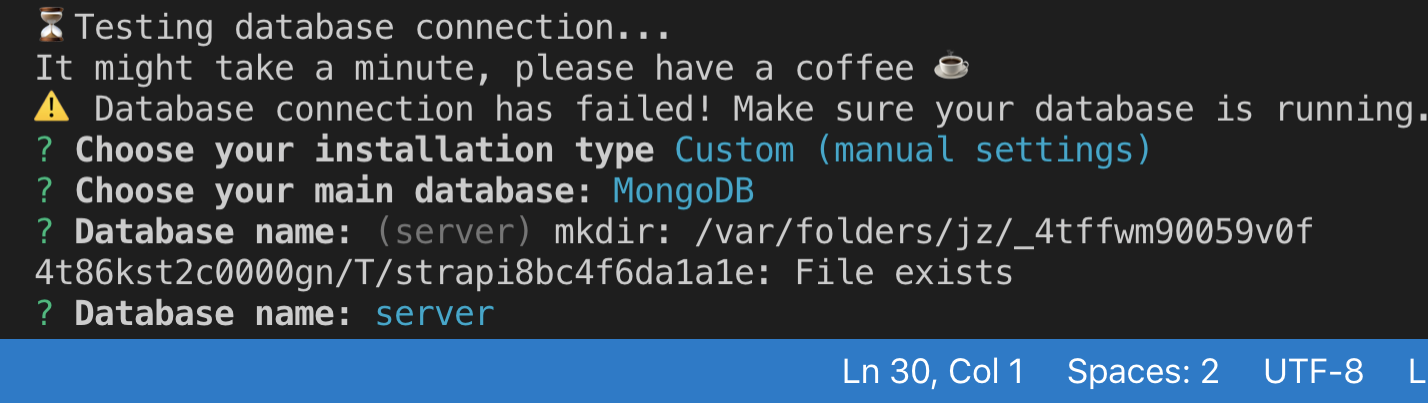
I tried to use the terminal on my visual studio and when running the mongoDB I get an error stating that my database connection failed and it also state that my database name: already file exists
jimmymam18
on 17 Jun 2019
I did everything and nothing seems to work someone please help me
jimmymam18
on 17 Jun 2019
@jimmymam18 - hello. Sorry about what is happening.
Can you confirm that you have successfully gotten MongoDB running in the background?
If you did, are you using the alpha or beta versions of Strapi?
davidkartuzinski
on 17 Jun 2019
how do I know if MangoDB is running in the background? I'm using the alpha Strapi.
jimmymam18
on 17 Jun 2019
@jimmymam18 - you can check in your terminal with the command service mongod status. Did you follow the documentation for installing MongoDB on your local computer? https://strapi.io/documentation/3.0.0-beta.x/guides/databases.html#install-mongodb-locally
davidkartuzinski
on 18 Jun 2019
depending on the OS you are using systemctl status mongod @jimmymam18
derrickmehaffy
on 18 Jun 2019
It still does not work, is there's a way someone can either skype or facetime and explain over skype?
jimmymam18
on 20 Jun 2019
@jimmymam18 google would probably be a bit easier. There are tons of guides on mongodb on a linux host. :)
derrickmehaffy
on 20 Jun 2019
I'm working on a flutter mobile app and using Visual Studio as a terminal to try to run MangoDB but it seems to not to connect at all.
jimmymam18
on 20 Jun 2019
@jimmymam18 - I would suggest not using the terminal in VS Code but the default terminal. I am not sure what OS you're on, but this page has a few different videos on how to install MongoDB and get it running.
Please take the time to separate the issue and see if this is an issue of MongoDB running or Strapi running or their connection. At this point, start with ensuring you got MongoDB running independently of Strapi.
davidkartuzinski
on 20 Jun 2019
working on mlab editing timeout on hook.json to 100000, and setting port in connection as string work for me.
 suiteappdev
on 29 Oct 2019
suiteappdev
on 29 Oct 2019
authentication database is the same as your database name in mlab, that's all you should need to do, and then match the port mlab displays to you.
 kgrosvenor
on 16 Nov 2019
kgrosvenor
on 16 Nov 2019
working on mlab editing timeout on hook.json to 100000, and setting port in connection as string work for me.
Ok so I have to comment on this silly little bloody bug. Setting the port as string and ssl = false work for me!
 thanhtam4692
on 11 Mar 2020
thanhtam4692
on 11 Mar 2020
Related issues
 Jakku7
·
40Comments
Jakku7
·
40Comments
 cesarvarela
·
63Comments
cesarvarela
·
63Comments
 mnlbox
·
43Comments
mnlbox
·
43Comments
 abdonrd
·
42Comments
abdonrd
·
42Comments
 Aurelsicoko
·
74Comments
Aurelsicoko
·
74Comments
Most helpful comment
Specifying authenticationDatabase in options.
I have assigned authenticationDatabase to the value of database and it worked for me.
I made this change in database.json file