Spksrc: Radarr 3.0.1: Can't add movie
_For new Package Requests, see the guidelines_
Setup
_Package Name:_ Radarr
_Package Version:_ 3.0.1.4259
_NAS Model:_ Synology
_NAS Architecture:_ x64
_DSM version:_ 6.2.3-25426 Update 3
Expected behavior
Clicking the Add Movie button should add the movie to the queue.
Actual behavior
The Add Movie button animates, but doesn't add the movie.
Steps to reproduce
_1._ Search for a movie.
_2._ Click the search results to open the modal.
_3._ Click Add Movie button.

Package log
_Check Package Center or /usr/local/{package}/var/_
Insert the package log here
Other logs
_E.g. /var/log/messages or /var/log/synopkg.log_
Insert log here
 severdia
All 13 comments
Without logs, I can only guess what the problem is. Maybe a permission issue, a locked database, a buggy browser extension... What does the browser console tell you? Are you blocking WebSockets?
Unfortunately I can't reproduce the issue.
 publicarray
on 19 Dec 2020
publicarray
on 19 Dec 2020
In Settings/Media Management/ have you added a Root Folder and given sc-download read & write permissions?
publicarray
on 19 Dec 2020
@publicarray What logs would be helpful? I'm using Safari 14.0.2. Yes, the sc-download group exists with the correct permissions. Not blocking any Websockets. Here's the browser log:
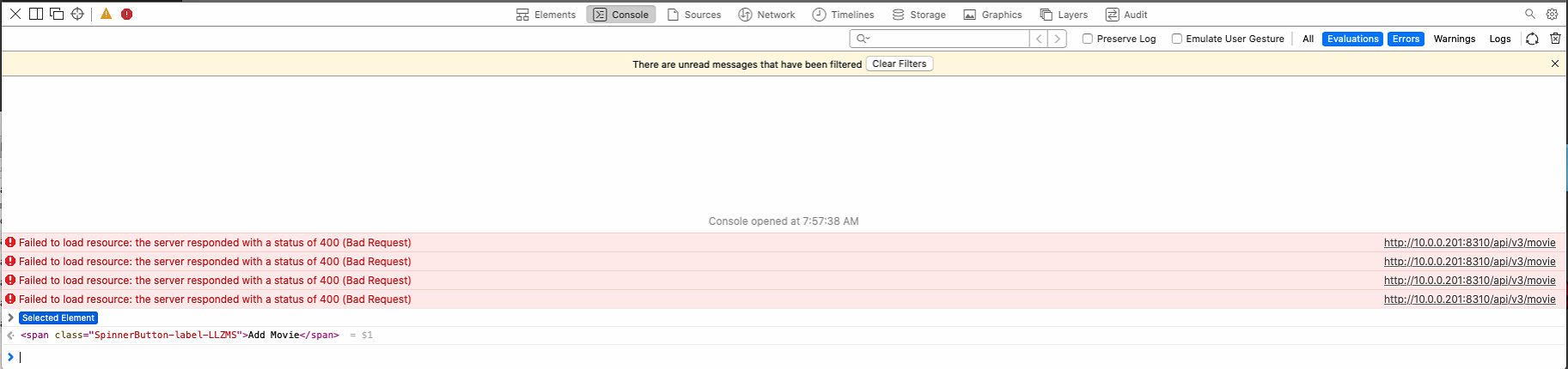
Radarr was working fine until the latest updates and I haven't made any configuration changes.
severdia
on 20 Dec 2020
Thanks that already narrows this down somewhat.
You can find the logs In the radarr web UI in System/Log Files
It might help if you change logging to trace in Settings/General and restart radarr (person icon top right) Try adding a movie again. Make sure to return the log level to info afterwards.
Would you be willing to try a different browser (Firefox or Chrome)?
Thanks for your patience.
publicarray
on 20 Dec 2020
@publicarray OK, turned on trace and attached trace log. I tried to add an example movie three times (you can see this in the log). Yes, I tried both Chrome and Firefox and they have the same issue.
severdia
on 21 Dec 2020
Thanks @severdia, according to the logs the path (I assume /volume2/Files or /volume1/@appstore/radarr/var/.config/Radarr) is no longer valid. Can you create a new shared folder and set up the permissions again? And set the new folder in radarr.
2020-12-21 07:51:33.4|Warn|RadarrErrorPipeline|Invalid request Validation failed:
 -- Path: Path is child of configured recycle bin folder
2020-12-21 07:51:33.4|Trace|Http|Res: 21 [POST] /api/v3/movie: 400.BadRequest (136 ms)
That error means you are trying to set the movie root path to a path that is a child folder of your Radarr recycling bin (a good way to wipe the library)... Go into settings and change your recycling bin path or change where movies are stored so it's not in said recycling bin path.
 Qstick
on 21 Dec 2020
Qstick
on 21 Dec 2020
@publicarray Yes, that path is valid, but I tried to remove and re-add it in the Media Management settings and it wouldn't let me re-add it.

I selected the right folder and clicked OK, but it wasn't added. It has a similar 400 error in the console.

So I went to the shared folder settings and the folder path/permissions are correct.
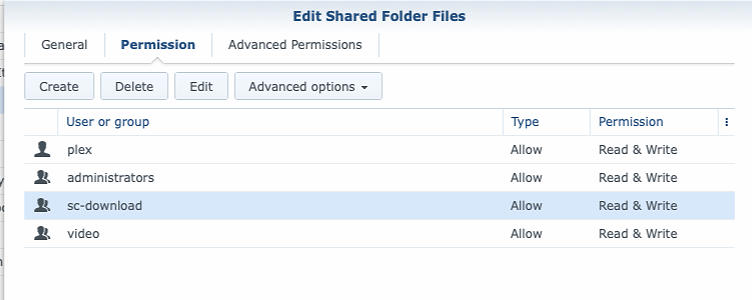
No matter what folder I select, it fails to be added to the settings. The sc-download group is there and has Read/Write permissions on that directory. The path is/volume1/Files/Downloads so it's not in the #recycle directory—which is weird it would say it's in that directory when it definitely isn't. This path and setup has not change at all for over a year. The only change have been updating Radarr to the 3.x versions. Yes, I saw that indexer is failing.
severdia
on 21 Dec 2020
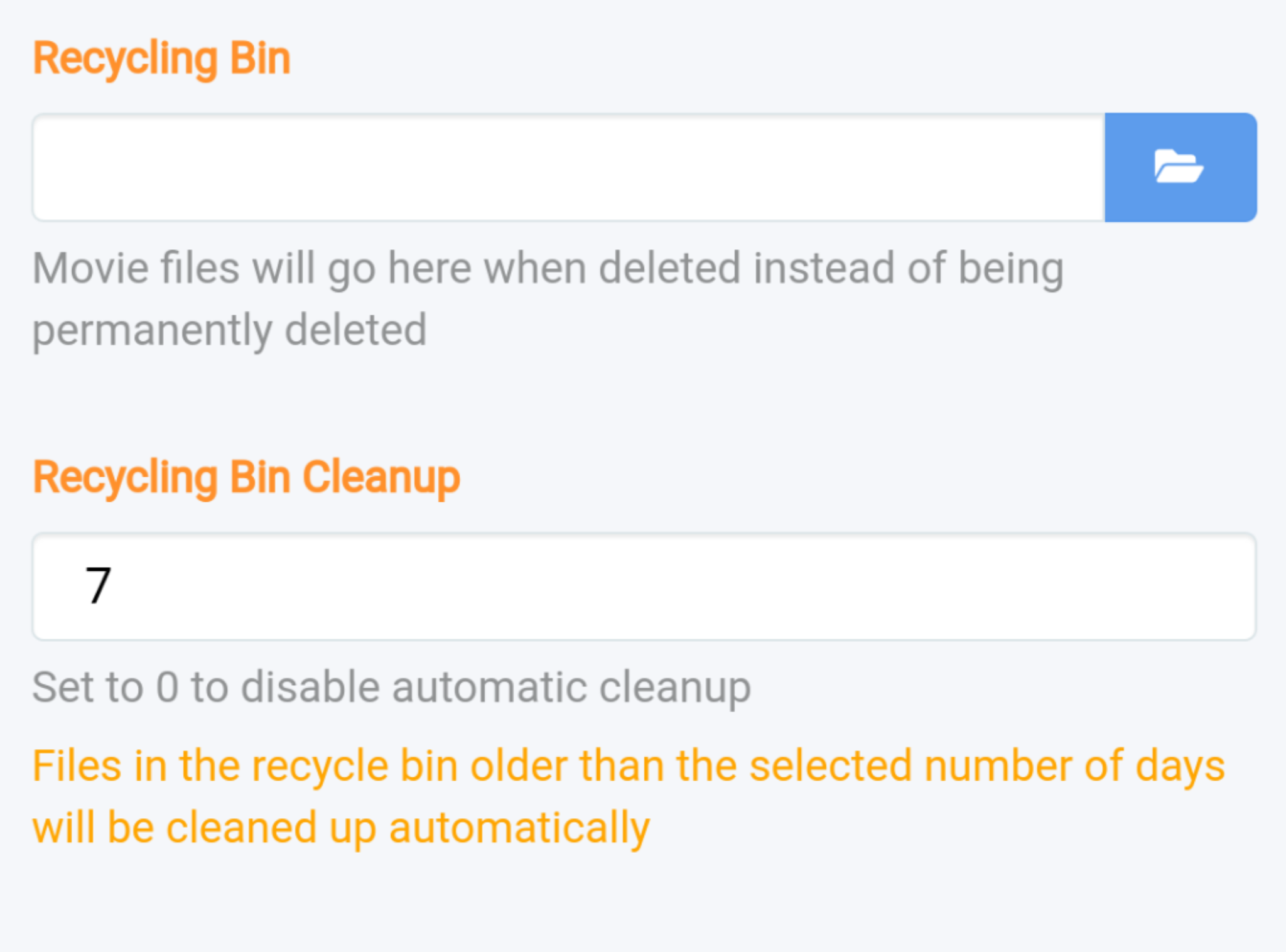
What do your Radarr recycling bin settings look like?
Qstick
on 21 Dec 2020
Thanks @qstick. You're right. That setting had /volume1 in it for some reason. I've never used this feature so I've disabled it and was able to re-add the root folder. And I was able to successfully add a movie!
So I guess the bug here is somehow a value was added to the Recycling Bin setting when updating Radarr. And, like you said, that could have been disastrous if I hadn't discovered it before automatic cleanup happened.
severdia
on 21 Dec 2020
Thanks @Qstick!
publicarray
on 21 Dec 2020
Cool. We don't set that path in any migration so it's got to be a previous setting I'd think.
Qstick
on 21 Dec 2020
Related issues
 SeppPenner
·
7Comments
SeppPenner
·
7Comments
 ghost
·
4Comments
ghost
·
4Comments
 zhuchun
·
7Comments
zhuchun
·
7Comments
 Mickroz
·
3Comments
Mickroz
·
3Comments
 Haravikk
·
6Comments
Haravikk
·
6Comments
Most helpful comment
What do your Radarr recycling bin settings look like?