Spksrc: Gateone doesnt work anymore after dsm 6
Can anybody from SynoCommunity compile a new Gateone package for DSM 6? After the release of DSM 6, GateOne isnt working anymore. I used this webbased ssh client alot.
DS214+
DSM 6.0-7321 Update 6
Problem: Package fails to run after clicking "Run" in package center, and automatically stops again.
Tried to reinstall gateone several times, and rebooting NAS. Doesnt work. If i need to test something, let me know.
gateone.log
[I 160523 13:33:35 server:4179] Gate One License: AGPLv3 (http://www.gnu.org/licenses/agpl-.0.html)
[I 160523 13:33:35 server:4188] Imported applications: Terminal
[I 160523 13:33:35 server:4340] Version: 1.2.0 (20151116212858)
[I 160523 13:33:35 server:4341] Tornado version 4.3
[I 160523 13:33:35 server:4361] Connections to this server will be allowed from the following origins: '*'
[I 160523 13:33:35 server:4380] No SSL private key found.  One will be generated.
[I 160523 13:33:47 server:4384] No SSL certificate found.  One will be generated.
[I 160523 13:33:49 server:3678] No authentication method configured. All users will be ANONYMOUS
[I 160523 13:33:49 server:3759] Loaded global plugins: gateone.plugins.editor, gateone.plugins.help
 Oxize
Oxize
All 120 comments
Waiting on #2216 and there's probably another issue where the SSL certificate location has changed in DSM6 (here and there)
 Dr-Bean
on 24 May 2016
Dr-Bean
on 24 May 2016
no workaround?
Oxize
on 28 May 2016
same issue here
 joutain
on 6 Jun 2016
joutain
on 6 Jun 2016
Dr-Bean, can i somehow get this working, or do we really need to wait on Synology for this adduser command problem?
Oxize
on 11 Jun 2016
Simply put, you have three choices at this point: wait for someone else to (help) add DSM6 compatibility, contribute and help solve the aforementioned issues yourself or downgrade to/do a clean install of a supported DSM version.
Dr-Bean
on 11 Jun 2016
Well i wished i had more knowledge about the used code, but i dont, otherwise i would try to help whereever i could. Its only anoyying, because i used Gateone alot from the web when i was at costumers, when i need to ssh into something. I like it more then putty.
Guess i have to wait. Downgrading my Synology isnt possible so far i know, i asked that already Synology Support.
Oxize
on 11 Jun 2016
@Diaoul, any plans to have a look at this and update the package? ;-)
 patrikhuber
on 16 Jul 2016
patrikhuber
on 16 Jul 2016
Dsm 6 : ssl_certificate : /usr/syno/etc/certificate/system/default/fullchain.pem
ssl_certificate_key : /usr/syno/etc/certificate/system/default/privkey.pem
Hello Mr.bean wants you access to the repository, can one make a commit, with information about certificates that I have published?
 dextouu
on 14 Aug 2016
dextouu
on 14 Aug 2016
Hi, Any news about this compilation ? GateOne is very powerful software I think it should be fixed.
Tks a lot.
 Alderaaan
on 25 Aug 2016
Alderaaan
on 25 Aug 2016
Guess Synology doesnt wanna change their path stuff. I think the solution have to come from someone out of SynoCommunity. Were almost 6 months further.
I tried running the package as root, but cant still start the package. Still hope someone can look into this and get gateone working again.
@kanjusei : did you get gateone working?
Oxize
on 19 Sep 2016
A workaround that I used to get the package functioning was to edit the start-stop-status script (located in /var/packages/gateone/scripts/) to comment out the line that attempts to copy the certificate into the SSL folder (i.e., put a # in front of this line in the function start_daemon():
cp /usr/syno/etc/ssl/ssl.crt/server.crt /usr/syno/etc/ssl/ssl.key/server.key ${INSTALL_DIR}/ssl/
then I manually copied the ssl certificates from the system location into the folder gateone is looking for them:
cp /usr/syno/etc/certificate/system/default/cert.pem /usr/local/gateone/ssl/server.crt
cp /usr/syno/etc/certificate/system/default/privkey.pem /usr/local/gateone/ssl/server.key
Alternatively, you could edit the start-stop-status script to replace the cp command with one that looks in the right place (and renames appropriately). I don't really know how git works very well, but I've attempted to create a pull request that does this: https://github.com/SynoCommunity/spksrc/pull/2504
 joshlawless
on 28 Oct 2016
joshlawless
on 28 Oct 2016
@joshlawless: Got the Gateone running also now with your workaround. But i cant access the Gateone webinterface on 8271.
Edit, it worked before i uninstalled it. Used your code again, but now it doesnt start anymore. Sigh :(
Where can i package config file after its being downloaded? Package center says port 8271 is being used. Gateone cant be installed.
@joshlawless: Where does write gateone his port information? \etc.. ? (which file)
Nevermind found the gateone.sc file under /usr/local/etc/services.d
Oxize
on 28 Oct 2016
Another try
- Uninstalled Gateone
- Installed Gateone
- Blocked the old certficate copy line.
- copied certificates to new location as stated above.
- Tried starting running the service; It doesnt start
- Nothing get logged (gateone.startup.log is empty).
Any other possible fixes to get it started or to see where it fails?
Oxize
on 2 Nov 2016
I also got this issue after upgrading to DSM6 some weeks ago. Finally I found some time to have a closer look - and now fixed it on my DS214play running 6.0.2-8451 Update 1.
This is what i did:
- uninstalled all Python and GateOne packages
- fresh install of GateOne (including automated installation of 2.7.11-15 synocommunity Python)
- copied certifificates as mentioned above
Then installed/upgraded some (whyever) missing python packages using:
$ sudo /usr/local/python/bin/pip install html5lib tornado
And after doing another
$ sudo /var/packages/gateone/scripts/start-stop-status start
GateOne is alive again :-)
addendum: changes survived upgrade to 6.0.2-8451 Update 2.
 ujle
on 2 Nov 2016
ujle
on 2 Nov 2016
Thanks your awesome! That worked like a charm!
Oxize
on 2 Nov 2016
Should a 5 step work-around close this issue?
 tlc
on 3 Nov 2016
tlc
on 3 Nov 2016
Why should i leave it open? Nobody wants to make it compatible for DSM 6.0.
Oxize
on 3 Nov 2016
@Oxize @Dr-Bean and @GoodOmens83 are working on an global DSM6 fix... This is not something that should be done on a per package base but globally to provide DSM6 support for all Packages. feel free to join the discussion over here: https://github.com/SynoCommunity/spksrc/pull/2345 or https://github.com/SynoCommunity/spksrc/issues/2216 if you have something usefull... all of this was already stated by @Dr-Bean here: https://github.com/SynoCommunity/spksrc/issues/2340#issuecomment-221187656
 cytec
on 4 Nov 2016
cytec
on 4 Nov 2016
@ujle Your method didn't work for me. But i find a workaround. Just need to edit a few strings:
start_daemon ()
{
    # Copy certificate
#    cp /usr/syno/etc/ssl/ssl.crt/server.crt /usr/syno/etc/ssl/ssl.key/server.key ${INSTALL_DIR}/ssl/
#    chown ${USER} ${INSTALL_DIR}/ssl/*

#    su ${USER} -c "PATH=${PATH} nohup ${PYTHON} ${GATEONE} --settings_dir=${SETTINGS_DIR} > ${INSTALL_DIR}/var/gateone_startup.log &"

sudo -u ${USER} /bin/sh -c "PATH=${PATH} nohup ${PYTHON} ${GATEONE} --settings_dir=${SETTINGS_DIR} > ${INSTALL_DIR}/var/gateone_startup.log &"

}

stop_daemon ()
{
#    su ${USER} -c "PATH=${PATH} ${PYTHON} ${GATEONE} --kill --settings_dir=${SETTINGS_DIR}"
sudo -u ${USER} /bin/sh -c "PATH=${PATH} ${PYTHON} ${GATEONE} --kill --settings_dir=${SETTINGS_DIR}"
 wait_for_status 1 20 || kill -9 `cat ${PID_FILE}`
    rm -f ${PID_FILE}
}
 UglyAnimal
on 5 Nov 2016
UglyAnimal
on 5 Nov 2016
The above script modification worked great for me (thank you), but I had to leave the chown line uncommented to let gateone take control of the files. Otherwise, you'll get a bunch of non-obvious permission errors from Tornado when you attempt to access GateOne and the page won't load.
 davidhouchin
on 24 Dec 2016
davidhouchin
on 24 Dec 2016
For me none of this worked.
the log in /usr/local/gateone/var/gateone_startup.log contains this:
/usr/local/gateone/env/bin/python: can't open file '/usr/local/gateone/env/bin/gateone': [Errno 2] No such file or directory
and if you look at the script this:
su ${USER} -c "PATH=${PATH} nohup ${PYTHON} ${GATEONE} \
       --settings_dir=${SETTINGS_DIR} > ${INSTALL_DIR}/var/gateone_startup.log &"
with these variables:
# Package
PACKAGE="gateone"
DNAME="GateOne"

# Others
INSTALL_DIR="/usr/local/${PACKAGE}"
PYTHON_DIR="/usr/local/python"
PATH="${INSTALL_DIR}/bin:${INSTALL_DIR}/env/bin:${PYTHON_DIR}/bin:${PATH}"
PYTHON="${INSTALL_DIR}/env/bin/python"
GATEONE="${INSTALL_DIR}/env/bin/gateone"
SETTINGS_DIR="${INSTALL_DIR}/var/conf.d"
PID_FILE="${INSTALL_DIR}/var/gateone.pid"
USER="gateone"
map to this:
su gateone -c "PATH=/usr/local/gateone/bin:/usr/local/gateone/env/bin:/usr/local/python/bin:${PATH} \
    nohup /usr/local/python/bin/python /usr/local/gateone/env/bin/gateone \
    --settings_dir=/usr/local/gateone/var/conf.d > /usr/local/gateone/var/gateone_startup.log &"
as you can see the actual command start python with python /usr/local/gateone/env/bin/gateone which is a file that doesn't exist
 danielesegato
on 19 Feb 2017
danielesegato
on 19 Feb 2017
Post scriptum:
if I execute the start-stop script from root (after sudo -i) I get a permission denied on the su command but if I execute it with sudo /var/packages/gateone/scripts/start-stop-status start it execute just fine (just give the error stated above).
danielesegato
on 19 Feb 2017
is there a chance to have this problem solved in the coming days via a new package ? Tx
 tparvais
on 20 Feb 2017
tparvais
on 20 Feb 2017
Joining in, +1 for a fix.
 bickycheese
on 15 Mar 2017
bickycheese
on 15 Mar 2017
Joining too.
 Mickroz
on 15 Mar 2017
Mickroz
on 15 Mar 2017
+1 for a fix!
I am running DSM 6.1-15047 Update 2 on a DS716+II.
The workaround presented here doesn't work any longer ... unfortunately.
 Jeeosch
on 5 Apr 2017
Jeeosch
on 5 Apr 2017
+1 for a fix
 BlueZulu
on 21 May 2017
BlueZulu
on 21 May 2017
+1 for a Fix
i would suggest looking into https://github.com/nickola/web-console because there was already a working package befor.
 fear
on 23 May 2017
fear
on 23 May 2017
I made the following changes to /var/packages/gateone/scripts/start-stop-status:
In start_daemon ()
- comment out the cp of server.crt and server.key
- add in cp lines for the new locations of cert.pem and privkey.pem as above
In both start_daemon () and stop_daemon ()
- change "su ${USER}" to "sudo -u ${USER} sh"
Seems to work for me at the moment (DS1513+ DSM 6.1.2-15132 Update 1)
 arnoxit
on 13 Jul 2017
arnoxit
on 13 Jul 2017
1000th arnoxit THX !!!!
I have been able to recreate a new SPK with the mentioned fixes and the installation works now fine. I couldn't resign it, obviously...
 vletroye
on 5 Nov 2017
vletroye
on 5 Nov 2017
Hi @vletroye that is great work. However, when I change the extension to .spk It doesn't want to install.... Invalid file format...
 kdesigns
on 5 Jan 2018
kdesigns
on 5 Jan 2018
The spk is inside the zip.. I might not upload an spk here ;)
V.
vletroye
on 5 Jan 2018
I'm so sorry but if I extract the zip the contents looks like the attachment.
Also package.tgz does not install (also not when adding .spk).
Any help?

kdesigns
on 5 Jan 2018
Ok... Use this link : http://olympe.letroye.be/sspks/packages/MODS_GateOne.spk
It's a download from my own SPK Server.
vletroye
on 6 Jan 2018
Thank you very much! Unfortunately -->

kdesigns
on 6 Jan 2018
Which version of DSM do you have and wich model of Synology ?
GateOne is made for x86, braswell, bromolow, cedarview, avoton.
And the package is targeting DSM > 5.0-4458 (because I never tested my tool to create packages with a previous DSM and many features are only supported as of 5.x)
Now, I can change any settings in the package to let you install it (without guarantee that it will work... it's at your own risk I have to say...)
vletroye
on 6 Jan 2018
Mode: DS214+
CPU: MARVELL Armada XP MV78230
DSM: DSM 6.1.4-15217 Update 5
kdesigns
on 8 Jan 2018
Original Package has :
- Minimum Firmware of the package is 5.0.4458
- Arch is x86 braswell bromolow cedarview avoton
I did add armadaxp... But I really don't know the consequence. Here is the spk for you : https://ufile.io/e4k3r
vletroye
on 13 Jan 2018
It does install this time. However, it does not start. There are no lines in the log...
kdesigns
on 13 Jan 2018
This package is most probably not just python and bash scripts...I presume therefore that there are binaries which really depends on the architecture.... bad luck :(
vletroye
on 13 Jan 2018
Shouldn't we get the package removed/hidden from SynoCommunity repository until this is fixed?
 ssbarnea
on 6 Apr 2018
ssbarnea
on 6 Apr 2018
@vletroye Trying to run this on DS2415+ (Intel ATOM) with DSM 6.1.6.. Fails to start. Where are the log files that I need to look at? I'm comfortable modding upstart scripts but just starting with Synology so I'm not sure where the base paths are? /var/log/?
 tkirkland
on 18 May 2018
tkirkland
on 18 May 2018
Hi tkirkland... Yes, logs are in /var/log
Did you use this spk: http://olympe.letroye.be/sspks/packages/MODS_GateOne.spk ?
FYI: it's also failing to run on my DS since some recent DSM update. I was able to create a spk using the tips provided here, but I didn't spent time to check what could be wrong now.
To quickly find the relevant logs, do some cleanup ;)
sudo -i
mkdir BKP
mv * BKP
Next, run the application, it will fail to start, and you should see new logs.
If I do it, if find
- /var/log/synopkg.log
- /var/log/synoservice.log
synopkg.log contains
Traceback (most recent call last):
File "/usr/local/gateone/env/bin/gateone", line 11, in
load_entry_point('gateone==1.2.0', 'console_scripts', 'gateone')()
File "/usr/local/gateone/env/lib/python2.7/site-packages/pkg_resources/__init__.py", line 476, in load_entry_point
return get_distribution(dist).load_entry_point(group, name)
File "/usr/local/gateone/env/lib/python2.7/site-packages/pkg_resources/__init__.py", line 2700, in load_entry_point
return ep.load()
File "/usr/local/gateone/env/lib/python2.7/site-packages/pkg_resources/__init__.py", line 2318, in load
return self.resolve()
File "/usr/local/gateone/env/lib/python2.7/site-packages/pkg_resources/__init__.py", line 2324, in resolve
module = __import__(self.module_name, fromlist=['__name__'], level=0)
File "/usr/local/gateone/env/lib/python2.7/site-packages/gateone-1.2.0-py2.7.egg/gateone/core/server.py", line 402, in
from gateone.auth.authorization import require, authenticated, policies
File "/usr/local/gateone/env/lib/python2.7/site-packages/gateone-1.2.0-py2.7.egg/gateone/auth/authorization.py", line 38, in
@memoize
File "/usr/local/gateone/env/lib/python2.7/site-packages/gateone-1.2.0-py2.7.egg/gateone/core/utils.py", line 290, in __init__
MEMO = AutoExpireDict(timeout=timeout, interval="30s")
File "/usr/local/gateone/env/lib/python2.7/site-packages/gateone-1.2.0-py2.7.egg/gateone/core/utils.py", line 161, in __init__
self.interval = kwargs.pop('interval')
File "/usr/local/gateone/env/lib/python2.7/site-packages/gateone-1.2.0-py2.7.egg/gateone/core/utils.py", line 211, in interval
self._timeout_checker, value, io_loop=self.io_loop)
TypeError: __init__() got an unexpected keyword argument 'io_loop'
Exception AttributeError: "'AutoExpireDict' object has no attribute '_key_watcher'" in
vletroye
on 23 May 2018
Very same error reported here: https://github.com/liftoff/GateOne/issues/690
Solution : pip install tornado==4.5.3
I did try it (installing first pip):
sudo -i
wget https://bootstrap.pypa.io/get-pip.py
python get-pip.py
/bin/python -m pip uninstall tornado
/bin/python -m pip install tornado==4.5.3
But it didn't solve the problem. I could still not run GateOne.
I wonder if this error could be due to the use of python 2 on Synology. NB.: but I will not install python 3 to try it, as the last time I did, a developer from Synology had to connect remotely on my NAS to fix the mess I did (and he was quie unhappy :p ).
vletroye
on 23 May 2018
I just set up gateone on a Linux Ubuntu box and had All sorts of issues until I found the right version of tornado to use. I'll experiment and report back.
tkirkland
on 29 Jun 2018
this work for me for Synology DSM 6.2-23739 Update 1 (MARVELL Kirkwood 88F6282)
install gateone from SynoCommunity
edit
/var/packages/gateone/scripts/start-stop-status
as above
correct tornado version
sudo bash
/usr/local/gateone/env/bin/pip uninstall tornado
/usr/local/gateone/env/bin/pip install tornado==4.5.3
/usr/local/gateone/env/bin/python -c "import tornado; print(tornado.version)"
run normal
 akh1
on 14 Jul 2018
akh1
on 14 Jul 2018
There is also a Docker image that may work on newer DSM versions that support Docker. Unfortunately, this also has issues, currently.
 bittner
on 25 Jul 2018
bittner
on 25 Jul 2018
A slight modification of what @akh1 said is what worked for me... Here's what I did:
1) Installed Python 2.7 from app store for dependency...
2) Installed @vletroye 's .spk referenced http://olympe.letroye.be/sspks/packages/MODS_GateOne.spk
3) sudo /usr/local/gateone/env/bin/pip uninstall tornado
4) sudo /usr/local/gateone/env/bin/pip install tornado==4.5.3
5) At this point, Gateone should run from the UI just fine... Mine did.
I strongly suggest looking it /usr/local/gateone/var/conf.d as it contains all of the server defaults and two custom config files (which I deleted since I'm accessing behind a reverse proxy) which allow you to change port, http(s) and several other useful settings.
Do note that if you're using a reverse proxy as I am you'll need add a few lines in the nginx vhost to get things running.. Should anyone need help just reply.
Thanks to everyone that helped with this. It is working like a charm. Tested persistence through a reboot and the service restarted as would be expected.
tkirkland
on 1 Aug 2018
Hello, I have a DS413 with Freescale CPU, based on qoriq arch.. The package is not compatible. Can someone add this arch to the package?
 fastback67
on 9 Aug 2018
fastback67
on 9 Aug 2018
I have GateOne already running on my Synology NAS 1813+. I dont see any icon to open the iframe or another window pointing to the app. Could you guide me what to do to open GateOne in Synology DSM?
 richardgamarra
on 21 Aug 2018
richardgamarra
on 21 Aug 2018
@richardgamarra I'm having a similar issue I think. Following @tkirkland 's instructions worked great for installing GateOne successfully on a Synology NAS 1515+.
However, whenever I click on "GateOne" from the "Start" menu, it pops up a new window with DSM again...
I did happen to find out by chance that I can access GateOne by directly inputting the address (using the default port 8271). Screenshots attached.
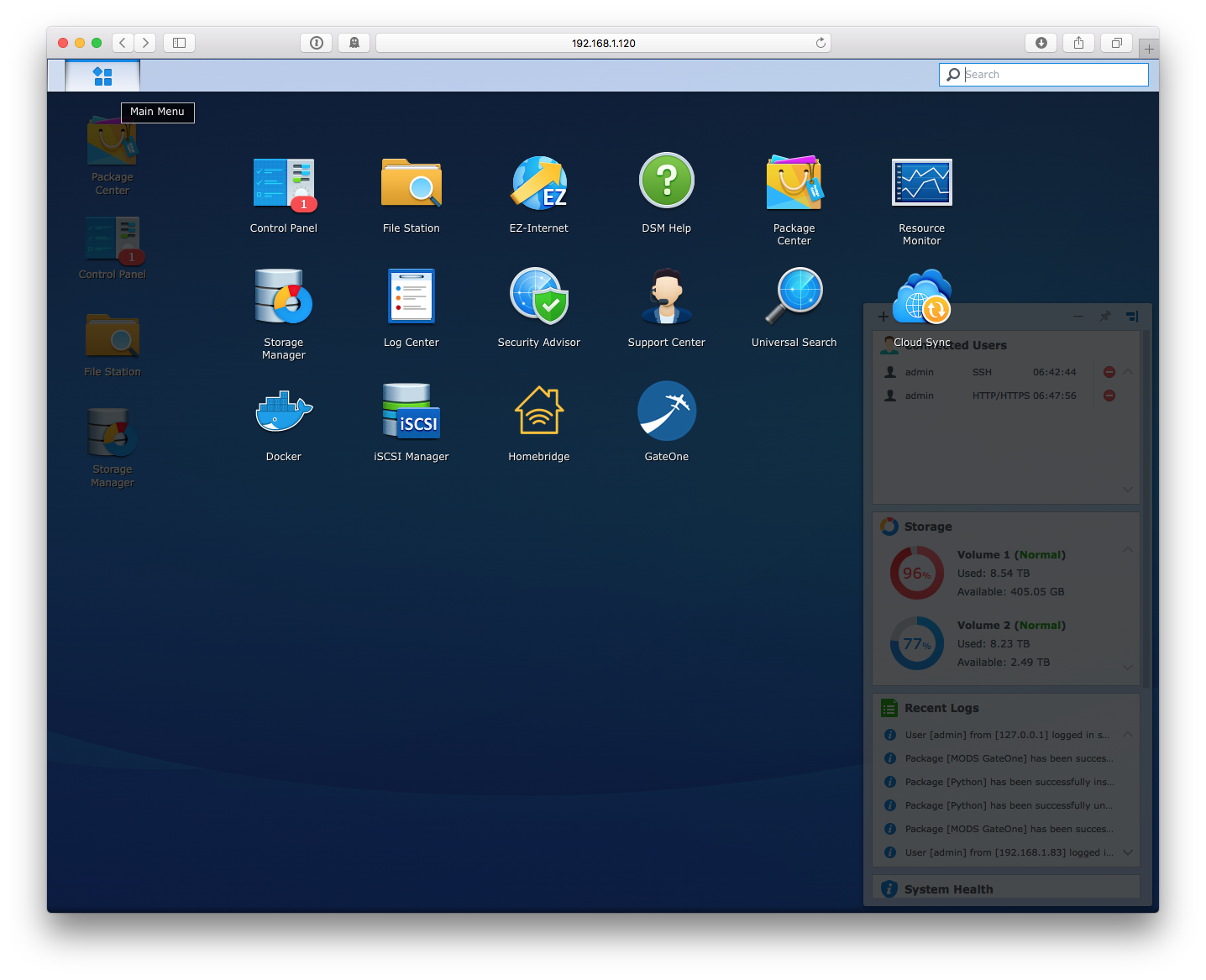
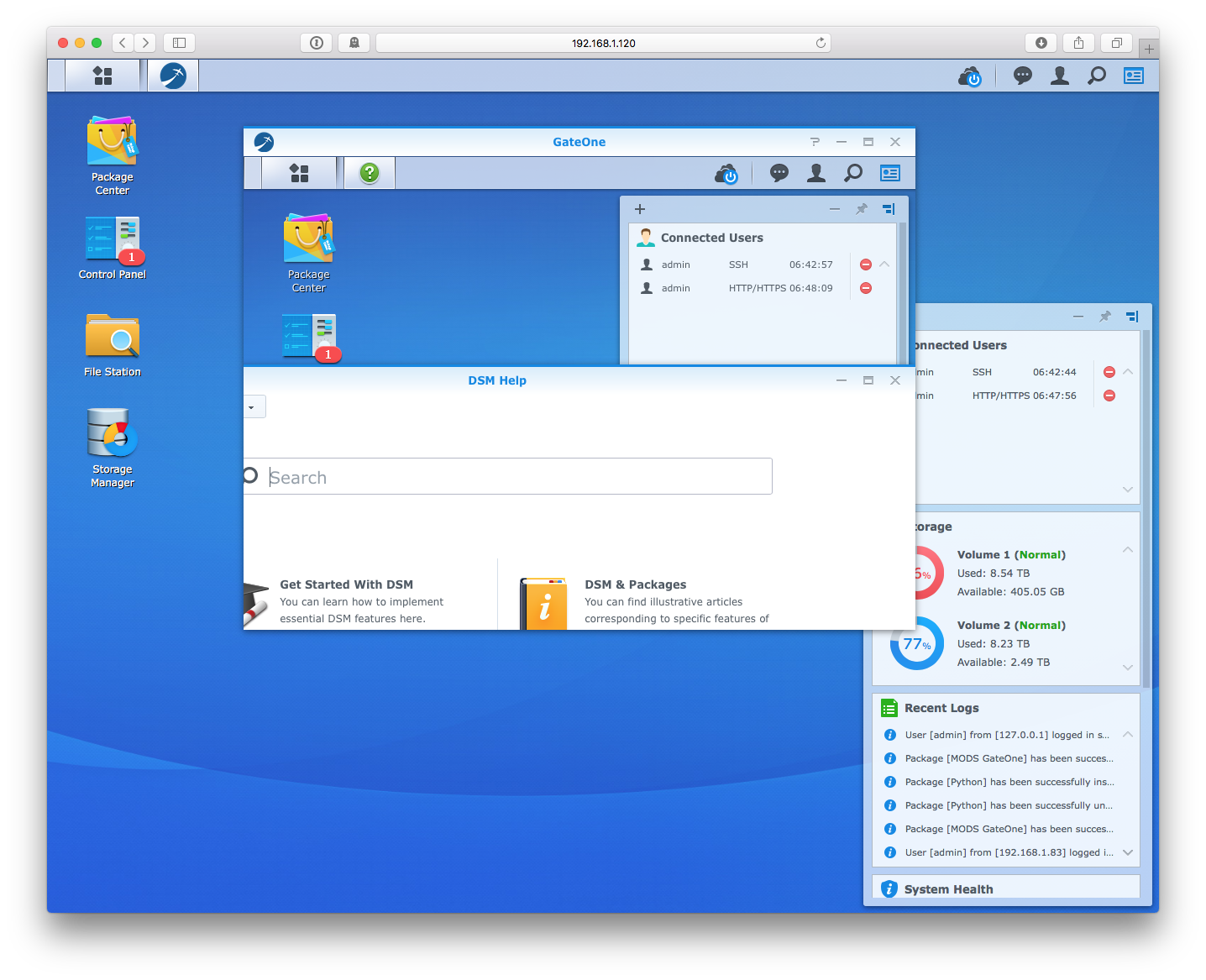
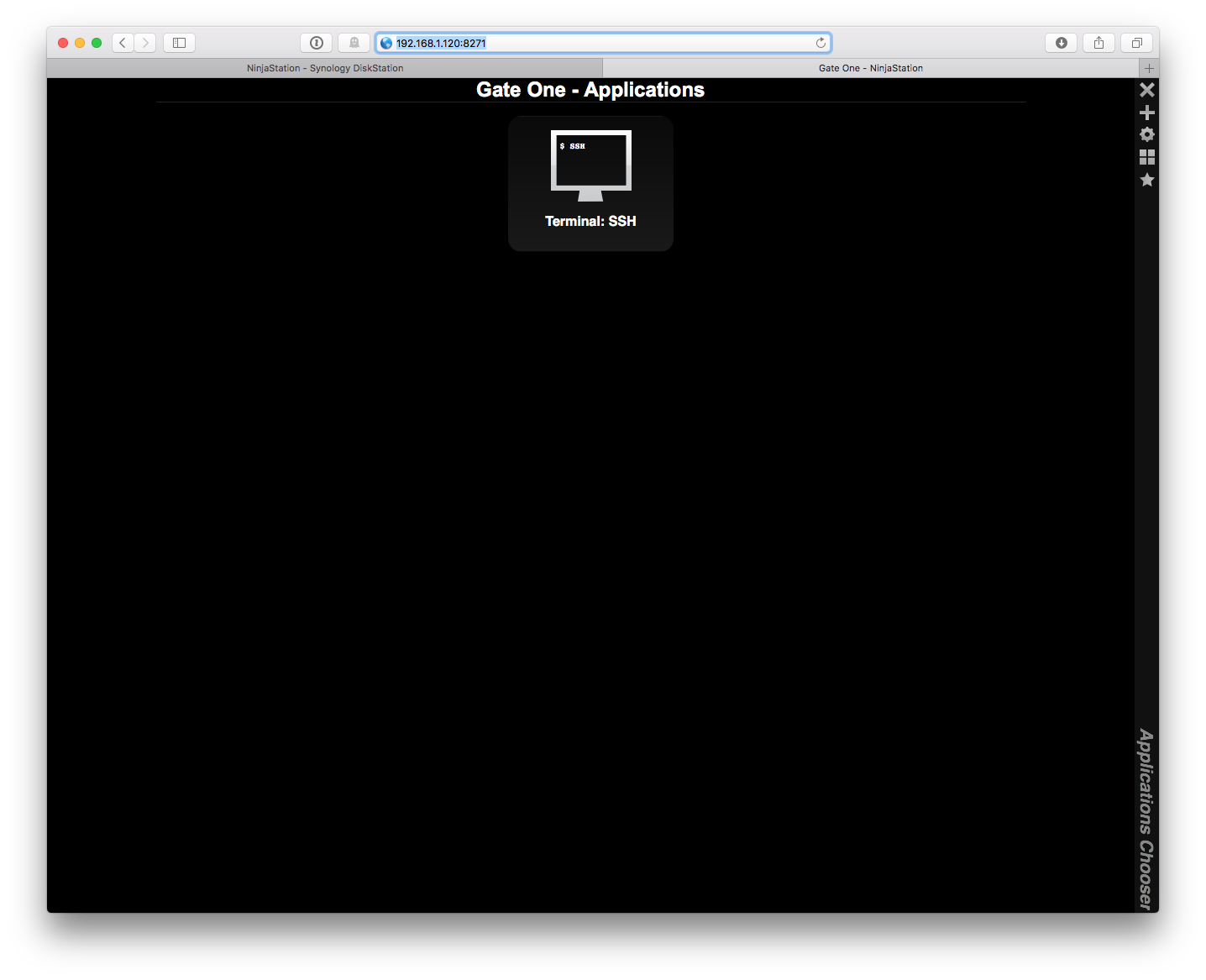
 NaanProphet
on 22 Aug 2018
NaanProphet
on 22 Aug 2018
NAS : 216+
last update : DSM 6.2 update 2
after using all the trick I have read about the problem using gateOne, it doesn't work.
It appears as installed but no icon in the app list
I succeed to lauch it but get python error as
File "/usr/local/gateone/env/bin/gateone", line 11, in Any idea ?
load_entry_point('gateone==1.2.0', 'console_scripts', 'gateone')()
File "/usr/local/gateone/env/lib/python2.7/site-packages/pkg_resources/__init__.py", line 484, in load_entry_point
return get_distribution(dist).load_entry_point(group, name)
File "/usr/local/gateone/env/lib/python2.7/site-packages/pkg_resources/__init__.py", line 2707, in load_entry_point
return ep.load()
File "/usr/local/gateone/env/lib/python2.7/site-packages/pkg_resources/__init__.py", line 2325, in load
return self.resolve()
File "/usr/local/gateone/env/lib/python2.7/site-packages/pkg_resources/__init__.py", line 2331, in resolve
module = __import__(self.module_name, fromlist=['__name__'], level=0)
File "/usr/local/gateone/env/lib/python2.7/site-packages/gateone-1.2.0-py2.7.egg/gateone/core/server.py", line 402, in
from gateone.auth.authorization import require, authenticated, policies
File "/usr/local/gateone/env/lib/python2.7/site-packages/gateone-1.2.0-py2.7.egg/gateone/auth/authorization.py", line 38, in
@memoize
File "/usr/local/gateone/env/lib/python2.7/site-packages/gateone-1.2.0-py2.7.egg/gateone/core/utils.py", line 290, in __init__
MEMO = AutoExpireDict(timeout=timeout, interval="30s")
File "/usr/local/gateone/env/lib/python2.7/site-packages/gateone-1.2.0-py2.7.egg/gateone/core/utils.py", line 161, in __init__
self.interval = kwargs.pop('interval')
File "/usr/local/gateone/env/lib/python2.7/site-packages/gateone-1.2.0-py2.7.egg/gateone/core/utils.py", line 211, in interval
self._timeout_checker, value, io_loop=self.io_loop)
TypeError: __init__() got an unexpected keyword argument 'io_loop'
Exception AttributeError: "'AutoExpireDict' object has no attribute '_key_watcher'" in
 Cezanna
on 22 Aug 2018
Cezanna
on 22 Aug 2018
Working on an update / fixes. Follow #3431 if you are interested...
 m4tt075
on 25 Aug 2018
m4tt075
on 25 Aug 2018
OK, testers needed! Please back up your configurations and manually install test-builds from here: https://github.com/m4tt075/spksrc/releases/tag/gateone-g6ae1d01
Please report back what you find: The good, the bad and the ugly. All feedback appreciated...
m4tt075
on 28 Aug 2018
@m4tt075 This is amazing! Just installed
gateone_avoton-6.1_20171125-7.spk on a DS1515+ without a hitch.
I personally also had to disable SSL by SSHing into the box via Terminal first by editing /usr/local/gateone/var/conf.d/10server.conf using sudo since I'm running on localhost HTTP.
Clicking on the GateOne app from the "start menu" now launches the terminal in a new window perfectly, on port 8271.
NaanProphet
on 30 Aug 2018
Initially, I could't install gateone_avoton-6.1_20171125-7.spk on my DS1815+ because : "Port undefined configured for this package is either used by another service or reserved for system use. Please disable or modify the conflicting service, ...."
It was really weird that the message mentions a port 'undefined' . But I presumed the problem was with the admin port 8271 although checking with the command "netstat -pat | grep LISTEN", I didn't see anything listening on 8271... (I am still a bit confused with that... But will not try to understand right now)
Anyway, I did edit the config files to use 18721:
- package\app\config (1 hit)
Line 9: "port": "18271", - package\var\conf.d\90custom.conf (1 hit)
Line 15: "port": 18271, - conf\gateone.sc (1 hit)
Line 5: dst.ports="18271/tcp" - scripts\service-setup (1 hit)
Line 8: SERVICE_PORT="18271" - INFO (1 hit)
Line 1: adminport="18271"
And BINGO !!! It worked next like a charm.
NaanProphet: I don't understand your remark "had to disable SSL ... since I'm running on localhost HTTP".
I am running also on localhost. The only issue is the message in the browser that https://
Or do you mean that the shortcut to GateOne added into the Main Menu of DSM is actually not working (opening http://<...> instead of https://<...>) ? In the package/app/config file, I had to specify https for the protocol :
{ ".url": {
"com.synocommunity.packages.gateone": {
"protocol": "https",
vletroye
on 2 Sep 2018
One issue I encounter with the spk on my Windows 10 is that it contains .symlink files. Those require priviledges to be copied/moved/etc... And so, when I repackaged everything after the modifications of the config files, the symlinks were missing in the resulting spk.
Ex.: \package\share\gateone\example_package\docs\html
I think it's really not important as those symlinks are not used to run gatone. But it's really annoying (I know: Windows is annoying :) )...
vletroye
on 2 Sep 2018
I have investigated the issue "Port undefined configured for this package is either used by another service or reserved for system use. Please disable or modify the conflicting service, ...."
It occurs when the previous installation of GateOne succeeded but it failed to run. In that case, some tasks were started and didn't stopped during the uninstallation.
Those tasks can be listed with: cat /sys/fs/cgroup/cpuacct/pkgctl-gateone/tasks
And next killed with : kill xxxx
vletroye
on 2 Sep 2018
@vletroye Yikes! You have been busy. The error message usually indicates that the port of the new installation is already used by another package. The SynoCommunity packages have "unique" ports to avoid port duplication, but you can encounter this if you install packages from multiple sources. I've also encountered the error in the context of broken installations, which might well have been the case for you...
The way to solve this is usually as follows:
sshinto your NAS andcdinto theusr/local/etc/services.ddirectory. You will find files ending on.scin there. You cancatthem orgrepport information from there. If there is a package blocking the port you want to use, you can deinstall it or - like you did - change the port of the old or the new package.- If there is a relic
sc-file of a package, which is actually not installed (anymore), justrmthat file and the next installation should work without problems. - If you don't find an
sc-file blocking the port you want to use, simply reboot your NAS, and the error should be gone.
I know you have solved your problem now, but could you please check if there is indeed another package blocking the original Gateoneport? If so, which one is it?
m4tt075
on 2 Sep 2018
I did double check and no other package was using the same port. And I don't have the error message anymore now, when uninstalling and reinstalling the package.
You did a great job at "fixing" this package !
vletroye
on 8 Sep 2018
@vletroye Thanks for double checking and reporting back.
m4tt075
on 8 Sep 2018
I tried to install the new spk file, but got this error :
$ sudo synopkg install gateone_avoton-6.1_20171125-7.spk
Failed to install package gateone_avoton-6.1_20171125-7.spk, error = [290]
Cezanna
on 8 Sep 2018
Hmh, don't know what that means. Which NAS do you have? And which firmware do you run? And could you try a regular install via the WebGUI and package manager, please? What happens?
m4tt075
on 8 Sep 2018
I have a DS216play, with last update DSM 6.2 update 2
The regular install of gateone via the webGui package manager, in the synocommunity, is the 20151116-6 version.
When I tried to install it, it doesn't launch. I play with the certificate, changed the start-stop script, got error about python, ... So I wanted to try this new package.
Cezanna
on 8 Sep 2018
You can install packages manually from the package manager as well. Just look for the option. But I believe you have just picked the wrong package. The DS216play requires monaco packages, not the avoton one you have picked. Try again with a monaco package and see what happens...
m4tt075
on 8 Sep 2018
I just tried with the one that was given in the thread.
I will try with the monaco one I found on :
https://github.com/m4tt075/spksrc/releases/tag/gateone-g6ae1d01
And I will give you the result....
Cezanna
on 9 Sep 2018
I got the same error :;
$ sudo synopkg install gateone_monaco-6.1_20171125-7.spk
Password:
Failed to install package gateone_monaco-6.1_20171125-7.spk, error = [290]
and on
https://synocommunity.com/package/gateone
there are no package for monaco in Version 20171125-7
------------------------------ EDIT --------------------------
SOLVED !
Using the package I got from github at https://github.com/m4tt075/spksrc/releases/tag/gateone-g6ae1d01
I used the package manager with a "manual installation"
I got a message that this packahe is not numerically signed, passed it and got it working.
I suppose the error 290 is about this message as I didn't find a 'force' parameter to install with synopkg.
Thank you for your help and hope this will help other ...
Cezanna
on 9 Sep 2018
You should have the right package now. Please install it manually via the package center and let me know what you get. At least you should get a proper error message.
m4tt075
on 9 Sep 2018
Published
 ymartin59
on 9 Sep 2018
ymartin59
on 9 Sep 2018
@m4tt075 I updated today to the published version. I have an error when trying to start package.
It is probably because I installed this package on DSM 5.x and have updated to 6.1 now. I think that uninstall/reinstall should work, but if you want me to try some manipulation before, let me know.
On DS413 / DSM 6.1.7-15284
Full log: /volume1/@appstore/gateone/var/gateone.log
Mon Sep 10 10:07:44 CEST 2018
Starting gateone command /volume1/@appstore/gateone/env/bin/python /volume1/@appstore/gateone/env/bin/gateone --settings_dir=/volume1/@appstore/gateone/var/conf.d
[I 180910 10:08:19 server:4182] Gate One License: AGPLv3 (http://www.gnu.org/licenses/agpl-3.0.html)
[I 180910 10:08:19 server:4182] Gate One License: AGPLv3 (http://www.gnu.org/licenses/agpl-3.0.html)
[I 180910 10:08:19 server:4191] Imported applications: Terminal
[I 180910 10:08:19 server:4191] Imported applications: Terminal
Traceback (most recent call last):
  File "/volume1/@appstore/gateone/env/bin/gateone", line 11, in
    load_entry_point('gateone==1.2.0', 'console_scripts', 'gateone')()
  File "/volume1/@appstore/gateone/env/lib/python2.7/site-packages/gateone-1.2.0-py2.7.egg/gateone/core/server.py", line 4235, in main
    if not check_write_permissions(uid, go_settings['user_dir']):
  File "/volume1/@appstore/gateone/env/lib/python2.7/site-packages/gateone-1.2.0-py2.7.egg/gateone/core/utils.py", line 1342, in check_write_permissions
    user = pwd.getpwuid(user)
KeyError: 'getpwuid(): uid not found: 105'
 Kilay
on 10 Sep 2018
Kilay
on 10 Sep 2018
It works.
Many thanks to mat4tt075 for his work and his help.
Cezanna
on 10 Sep 2018
+1 ... many thanks, mat4tt075!
Jeeosch
on 10 Sep 2018
@Kilay Yes, that very much looks like a permission problem, which is typical for the DSM5 -> 6 upgrade procedure you are describing. I believe deinstalling and reinstalling the package is the best bet to solve it. I'm not familiar enough with the package to give you more advice though. There could be a way to backup your configuration before uninstalling and restore it to the new installation when you are done. If you are familiar with Unix/Linux, look for configuration files in /volume1/@appstore/gateone/target/var/ and those in /volume1/@appstore/gateone/target/env, back them up, and restore them later. Otherwise, I'm afraid you'd have to reconfigure the installation from scratch...
m4tt075
on 10 Sep 2018
Thanks @m4tt075. As expected, it worked after reinstalling.
Kilay
on 12 Sep 2018
I have DS918+ and i just installed GateOne through package manager but it doesn't show up in the DSM start menu. How am i suppose to access GateOne? There are no instructions in the description of the package.
 flip111
on 26 Sep 2018
flip111
on 26 Sep 2018
It should be in the DSM menu... Are you sure that the package is running ? Look in the Package Center and if required "Run" the Package (Via the "Action")
vletroye
on 30 Sep 2018
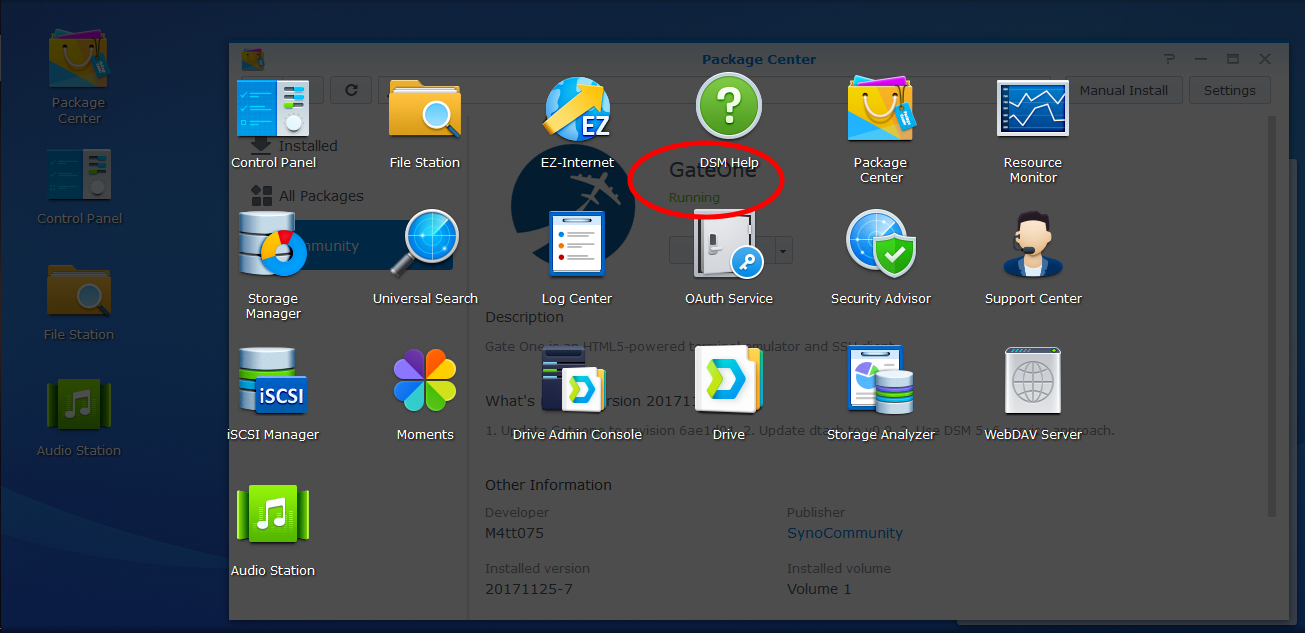
flip111
on 30 Sep 2018
I did install GateOne with my administrator account. And it appears now to me that GateOne is not visible in the DSM menu of my other accounts although it appears as running when opening the Package Center with those accounts. Are you logged in with the same account as the one used to install GateOne. And is it an admin account ?
Try to open the GateOne admin url https://
V.
vletroye
on 30 Sep 2018
There is only 1 account on my NAS (has admin obviously) so everything has been done with this account. I can not try another port at the moment because i'm traveling and i can't adjust port forwarding for WAN.
flip111
on 30 Sep 2018
Oups.. Sorry... it's not the purpose that you change the default port. I wanted you to test if you can open GateOne by typing directly its url: https://yourSynoIp:port
V.
vletroye
on 1 Oct 2018
@vletroye i can't do that because port 8271 is not forwarded on my router
flip111
on 5 Oct 2018
Ok. But you can test it once back home, being on the same LAN as your NAS.
vletroye
on 8 Oct 2018
ok something is totally broken, I just installed GateOne but can't figure out any way to launch as with the last guy in this thread, here's what things look like right now:
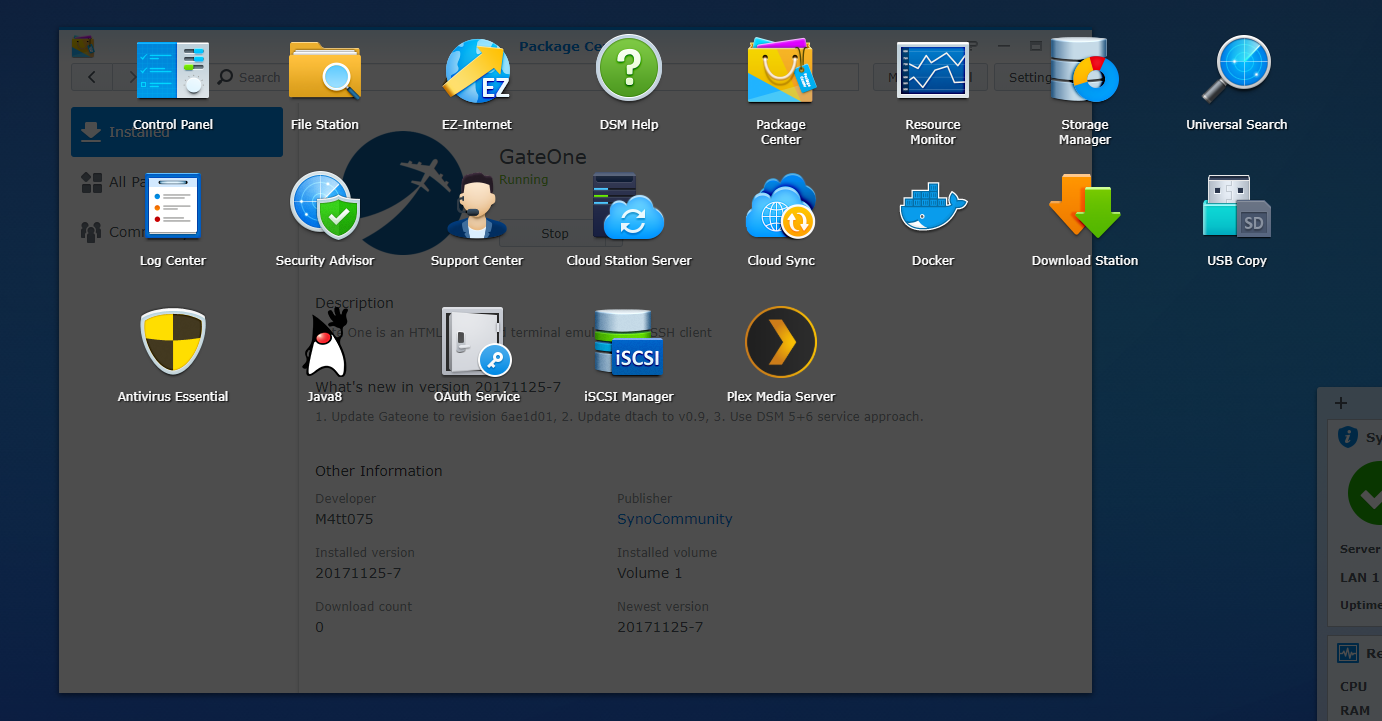
GateOne is running and I only have 1 account on my NAS. What am I missing here?!
 Hardtarget24
on 24 Oct 2018
Hardtarget24
on 24 Oct 2018
fyi, I was able to get to the ssh application through the web by going to
https://SYNOLOGYSERVER:8271/
so the thing is running but somehow the builtin app isn't working?
Hardtarget24
on 24 Oct 2018
same as @Hardtarget24 and @flip111
DSM 6.2.1-23824 Update 1 on DSM 1618+
installed GateOne but doesnt appear in DSM menu. It runs and I can connect to it via :8271 but nothing within DSM
 oopled
on 24 Oct 2018
oopled
on 24 Oct 2018
Just curious... oopled, Hardtaget24 and flip111, did you installed a previous version of Gateone in the past ? Do you all have a DSM 6.2.x ?
I am still on DSM 6.1.7 (upgrade is failing on my Synology).
Stupid question, did you try to reboot after the installation ?
Also, check via "Control Panel --> Applications --> Privileges" if your user has the effective permission in the "Permission Viewer". If your user is part of several groups and one group has a 'deny' permissions to the 'gateone' app, it will override the rights off the group Administrator.
vletroye
on 27 Oct 2018
I was on the latest dsm version when I reported that problem. Never
installed gateone before. I'm logged in with primary admin user but did not
check out that permission panel yet. Reboot I don't remember if I did it (I
think yes). I cant look into it now but I answered 2 out of 4 questions.
On Sat, Oct 27, 2018, 15:49 Valéry Letroye notifications@github.com wrote:
Just curious... oopled, Hardtaget24 and flip111, did you installed a
previous version of Gateone in the past ? Do you all have a DSM 6.2.x ?I am still on DSM 6.1.7 (upgrade is failing on my Synology).
Stupid question, did you try to reboot after the installation ?
—
You are receiving this because you were mentioned.
Reply to this email directly, view it on GitHub
https://github.com/SynoCommunity/spksrc/issues/2340#issuecomment-433627025,
or mute the thread
https://github.com/notifications/unsubscribe-auth/ACI_gOyMn8DEWOC3BxtP4YzHFC5I6P8rks5upHJ7gaJpZM4IkbWA
.
flip111
on 27 Oct 2018
I did ask if it was the first installation of GateOne as I had issues with icons of other packages in the past, when reinstalling those.
As I don't have DSM 6.2.x, I can't confirm that it's installing fine on that version.
I can now only suggest to use my custom package "MODS_gateone" available on my SPK Server. It has been customized to open in an embedded window by default. But it can still be opened in a new tab and is using the default port 8271.
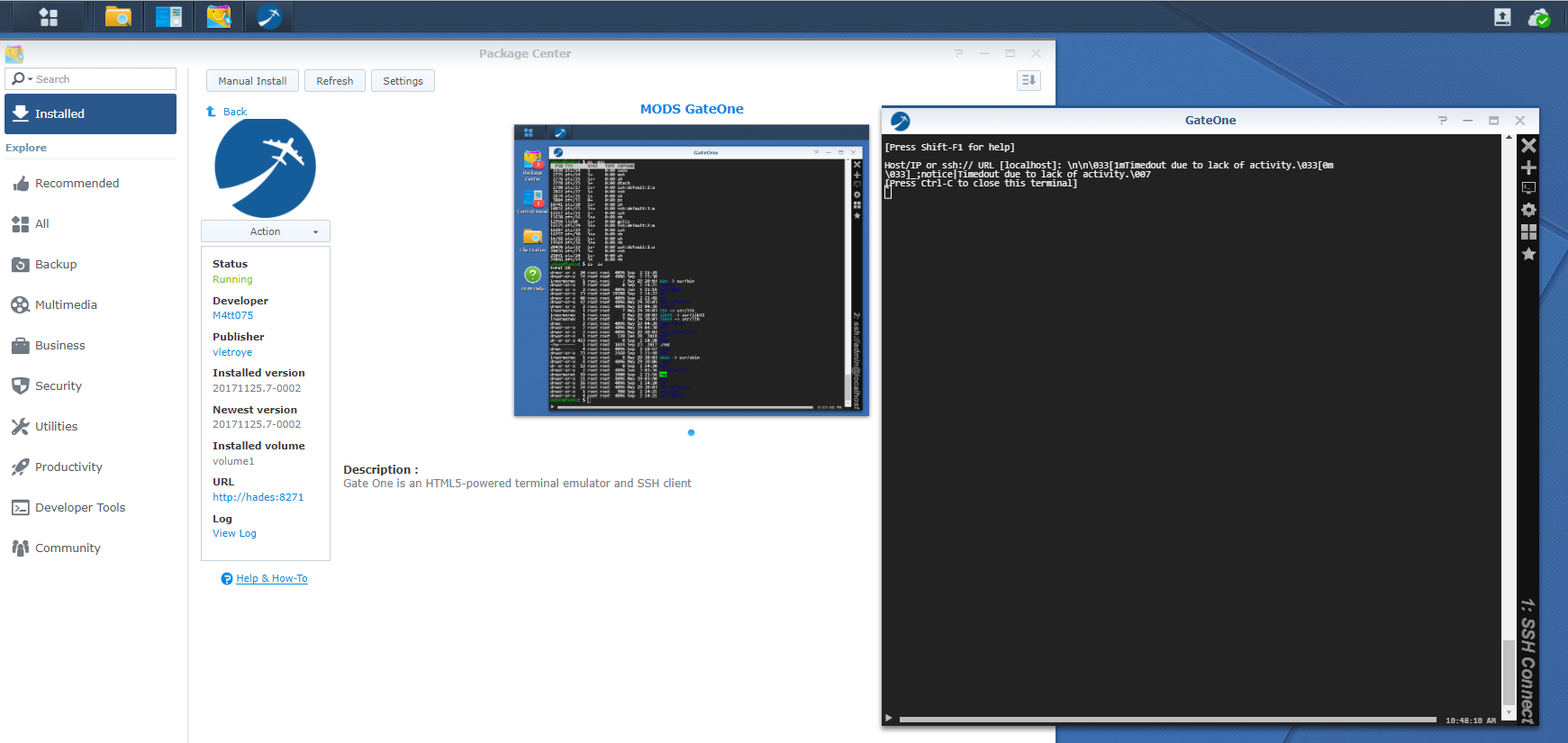
vletroye
on 30 Oct 2018
DSM 6.1.3
Xpenology 3615xs
Synocommunity version 20171125-7.
Unable app start solved with
sudo /usr/local/python/bin/pip install html5lib tornado
 Realmagnum
on 1 Nov 2018
Realmagnum
on 1 Nov 2018
I think that the icon is not added because "in some cases" (?) the start-stop-status script possibly does not return 0. But M4tt075 should confirm, as I am maybe missing something.
I have added an explicit 'return 0' in 'stop_daemon()' and 'start_daemon()'. Doing so, I am sure that the setup completes properly. But it is possibly overwriting a 'return 1' done somewhere else (honestly, I don't know when this would be the case).
Next, I don't find the variable SVC_WRITE_PID which must be set to preserve the PID of GateOne. So I did define it in the service-setup file too: SVC_WRITE_PID=yes. Doing so, I am sure that the process will be killed when stopping/uninstalling. This will solve the problem we may have with the "port 8127 already used".
Finally, I don't find the methods 'service_prestart()' and 'service_poststop()' respectively called in start_deamon() and stop_deamon(). But this is IMO not critical...
All those changes are in the last version of my own package available here.
vletroye
on 4 Nov 2018
@vletroye The "missing icon issue" is something, that has been reported across packages in the last couple of weeks. One reason they don't show up, is that people are looking for them in non-administrator accounts, which won't work. But after my upgrade to DSM 6.2.x I've been lacking icons too. I (and others) have also experienced versioning problems with package managers on DSM 6.2.x systems, where old and outdated versions appear as "updates". I think some of the versioning problems have been fixed by Synology in recent updates, not sure about the icon issues though...
SVC_WRITE_PID should only be required when packages don't create their own PID-files. See https://github.com/SynoCommunity/spksrc/wiki/Service-Support for the documentation. gateone should produce its own file though. At least there is one configured in 90custom.conf.
m4tt075
on 4 Nov 2018
About "missing icon", please follow instruction at https://www.synology.com/en-global/knowledgebase/DSM/help/DSM/AdminCenter/application_appprivilege
to grant non admin users to access applications.
ymartin59
on 9 Nov 2018
@ymartin59 problem arises with only admin user on system
flip111
on 9 Nov 2018
About "missing icon", please follow instruction at https://www.synology.com/en-global/knowledgebase/DSM/help/DSM/AdminCenter/application_appprivilege
to grant non admin users to access applications.
as @flip111 just said, this issue is occurring for me, where I only had 1 account (and is a admin account). There's something else broken here.
This is on the latest version of DSM and I had never installed gateone before.
Hardtarget24
on 9 Nov 2018
@Hardtarget24 , @flip111 : OK, might be related to recent DSM changes, but not sure. Could you please do the following:
sshinto your NAS asadminuser (enter your root password)sudo su -(enter root password again)cd /usr/syno/synoman/webman/3rdpartyls -l *<-- Please report the output herecd gateonecat config<-- Please report the output here
m4tt075
on 10 Nov 2018
@vletroye : I was trying to install your modified GateOne package on my DS216+II / DSM 6.2.1, but it was rejected. On your download page it is not listed for this particular Synology model, so I assume that this is the reason, that it is only made for particular models/architectures.
Do you plan to extend the available versions to other models? Or do you see another explanation for the fault?
Would be great to have it working, as there seems to be not other simple solution for getting SSH access from behind a firewall.
 paicl01
on 14 Nov 2018
paicl01
on 14 Nov 2018
Indeed, your DS216+II is a Braswell while my repackaging of GateOne was for the Avoton.
As I see that original package was made for apollolake avoton braswell broadwell broadwellnk bromolow cedarview denverton dockerx64 grantley kvmx64 x86 x86_64, I did publish a new version of my package.
Notice that I didn't test this package on any other architecture than mine... But as of now, you should see it available on my SSPK server for your DS216+II
V.

vletroye
on 14 Nov 2018
Notice that I didn't test this package on any other architecture than mine... But as of now, you should see it available on my SSPK server for your DS216+II
https://github.com/vletroye/SynoPackages/blob/master/MODS%20GateOne/MODS_GateOne.spk
trying on DSM 6.1.3 Xpenology 3615xs intel i3-7100 apollolake.
"This package is not supported on this platform..."
Realmagnum
on 16 Nov 2018
yes, I found now that it works and I can open a terminal window in the browser by directly typing the address:port.
There is no icon in the DSM windows, but that is a minor problem.
The bigger one for me is to set up a working configuration for access to GatOne via Nginx through a firewall.
I am struggling with a lot of hints on the web regarding configuration of certificates, sometime I will hopefully get this finished.
Again, thank you very much.
paicl01
on 16 Nov 2018
Realmagnum, your firmware is 6.1.3. That's possibly the issue. The package is for a DSM >= 6.1-15047. No idea how DSM compare 6.1-15047 and 6.1.3 ?!
6.1-15047 is the minimal firmware specified in the original package.
V.
vletroye
on 17 Nov 2018
@m4tt075
lrwxrwxrwx 1 root root   37 Oct 25 06:13 AudioStation -> /var/packages/AudioStation/target/app
lrwxrwxrwx 1 root root   32 Oct 25 06:13 gateone -> /var/packages/gateone/target/app
lrwxrwxrwx 1 root root   33 Oct 25 06:13 LogCenter -> /var/packages/LogCenter/target/ui
lrwxrwxrwx 1 root root   37 Oct 25 06:13 OAuthService -> /var/packages/OAuthService/target/app
-rw-r--r-- 1 root root 3901 Jul  3 16:10 README
lrwxrwxrwx 1 root root   39 Oct 25 06:13 StorageAnalyzer -> /var/packages/StorageAnalyzer/target/ui
lrwxrwxrwx 1 root root   34 Oct 25 06:13 SynoFinder -> /var/packages/SynoFinder/target/ui
lrwxrwxrwx 1 root root   50 Oct 25 06:13 SynologyApplicationService -> /var/packages/SynologyApplicationService/target/ui
lrwxrwxrwx 1 root root   37 Oct 25 06:13 SynologyDrive -> /var/packages/SynologyDrive/target/ui
lrwxrwxrwx 1 root root   40 Oct 25 06:13 SynologyDrive-Drive -> /var/packages/SynologyDrive/target/drive
lrwxrwxrwx 1 root root   39 Oct 25 06:13 SynologyMoments -> /var/packages/SynologyMoments/target/ui
lrwxrwxrwx 1 root root   37 Oct 25 06:13 WebDAVServer -> /var/packages/WebDAVServer/target/app
{ ".url": {
  "com.synocommunity.packages.gateone": {
    "title": "GateOne",
    "desc": "Gate One is an HTML5-powered terminal emulator and SSH client",
    "icon": "images/gateone-{0}.png",
    "type": "url",
    "protocol": "http",
    "port": "8271",
    "url": "/",
    "allUsers": true,
    "grantPrivilege": "all",
    "advanceGrantPrivilege": true
} } }
@vletroye directly connecting to port 8271 by browser works to show GateOne .. but i like it to be part of DSM. Not sure if it's a good idea to setup NAT for port 8271
flip111
on 19 Nov 2018
@flip111
I finally succeeded in upgrading my DSM to the latest version (DSM 6.2.1-23824 Update 1). And after reinstalling GateOne (my own package), I still see the icon in the menu....
Now, because the package Gate-one is using an "admin port", you have no choice but configure a NAT for that port, even if the "window" is embedded into the DSM. The embedding of the window is purely "aesthetic" ...
vletroye
on 21 Nov 2018
What's an "admin port"?
Either gateone running on my DS connects from the DS to SSH on the DS in
which case I don't need NAT.
Or it opens the connection from my browser and connects to the ssh port on
my DS. in which case I might just as well use my OS terminal to connect
over SSH.
On Wed, Nov 21, 2018, 19:15 Valéry Letroye <[email protected] wrote:
@flip111 https://github.com/flip111
I finally succeeded in upgrading my DSM to the latest version (DSM
6.2.1-23824 Update 1). And after reinstalling GateOne (my own package), I
still see the icon in the menu....Now, because the package Gate-one is using an "admin port", you have no
choice but configure a NAT for that port, even if the "window" is embedded
into the DSM. The embedding of the window is purely "aesthetic" ...—
You are receiving this because you were mentioned.
Reply to this email directly, view it on GitHub
https://github.com/SynoCommunity/spksrc/issues/2340#issuecomment-440779996,
or mute the thread
https://github.com/notifications/unsubscribe-auth/ACI_gN7sjSbGaAtiVN3Yocd1Ts8z5ohIks5uxaZngaJpZM4IkbWA
.
flip111
on 21 Nov 2018
The "adminport" of a package for Synology is the port on which the DSM will connect to get the Web interface. See doc here: https://originhelp.synology.com/developer-guide/synology_package/INFO_optional_fields.html : 'A package listens to a specific port to display its own UI. If the package is defined by a port, a link will be opened when the package is started.'
So, a NAT must be configured for that adminport.
Next, once you enter into the web interface of GateOne (via its adminport), all commands will be executed over SSH. But GateOne is not connecting over SSH from its web interface (client side). It's executing the commands from its backend (the part running on the DS). So there is no need to configure a NAT for the port used by SSH.
vletroye
on 21 Nov 2018
The "adminport" of a package for Synology is the port on which the DSM will connect to get the Web interface.
If it's DSM that is connecting to the package (which runs on another port) they are both on localhost and don't need NAT for the package-port.
flip111
on 21 Nov 2018
Realmagnum, your firmware is 6.1.3. That's possibly the issue. The package is for a DSM >= 6.1-15047. No idea how DSM compare 6.1-15047 and 6.1.3 ?!
my version - DSM 6.1.3-15152 Update 4
Realmagnum
on 22 Nov 2018
@flip111 : the connection onto the admin port is made from the client (The web UI of DSM, running in the browser). You can verify that by opening the debug window of your Browser (F12).
vletroye
on 24 Nov 2018
@Realmagnum : I am not sure how to configure the package to be compatible with 6.1.3-15152. Indeed, according to the documentation, the minimum version of DSM (os_min_ver) to run a package must be like X.Y-Z with X=DSM major number, Y=DSM minor number, Z=DSM build number
https://originhelp.synology.com/developer-guide/synology_package/INFO_necessary_fields.html
I would expect the package installer to be able to see that 6.1.3-15152 is higher than 6.1-15047. But I can't confirm that...
vletroye
on 24 Nov 2018
@flip111 The config file refers to protocol "http", but it should be "https". That's a bug and I can fix it. Not sure it fixes your problem as well though. Which NAS model and DSM version do you have? Let me know and I will build a test version for you.
While at it, I'd like to exclude another problem. Could you please enter into your DSM web-interface. Go into the System Control Center, scroll down and enter Permissions, click on Gateone and then edit. Please send a screenshot of what you get.
m4tt075
on 26 Nov 2018
the connection onto the admin port is made from the client (The web UI of DSM, running in the browser). You can verify that by opening the debug window of your Browser (F12).
@vletroye
Ok when starting to try this package i wrongly assumed i would have to open only the DSM port. What is the benefit of using GateOne? With a strong password the security of SSH is strong enough so i can just as well open that port then and use my own terminal.
Let me know and I will build a test version for you.
@m4tt075
Ok since there are other people who don't have an icon i can do some testing and see what the problem is.
I have DS918+ with 6.2.1-23824 Update 1. What's System Control Center? I can't find this.
flip111
on 28 Nov 2018
@flip111 Sorry, it's called "Control Panel" in English I believe. It is on the desktop, when you log into the web-interface of your NAS.
m4tt075
on 28 Nov 2018
I searched my control panel for "permissions" the only thing that turned up
was something about shared folders
On Wed, Nov 28, 2018, 18:39 m4tt075 <[email protected] wrote:
@flip111 https://github.com/flip111 Sorry, it's called "Control Panel"
in English I believe. It is on the desktop, when you log into the
web-interface of your NAS.—
You are receiving this because you were mentioned.
Reply to this email directly, view it on GitHub
https://github.com/SynoCommunity/spksrc/issues/2340#issuecomment-442557669,
or mute the thread
https://github.com/notifications/unsubscribe-auth/ACI_gF1am85YVjP1B75H7h2aKhcy3iVEks5uzthrgaJpZM4IkbWA
.
flip111
on 28 Nov 2018
argh Try "privileges", please...
m4tt075
on 28 Nov 2018
@flip111 Here your apollolake test build:
https://www.dropbox.com/s/4rgz3bibwig69jx/gateone_apollolake-6.1_20171125-8.spk?dl=0
Thanks for testing!
m4tt075
on 28 Nov 2018
@m4tt075 i checked it. Actually @vletroye suggested this before, but i forgot to get back to this comment when he asked 4 questions and i only answered 2 of them. So i saw a checkbox with my name unchecked and i checked it and the icon appeared.
problem arises with only admin user on system
I said this but it turns out not to be true, because Synology creates an admin user and guest user even though in the installation it asks the name of the admin user. So i was under the assumption that (because of the installation) the admin user was my user account.
flip111
on 28 Nov 2018
@flip111 Thanks for reporting back. And glad that the solution was so straight-forward after all. I was seriously worried that Synology had changed intrinsics of their DSM system again. I'll PR the "https fix" and all should be fine. Thanks again for testing.
m4tt075
on 28 Nov 2018
@ymartin59 ^^ FYI.
m4tt075
on 28 Nov 2018
after a few days of frustration, I was lucky and finally discovered the addtional knobs in the Synology Browser GUI which allow to open a GateOne terminal via the Nginx server of my Synology station, without going through nasty configuration files on the command line.
So it is now possible for me to connect from behind any Proxy server which allows https connections in the browser.
The first step to achieve this was the straightforward installation of @vletroye's package in the DSM package manager (which only needs python as additional package).
And the real trick is now to find the additional setting in the Setup Window for the Nginx Rules:


After adding these statements in the user-defined header, you open a browser window and connect to https://gateone.xxx.syyyt.eu using the address you defined before.
Et voily, the magic happens and the SSL terminal is established.
In my view, the only reason for this kind of terminal emulation is the fact that most proxies do not allow direct SSL connections. And now you can just ignore this restriction by tunneling through your browser, that's great!
paicl01
on 30 Nov 2018
@paicl01 I try to follow your tip. But although I have just like you the HSTS option NOT checkmarked, the browser(Chrome, Edge, FireFox) throws an the error 'Your connection is not private'. Under 'Advanced' it says; "You cannot visit gateone.MySynologyHomestationName.synology.me right now because the website uses HSTS." "MySynologyHomestationName" is a replacement of the real name of my synology NAS.
 Floriszz
on 2 Oct 2020
Floriszz
on 2 Oct 2020
Related issues
 nkean
·
6Comments
nkean
·
6Comments
 SeppPenner
·
7Comments
SeppPenner
·
7Comments
 alx
·
9Comments
Mickroz
·
3Comments
alx
·
9Comments
Mickroz
·
3Comments
 kraades
·
6Comments
kraades
·
6Comments
Most helpful comment
OK, testers needed! Please back up your configurations and manually install test-builds from here: https://github.com/m4tt075/spksrc/releases/tag/gateone-g6ae1d01
Please report back what you find: The good, the bad and the ugly. All feedback appreciated...