Spectacle: "Launch spectacle at login" gets ignored and reset
Verison: Spectacle 1.2
OS: macOS Sierra 10.12.5
When I set the "launch spectacle at login" checkbox, it never actually launches at the next login/restart. And when I open spectacle manually, the checkbox is un-ticked again. I feel like this issue is so obvious that I _must_ have just missed something or made a silly error in my settings somewhere. But I have no idea what and I've tried to figure it out, so hopefully it's a fixable bug (or someone can tell me what I'm missing).
 averixus
All 27 comments
I have the same problem on macOS Sierra 10.12.5
 mattmortek
on 28 Jun 2017
mattmortek
on 28 Jun 2017
same here 10.12.5
 v4to
on 3 Jul 2017
v4to
on 3 Jul 2017
me too. Have been using spectacle for years. Same problem.
 angryfrenchguy
on 7 Jul 2017
angryfrenchguy
on 7 Jul 2017
Hm. First I've heard of this problem. Does Spectacle not show up under "Login Items" for your user under "Users & Groups" in System Preferences when toggled? Any relevant output in the Console app would be helpful as well.
 eczarny
on 16 Jul 2017
eczarny
on 16 Jul 2017
It shows up under login items, but behaving oddly. Here is what it looks like after I first start up and tick the setting:

But after a restart, the login items entry looks like this:

Then when I open Spectacle and tick the (now unticked) setting again, a new copy of it appears in the login items list:

averixus
on 17 Jul 2017
I have this issue as well. Sierra 10.12.6, Spectacle 1.2 (672). Same presentation as @JayAvery's screencaps above.
Edit: Nothing notable found when I searched for "spectacle" in Console.app
 jordansexton
on 28 Jul 2017
jordansexton
on 28 Jul 2017
I had this issue as well, and I solved it by moving my Spectacle install to the proper applications folder. Double check your install location, might be the issue!
 colleenmcguckin
on 28 Jul 2017
colleenmcguckin
on 28 Jul 2017
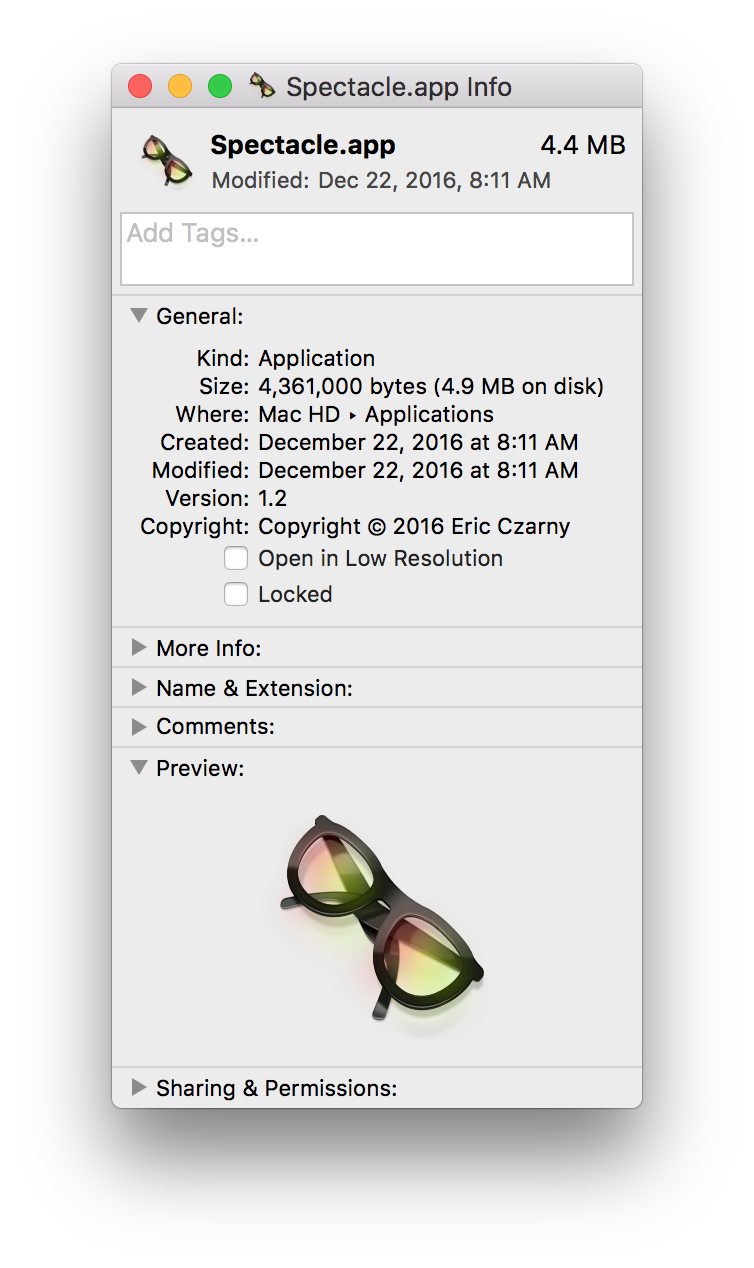
@colleenmcguckin Thanks, I'll try that. What path is yours at?
➜  Spectacle.app pwd
/Applications/Spectacle.app
jordansexton
on 28 Jul 2017
My spectacle.app was indeed installed in Downloads. Will see if this fixes it.
Le 28 juil. 2017 à 15:06, Jordan Sexton notifications@github.com a écrit :
@colleenmcguckin https://github.com/colleenmcguckin Thanks, I'll try that. What path is yours at?
➜ Spectacle.app pwd
/Applications/Spectacle.app
https://user-images.githubusercontent.com/1173161/28732472-9b28ac68-739d-11e7-995f-17545d9c7a8f.png
—
You are receiving this because you commented.
Reply to this email directly, view it on GitHub https://github.com/eczarny/spectacle/issues/776#issuecomment-318737642, or mute the thread https://github.com/notifications/unsubscribe-auth/AQyZ7vxFxSCS_WykjS2raOzUt27Ei3TNks5sSjEugaJpZM4N-bG6.
angryfrenchguy
on 29 Jul 2017
Same problem here!
 manelet
on 30 Jul 2017
manelet
on 30 Jul 2017
@jordansexton my install is in ~/Users/colleen/Applications
I just got this computer from a company where someone else set up my user account. For whatever reason I have two Applications folders - one seems to be global and one for my user account? Not exactly sure what happened there. Anyways, my issue was solved when I moved the install to the Applications folder associated with my account. Wasn't a problem on my old machine where there was only one user set up. Hope this helps!
colleenmcguckin
on 31 Jul 2017
Seeing as this issue was opened up in June is there any fix for this as of today?
 grayghostvisuals
on 10 Aug 2017
grayghostvisuals
on 10 Aug 2017
I am seeing the same problem. Same visuals in User & Groups as @JayAvery; multiple entries for Spectacle with Unknown in Kind and the yellow alert box.
I have two machines I run the same version (1.2) of Spectacle on:
- my personal mac (os 10.12.6); on which I am sole user:
- my corporate mac (os 10.12.6); on which I am the second admin user. The machine was set up by the corporate IT staff.
I have no problems with my personal mac.
I am seeing the issue on my corporate mac.
Searching Console for "spectacle" gives no useful clues; I see some diagnostic entries showing the time the app is using: com.apple.usage.app_activetime but no other clues.
Here is what my Users & Groups looks like:

Any pointers to how to debug this further would be appreciated.
 jmccarrell
on 8 Sep 2017
jmccarrell
on 8 Sep 2017
This is super frustrating. I have the same problems as @jmccarrell and @JayAvery and I'm on sierra 10.12.6.
 omgoshjosh
on 10 Oct 2017
omgoshjosh
on 10 Oct 2017
Just chiming in that I've had the same problem. I quit Spectacle, deleted it from Applications, emptied trash and reinstalled the app. Problem fixed, and it now stays in the login items and survives reboots.
I might have installed it at first to ~/Applications, and later moved it to /Applications which _may_ have caused the hiccup.
Note: All my keyboard shortcuts seemed to survive the process, but yours might not.
 chrleon
on 13 Oct 2017
chrleon
on 13 Oct 2017
It turns out that the procedure @chrleon suggested also worked for me. Nice. Thanks @chrleon !
jmccarrell
on 13 Oct 2017
 grayghostvisuals
on 18 Oct 2017
grayghostvisuals
on 18 Oct 2017
Spectacle might be just installed in Downloads, move it to Applications and that should solve the issue.
 lamichhaan
on 2 Dec 2017
lamichhaan
on 2 Dec 2017
For people trying macos for the first time after switching from Windows like me - installing an app seems to be a simple case of unzipping the distribution archive (spectacle.zip) and copying the Spectacle.app bundle to wherever you want it installed (in this case into /Applications/). Then check the Launch Spectacle at login box and voila, it should hopefully work.
 melkamar
on 2 Oct 2018
melkamar
on 2 Oct 2018
How about a feature/enhancement request to 'fix' this in some kind of way. For example some kind of installer or the 'drag to Applications' dialog. Perhaps link to homebrew issue
 jzajac2
on 1 Nov 2018
jzajac2
on 1 Nov 2018
Unzipping spectacle.zip and then moving it into the /Applications fixes the problem.
 arximughal
on 26 Nov 2018
arximughal
on 26 Nov 2018
- go to download folder
drag spectacle file to applications folder
mac settings
- users & groups
- login items
- delete the other spectacles if any
- click +
add spectacle
right click on spectacle in top bar upper right
- preferences
launch spectacle at login
restart mac.
- cross your fingers
worked on
2018 macbook pro 10.14.3
2017 macbook pro 10.13.2
 businessph
on 8 Feb 2019
businessph
on 8 Feb 2019
I installed Spectacle via brew cask, which does install the application to /Applications/Spectacle.app. I encounter the problem nonetheless.
 sorawee
on 17 Mar 2019
sorawee
on 17 Mar 2019
There is an /Applications folder and a /Users/<username>/Applications. If I use the former on MacOS Mojave (10.14) it gives the issue specified above. If I use the latter it works. I too used brew cask to install this application so I'm not sure why this issue is happening.
 blissend
on 28 May 2019
blissend
on 28 May 2019
Has this been solved. I am on Catalina now, same issue.
 dbess1
on 7 Feb 2020
dbess1
on 7 Feb 2020
@dbess1 use rxhanson/rectangle instead
 stgarf
on 7 Apr 2020
stgarf
on 7 Apr 2020
Mac OS Big Sur 11.1
I had the same problem but fixed it with Colleen McGuckin's method.(Same as businessph's)
Thank you!
 Macchobo
on 26 Dec 2020
Macchobo
on 26 Dec 2020
Related issues
 jshado1
·
3Comments
jshado1
·
3Comments
 patrickcze
·
6Comments
patrickcze
·
6Comments
 aziz
·
3Comments
aziz
·
3Comments
 EvgeniiProkofevItomych
·
7Comments
EvgeniiProkofevItomych
·
7Comments
 zdkroot
·
6Comments
zdkroot
·
6Comments
Most helpful comment
Spectacle might be just installed in Downloads, move it to Applications and that should solve the issue.