Sp-starter-kit: Personal Calendar web part will not load. Throws load component error.
Category
- [x] Bug
Describe the bug
Personal Calendar web part does not load and displays this error:
INNERERROR:
loadComponent() returned an empty object for component "6d28e73b-ed80-494e-8238-c0106c26b36a" (PersonalCalendarWebPart).
CALLSTACK:
Error
at t [as constructor] (https://modern.akamai.odsp.cdn.office.net/files/sp-client/sp-pages-assembly_en-us_c4afef6428368ce9a00f6228bb686f89.js:65:19890)
at new t (https://modern.akamai.odsp.cdn.office.net/files/sp-client/sp-pages-assembly_en-us_c4afef6428368ce9a00f6228bb686f89.js:65:170290)
at Function.e.buildErrorWithVerboseLog (https://modern.akamai.odsp.cdn.office.net/files/sp-client/sp-pages-assembly_en-us_c4afef6428368ce9a00f6228bb686f89.js:65:207609)
at Function.e.buildLoadComponentError (https://modern.akamai.odsp.cdn.office.net/files/sp-client/sp-pages-assembly_en-us_c4afef6428368ce9a00f6228bb686f89.js:65:203654)
at https://modern.akamai.odsp.cdn.office.net/files/sp-client/chunk.systemjs-component-loader_en-us_2ebb0419bb86e53022fa.js:1:65977
Expected or Desired Behavior
Web part should display users calendar
Observed Behavior
Web part just displays
"Something went wrong"
message
Steps to Reproduce
- Install "library-starter-kit-shared-client-side-solution" v1.0.0.0
- Install "react-personal-calendar-client-side-solution" v2.1.0.0
- Add personal calendar web part to home page of hub site.
Environment Details (Development & Target environment)
- Starter kit version: v2
- OS: Windows 10
- Target Environment: SharePoint Online
- Framework: N/A
- PnPPowerShell Version : N/A
- Browser(s): Chrome v89
- Additional details: None
 diver7
All 7 comments
Thank you for reporting this issue. We will be triaging your incoming issue as soon as possible.
![msftbot[bot] picture](https://avatars.githubusercontent.com/in/26612?v=4&s=40) msftbot[bot]
on 29 Mar 2021
msftbot[bot]
on 29 Mar 2021
Hi, thank you. We'll take a look.
 bcameron1231
on 30 Mar 2021
bcameron1231
on 30 Mar 2021
I have reviewed this a little bit. I took the latest source, and used PnP PowerShell 1.4.
I was able to add the personal calendar web part to the home page. However, I believe the reason for your error is because there is another Web Part with MGT (something like Personal Tasks) already on the page. (You have to remove the tasks web part, publish, refresh and add the calendar). In the current version of MGT (Microsoft Graph Toolkit) within the Starter Kit. It only allows 1 MGT web part on a page at a time. This is fixed in the upcoming release release of MGT... and we'll update MGT in the Starter Kit and this error should go away.
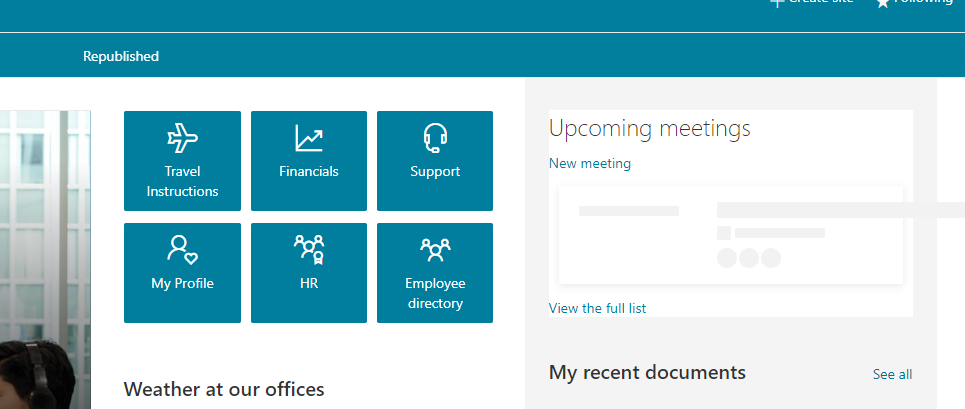
Here is the calendar on the home page, after removing the other MGT Web Parts.
bcameron1231
on 30 Mar 2021
@bcameron1231 Thanks for taking a look. That was the issue. Had the My Tasks web part in another area of the page. Looking forward to the day when we can put both of the web parts on the page at the same time.
diver7
on 1 Apr 2021
Me too! We'll get these updated with new versions of MGT so we can support it!
bcameron1231
on 1 Apr 2021
@bcameron1231 We are running into this issue as well. Could you estimate when the next release will be published? Thank you.
Edit: Ah nevermind. MGT is also waiting - for the next version of SPFx 😨
 heinrich-ulbricht
on 28 Apr 2021
heinrich-ulbricht
on 28 Apr 2021
Yes, as mentioned, we are waiting for the Graph team to release an update for MGT, which in turn they are waiting on updates. No eta on our side at this time unfortunately.
 eoverfield
on 28 Apr 2021
eoverfield
on 28 Apr 2021
Related issues
 ShowMeTheGita
·
7Comments
ShowMeTheGita
·
7Comments
 VesaJuvonen
·
5Comments
VesaJuvonen
·
5Comments
 esjimenezp
·
9Comments
esjimenezp
·
9Comments
 jonasbjor
·
8Comments
jonasbjor
·
8Comments
 GeoffE1e6
·
5Comments
GeoffE1e6
·
5Comments