Sp-dev-fx-webparts: react-graph-telephonedirectory -- InteractionRequiredAuthError in Work Bench
react-graph-telephonedirectory
@Dips_365 @aimery_thomas
I am trying to use the workbench in a SharePoint tenant. When I add the solution to the App Catalog and deploy it normally it works, but in the Work bench I am receiving this message:
InteractionRequiredAuthError: AADSTS65001: The user or administrator has not consented to use the application with ID '7f674932-faa0-4eb6-8b64-0051c9101b97' named 'SharePoint Online Client Extensibility Web Application Principal'. Send an interactive authorization request for this user and resource.
Trace ID: a95833c4-5c75-47b2-b8d1-3806b7865000
Correlation ID: df5be372-feb5-4d32-9b0a-b4d77203d6b7
Timestamp: 2020-11-11 22:22:01Z
I have approved the requests in the API access
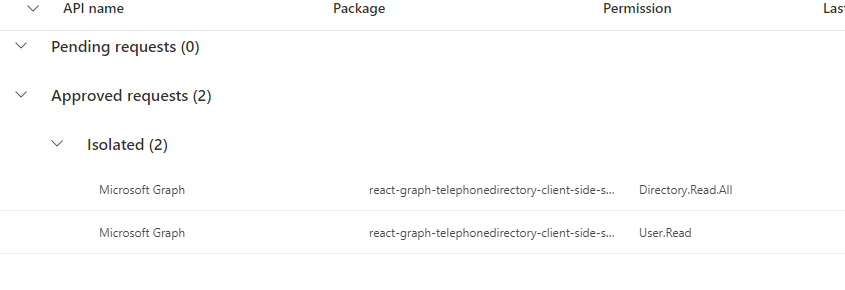
My understanding is this should work in the work bench on the tenant and reach to graph. What can I try to troubleshoot this?
Thanks
 m-rkhan
All 16 comments
Thank you for reporting this issue. We will be triaging your incoming issue as soon as possible.
![msftbot[bot] picture](https://avatars2.githubusercontent.com/in/26612?v=4&s=40) msftbot[bot]
on 12 Nov 2020
msftbot[bot]
on 12 Nov 2020
I got it working on my local workbench :man_shrugging:
Are you using the latest version of the webpart?
 Abderahman88
on 14 Nov 2020
Abderahman88
on 14 Nov 2020
Yes I have the latest version.
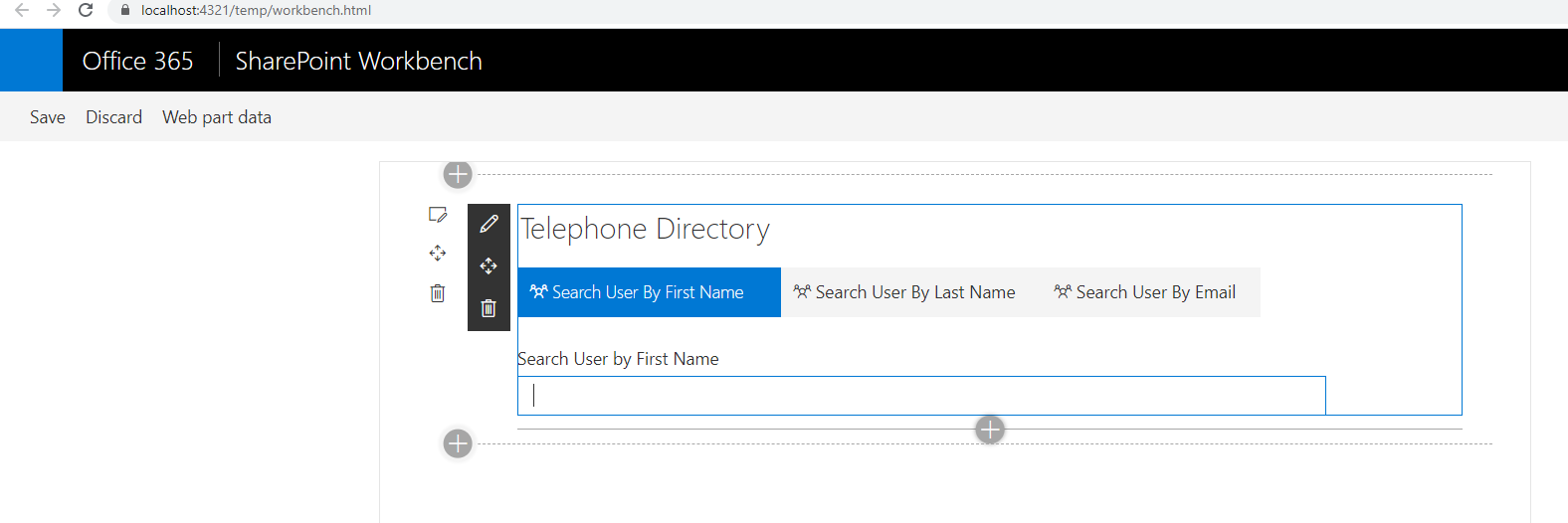
I notice you are on the local workbench. Are you able to reach microsoft graph from your local bench?
It loads like this fine for me, but when I search it throws that error I mentioned.
Thanks
m-rkhan
on 18 Nov 2020
@m-rkhan The graph calls will not work on the local workbench. (This is normal)
It will work on the hosted workbench (https://your-sharepoint-tenant.sharepoint.com/_layouts/15/workbench.aspx)
Try it out 👍
Abderahman88
on 19 Nov 2020
Yes exactly. I'm actually using workbench in the tenant(https://your-sharepoint-tenant.sharepoint.com/_layouts/15/workbench.aspx) and getting this error:
MSGraphService.ts:132 InteractionRequiredAuthError: AADSTS65001: The user or administrator has not consented to use the application with ID 'f15f8a86-f10f-4d59-a6be-8de2119ae054' named 'SharePoint Online Client Extensibility Web Application Principal'. Send an interactive authorization request for this user and resource.
Trace ID: 383b6d40-dce6-4eed-ab49-ce0fdf095100
Correlation ID: b51dd59c-e703-45c9-a6ed-dda0aee84fe5
Timestamp: 2020-11-19 16:02:35Z
Any idea what is causing this? Or how I can troubleshoot it.
m-rkhan
on 19 Nov 2020
Hi @m-rkhan did you ever resolve this issue?
 hugoabernier
on 29 Nov 2020
hugoabernier
on 29 Nov 2020
@hugoabernier Nope, I am receiving the same issue in the tenant work bench when I try to reach microsoft graph.
When I deploy the solution in the app catalog it works.
I have not been able to figure out why it does not work in the work bench.
Is there anything I can provide to help troubleshoot this?
m-rkhan
on 2 Dec 2020
@m-rkhan based on the error, it seems to point to API permissions that were not granted. I know you showed that the permissions are approved in the admin center, but can you confirm that you're testing this app in your own development tenant vs your employer's production tenant, and that you have full permissions to grant permissions in SharePoint and/or Azure AD?
This could also happen if the code uses an API permission that isn't declared in the manifest. Either way, understanding where you're testing this will help us solve this issue either way.
@Dips_365 @aimery_thomas @Abderahman88 did any of you test this app without being a full tenant admin?
hugoabernier
on 2 Dec 2020
@hugoabernier I've just tested it in a development tenant. I am a global administrator, and the API request has been approved.
I am currently receiving the same error.
m-rkhan
on 2 Dec 2020
@m-rkhan Can you check something?
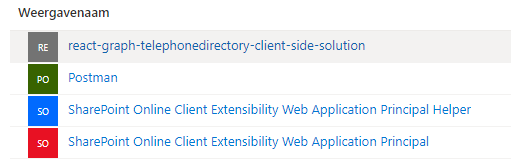
1) Go to https://portal.azure.com/#blade/Microsoft_AAD_RegisteredApps/ApplicationsListBlade (Azure Portal -> App registrations)
Do you see the webpart 'react-graph-telephonedirectory-client-side-solution'? If yes, click on it.
2) Go to 'API Permissions'
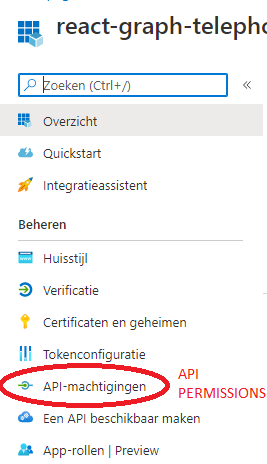
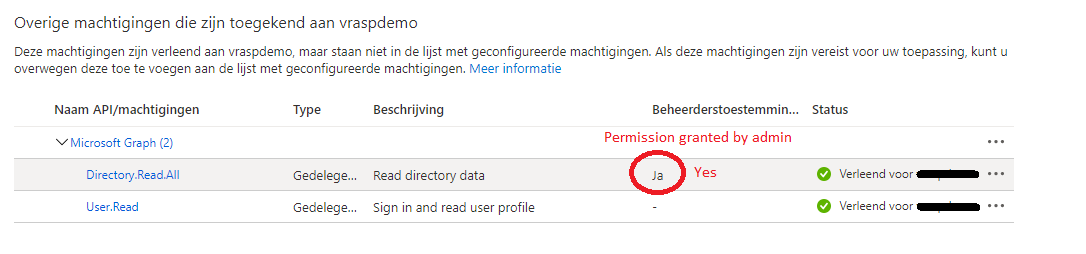
3) Normally you'll see the graph-permissions. Are they approved by the admin?
Abderahman88
on 3 Dec 2020
This is what I am seeing:

@Abderahman88
m-rkhan
on 4 Dec 2020
Looks to me OK.
Have you also tried putting the webpart on another site?
Abderahman88
on 4 Dec 2020
@Abderahman88 Yes I did try it in different sites, not working on the work bench.
Also in different tenants, I am seeing the same behavior.
m-rkhan
on 5 Dec 2020
@m-rkhan
Can you also check the API-permissions for 'SharePoint Online Client Extensibility Web Application Principal' ?
Is everything consented by the admin?
(portal.azure.com --> App registrations --> 'SharePoint Online Client Extensibility Web Application Principal' --> API permissions)
Abderahman88
on 6 Dec 2020
@Abderahman88
That did it! Thanks!
I added permissions to Directory.Read.All and User.Read, and granted admin consent.
Is this something that needs to be documented some where?
m-rkhan
on 7 Dec 2020
Normally this will be automatically added if API permissions are consented in the SharePoint admin center.
Maybe something went wrong behind the screen 😄
Happy it's solved!
Abderahman88
on 7 Dec 2020
Related issues
 albegut
·
4Comments
albegut
·
4Comments
 russgove
·
4Comments
russgove
·
4Comments
 luismanez
·
5Comments
luismanez
·
5Comments
 JenniferUN
·
3Comments
JenniferUN
·
3Comments
 floriemoulin
·
4Comments
floriemoulin
·
4Comments
Most helpful comment
@Abderahman88
That did it! Thanks!
I added permissions to Directory.Read.All and User.Read, and granted admin consent.
Is this something that needs to be documented some where?