Sp-dev-fx-webparts: React Content Query Web part: Help or code snippet needed to format hyperlink output
Sample (which sample are you talking about)
React Content Query web part
Authors
@PopWarner
@hugoabernier
@PaoloPia
Question (the more details, the better)
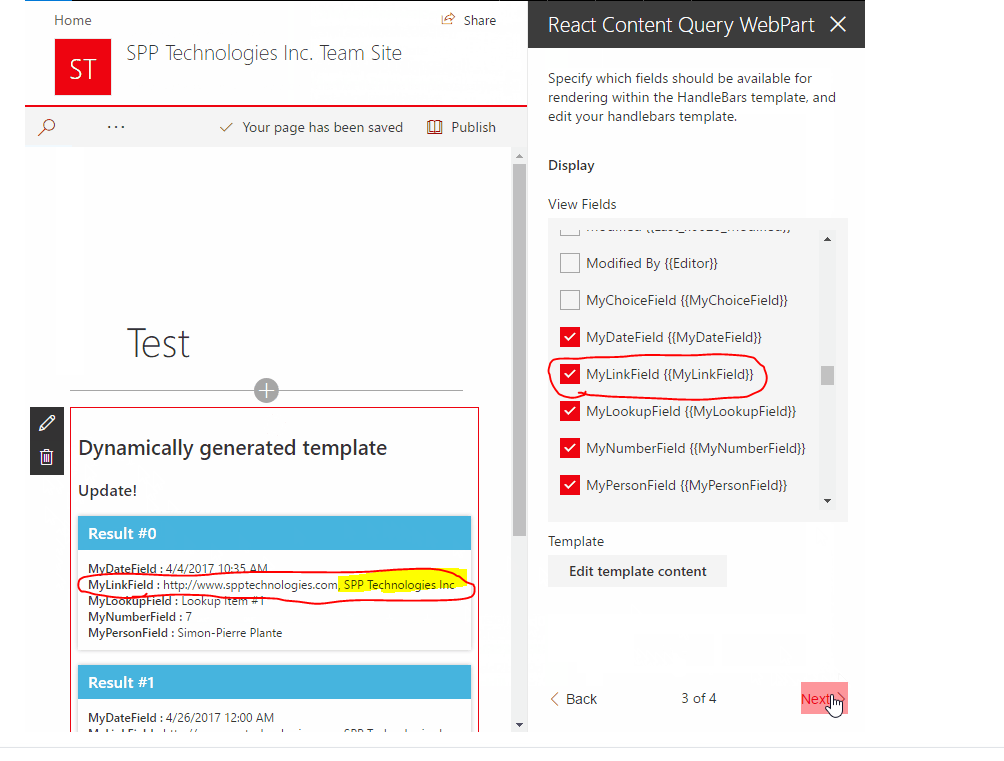
I've been using the content query web part for some time and it's fantastic. There is one small issue that I haven't been able to resolve and wondered if you could help.
When you display a hyperlink column it seems to output the URL and description as a single string. This means that the URL cannot be used in href tag.
Is there a way to strip away the description from the URL so that it can become a clickable link?
Question
 JenniferUN
All 3 comments
Thank you for reporting this issue. We will be triaging your incoming issue as soon as possible.
![msftbot[bot] picture](https://avatars2.githubusercontent.com/in/26612?v=4&s=40) msftbot[bot]
on 25 Oct 2020
msftbot[bot]
on 25 Oct 2020
Hi @JenniferUN,
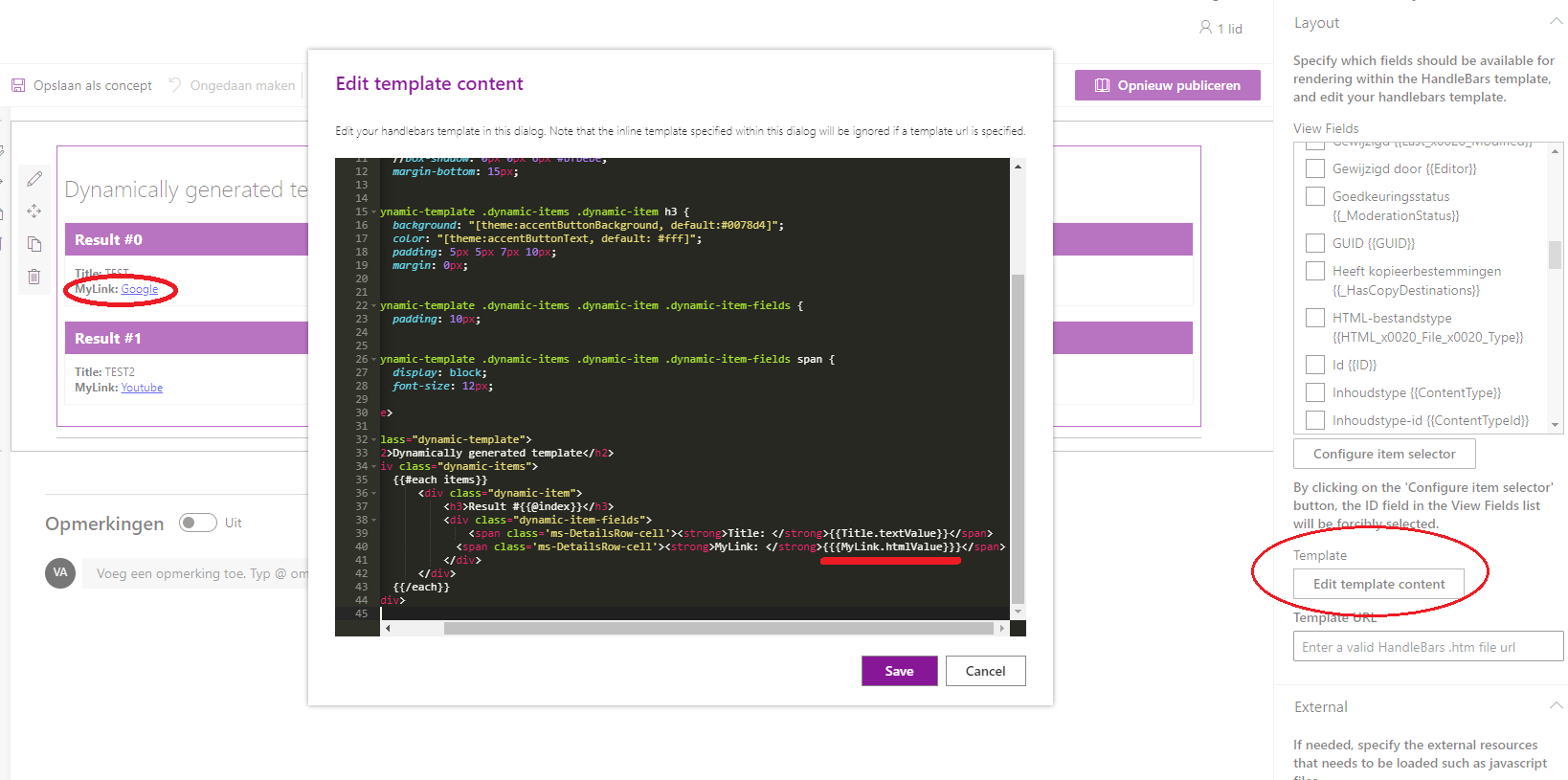
Yes, there is a way.
_Steps_
- Open the property panel of the webpart
- Go to 'Edit template content'
- Change {{MyLinkField.textValue}} to {{{MyLinkField.htmlValue}}} _(use 3 curly brackets, not 2)_
- Click on 'Save' and close
Example
 Abderahman88
on 26 Oct 2020
Abderahman88
on 26 Oct 2020
👍1
Hi @JenniferUN,
Yes, there is a way.
_Steps_
- Open the property panel of the webpart
- Go to 'Edit template content'
- Change {{MyLinkField.textValue}} to {{{MyLinkField.htmlValue}}} _(use 3 curly brackets, not 2)_
- Click on 'Save' and close
Example
Hi @Abderahman88 ,
Thank you very much! This is just what I needed!!! :)
JenniferUN
on 26 Oct 2020
👍1
Was this page helpful?
0 / 5 - 0 ratings
Related issues
 joshburns49
·
3Comments
joshburns49
·
3Comments
 spo-theworst
·
5Comments
spo-theworst
·
5Comments
 MaxDaxDax
·
4Comments
MaxDaxDax
·
4Comments
 shrirampophali
·
4Comments
shrirampophali
·
4Comments
 ChristianSaldivar
·
3Comments
ChristianSaldivar
·
3Comments