Silent-hill-2-enhancements: Startup issues with wine
Hello and thank you for all your amazing work on this.
I've been having some issues getting SH2 enhancements to work under Wine. From the efforts in #22 I know things should be working, but I might have set something up wrong.
Starting with a clean profile and wine 4.0.1,
From the guide, I performed the following steps:
- Install Silent Hill 2
- Install Enhanced Executable
- Install SH2 Enhancements Module
- Install Enhanced Edition Essential Files
- Install FMV Enhancement Pack
- Install ReShade & Filters
- Set Up a Controller
With winetricks, I installed:
- d3dx9
- d3dx9_43 (for good measure)
Then,
With winecfg I set d3d8 and d3d9 to (native, builtin).
This results in:
a.zip
002f:fixme:win:EnumDisplayDevicesW ((null),0,0x32da10,0x00000000), stub!
boot:  0.00M
002f:fixme:win:EnumDisplayDevicesW ((null),0,0x32f644,0x00000000), stub!
003b:fixme:ver:GetCurrentPackageId (0x539fe9c (nil)): stub
wine: Unhandled stack overflow at address 0x7bc8320b (thread 002f), starting debugger...
002f:err:seh:setup_exception_record stack overflow 816 bytes in thread 002f eip 7bc50d77 esp 00231000 stack 0x230000-0x231000-0x330000
 disqonnected
All 35 comments
Correction - the execution above was with an older Wine (3.x). Running with 4.0.1 got the updater to run (which did run an update), but the .log files are identical (except for some memory addresses). The new ini is d3d8.txt
disqonnected
on 29 Aug 2019
@disqonnected, it looks like the issue is that the UseCustomModFolder feature is not working for you. I suspect that you are running this on a Linux box. You need to do two things:
- Add
CustomModFolder = datato the ini file. - Move all files from the
sh2efolder into thedatafolder (backing up the files in the data folder first).
See #134 for more details.
 elishacloud
on 11 Sep 2019
elishacloud
on 11 Sep 2019
@elishacloud Thanks for looking into this. Curious that this problem would manifest with a crash.
There is no CustomModFolder in the .ini I got after the auto-update, nor do I see it here: http://www.enhanced.townofsilenthill.com/SH2/config.htm . I flipped UseCustomModFolder to 0 and overwrote the contents of data with the contents of sh2e.
I still get an overflow when loading:
wine: cannot find L"C:\\windows\\system32\\winemenubuilder.exe"
000b:err:wineboot:ProcessRunKeys Error running cmd L"C:\\windows\\system32\\winemenubuilder.exe -a -r" (2)
0009:fixme:win:EnumDisplayDevicesW ((null),0,0x32d154,0x00000000), stub!
boot:  0.00M
0009:fixme:win:EnumDisplayDevicesW ((null),0,0x32f3c4,0x00000000), stub!
002e:fixme:ver:GetCurrentPackageId (0x448fe8c (nil)): stub
0009:err:seh:setup_exception_record stack overflow 848 bytes in thread 0009 eip f7bff51e esp 00230fe0 stack 0x230000-0x231000-0x330000
0031:fixme:rstrtmgr:RmStartSession 0x448f590, 0, 0x448f830 stub!
0031:fixme:rstrtmgr:RmEndSession 2077258912 stub!
0031:fixme:rstrtmgr:RmStartSession 0x448f588, 0, 0x448f828 stub!
0031:fixme:rstrtmgr:RmEndSession 64077320 stub!
0035:fixme:win:EnumDisplayDevicesW ((null),0,0x33d930,0x00000000), stub!
0035:fixme:win:EnumDisplayDevicesW ((null),0,0x33f5f4,0x00000000), stub!
0035:err:seh:setup_exception_record stack overflow 864 bytes in thread 0035 eip f7c0051e esp 00240fd0 stack 0x240000-0x241000-0x340000
There is no
CustomModFolderin the.iniI got after the auto-update
Yes, I understand. This is a hidden option. I believe the issue is that the hooking fails on Linux and so the game is using the files in the data folder while the module is using the files in the sh2e folder. I know this is an issue already.
Try with this module: d3d8.zip
If you still have issues, please send me the log file.
elishacloud
on 13 Sep 2019
Hello @disqonnected , I wrote a Lutris installer for this game that uses a special @elishacloud d3d8 dll, could you test it and say us if the game still crashing?
https://lutris.net/games/silent-hill-2/
 legluondunet
on 14 Sep 2019
legluondunet
on 14 Sep 2019
@legluondunet, @disqonnected, if either of you get a chance can you try with my latest module and send me your log files. I tried to update the hooking to add better support for Linux.
Test module: d3d8.zip
elishacloud
on 15 Sep 2019
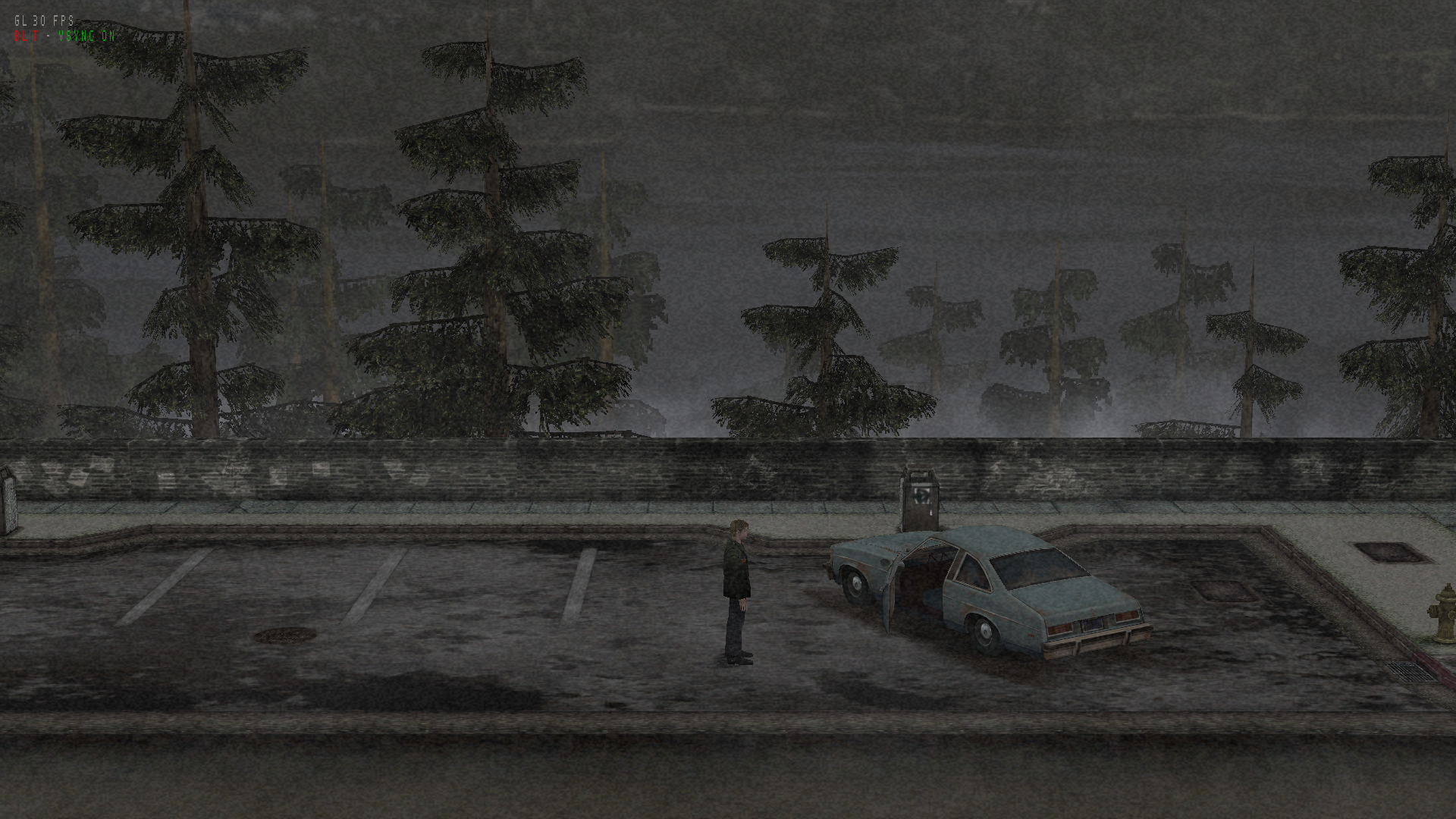
Tested on Ubuntu 19.04 - NVidia GPU - Wine 4.15-staging - Wine Virtual desktop mode 1920x1080 (same as my native desktop resolution).
1) with Wine directx builtin dlls, only d3d8 dll set to "native,builtin", use sh2proxy as launcher:
--> 15-20 seconds before to see first logo
--> menu ok
--> launch a new game ok
--> video ok
--> game nok: screen is all grey, even after disabled all advanced graphic options
legluondunet
on 15 Sep 2019
2) set d3dx9_43 and d3dcompiler_43 to "native", d3d8 dll set to "native,builtin", use sh2proxy as launcher:
--> 15-20 seconds before to see first logo
--> menu ok
--> launch a new game ok
--> video ok
--> game ok with all advanced graphic options
d3d8.log
legluondunet
on 15 Sep 2019
@disqonnected you wrote:
With winetricks, I installed:
d3dx9
d3dx9_43 (for good measure)
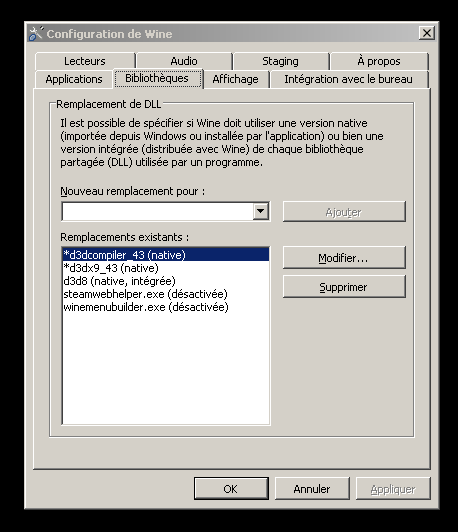
You don't have to install d3dx9 but d3dx9_43 and d3d9compiler_43 with Winetricks.
Then set d3d8 dll to "native,builtin"
legluondunet
on 15 Sep 2019
Using @legluondunet 's winecfg configuration and the latest d3dx, the game loads. I'm unable to test if it also plays because of my hardware, but any discussion on that probably belongs to another issue. Feel free to close if you feel the same.
Thank you both very much.
disqonnected
on 15 Sep 2019
@disqonnected, thanks for the update. I'm going to keep it open a bit longer to make sure all the Linux issues are resolved.
@legluondunet, thanks for all the testing. Yes, d3dx9_43 and d3dcompiler_43 are required for this patch to work. Without those it will just show a grey screen even on Windows.
I created another patch that should fix all the API hooking issues on Linux. This build should allow the UseCustomModFolder feature ('sh2e' folder) to work. With this patch you should be able to use the game on Linux with the normal Silent Hill 2: Enhanced Edition Installation Guide.
Would it be possible to try this from scratch using the sh2e mod folder and resetting the data folder back to its original state? Please also send me log files after the test. Thanks!
Edit: I forgot to attach the new testing build. Here it is: d3d8.zip
elishacloud
on 17 Sep 2019
I just reinstall SH2 from scratch, following "Silent Hill 2: Enhanced Edition Installation Guide".
The game crashes at start (I didn't modify the ini of your last archive).
I joined you d3d8 log and wine log too.
If I use a precedent version with customfolder disabled, the game launches ok.
legluondunet
on 18 Sep 2019
@legluondunet, thanks for testing this. I found the previous issue. Can you test it once more?
Again, this should work with the normal Silent Hill 2: Enhanced Edition Installation Guide.
Here is the new build: d3d8.zip
elishacloud
on 18 Sep 2019
still crashed before the first logo.
I joined you the d3d8 log file.
d3d8.log
legluondunet
on 18 Sep 2019
Thanks for continuing to help out here! Let's try this one more time. I found another issue with the last one. I hope this one works. d3d8.zip
elishacloud
on 19 Sep 2019
@elishacloud There are some significant progresses: the game no more crashed.
But now I obtained this error message at launch:
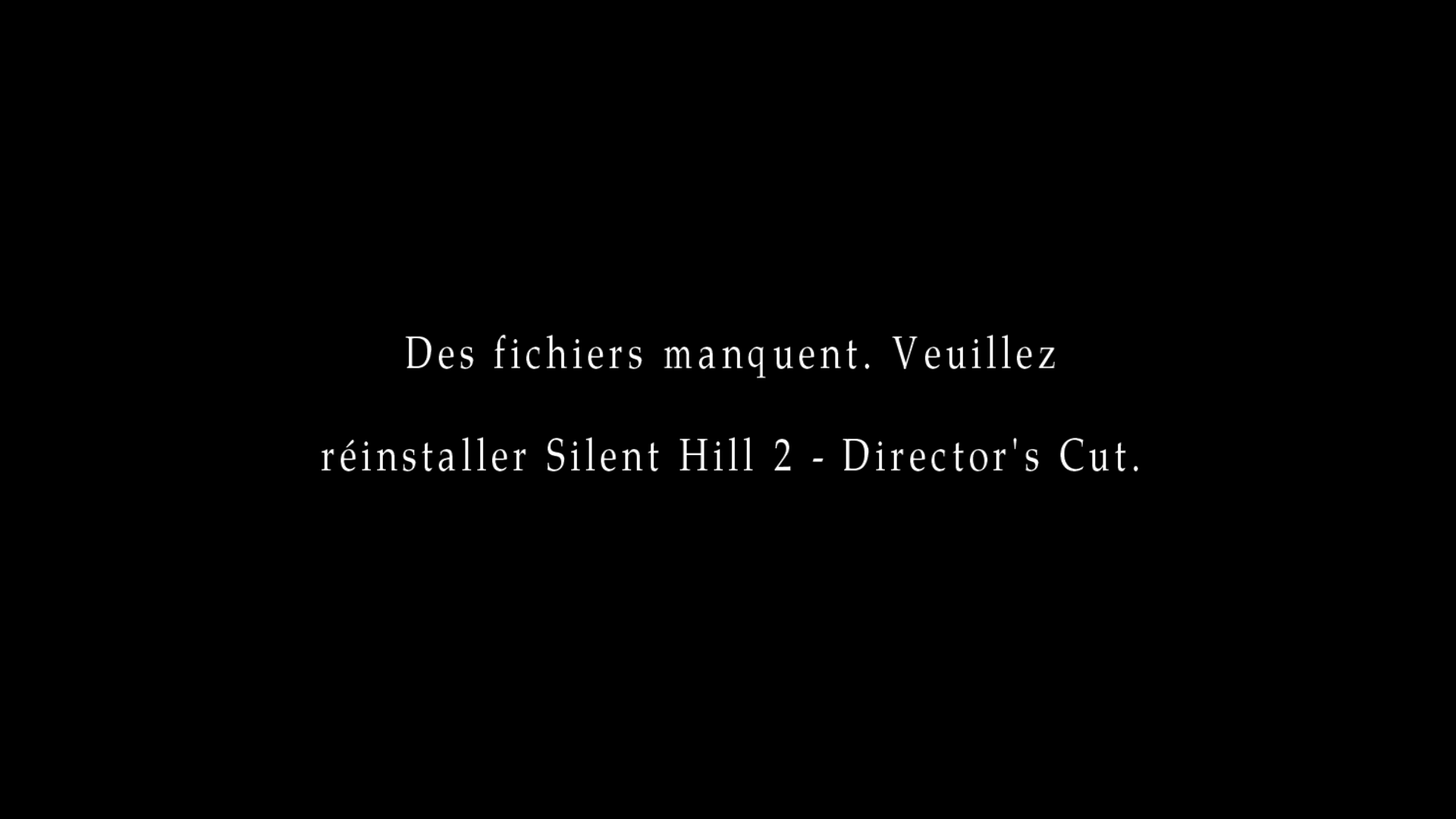
in english: "missing files, reinstall SIlent Hill 2 Director 's cut"
If I inactivated "customfolder" option, the game launched normally.
I joined you the d3d8 log file and result of "tree" command that list all files of the game folder.
legluondunet
on 19 Sep 2019
@legluondunet, Thanks for your patience here. We are getting closer. I added some additional logging in this build. Can you try this and let me know the results. d3d8.zip
Note: even if this one launches, it does not have the fix in it yet, but can help us get closer the figuring out the issue.
elishacloud
on 20 Sep 2019
Last fresh d3d8 log:
d3d8.log
legluondunet
on 20 Sep 2019
It looks like I am now able to correctly hook the APIs. However, the API call stack most be different on Linux than on Windows. Try this one and let me know if this works: d3d8.zip
elishacloud
on 20 Sep 2019
legluondunet
on 20 Sep 2019
That is great! Thanks for all your help here. The next update will have these Linux fixes in it.
elishacloud
on 20 Sep 2019
Congratulations @elishacloud , I have rarely seen a developer put so much harshness to make his code Wine compatible, once again bravo!
legluondunet
on 20 Sep 2019
i read the last d3d8 log file and I saw this 3 lines:
9 10:39:53.299 UpdateCustomExeStr Error: Wrong text file!
9 10:39:53.304 UpdateMainMenuFix Error: failed to find memory address!
9 10:39:53.318 UpdateMainMenuTitlePerLang Error: failed to find memory address!
are they important?
legluondunet
on 20 Sep 2019
The first error is happening because you are using an unreleased build and do not have the correct custom string file. You can either wait until we release this build or you can try the string file from here and copy it to the Silent Hill 2\sh2e\text folder.
The other two errors are happening because you are using the Director's Cut version. Those fixes are not needed for the Director's Cut version. I am planning to hide those messages later. For now you can safely ignore them.
** Edit: actually it looks like that string file does not work either. I suggest ignoring these for now and just waiting until we release the updated package for the fix.
elishacloud
on 20 Sep 2019
Edit: actually it looks like that string file does not work either. I suggest ignoring these for now and just waiting until we release the updated package for the fix.
That's the older (original) exe_str.txt file. Try downloading the one from this post instead. It contains the updated lines that make it compatible with Belek666's latest work for it. Place it under \sh2e\text\exe_str.txt
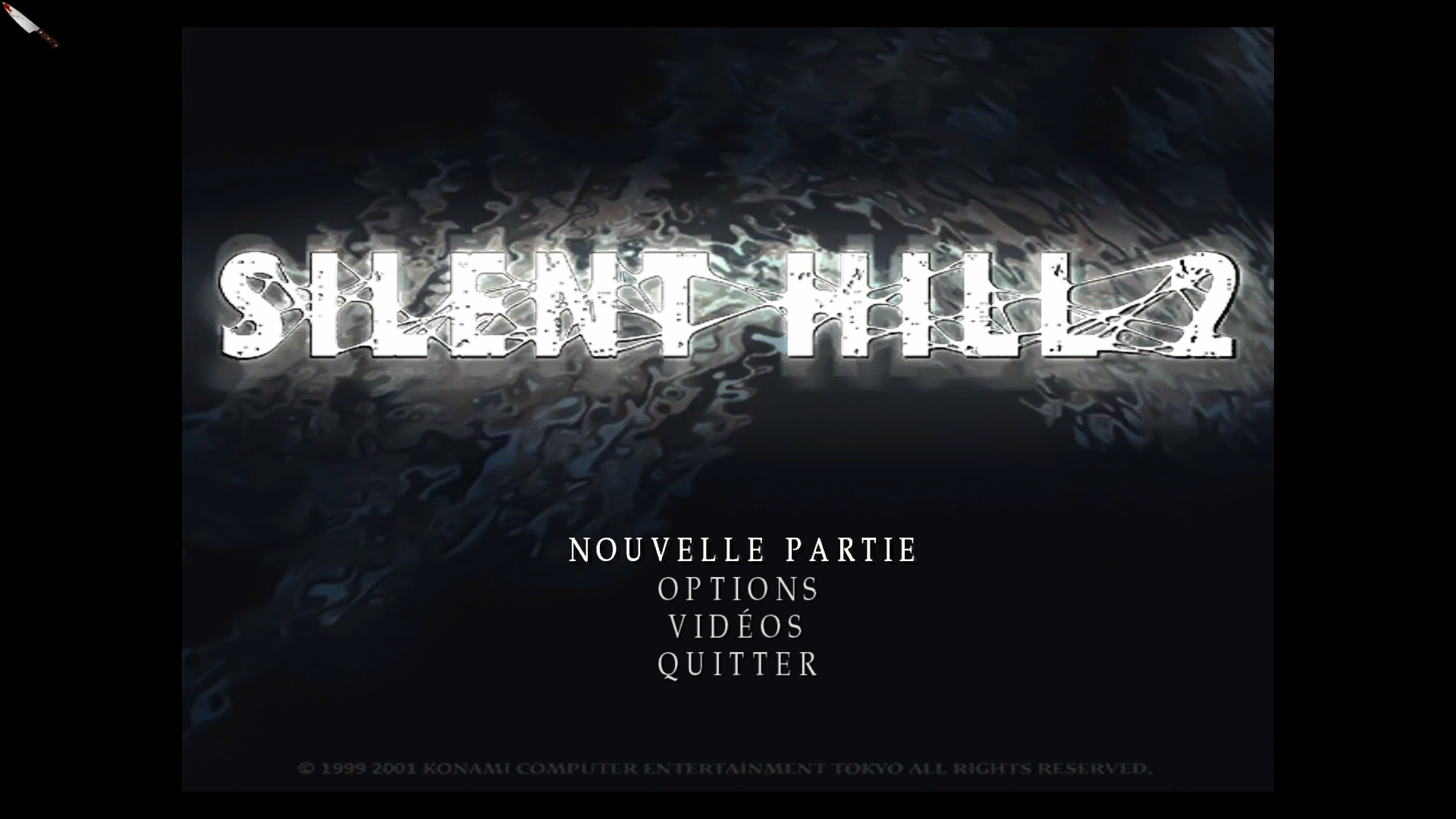
Also, from your screen capture I see you are using the Director's Cut (DC) executable. We strongly recommend you use the North American (NA) executable. This is because there are noted stability/crash issues with the DC binary. Simply put: Your game may very likely crash in time when using the DC binary.
We obtained that "no-CD" DC binary from the web, but we have no idea what else the modder tinkered with inside the binary. Something else was likely altered as that executable is rather unstable.
Instead, please use the 1.0 NA binary found here: http://enhanced.townofsilenthill.com/SH2/#installEnhancedEXE
In the next, upcoming update, the main menu text for the NA binary will be translated as well whenever you change the language.
I have rarely seen a developer put so much harshness to make his code Wine compatible, once again bravo!
If you are able to, please consider sending a donation to Elisha for all the hard work he does for the project! There's no requirement or obligation to do so, but Elisha is a pretty damn awesome person. :) Donation info: http://enhanced.townofsilenthill.com/SH2/credit.htm#Elisha_Riedlinger
 Polymega
on 20 Sep 2019
Polymega
on 20 Sep 2019
The other two errors are happening because you are using the Director's Cut version. Those fixes are not needed for the Director's Cut version. I am planning to hide those messages later. For now you can safely ignore them.
Thank you for your answer, I will ignore them.
That's the older (original) exe_str.txt file. Try downloading the one from this post instead. It contains the updated lines that make it compatible with Belek666's latest work for it. Place it under sh2e\textexe_str.txt
Hello @Polymega, I just updated it and It works now, thanks:
45 21:28:40.407 Enabling Custom Exe Strings...
Also, from your screen capture I see you are using the Director's Cut (DC) executable. We strongly recommend you use the North American (NA) executable. This is because there are noted stability/crash issues with the DC binary. Simply put: Your game may very likely crash in time when using the DC binary.
I'm not using original exe from my SH2DC cd install but sh2proxy from Emoose https://github.com/emoose/sh2proxy.
I always obtained good results with sh2proxy on Linux/Wine and it is MULTI5 language compatible.
Recently I use it with sh2e project and I obtain a stable game experience.
But I done all the tests here with the "North American (NA) executable" following Silent Hill 2: Enhanced Edition Installation Guide.
Only for your information, now that's d3d8 is Linux/Wine compatible, I tested sound.dll to avoid noisy sounds, it works very well on Linux/Wine and I will add it too to my Lutris script. As for d3d8, I had to override the dsound dll "native,builtin" in wineconfig to activate it.
Tested ReShade & Filters: did not work and crashed sh2 at start, but I will not use it.
If you are able to, please consider sending a donation to Elisha for all the hard work he does for the project! There's no requirement or obligation to do so, but Elisha is a pretty damn awesome person. :) Donation info: http://enhanced.townofsilenthill.com/SH2/credit.htm#Elisha_Riedlinger
That's an excellent idea and amply deserved.
@elishacloud Once again thank you a lot, you did here a very nice work.
This issue could be close now, isn't it?
Last thing: are you agree if I write an article on Gamingonlinux about you recently adding Wine compatibility to sh2e project?
legluondunet
on 20 Sep 2019
Glad I was able to get it fixed. Thanks for testing it for me.
Last thing: are you agree if I write an article on Gamingonlinux about you recently adding Wine compatibility to sh2e project?
Yes, I am ok with that.
Closing issue.
elishacloud
on 21 Sep 2019
I'm not using original exe from my SH2DC cd install but sh2proxy from Emoose https://github.com/emoose/sh2proxy.
I downloaded this binary and compared it to the one I have. There is a discrepancy between in the two binaries. The end result should be the same, but the Emoose version is slightly more efficient, and maybe more reliable. I'm adding the same patch in this project. This patch will affect all 3 binary versions.
@Polymega: _Note: this shows that there are different binary versions of the Director's Cut out on the Internet, something we suspected for a while. I am planning to add some code to inspect the binary and log a message when an unknown binary is detected._
elishacloud
on 28 Sep 2019
Great work, Elisha!
Polymega
on 28 Sep 2019
I've been playing around with Linux Mint and have decided to use it as my main OS for now. I'm using the US version of SH2 but am at a loss on how to get it working. I'm gonna try Lutris but would prefer to use Proton if that's possible using Protontricks? If anyone can give me a hand or a guide that would be awesome! :dancer:
 Hunk4TH
on 11 Mar 2020
Hunk4TH
on 11 Mar 2020
@Hunk4TH, Can you get the game working natively without the Enhancement Module?
Can you upload your log file?
elishacloud
on 11 Mar 2020
Hello @Hunk4TH,
Proton is a Wine forked version developed by Valve to run Steam Windows games on Linux.
As SH2 is not available on Steam, it's not necessary nor wishable to use Proton for this game.
Protontricks is a modifed Winetricks version to use only with Proton.
So if you want to install SH2 on Linux, you can use wine and winetricks provided by your distribution, on Linux Mint:
sudo apt-get install wine winetricks
or more easy, no tweak, just click "install" and "play" using my Lutris script.
(hello @elishacloud :) )
legluondunet
on 11 Mar 2020
@elishacloud it tries to load up but my desktop resolution changes but the game never loads up even though it shows it in the panel I have to force log out or reboot as I can't do anything. I'm not sure where to find the log at :/
@legluondunet Oh I know what Proton is, I just figured I could add it as a non Steam game. I actually already have Winetricks installed but I might try your script. Does it work for the US version?
Hunk4TH
on 11 Mar 2020
I just figured I could add it as a non Steam game
You could do that but you didn't choose the easy way.
Did you read all the comments from this issue?
Running Windows game on Linux could be complicated and this game is not the easiest, even more if you use third part module.
Does it work for the US version?
I only tested the European version, but it should just work.
If not open an issue on my Github page and I will modify my Lutris script.
legluondunet
on 11 Mar 2020
I just figured I could add it as a non Steam game
You could do that but you didn't choose the easy way.
Did you read all the comments from this issue?
Running Windows game on Linux could be complicated and this game is not the easiest, even more if you use third module.Does it work for the US version?
I only tested the European version, but it should just work.
If not open an issue on my Github page and I will modify my Lutris script.
Oh I know how difficult running Windows apps and games can be in Linux. I'll keep playing around with it and I'll try your script for the US version and if it doesn't seem to work I'll report it here :)
Hunk4TH
on 11 Mar 2020
Related issues
 lebouffon88
·
17Comments
lebouffon88
·
17Comments
 OregonPacifist
·
15Comments
Polymega
·
14Comments
OregonPacifist
·
15Comments
Polymega
·
14Comments
 Badore90
·
9Comments
Badore90
·
9Comments
 Psycho-A
·
16Comments
Psycho-A
·
16Comments
Most helpful comment
I downloaded this binary and compared it to the one I have. There is a discrepancy between in the two binaries. The end result should be the same, but the Emoose version is slightly more efficient, and maybe more reliable. I'm adding the same patch in this project. This patch will affect all 3 binary versions.
@Polymega: _Note: this shows that there are different binary versions of the Director's Cut out on the Internet, something we suspected for a while. I am planning to add some code to inspect the binary and log a message when an unknown binary is detected._