Silent-hill-2-enhancements: FIX FOUND: PS2-like Noise Filter
@AeroWidescreen
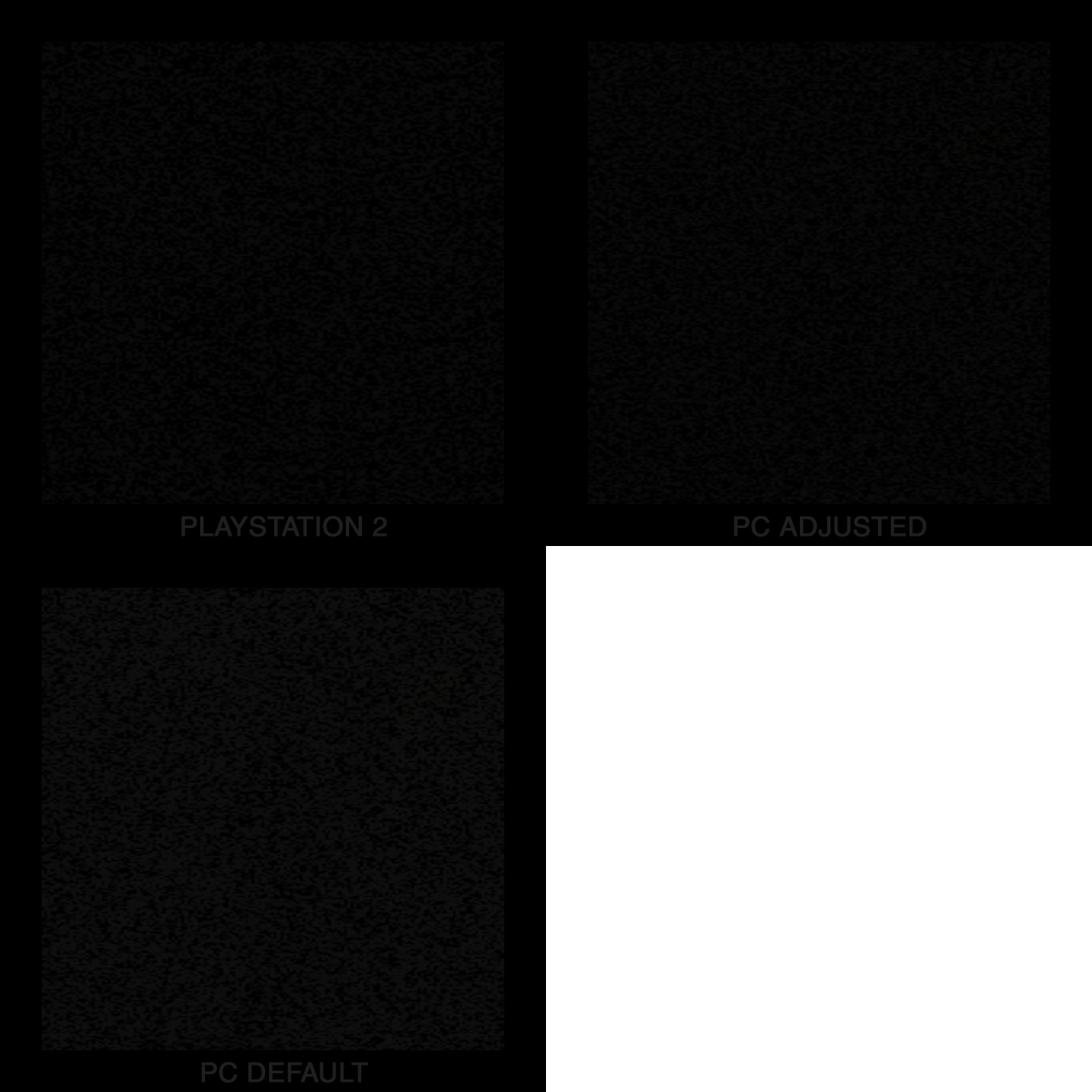
Using addresses found from one of Bigmanjapan's videos I was able to adjust the noise filter values to get an extremely close approximation to the PS2 version. The main things done here are spacing out the noise "chunks" so more of the negative space in between chunks is shown while also keeping the chunk sizes close to the PS2 version.
May I ask you to consider adding this to the WSF? Maybe something like:
PS2StyleNoiseEffect = 1 // Adjusts noise "chunks" to resemble PS2's version. Use with IncreaseNoiseEffectRes = 0 for best results
IncreaseNoiseEffectRes = 0 // Use 2, 3, or 4 for higher resolutions
Description | Address | Original Value | New Value
-- | -- | -- | --
Noise filter opacity | 00942CC5 (byte) | 222* | 30
Noise filter preset | 00942CC0 (byte) | 0 | 0
Noise filter size | 00942CC2 (byte) | 96* | 0
*Note: These settings would need to be "locked" when activated as changing the game's brightness level would overwrite our adjustments.
Comparison:
Here: http://enhanced.townofsilenthill.com/SH2/comparisons/noisefilter.htm
And here:
 Polymega
All 31 comments
I've been thinking lately: I'm not sure what Elisha's plan is, but if he's cool with it I much rather have his mod start doing some of these changes. I feel like WSF is starting to get bloated with features that don't have much to do with widescreen. It was fine when it was a few small changes to the lighting here, a few small changes to the camera there, but now you're talking about overhauling the flashlight, adding functions to fix the room lighting, rotating default model positions, etc. It's starting to get a bit too much in my opinion.
 AeroWidescreen
on 10 Jun 2018
AeroWidescreen
on 10 Jun 2018
Yeah, whatever fits best. Would you still be on board to help with fixes? On Elisha's mod or otherwise? Although I was specifically asking about WSF for this one as I'm not sure if the addresses mentioned here would conflict with your current noise resolution fix any?
Polymega
on 10 Jun 2018
Would you still be on board to help with fixes? On Elisha's mod or otherwise?
Of course, I'll help where I can and when I can. I'm still working on the quick save bug. When I looked at it yesterday I almost had something for you to test again, but upon further research the problem is a little more complicated than I initially thought. Once I'm done with that I'll look at this.
Although I was specifically asking about WSF for this one as I'm not sure if the addresses mentioned here would conflict with your current noise resolution fix any?
I can't think of any reason why it would. It should be fine.
AeroWidescreen
on 10 Jun 2018
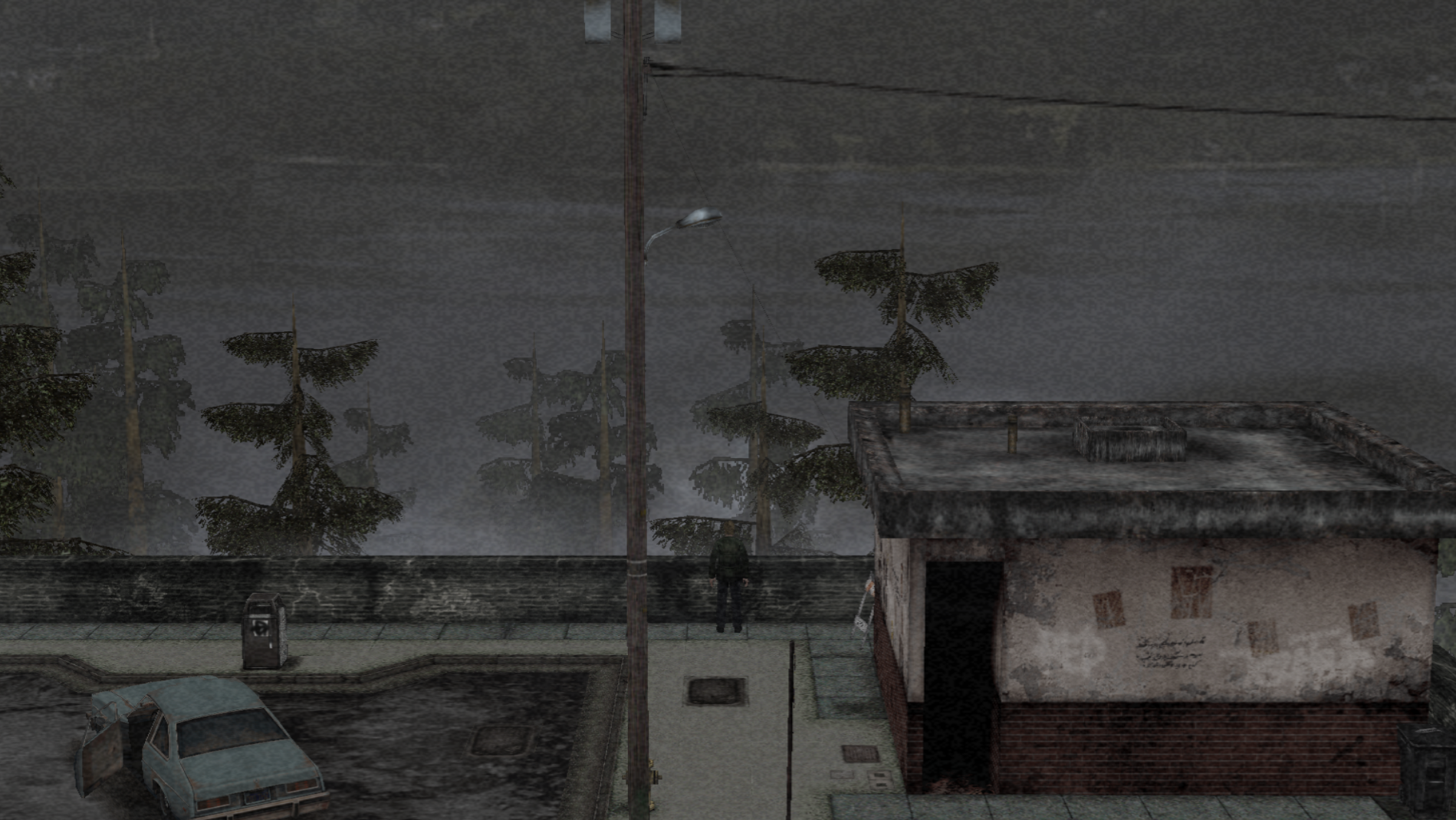
A happy coincidence with this updated "PS2-like" noise filter. I ran back to the beginning of the game to test the cemetery quick save fix and noticed the levels for this area are... now correct!
I always subconsciously noticed how much brighter this beginning area seemed than the rest of the game but this corrects it! This should also mean many other specific, outside areas should be looking much more right as well now.
PC Default Noise Filter

PC New Noise Filter
The only thing changed here is the noise filter settings.

PS2
Polymega
on 10 Jun 2018
Nice adjusting. What about those who don't want to play with the noise filter on? For them the area would still be too bright. It's possible to lower location brightness, I have the addresses but not sure if you want to add it.
 Bigmanjapan
on 10 Jun 2018
Bigmanjapan
on 10 Jun 2018
I actually tested that right after but didn't think to post it here; the PS2 version is just as bright as the PC version when the noise filter is off for both!
PC No Noise Filter

PS2 No Noise Filter

Polymega
on 10 Jun 2018
the PS2 version is just as bright as the PC version when the noise filter is off for both!
Nice find! I didn't know the noise filter was responsible for the difference in brightness, but I guess it makes sense when the chunks are darker instead of lighter.
AeroWidescreen
on 10 Jun 2018
It's possible to lower location brightness, I have the addresses but not sure if you want to add it.
I'd like to talk to you about this some more though, Bigmanjapan. The Eddie boss rooms are completely wrong in color on the PC build. I was able to adjust the RGB of the room and get it looking close but I didn't know how to increase room's brightness for these areas. May I make a new ticket for this and we can discuss it there?
Polymega
on 10 Jun 2018
the PS2 version is just as bright as the PC version
Nice.
May I make a new ticket for this and we can discuss it there?
Sure.
Bigmanjapan
on 10 Jun 2018
@Polymega
So what's the current status on this? It seems you have it all figured out already. Anything you need me to do here?
AeroWidescreen
on 11 Jun 2018
@AeroWidescreen I'm not sure what the protocol is for writing these fixes to be used outside of CE. (i.e. within a GitHub project so the every-man can just download an updated mod package and use out the gate.)
Would you be the one to write it to work as such? @elishacloud ? Would you become a collaborator for this repository to add mods here? I'm a bit clueless with the GitHub workflow...
Polymega
on 11 Jun 2018
Would you be the one to write it to work as such? @elishacloud ? Would you become a collaborator for this repository to add mods here? I'm a bit clueless with the GitHub workflow...
Well I was asking if you were having trouble with something, i.e. the values are being overwritten, or the results aren't as close to the PS2 version as you wanted. From what I've seen it looks like the opacity isn't a static value, so that's something that would need to be reduced with division or subtraction.
When it comes to helping Elisha, all I can do is the same thing I do for ThirteenAG. I'd give him any information I have: assembly, calculations, pointers, addresses, etc. so he's not left solving that on his own.
AeroWidescreen
on 11 Jun 2018
Well I was asking if you were having trouble with something, i.e. the values are being overwritten, or the results aren't as close to the PS2 version as you wanted. From what I've seen it looks like the opacity isn't a static value, so that's something that would need to be reduced with division or subtraction.
Yes sir, we just now discovered that changing the game's brightness levels changes the values for the noise filter. So the values provided on the original post here would need to be "locked" when this fix is activated.
When it comes to helping Elisha, all I can do is the same thing I do for ThirteenAG. I'd give him any information I have: assembly, calculations, pointers, addresses, etc. so he's not left solving that on his own.
Good deal then! Thank you for your continued help, contributions, and assistance with these fixes!
Polymega
on 11 Jun 2018
@Polymega Locking it isn't a problem, I just don't know if that's the best way to do it. It appears the filter is supposed to get darker the higher brightness level is set. Probably done to compensate.
The brightness control _does_ work like the PS2 version for me. Apparently it's a fullscreen only feature, so it won't work in windowed mode, but it breaks after alt-tabbing.
AeroWidescreen
on 12 Jun 2018
@Polymega Locking it isn't a problem, I just don't know if that's the best way to do it. It appears the filter is supposed to get darker the higher brightness level is set. Probably done to compensate.
Good point and great foresight on this. I could maybe change the brightness levels on the PS2 version with the noise filter activated and compare/adjust the PC version's noise filter from there for each brightness step? The only thing is I can't "print screen" brightened PC images to do a true comparison... this is because the game brightens the monitor itself and not the actual game visuals so I'd be eye balling comparisons/changes "live." What do you think the best approach for this is, Aero? Maybe just "locking" it for brightness level 3 whose default values are 00942CC5 = 222 & 00942CC2 = 96?
Polymega
on 12 Jun 2018
I could maybe change the brightness levels on the PS2 version with the noise filter activated and compare/adjust the PC version's noise filter from there for each brightness step? The only thing is I can't "print screen" brightened PC images to do a true comparison
No, that shouldn't be necessary if we scale the values correctly. Plus I don't think it's worth the effort. I'll have to look at this during the weekend, because it's starting to give me a headache. My attempts at having it scale with the values you provided results in everything beyond brightness level 4 being invisible. Either I'm overlooking something or there must be a better way to make the noise filter darker, like RGB values.
AeroWidescreen
on 14 Jun 2018
@Polymega Alright, I got the scaling to work by replacing the "size" address with something better. It should work exactly the same as vanilla, but with the noise filter being much darker than before.
Edit: Forgot to mention that you may need to reload your saved data for the changes to take effect properly after enabling.
I did find the ARGB values, but they're calculated from the same addresses you provided so no real difference there. They do give me more precise control though, so I'll save that in case my scaling attempt doesn't work and we decide to use static presets instead.
AeroWidescreen
on 15 Jun 2018
Fantastic, Aero! I'll give it a test this weekend. Thank you!
Polymega
on 15 Jun 2018
Hi @AeroWidescreen ,
I was able to test this out and everything seems to have worked out nicely when changing the brightness. Noise is present on all levels and, most importantly, it looks just like the PS2 version still at brightness level 3 (default). (I wanted to test the other levels but changing the PC's brightness changes my entire monitor which also changes the PCSX2 screen.) But well done once again!
Most likely an obvious thing to you but, as you mentioned, the game needs to be reloaded before the script/changes will kick in. Would that be a concern for regular users if this fix is up and running outside of Cheat Engine?
Polymega
on 16 Jun 2018
I wanted to test the other levels but changing the PC's brightness changes my entire monitor which also changes the PCSX2 screen.
I just based the whole thing on the brightness level 3 values you gave me and then let the divide instruction do the rest of the work. The results should be close enough if my PS2 screenshots (and my own memory) are anything to go by.
Most likely an obvious thing to you but, as you mentioned, the game needs to be reloaded before the script/changes will kick in. Would that be a concern for regular users if this fix is up and running outside of Cheat Engine?
No, because it'll be enabled from the very moment the game is launched. The script is something you have to activate manually, so I can't predict when or where you decide to do that. You have to be very, very quick.
AeroWidescreen
on 16 Jun 2018
I'm not sure what Elisha's plan is, but if he's cool with it I much rather have his mod start doing some of these changes. I feel like WSF is starting to get bloated with features that don't have much to do with widescreen. It was fine when it was a few small changes to the lighting here, a few small changes to the camera there, but now you're talking about overhauling the flashlight, adding functions to fix the room lighting, rotating default model positions, etc. It's starting to get a bit too much in my opinion.
@AeroWidescreen, I would be happy to put any fixes into this module. I was actually thinking that it would be nice to combine all the fixes (including things like the fog fix) into a single project with options to control each feature. This way users only need to install a single SH2 fix + the ReShade stuff.
I am happy to put this fixes into this project, or we can use your project. However, lately my time (and interest) has been elsewhere. But if we have a collection of fixes to add I can put them in here.
 elishacloud
on 30 Jun 2018
elishacloud
on 30 Jun 2018
@elishacloud ? Would you become a collaborator for this repository to add mods here? I'm a bit clueless with the GitHub workflow...
@Polymega, It is possible with GitHub to do submodules. We could setup @AeroWidescreen,'s project to be a submodule of this or vice versa. I am open to either idea. I am definitely happy to also just put all the fixes into this project instead.
elishacloud
on 30 Jun 2018
Awesome @elishacloud ! I believe Aero will share some code/fixes with you soon to add to your project here. These are various solutions for issues discussed in the issues section here.
For the other, pre-existing WSF fixes that's obviously up to your's, Aero's, and ThirteenAG's discretion. But I'd like to thank you once more for everything you're doing with all these projects.
I know you didn't grow up with SH2 and have the rose-tinted glasses as others here may have so it means a great deal for all that you do when you find the time to do so. Thanks a ton!
Polymega
on 30 Jun 2018
@elishacloud
I am happy to put this fixes into this project, or we can use your project. However, lately my time (and interest) has been elsewhere. But if we have a collection of fixes to add I can put them in here.
Okay, cool. I get tired of working on the same thing after awhile, so unless it's texture related I'm going to be taking a break from SH2 anyway. I'm just going to post some information for stuff we already have done.
It is possible with GitHub to do submodules. We could setup @AeroWidescreen,'s project to be a submodule of this or vice versa. I am open to either idea. I am definitely happy to also just put all the fixes into this project instead.
Whatever you think works best. Right now we only have the PS2 noise filter, a saved data bug fix, draw distance increase, and a cutscene animation fix from @Bigmanjapan. Nothing too complicated or big.
PS2 Noise Filter
00477E9D mov edx,000001D7 // controls opacity; 471 integer
0047C6F9 mov byte ptr [00924CC5],22 // controls brightness for level 0 and 1; 34 integer
0047C6DA jmp XXXXXXXX
XXXXXXXX mov [address1], al // moves contents of al to code cave address
XXXXXXXX fild dword ptr [address1] // loads integer stored at code cave address
XXXXXXXX fdiv dword ptr [address2] // divides integer by 7.40 float; controls brightness
XXXXXXXX fistp dword ptr [address3] // stores integer at code cave address
XXXXXXXX mov eax,[address3] // moves contents of code cave address to eax
XXXXXXXX [00942CC5],al // moves contents of al (eax) to noise filter address
XXXXXXXX jmp 0047C6DF
AeroWidescreen
on 2 Jul 2018
@AeroWidescreen
Okay, cool. I get tired of working on the same thing after awhile, so unless it's texture related I'm going to be taking a break from SH2 anyway.
No problem. I understand.
I'm just going to post some information for stuff we already have done.
Ok. I am going to need some help getting up to speed here. Are these fixes that are already in the SH2 Widescreen Pack or are these fixes I need to add to this project?
Do you have a list of a fixes that are already in the Widescreen Pack and what fixes need to be added to this module?
PS2 Noise Filter
Thanks for the code here. I don't quite understand this line:
XXXXXXXX fdiv dword ptr [address2] // divides integer by 7.40 float; controls brightness
What is address2 here? Also I don't understand how this is dividing by 7.40f. Sorry for the dumb question, but my assembly skill is still weak.
Would it look something like this:
float BrightnessControl = 7.4f;
void *jmpAddr = (void*)0x0047C6DF;

__declspec(naked) void __stdcall PS2NoiseFilter()
{
    BYTE tmpAddr;
    DWORD tmpVar;
    __asm
    {
        mov tmpAddr, al // moves contents of al to code cave address
        fild dword ptr tmpAddr // loads integer stored at code cave address
        fdiv dword ptr BrightnessControl // divides integer by 7.40 float; controls brightness
        fistp dword ptr tmpVar // stores integer at code cave address
        mov eax, tmpVar // moves contents of code cave address to eax
        // call a function to move al to addr [00942CC5]
        jmp jmpAddr
    }
}
What is address2 here? Also I don't understand how this is dividing by 7.40f. Sorry for the dumb question, but my assembly skill is still weak.
address2 is whatever address you have 7.40f stored at via your code. So in this example, address "20153284" has a value of 7.40f
fdiv dword ptr [20153284]
This will divide the integer we loaded with fild by 7.40, then we store the result at another address I labeled as address3 with fistp.
Brackets means the address / register is treated like a pointer. You can only use the fdiv instruction with brackets as far as I know.
Brackets
mov eax, [20153280] // moves value of address 20153280 to eax
No Brackets
mov eax, 3F800000 // moves "3F800000" to eax
Would it look something like this:
I'm not sure. As long as it isn't doing something like this:
fdiv dword ptr [3F800000] // 3F800000 = 1.0f
Because the game would think 3F800000 is an address and crash since it doesn't exist. See above for how brackets work.
Ok. I am going to need some help getting up to speed here. Are these fixes that are already in the SH2 Widescreen Pack or are these fixes I need to add to this project?
Everything I've mentioned are completely new fixes that need to be added to your project. Nothing I've listed is in the widescreen pack.
Do you have a list of a fixes that are already in the Widescreen Pack and what fixes need to be added to this module?
There is only one thing that I want to move over to your project, but I need to ask ThirteenAG about it, so don't worry about that for now. A list of all current features and their purpose from the widescreen pack.
Below is the current list of new fixes that need to be added to your project:
- PS2 Noise Filter - darkens filter to match ps2 version
- Cemetery Lighting Fix - prevents game from saving the wrong lighting conditions in the cemetery
- Increase Draw Distance - removes a visible black "wall" when navigating the apartments
- Boat Animation Fix - fixes rowing animation bug after reloading saved data
I'll @ you for each one when I have the necessary information to share, like I did here for the PS2 noise filter.
AeroWidescreen
on 3 Jul 2018
Thanks for the information @AeroWidescreen. This is very helpful!
elishacloud
on 11 Jul 2018
Added PS2 Noise Filter with 94eb79b check-in.
elishacloud
on 11 Jul 2018
I think you made a slight error for BrightnessControl. You put 4.7 float when it should be 7.4 float. I made the same mistake before too. 😛 Everything else looks good.
AeroWidescreen
on 11 Jul 2018
Thanks for the catch @AeroWidescreen. Nice to have someone reviewing my code. I just updated it in 16992b2.
elishacloud
on 11 Jul 2018
Fixed. Closing issue.
elishacloud
on 14 Jul 2018
Related issues
 yukinsaknos
·
14Comments
Polymega
·
10Comments
Polymega
·
8Comments
yukinsaknos
·
14Comments
Polymega
·
10Comments
Polymega
·
8Comments
 Storm3000
·
10Comments
Polymega
·
15Comments
Storm3000
·
10Comments
Polymega
·
15Comments
Most helpful comment
Thanks for the catch @AeroWidescreen. Nice to have someone reviewing my code. I just updated it in 16992b2.